





arrange in order
How to delete unused WordPress media: detailed tutorial
Deleting media files that are no longer in use is an effective solution during the operation of a WordPress website when the host's disk space starts to fill up but we don't intend to upgrade the hosting package for the time being. In this article, we will explain how to delete unused WordPress manually or through a plugin...

How to move the WordPress admin bar to the footer: a detailed tutorial
WordPress by default displays the admin bar at the top of the screen, and this bar helps you quickly access WordPress backend functions. However, some users may find the location of the admin bar a bit obtrusive and want to move it, especially to change its appearance and location. In this tutorial, through WP...

How to create a WordPress lightbox without a plugin: a detailed tutorial
WordPress has been able to create lightbox effects without relying on third-party plugins since version 6.5. This feature has been integrated into the WordPress core, especially for those who use the WordPress block editor (Gutenberg). Therefore, adding images and enabling lightbox effects for them is now...
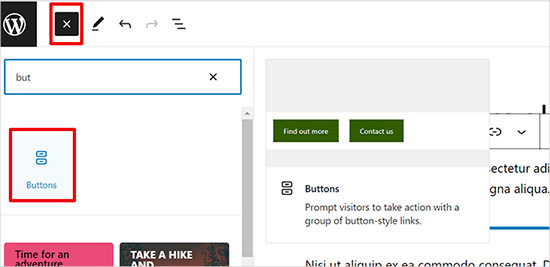
How to Add Buttons in WordPress without Code
Adding buttons to WordPress posts and pages WordPress has a built-in button block that makes adding buttons relatively simple. This is a feature of the Gutenberg WordPress block editor. Let's take a look at some of the ways to do this! Use the default editor in WordP...

WordPress forgot password how to do? -A few ways to teach you quickly recover the administrator account
Some careless WordPress administrators will forget their WordPress backend login password, and the computer does not save the password locally. Don't worry, there are several ways to teach you to recover it quickly. The easiest way to recover a forgotten password is to change or reset it. How to...
How to Quickly Fix Invalid JSON Response Errors in WordPress
Before we get into what causes the Invalid JSON Response error in WordPress, let's first understand what triggers this error. The error message usually pops up when you're working in the WordPress block editor, and when you try to add media files directly to the block...
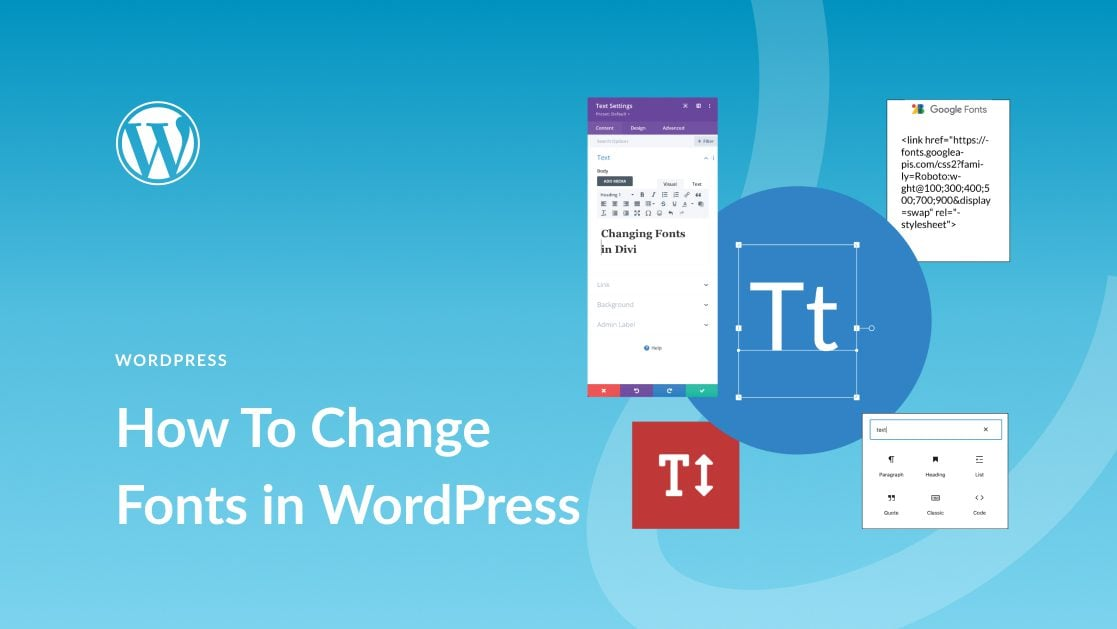
How to Easily Change Fonts in WordPress: 4 Simple Ways
In this post, we'll explore the many ways to change fonts in WordPress, whether you're using a theme, or customizing fonts with a plugin. 1. How to Change Fonts in WordPress (4 Easy Ways) ...
Detailed Guide: How to Customize and Reorder WordPress Admin Menu via Plugin or Code
When we work with WordPress websites, the backend admin menu is an important part of an administrator's daily operations. However, the default admin menu may not fully meet everyone's needs. In this article, we will detail two methods: using a plugin and manually reordering through code...
How to Easily Sort Posts in WordPress with Drag and Drop Features and Plugins
By default, posts are displayed in Wordpress in chronological order from newest to oldest. Sometimes we may want to reorder them, such as putting important announcements, promotions, or the latest blog posts at the top of the home page. If you want to reorder posts in WordPress...

How to Add Images Correctly to a WordPress Website
The Importance of Uploading Images Correctly in WordPress Sometimes, users copy images directly and paste them into their website content. This can lead to issues such as slow page speed, poor user experience and poor SEO. When adding images to a WordPress website, it's important to do it correctly...

How to use Rank Math breadcrumb feature to display all category levels
Rank Math is a powerful WordPress SEO plugin with breadcrumbs to help users understand where they are in the site and improve the user experience. Especially for WordPress websites with multiple category levels, enabling Rank Math breadcrumbs and displaying...

How to Paste a Code Snippet from a Web Page into WordPress for Newbies
Hello everyone! Today's tutorial focuses on teaching you how to safely paste various custom code snippets into WordPress. Below is mainly to share some of our team's experience in pasting custom code snippets. The best way to add code snippets to WordPress is...

 简体中文
简体中文  English
  日本語
日本語  Français
  Español



