





arrange in order

How to Notify Search Engines and Users About WordPress Domain Changes
Changing your WordPress domain name should be done carefully, as it can significantly affect website traffic and SEO performance. To ensure a smooth transition and minimize the impact on search engine rankings and user experience, it's important to notify search engines and users in a timely manner. Let's look at what it takes to notify search...

How to Insert or Edit Links in WordPress Content Editor
A link is a word, group of words, or image that you can click on to go to a new page. In WordPress, inserting and editing links is a key part of improving user experience and site navigation. Below are detailed steps and methods to teach you how to add links to posts, pages and widgets. ...

How to Optimize WordPress Themes for Better Performance
WordPress is a powerful content management system (CMS) that is widely used to create various types of websites. However, as website content and functionality increases, performance issues become more prevalent. Optimizing your WordPress theme is a critical step in improving your website's performance. We...
A Comprehensive Guide to Securing Your Business WordPress Website
For organizations that use WordPress, it's critical to keep customer information safe and protect digital systems from online threats. At a corporate and organizational level, it's important to secure multiple WordPress sites. This is not just a small task, but requires careful planning, thorough...
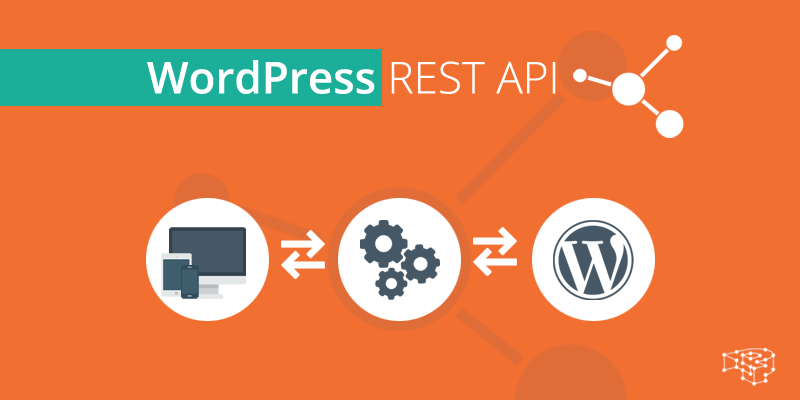
What is a REST API and how does it work?
REST (Representational State Transfer) API (Application Programming Interface) is a mechanism for communicating between different software components over the Internet. It allows developers to use standard HTTP methods (e.g. GET, POST, PUT, DELETE) to access and manipulate information from Wor...

WordPress User Management Guide
Managing WordPress users is an administrative task that is often overlooked, but it is critical to improving WordPress management and security. Poorly managed users can pose a security risk, especially as a site grows and develops. Fortunately, having a user management plan in place is more important than one might think...
How to Reset User Password in WordPress Dashboard
Resetting WordPress user passwords is an important thing to do, especially when the user forgets the password or the security of the account is at stake, WordPress reset passwords are crucial. Here are the detailed steps that I have compiled on how to reset user password securely in WordPress dashboard. 1....

Improving WordPress Website Security Across the Board: A Guide to Best Practices and Tools
WordPress has become the platform of choice for millions of people to create and manage websites. However, website security is often overlooked. In this article, we'll explore why security should be a top priority when using WordPress. The Importance of WordPress Security Whether...

Creating Multilingual Websites with WordPress Multisite
WordPress Multisite allows users to create a network of connected WordPress sites and manage all of them from one control panel. They share many resources, such as plugins and themes, thus simplifying the building and maintenance of all websites. We will cover WordPress ...

How to Hide WordPress Toolbar
When logging into the WordPress dashboard, you will see a toolbar (admin bar) at the top that provides quick links and the ability to manage sections. However, this toolbar can seem redundant or even annoying when you want to view the user-friendliness of your website or page layout. In this article, we'll go over a few...

How to Optimize WordPress Website Performance
When it comes to WordPress performance optimization, we can try the following. Install the theme and populate it with content When setting up our theme in a new WordPress installation, you'll usually import some dummy content. This content is meant to help you get your site up and running quickly and understand its structure...
How to add an administrator user in WordPress using FTP: a detailed guide
Using a version control system and automated deployment system is essential during WordPress theme development and administration. And when you're locked out of the WordPress admin area, using FTP to add an admin user is a quick and effective solution. In this article...

 简体中文
简体中文  English
  日本語
日本語  Français
  Español



