


 Harry.



Making the Complicated Simple





How to Add and Manage Variable Products in WooCommerce in Detail
The Variable Products feature is very useful in WooCommerce. It allows you to set up multiple variants of the same product, such as different sizes (e.g. large, medium and small) or colors. For each variant, you can set the price, inventory and display image independently. This way, when the sales...

How to Modify Footer Copyright Information in WordPress Themes
The footer is an important part of a WordPress website, often used to display copyright information, privacy policy, terms of service and contact information. By default, many WordPress themes automatically generate footer copyright information, such as "© 2024 Powered by Wor...

How to implement multi-language support in WoodMart theme: detailed tutorial and plugin advantages and disadvantages analysis
For e-commerce websites using WoodMart theme, adding multi-language support can improve user experience and market coverage. So how do we go about adding this feature and how do we choose it? Why choose multilingual support? Adding multilingual support to a website has multiple good...

WordPress poster auto-generation function: one click to generate image sharing with QR code
In order to help many blog type personal websites or official websites to share their contents more conveniently, a simple and efficient one-click poster generation function has been designed. With this feature, you can easily generate image sharing posters with QR codes to make your content easier to spread and promote. One click ...

How to Create Custom Headers and Footers with Elementor: A Step-by-Step Guide (09)
When building a website with WordPress, the default Astra theme header and footer may not fulfill all your needs for the look of your website. Fortunately, with elmentor, you can easily create and customize your own header and footer. This post will detail how to elmentor...

Common WordPress Gutenberg Editor Issues and Their Solutions
WordPress replaced the old classic editor with a new content editor called Gutenberg in 2019. This editor uses blocks to create content in WordPress, so it's often called the "block editor". What is the WordPress Block Editor? WordPress...

Astra Theme Menu Setup Explained: A Comprehensive Guide from Basic to Mega Menu (04)
In our previous post, we explored in detail the difference between the paid version of Astra theme and template import. In this issue, we will analyze the menu settings of Astra theme in depth. For every website, the menu is a crucial navigation tool that not only determines the user's browsing...
A Complete Guide to Changing Domain Names for WordPress Websites
Changing the domain name of a WordPress website can be a complex but necessary task, especially if you need to change the domain name frequently for a bargain site, migrate to a better domain, or undergo a website reorganization. We have a detailed guide here to help you safely and effectively change your WordPress website...

How to Setup WooCommerce Payments (Complete Guide for Newbies)
What is WooCommerce Payments? WooCommerce Payments (renamed WooPayments) is a payment method designed for WooCommerce, an e-commerce platform built on WordPress. It allows businesses to make payments directly on their website...

How to Create Tables in WordPress with Elementor and TablePress
Adding and managing tables on your WordPress site is easy with the TablePress plugin. This plugin provides an intuitive graphical interface to create beautiful tables without writing complex codes. Tables play an important role on WordPress websites. It...
How to Configure Popups in a WordPress Site with Elementor
Pop-ups are call-to-action mode windows that pop up and cover a page at a specific moment or under specific triggers and conditions. Popups primarily capture the attention of the user after they have taken an action. First, go to Templates > Popups. Control the popup window layout, conditions, rules...

What are the modules in magento?
Magento, a popular e-commerce platform, offers a number of modules to enhance and customize online stores. These modules cover everything from product management to customer relations, from marketing to analytics. Here is a detailed article that delves into the various modules of Magento and their...

WordPress media library images not showing up? Here's the solution!
WordPress is very popular content management system and many people use it to build websites and blogs. However, sometimes you may find that you obviously put images in the media library, but you can't see them on the page. In this way, the website is missing images and it doesn't look...
Basel Theme Setup Guide: A Comprehensive Look at Web Interface Configuration (11)
In the last installment, we explained in detail some of the basic settings of the Basel theme. In this issue, we will continue to delve into the store interface and product page settings of Basel theme to help you better optimize and customize your website. Whether you are a newbie or an experienced webmaster, these practical...

How to troubleshoot and fix Elementor Pro update errors?
Updating Elementor may cause specific errors in different situations. Possible causes and solutions Update: Unable to copy files This error occurs in the following cases: Using Elementor Pro from the local host and any Windows server. To resolve this...

How to set up the menu of a WoodMart theme: detailed tutorial with best practices (02)
Today we talk about WoodMart theme menu settings, the previous WoodMart theme template data import reference WoodMart theme menu is more functional, DIY (customization is also more), so it is recommended that novices slowly understand the simple menu features will not need to talk more, will not refer to Ba...

Elementor Pro Professional
For product details, please click on the main product image. After adding the cart, click "Go to checkout" below and then contact customer service to activate the plugin.

Common Reasons Why Elementor Cannot Load Editor and How to Fix It
Elementor editor is very popular among WordPress users. It is favored because of its power and visual editing features. However, many readers have encountered a headache that Elementor cannot load the editor. This kind of...

In-depth Analysis of Elementor Basic and Pro Paid Functionality: A Comprehensive Guide and Practical Tips (06)
In the previous installment, we covered the basic features of the Elementor editor in detail. Before we move on to the Pro paid version features, we need to understand one important general feature. These basic features are available to you as long as you have the regular version of the Elementor editor installed...

Python 3.9 Offline Installation Tutorial on Linux: Easily install the latest version of Python without an Internet connection!
Python version 3.9 can be installed by following these steps when there is no Internet connection on a Linux system or when you wish to do an offline installation. Step 1: Download the Python 3.9 source code On any machine with an Internet connection, using a browser or command line, go to the official Python...
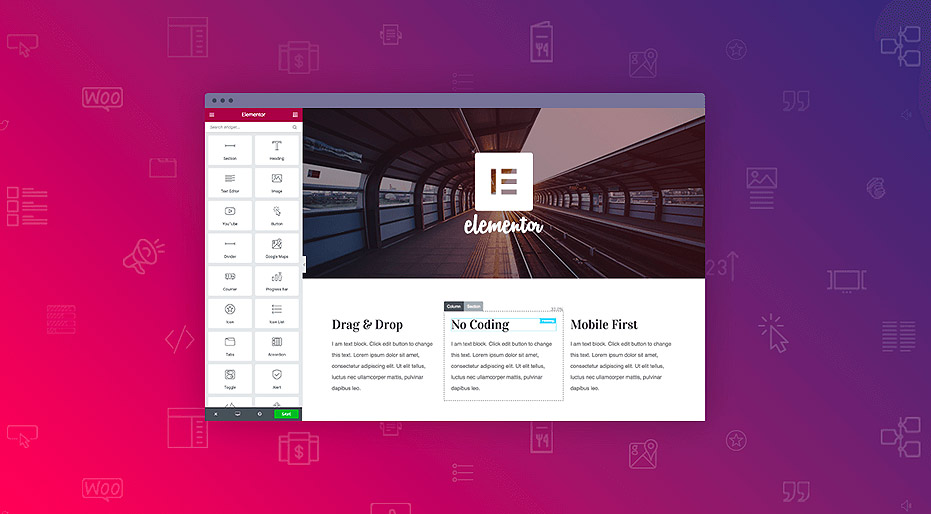
WordPress Elementor Prompts Error Cannot Save 500 Solution Guide
The 500 Internal Server Error is a common server error that is usually caused by a website's server environment. This error can cause a website to be inaccessible and affect the user experience. In this article, we will explore the common causes of the 500 error and provide solutions, especially for those using Elemen...

Detailed tutorial on how to set up multi-currency functionality in WooCommerce: manual selection vs. automatic switching (02)
So let's move on today to finish talking about some of the ways to set up multi-currency, with manual selection and automatic switching, but there was a little hiccup in sharing this tutorial, and the article is a little long, so please bear with us. Steps → Website Backend → Woocommerce → Currency Sw...

Five Best Plugins for Bulk Editing WooCommerce Products
Several other Woo extensions and WordPress plugins can be used to bulk edit products. Here are some of the best WooCommerce bulk product editor plugins available in the market. 1. Product Bulk Editor for WooCommerce With this extension, one can simultaneously...

Common Problems and Solutions after WordPress Website Migration
When migrating a website, you may encounter a number of issues, common ones being, for example, mixed media errors (after migrating from http:// to https://), or missing images and other data. This guide will help you resolve these issues and ensure that your website works properly after migration. Solving...

Elementor and WoodMart Theme: Exploring Powerful Modules and Features (07)
In the last installment, we detailed some of the basic features of both the free and paid versions of Elementor. In this installment, we'll focus on the powerful modular features of Elementor with the WoodMart theme. Whether you want to create sliders, photo galleries, price lists, or contact forms...

Elementor plugin can't edit/load/blank page problems and solutions
When using the Elementor plugin for WordPress for visual editing, I recently encountered a tricky problem: I couldn't access Elementor's visual editor. Even with Safe Mode enabled, the page is still grayed out and won't load. Checking the error entries through the browser, it was found...

Reasons and solutions for not being able to edit with Elementor
When editing with Elementor, you sometimes encounter problems such as: displaying a blank page called "White Screen of Death"; displaying a gray page that loads indefinitely; and widget panels that are grayed out or load endlessly. When clicking "Edit with Elementor"...

How to collect and manage submission data using Elementor forms
Backup, access and management of form submission data is very important in website management. With Elementor Forms, it's easy to collect and manage visitor submissions from the WordPress admin backend. This not only helps to gather valuable user insights and analyze campaign data...

How to Enhance User Review Experience with Customer Reviews for WooCommerce Plugin: Optimization and Hands-on Guide
On the back-end of the Wordpress site. If you have installed WooCommerce (e-commerce plugin) , itself provides the basic evaluation function, but in order to further optimize the user experience and enhance brand trust, Customer Reviews for WooCommerce plugin on the basis of this...

How to Install and Setup Yoast SEO Plugin in WordPress (Detailed Tutorial)
Learn how to install and configure the Yoast SEO plugin to optimize your WordPress website for improved search engine rankings. This tutorial covers the setup, features, and tips for improving your website's SEO for both the free and paid versions.

 简体中文
简体中文  English
  日本語
日本語  Français
  Español



