






Making the Complicated Simple





How to solve "Post Content widget not found" error in Elementor
In the past two days, a reader left a comment in the community (Photon Community) that he encountered a "Post Content widget not found" error when using Elementor to design a WordPress single post template. This is a relatively common problem with Elementor, which usually occurs when creating or...

The Complete Guide to WordPress 301 Redirects: Best Practices for Fixing Dead Links and Improving User Experience
A 301 redirect is a permanent redirection of an old web page URL to a new URL to help fix dead links and improve user experience. It can effectively avoid 404 error pages and improve user trust in the website, while retaining the SEO weight of the old page and passing it to the new page. This operation in the net...

Configuration Guide for WooCommerce Cache Plugin
In websites that use WooCommerce, the use of caching plugins can effectively increase page loading speed and improve user experience. However, since pages such as shopping carts, user accounts, etc. involve dynamic user data, these pages should usually not be cached, otherwise it may lead to information exhibition...
Basel Theme Setup Guide: A Comprehensive Look at Web Interface Configuration (11)
In the last installment, we explained in detail some of the basic settings of the Basel theme. In this issue, we will continue to delve into the store interface and product page settings of Basel theme to help you better optimize and customize your website. Whether you are a newbie or an experienced webmaster, these practical...
Basel theme full tutorial: optimize your site from scratch (13)
Welcome to our Basel theme summary tutorial! In several previous posts, we detailed how to optimize your WooCommerce site using the Basel theme. From modifying announcements, setting browser icons and site titles, to adjusting store page display styles and product images...
How to Optimize Images and Multimedia Content for Your WordPress Website
In WordPress websites, images and multimedia content are crucial for website SEO. They not only enhance the user experience, but also deliver information effectively. However, unoptimized images and multimedia content can dramatically degrade website performance and affect loading speed, which is detrimental to SEO.How to optimize...

How to Write Quality SEO Friendly Articles
Writing high-quality SEO-friendly articles is crucial to boosting website traffic and search engine rankings. A good SEO article should not only cater to the search engine algorithms, but also to the needs of the readers. Let's take a look at how to write high-quality SEO-friendly articles, including key...

Creating Multilingual Websites with WordPress Multisite
WordPress Multisite allows users to create a network of connected WordPress sites and manage all of them from one control panel. They share many resources, such as plugins and themes, thus simplifying the building and maintenance of all websites. We will cover WordPress ...

Detailed tutorial: reset WordPress password via pagoda panel and phpMyAdmin
Step 1: Login to Pagoda Panel Open your browser, access and login to Pagoda Panel. Step 2: Access phpMyAdmin On the main interface of Pagoda Panel, locate and click on the "Databases" menu, and then select phpMyAdmin. Step 3: Log in to phpMyAdmin Using the database...
How to Reset User Password in WordPress Dashboard
Resetting WordPress user passwords is an important thing to do, especially when the user forgets the password or the security of the account is at stake, WordPress reset passwords are crucial. Here are the detailed steps that I have compiled on how to reset user password securely in WordPress dashboard. 1....

Why is the Elementor widget grayed out?
Why are widget elements grayed out in the Elementor editor? There are two common reasons why you see widget elements "grayed out" when editing pages or content in the Elementor editor. The element has been hidden on some devices If the visibility of the element has been...

Beginner's Guide: Comparing the Pros and Cons of Magento, WordPress, Shopify, and Chinese Website Builders
The following is about Magento, WordPress, Shopify and other Chinese website building tools, some of the main differences and advantages and disadvantages of the table: Project MagentoWordPressShopify other Chinese website building tools to use the difficulty of very difficult to use simple easy to use simple easy to use the degree of difficulty of the different tools are not ...

One-Click WordPress Installation: The Easy Way to Use Pagoda Panels
Welcome to the practical chapter of Creating Your Digital World! Today, we're going to explore how to quickly deploy WordPress by utilizing the one-click install feature in the Pagoda Panel, which makes installing WordPress on a server a breeze with its easy and efficient administration....

WordPress Website Upgrade Guide: How to Migrate from HTTP to Secure HTTPS
Planning to upgrade your WordPress site from HTTP to HTTPS? A lot of people are interested in this, especially after Google announced that starting July 2018, Chrome will mark websites that don't have SSL certificates installed as insecure. This article will teach you how to give your WordP...

WordPress website construction optimization strategy: domain name selection, server configuration, theme installation, keyword ranking improvement and content optimization techniques
Domain Name Purchase We do Chinese, domain name selection in the Ali cloud purchase is good, including our own is also the choice of the Ali cloud, relatively speaking, cost-effective is relatively high. Aliyun registered domain name https://wanwang.aliyun.com/ quickly improve the ranking of the site, the new domain name is a not...
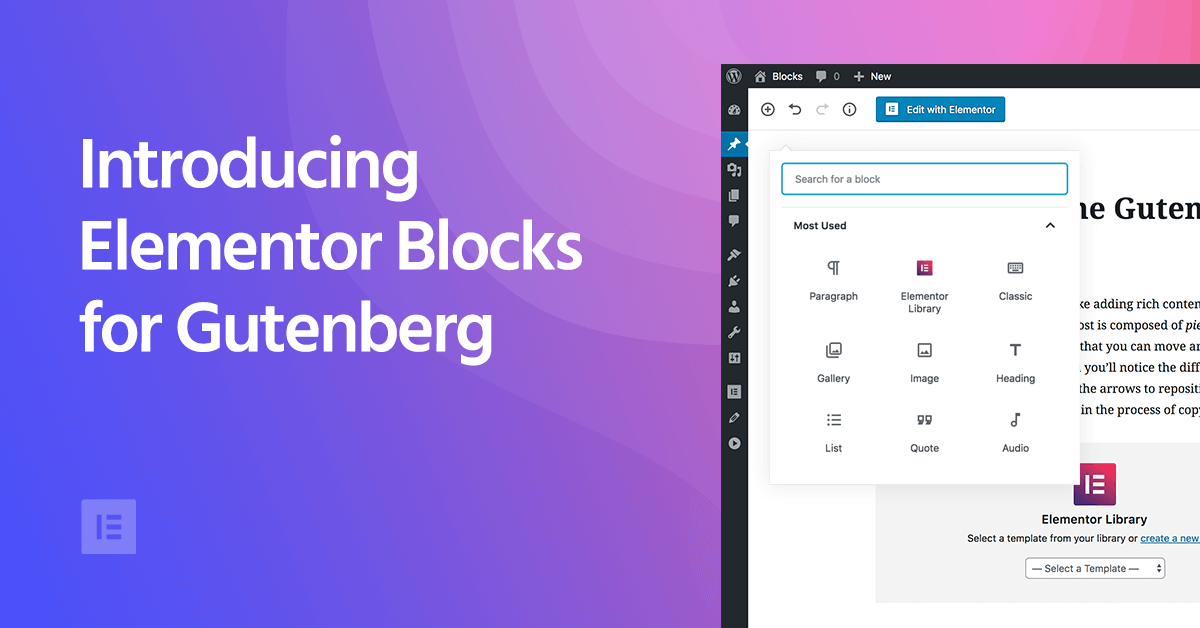
Elementor Blocks for Gutenberg: Using Elementor Blocks in the Gutenberg Editor
As WordPress has grown, the Gutenberg block editor has become its core editor, which builds content in "blocks". Although Gutenberg is very flexible, for those who want to add more advanced features to their site, Gutenberg is still...

How to optimize a website for SEO?
SEO (Search Engine Optimization) is the process of attracting more valuable traffic to a website by optimizing the content and structure of the website to improve its ranking on search engine result pages. Here are some steps to do a good job of SEO for your website: Know your target audience: before doing SEO...

How to layout SEO keywords in wordprees website?
Here's how to lay out SEO keywords in your WordPress website:Know your target keywords:Before deciding which keywords to use for your content, you need to know your target audience and the keywords they are likely to search for. Use some keyword research tools like Google AdWord...

Elementor Performance Tip: Shrinking DOM Size for Faster Websites
Sites with a lot of DOM output increase the size of the HTML, which can hurt the performance of the site. However, there are techniques to reduce the DOM size of a website. This post will look at how to minimize HTML size by using various strategies to enhance Elementor...

How to Submit Chinese Website to Baidu Maps: Detailed Step-by-Step Guide
When your website content and update a part, also well optimized, that how to submit the Chinese site of the Baidu map? Of course, the English site can also be, please follow the steps below: With the submission of Google Maps is almost the same, we go to the "Baidu search resource platform (Baidu Webmaster)". The map ...

How to Integrate Join.chat Live Chat Feature in WoodMart Theme
In order to enhance user experience and provide customers with a convenient communication channel, integrating real-time chat is one of the essential features of modern e-commerce websites.Join.chat is a very popular real-time chat plugin, which is especially suitable for integrating WhatsApp chat to help you realize with customers...
WooCommerce Inventory and Order Management Guide: Taking Full Control of E-Commerce Operations
When using WooCommerce for e-commerce website management, inventory and order management is the key to ensure the smooth operation of your business.WooCommerce provides a lot of built-in features to help merchants manage inventory and orders easily. WooCommerce provides many built-in features to help merchants easily manage inventory and orders.

How to choose a domain name that is suitable and conducive to SEO development
Choosing a domain name that is appropriate and conducive to SEO requires consideration of several factors. Here are some suggestions: Domain name is relevant to the theme of your website: The domain name should be related to the theme or business of your website, which helps to improve the understanding and recognition of your website by search engines. Short and easy to remember:...

Is it necessary for a small company to invest a larger effort into SEO? Is it worth it?
SEO is very important for small companies because it helps them rank higher in search engine results, which increases traffic and leads. While small companies may not have as many resources and budgets as larger companies, investing some effort and time into s...

How much does a website domain certificate SSL affect SEO?
Website domain certificates (SSL certificates) have a big impact on SEO. Here are a few reasons why:Security:SSL certificates provide encrypted communication, securing data between a website and its visitors. Search engines, especially Google, will prefer websites that use SSL certificates because it...

What are the basics before starting SEO optimization?
Keyword research: learn which keywords your target audience uses to search for your products or services. Use a keyword planner tool to find relevant keywords and then apply them to your website content. Website structure and content optimization: by using keywords, meta tags and descriptions...

What are the better SEO optimization plugins for WordPress websites?
There are various SEO optimization plugins for WordPress websites, here are some of the more popular ones:Yoast SEO: Yoast SEO is one of the most popular SEO plugins for WordPress. It helps you optimize your website's title, description, keywords, and other elements, providing real-time analytics and building...

What is an independent website? How to run a good independent website?
An independent site is a website that is built, owned and managed by an individual or organization on its own. Unlike large websites, independent sites are smaller in size and access, and are usually run by individuals or small groups. Independent sites have a variety of content and themes, and can be personal blogs, artist websites, small e-commerce networks...

Should a small e-commerce team choose a standalone site or a platform?
When choosing a sales channel, small e-commerce companies should consider their own resources and capabilities as well as market demand and other factors. The following are the advantages and disadvantages of independent websites and platforms for your reference: Advantages of independent websites include: strong independence, more autonomy and control, the ability to freely design...

How important is it to fine-tune your independent site?
In an independent website, fine-tuning operations is very important because it can help the website to improve user experience, boost sales growth, increase user loyalty and reduce operating costs. Here are some specific explanations about the importance of fine-tuning operations: Improve user experience: fine-tuning operations...

 简体中文
简体中文  English
  日本語
日本語  Français
  Español



