


 Harry.



Making the Complicated Simple




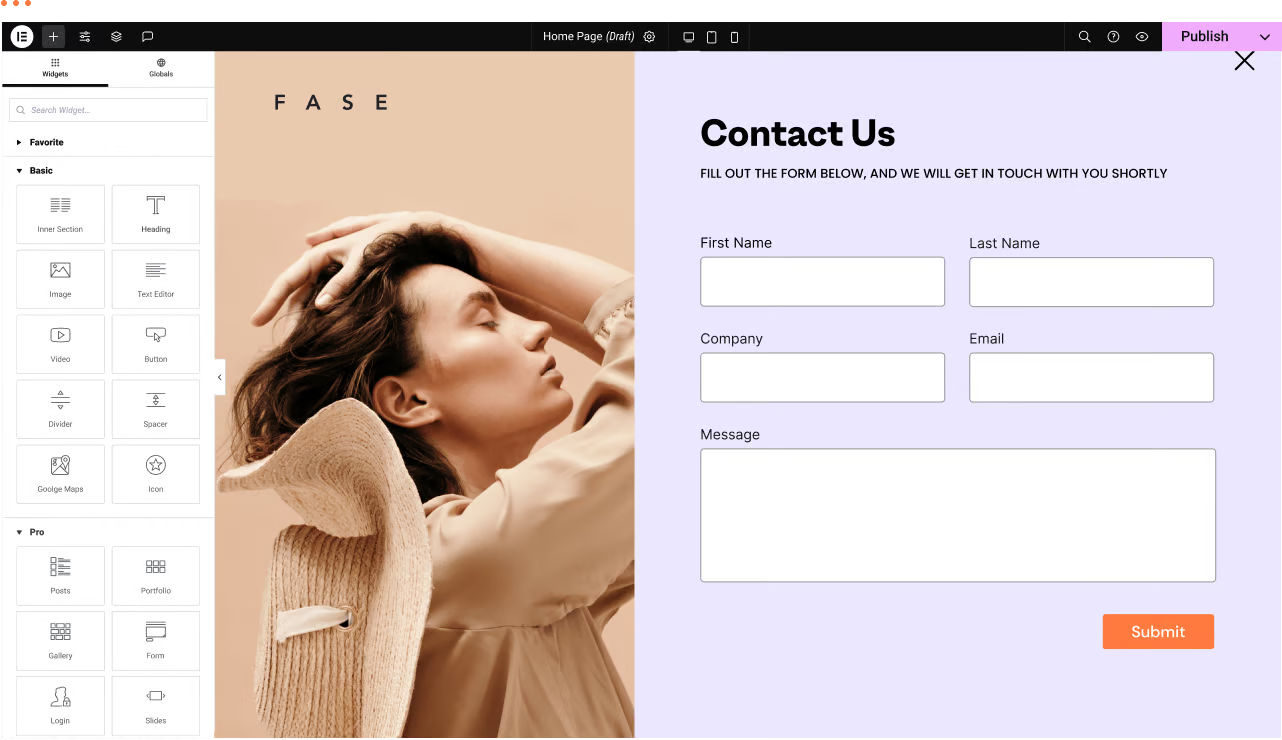
WordPress Troubleshooting: Page Not Found or 404 Page Error
We have a WordPress website with the Elementor editor. Sometimes there are malfunctions, for example: a page not found or 404 page error when trying to navigate to a certain page. Let's analyze the reasons and how to fix it! Possible reasons ...

How to realize the domain name forced jump? Cautions and steps in detail
Domain name forced jump refers to the automatic redirection of all requests to visit a website to a specified domain name or sub-domain, in order to achieve the purpose of unifying the way of website access. In the actual website operation, the implementation of domain name forced jump helps to optimize the user experience of the website and improve the website's SEO...

A Complete Guide to Resetting Your WordPress Password Using an Email Link
In the process of using WordPress, you will encounter the problem of forgetting your password. But it's not a big problem, there are many WordPress ways to reset your password. Let's take a look today at an easy and secure way WordPress offers to reset your password - through an email link. Let's move along to...

What's new in WordPress 6.6?
The final release date for WordPress 6.6 is expected to be July 16, 2024. This version focuses on sophistication and refinement. Features from previous versions have new flexibility and smoother flow, as well as some new tricks. And of course there are some brand new features. Today take a brief...

Starting and Growing a YouTube Channel: A Comprehensive Guide
YouTube, the world's largest video sharing platform, offers endless possibilities for content creators. Whether you want to share your knowledge, showcase your talent, or just record your daily routine, YouTube is an ideal platform. However, for those who are new to this field, how to start...

How can I see how many physical CPUs and the number of cores per CPU there are on my current Linux system?
You can use the command line tool lscpu to view the CPU information of the current Linux system, including the number of physical CPUs, the number of cores of each physical CPU, the CPU model, etc. Open a terminal and enter the following command to view the CPU information: copy codelscpu. Open a terminal and enter the following command to view CPU information: copy codelscpu Execute this command...

Detailed explanation of the Basel theme footer function: from the basic settings to the link to jump the whole strategy (12)
In today's tutorial, we will talk about the footer feature of Basel theme in detail.Basel theme, known for its powerful features and flexible design. This post will teach you how to modify the footer content and set jump links to enhance the user experience of your website. About Basel theme...
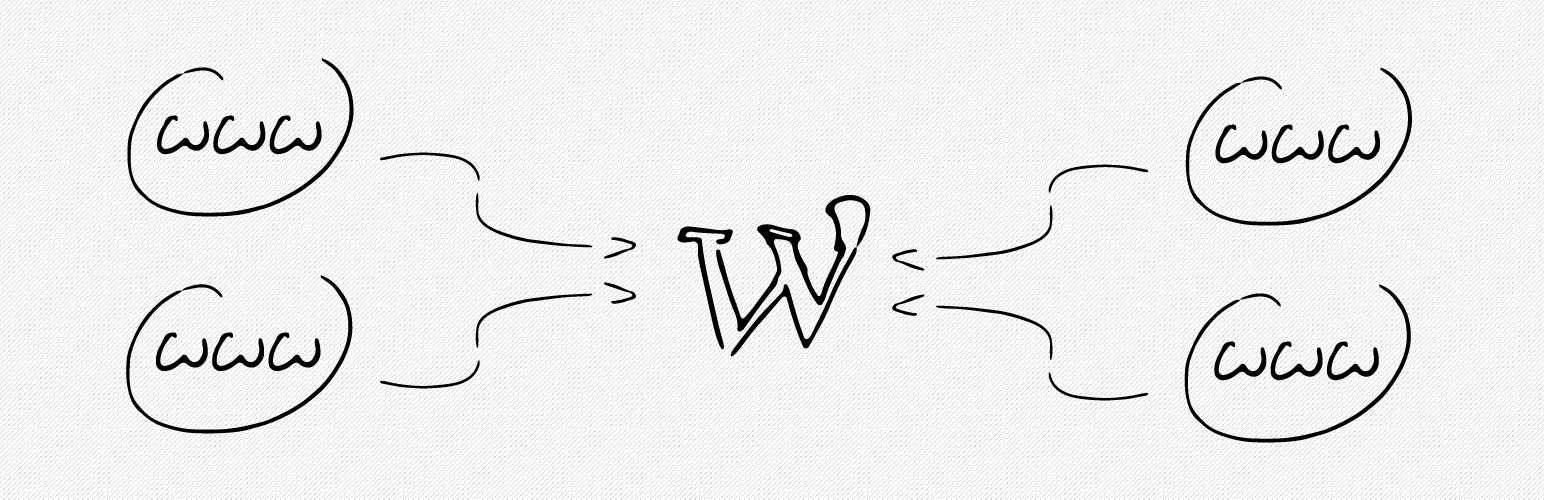
How to bind multiple domains on a WordPress site with a plugin?
Creating a site with WordPress is very easy and WordPress supports binding one domain name by default. If you have more than one domain name and want to point them to the same WordPress site, you can do it by using a domain mapping plugin. Not only that, but these plugins also support the use of domains that are not...

A comprehensive look at the Gutenberg editor: from default theme integration to feature optimization (01)
Before we officially start the tutorials for the default theme and the tutorials for the Gutenberg blog, let's take a deeper look at the Gutenberg editor. As the default content editor for WordPress, Gutenberg, since its release in 2018, has become a heavyweight in web design and content management...
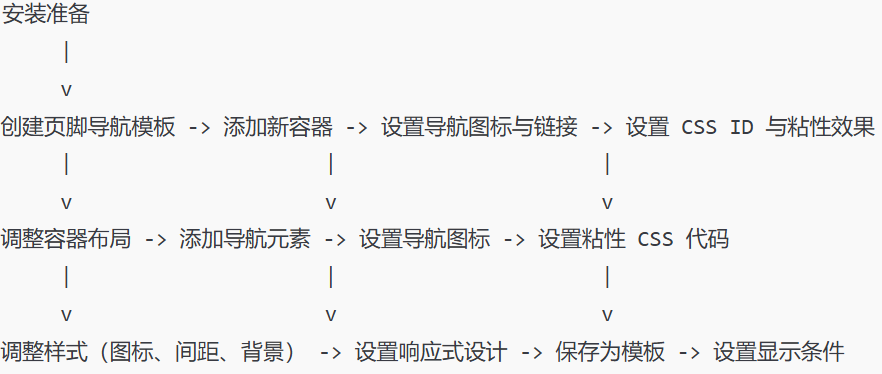
How to Create Sticky Footer Navigation in Elementor: Complete Implementation and Customization Guide
Detailed instructions on how to create sticky footer navigation in Elementor, including template creation, navigation element addition, style customization, and responsive design for a smoother user experience on your WordPress site.
WordPress 6.7 Release Candidate 2 Released!
The second release candidate (RC2) of WordPress 6.7 has been released and is now available for WordPress users to download and test! Like the previous beta version! WordPress 6.7 version of the WordPress software is still under development. Do not install it on critical sites,...

How to Install Magento on Linux: A Complete Guide
Magento is a powerful open source e-commerce platform that is widely favored by many merchants. Installing Magento on Linux may be a challenge for beginners, but don't worry, this article will guide you through the installation process step by step. Preparation Before you begin, please...

How to Fix WordPress Not Sending Emails Issue
I don't know if you have encountered WordPress website can't send email, contact form submission disappeared, important notification email did not deliver and so on. In fact, the problem does not lie in WordPress, but in the way the website sends emails. Let's see what are the...

How to Use WooPayments for Multi-Currency Settlement
WooPayments' multi-currency feature enables displaying product prices to customers in multiple currencies. It also allows customers to select their preferred currency from a list defined on the site and then purchase their products in that currency. In this issue, a tutorial has been requested by the "community readers". Introducing...

WordPress Multi-Domain Redirection Setup Guide
When running a WordPress website, you come across situations where you need to redirect multiple domains to one main domain. Whether it's for SEO optimization, to unify your brand image, or to avoid user confusion, it's important to set up your redirects correctly. Why do you need multiple domain redirects? 1. to unify...

How to Write Quality SEO Friendly Articles
Writing high-quality SEO-friendly articles is crucial to boosting website traffic and search engine rankings. A good SEO article should not only cater to the search engine algorithms, but also to the needs of the readers. Let's take a look at how to write high-quality SEO-friendly articles, including key...
How to Send WordPress Emails with Free SMTP Server
I don't know if you guys have noticed that the default PHP email feature of WordPress doesn't work well. It often sends important emails directly to the spam folder, or even not at all. We ourselves use an SMTP server to make sure we get our emails every time. But...

How to Build WordPress Themes with React
Creating a Basic WordPress Theme Structure Creating a basic WordPress theme structure involves setting up a series of files and directories that WordPress uses to apply the theme's styling, functionality, and layout to your WordPress site. 1. In your website runtime loop...

An in-depth look at price and tax settings in WooCommerce: a comprehensive look at taxed and untaxed pricing strategies
In this article, I am going to mainly explain you the settings available in WooCommerce. Once you go to the 'WooCommerce' > 'Settings' page, you will see that there are different types of settings tabs available throughout the page.There are many settings tabs included in the WooCommerce plugin, so let's together...

How to force a domain transfer: steps and considerations
When you want to transfer a domain name from one registrar or hosting provider to another, it is usually necessary to obtain authorization from the current registrant of the domain name. However, in some cases, it may be necessary to perform a mandatory transfer, i.e., to transfer a domain name to another service without authorization...

A Complete Guide to Efficient Bulk Editing and Managing Variable Products in WooCommerce
Previously we talked about how to upload variable products in WooCommerce, now let's see how to edit them in bulk. Bulk Editing When working with a large number of product variants, you can edit all of them at once using the "Bulk Actions" dropdown at the top of the Variants tab: from...

How to install and setup WP Super Cache for newbies?
A website that can be accessed quickly allows for an enhanced customer experience. It also facilitates SEO and improves the ranking of the website, Google search engine now makes the website speed as an important ranking factor. WP Super Cache is a popular plugin that...

How to Add Images Correctly to a WordPress Website
The Importance of Uploading Images Correctly in WordPress Sometimes, users copy images directly and paste them into their website content. This can lead to issues such as slow page speed, poor user experience and poor SEO. When adding images to a WordPress website, it's important to do it correctly...

How to View Website Weighting with SEMrush: A Detailed Step-by-Step Guide
In the field of digital marketing and SEO optimization, it is crucial to understand and analyze the weight of a website.SEMrush, a popular online marketing tool, provides powerful features to help users evaluate the weight of a website. In this article, we will detail how to use SEMrush to view website weight...

15 Useful Tips to Boost WooCommerce Site Speed
If your WooCommerce store is slow to load, it could make customers impatient and ultimately affect your sales. When shopping online, people expect everything to load quickly - even a small delay could cause them to abandon their purchase and move on to your competitors. Pass...

How to Fix WordPress 429 Too Many Requests Error
Recently I was visiting the WordPress open source website https://wordpress.org时, and because of my VPN, I reloaded it a few times and always got a "429 Too Many Requests" error. This error message indicates that the user has sent too many HTTP ...

Elementor Editor In-Depth Analysis: Creating a Personalized WoodMart Theme Website (04)
In the last issue we talked about how to set up a Woodmart theme poster (banner), in this issue we talk about the Elementor editor to renovate a Woodmart theme, we'll dive into how to use the Elementor editor to further customize and optimize your WoodMart theme. By...

Customizing the WooCommerce Checkout Page: Full Tutorial
The checkout page of a website that does e-commerce is one of the important aspects. After all, it's the final destination for customers after placing an order. If the website WooCommerce checkout page is difficult or time-consuming to use, buyers may abandon their shopping and leave a bad impression of the website. An effective and high converting checkout...

Ways to skip directly to the shopping cart page in WooCommerce
WooCommerce is a free and open-source e-commerce plugin for WordPress websites, and many people use it to build their own online malls. However, some users want to make the checkout process a little smoother as a way to improve the user experience of their website. Skipping shopping in WooCommerce...

How YouTube playback revenue is calculated and the factors that influence it
YouTube is the world's largest video sharing platform. It is a place for content creators to showcase their talent and share their knowledge, and an important channel for many to generate income.YouTube's revenue model is complex and varied, and creators' income depends on a number of factors. This article will detail YouTube broadcast...

 简体中文
简体中文  English
  日本語
日本語  Français
  Español



