










A Complete Guide to Creating and Managing a WordPress Website Privacy Policy
Why You Need a Privacy Policy and How to Create a Compliant Privacy Policy for Your WordPress Website In today's data-driven world, protecting user privacy is a fundamental responsibility of every website. A privacy policy is not only a legal requirement for compliance, it is an important tool for building user trust...

Fully Protecting WordPress Ecommerce Websites: Improving Security and Earning Customer Trust
When you build an e-commerce website using WordPress tools, have you ever understood that protecting your e-commerce website is vital to your business and your customers. As an e-commerce website owner, you may often hear customers complaining about slow loading websites and having to deal with hackers trying to commit fraud...

SEO Maintenance Guide: How to Continuously Optimize Your Website to Maintain Long-Term Stable Rankings
This article breaks down the need for SEO maintenance, including content updates, technical SEO issue fixes, local SEO optimization, and industry dynamics tracking, to help you ensure your website's long-term ranking stability in search engines and improve user experience.

How to use the WordPress get_post_meta function: a complete guide and practical examples
Learn how WordPress get_post_meta function works, basic syntax and use cases to easily retrieve custom field data for more powerful and dynamic website functionality.

Victory.GG eSports Event Elementor Kit
Learn how to install and use Victory.GG Elementor template pack to create professional websites customized for eSports teams. Includes rich features like live streaming, team listings, player listings and more to help you easily create efficient and fast eSports websites.

WordPress Slug: Definition, Importance and its Impact on SEO
A slug is the part of a URL that sits after the domain name and helps users and search engines locate a specific page or post. Optimizing a WordPress slug can improve your website's ranking and accessibility. In this article, we will introduce the concept of slug, its role, how to optimize it and its effect on SEO ...

WordPress open source and copyright issues analysis
WordPress is an open source and free software, businesses building websites will not encounter copyright issues using WordPress. WordPress was born in 2003, developed by Mike Little and Matt Mullenweg based on b2/cafelog. WordPress follows the GNU General Public License...

WordPress Development Review 2024: Gutenberg Updates, Playground Progress & WooCommerce New Themes in Perspective
A look back at key WordPress updates and developments for 2024, covering the Gutenberg 19.8 release, new eCommerce themes for WooCommerce, advances in Playground tools, and innovations and outlooks for the WordPress community. Learn about the upcoming State of the Word event with 20...

How to move the WordPress admin bar to the footer: a detailed tutorial
WordPress by default displays the admin bar at the top of the screen, and this bar helps you quickly access WordPress backend functions. However, some users may find the location of the admin bar a bit obtrusive and want to move it, especially to change its appearance and location. In this tutorial, through WP...

How do I add a "Minimum Purchase Amount" or "Cart Discount" rule to WooCommerce?
Want to boost your WooCommerce store's customer unit price? This guide explains in detail how to set minimum purchase amount limits, full discount offers and shopping cart discount rules, and recommends useful plugins to make discounts apply automatically, optimize user shopping experience and increase sales!

How to Upload HTML Pages to WordPress Correctly and Avoid 404 Errors
In some cases, it may be necessary to upload HTML pages to your WordPress site. For example, there may be static HTML pages from an older site or a particularly favorite static template that you wish to integrate into your current site. However, simply uploading HTML pages to WordPr...

Accelerating Your WordPress Site: A Comprehensive Guide
WordPress, the world's most popular Content Management System (CMS), offers users unrivaled flexibility and ease of use. Today, over 42.7% websites are powered by WordPress. While this phenomenon is impressive, it also presents a challenge -...

MoxApp - Apps and Fintech Startups Elementor Pro Template Suite
MoxApp is an Elementor template suite designed for mobile apps and fintech startup websites. It has a modern, clean and professional look, suitable for building tech startups and business websites that offer professional services. Whether you are a startup or an established company, Mo...

How to Effectively Delete and Manage WordPress Archived Pages to Improve SEO Performance
Why delete archive pages? In some cases, deleting archive pages is necessary for website optimization and management. Here are some common reasons: Duplicate Content Issues: Archived pages typically display excerpts of existing content from a single WordPress post that may be searched...
How to prevent WordPress blog content from being crawled: practical tips for protecting original content
Learn how to effectively prevent WordPress blog content from being crawled, including using copyright protection, disabling Trackback and Pingback, limiting RSS feeds, blocking crawlers from accessing your site, and other tactics that will help you protect your original content and improve your site's SEO ranking.

Best Practices for Creating SEO Friendly URLs
Optimizing your URL structure is crucial to improving SEO rankings and user experience. In this post, we'll cover how to create SEO-friendly URL structures so that both search engines and users can easily understand and access your pages. What are SEO-friendly URLs? SEO-friendly URLs...

How to Optimize WordPress Website SEO for Better Performance
Optimizing the SEO and performance of your WordPress website will not only improve your search engine rankings, but also provide a better user experience. Here are some key steps to help you achieve these goals. 1. Create People-Centered Content Quality content is the cornerstone of a successful website. Make sure your...
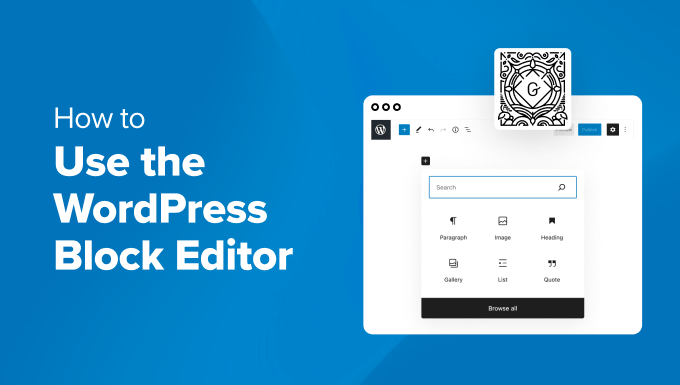
How to Quickly Build an Effective and Professional WordPress Website with the Gutenberg Editor
A detailed look at how to create effective WordPress websites using the Gutenberg editor, including block theme selection, global style customization, template creation, and SEO optimization tips for both novice and experienced developers.

Optimizing WordPress Site Load Speed: A Comprehensive Guide to Improving Elementor Performance (I)
Optimizing the loading speed of your WordPress website is an important measure to improve user experience and SEO results.Elementor, as a powerful and flexible page builder, can cause your website to load slowly if not optimized. We will detail a series of optimization recommendations to help...

How to create flexible custom one-page templates with Elementor Flexbox containers: a detailed tutorial
Learn how to create custom one-page templates using Elementor's Flexbox container with detailed step-by-step tutorials to provide flexible layouts and modern designs for blog posts, product pages, or service pages, optimizing user experience and responsive results.

How to Create and Optimize Gallery in WordPress with Gutenberg Gallery Block
Gutenberg Gallery Block is a popular WordPress tool for photographers, artists, bloggers and businesses that makes creating galleries easy, intuitive and requires no coding knowledge. If you want to enhance your website with professional, stylish galleries...

How to Easily Display Business Hours and Countdown with WordPress Business Hours Indicator Plugin
What is the Business Hours Indicator Plugin? The Business Hours Indicator plugin is a free and easy to use WordPress plugin that allows you to display business hours on your website. Using this plugin, you can customize the display of business hours and even display a countdown to the next business hours....

Add Image Focus Tool to WordPress Media Library
What is the Image Focus Tool? The Image Focus Tool is a tool that allows you to quickly select the location of the main focus area of any image. By simply clicking on the image, you can easily determine exactly where the image's focal point is located on the x and y axes. This x and y position can then be used in...

How does a WordPress website automatically convert images to WebP format?
A comprehensive introduction on how to automatically convert images to WebP format in WordPress sites, covering plugins, CDNs and local scripts for three options to improve loading speed.

Streamline business scheduling: Seamlessly integrate appointments with Elementor Pro and Google Business Suite
With the integration of Elementor Pro and Google Business Suite's appointment scheduling features, visitors can schedule appointments directly on your website without the need for additional plugins! Streamline your business scheduling with the latest features of Elementor Pro and Google In this number...

Multilingual Plugin of Choice for WooCommerce Stores: A Full Comparison of WPML vs Polylang
Choosing the right translation plugin is crucial when building a multilingual website.Woocommerce offers two popular translation plugins: WPML and Polylang.They differ in terms of functionality, SEO options, translation process and price. In this article, we will make an in-depth comparison of these...

11 Practical Tips to Improve WordPress Login Page Security Across the Board
WordPress is a very popular content management system (CMS), but that also makes it a target for hackers. Although WordPress provides a number of default security measures, unprotected login pages can be a convenient entry point for malicious entities. This article will detail...

Paintra: Professional Elementor Stencil Suite for Creative Artists and Painters
Paintra is an Elementor Pro template suite for creative artists and painters websites, containing more than 12 pre-built templates with a modern and clean design style, perfect for creative artists, painters websites, art schools, art courses, colleges, painting schools,...

How to set up differential sales tax for different product categories in WooCommerce
Detailed tutorials teach you how to set up differentiated sales tax for different product categories in WooCommerce, including enabling tax options, creating product categories, setting tax rates, and assigning tax classes to ensure tax rules are compliant and efficient.

A Complete Guide to Creating a Classified Ads Site in WordPress
Why create a classified ads website? A classified ads website allows users to post ads for items they want to sell. Other visitors can use the details provided in the ad to contact the vendor and make a purchase. Here are some of the main advantages of a classified ads website: Revenue source...

 简体中文
简体中文  English
  日本語
日本語  Français
  Español



