



WooCommerce Plugin Page 12
arrange in order

Customizing the WooCommerce Checkout Page: Full Tutorial
The checkout page of a website that does e-commerce is one of the important aspects. After all, it's the final destination for customers after placing an order. If the website WooCommerce checkout page is difficult or time-consuming to use, buyers may abandon their shopping and leave a bad impression of the website. An effective and high converting checkout...

WooPayments vs. Stripe plugin: which is better for your WordPress site?
WooPayments is built in partnership with Stripe. So, many of you are having a hard time deciding whether to use WooPayments or Stripe itself. To help you guys choose well, we've compiled some important differences. It's also possible to use both plugins at the same time, but sometimes it does lead...

How to Setup WooCommerce Payments (Complete Guide for Newbies)
What is WooCommerce Payments? WooCommerce Payments (renamed WooPayments) is a payment method designed for WooCommerce, an e-commerce platform built on WordPress. It allows businesses to make payments directly on their website...

WooCommerce Getting Started Guide: Adding External/Associated Products
In WooCommerce, external/affiliated products are products that are not sold directly in your store and are usually linked to other websites. In this way, you can offer more choices to your customers and also earn referral commissions. In this article, we'll go over how you can link products in WooCo...

How to Use WooPayments for Multi-Currency Settlement
WooPayments' multi-currency feature enables displaying product prices to customers in multiple currencies. It also allows customers to select their preferred currency from a list defined on the site and then purchase their products in that currency. In this issue, a tutorial has been requested by the "community readers". Introducing...

Comprehensive Guide: How to Create, Configure and Optimize Coupons in WooCommerce
For eCommerce stores, coupons are an important marketing tool to help boost sales. This guide will take you through the details of how to create, setup, test and optimize coupons in WooCommerce. 1. How to Create Coupon Codes in WordPress WooCommerc...

Ways to skip directly to the shopping cart page in WooCommerce
WooCommerce is a free and open-source e-commerce plugin for WordPress websites, and many people use it to build their own online malls. However, some users want to make the checkout process a little smoother as a way to improve the user experience of their website. Skipping shopping in WooCommerce...
How to Find Products by WooCommerce Product IDs
In WooCommerce, each product is assigned a unique Product ID.This article will detail how to find the ID of a WooCommerce product and provide you with simple steps and usage scenarios. Why do I need a Product ID? Product IDs are WooCommerce ...
WooCommerce Direct Checkout: Solution to Cart Abandonment Issue
Implementing a "Direct Checkout" strategy is one of the effective solutions to minimize WooCommerce cart abandonment. In this article, we will explain how to set up WooCommerce Direct Checkout and how to solve the cart abandonment problem by optimizing the shopping process. ...

How to Achieve Efficient Inventory Management with WooCommerce and Attribute Stock Plugin
WooCommerce provides a basic set of inventory management tools to track product availability and avoid overselling or running out of stock. For stores with complex inventory needs, WooCommerce's built-in functionality may not be fully sufficient. In this article, we'll detail how Woo...
How to Add Custom Tags to WooCommerce Product Pages (Using Elementor)
Adding custom tags to WooCommerce product pages can help you better present product information and enhance the user experience. These tags can be used to provide additional descriptions, user reviews, specifications or other key information. With the Elementor plugin, it's easy to customize these...
How to Change WooCommerce Store Page Titles: A Complete Guide
In WooCommerce, the title of a store page is usually displayed as "Shop" by default. However, depending on your business needs, you may want to change this title to better reflect your brand or product type. In this article, we'll show you how to use Wo...
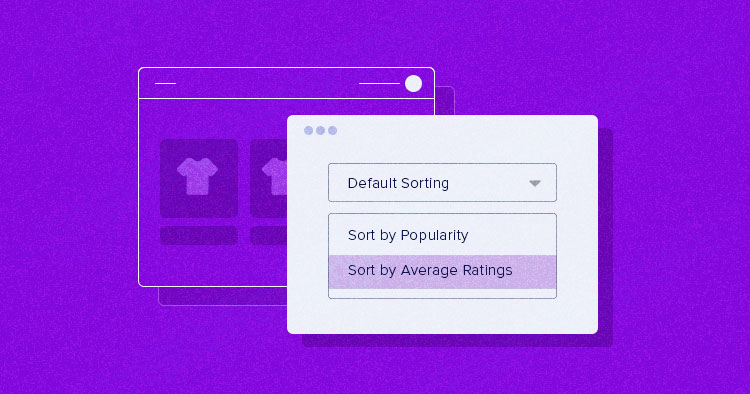
How to Setup and Optimize Product Sorting in WooCommerce to Enhance User Experience
WooCommerce comes with some common product sorting options for various types of product display. The following are some of the sorting options provided by WooCommerce by default: Default Sort (Custom Sort + Rank): This is the default sorting option in WooCommerce, combining...

How to Fix WooCommerce Not Sending Order Emails
What causes WooCommerce emails not to be sent? Being an online store, then emails can be used to help the business run smoothly. For example, if a customer hasn't paid after they have already added to their cart, you can send an email to remind them of the order, etc. Use email to welcome new customers. Send ...
How to Customize WooCommerce Emails
WooCommerce emails help customers get information about the status of their orders, delivery times, and more. Why customize WooCommerce emails? When running a WooCommerce store, customers receive different transactional emails. These emails help them...

15 Useful Tips to Boost WooCommerce Site Speed
If your WooCommerce store is slow to load, it could make customers impatient and ultimately affect your sales. When shopping online, people expect everything to load quickly - even a small delay could cause them to abandon their purchase and move on to your competitors. Pass...
How to Improve WooCommerce Performance: 11 Optimization Tips to Improve Website Speed and User Experience
Many of our readers who use WordPress websites for online retailing have left comments in the community wondering what they can do to improve WooCommerce performance. So, this tutorial summarizes some of our team's experience in optimizing WooCommerce performance. Why is WooCommerce speed important? Wo...

Dynamic Methods for Getting WooCommerce Cart, Checkout & Store Page Links
Woocommerce is an awesome plugin for setting up an online store on WordPress that lets you sell anything from books to electronics.Woocommerce not only has powerful plugins and extensive help documentation, but it also builds a super developer-friendly community. ...

How to Customize WooCommerce Shopping Cart Page: Detailed Guide
The shopping cart page is an important part of the e-commerce experience. As the last point of user interaction before checkout, the shopping cart page directly affects the user's purchase decision, so carefully designing and customizing this page can significantly improve user experience and conversion rates. This guide will explain how to customize the shopping cart page through...

How to Create Cart Page, Store Page, Checkout Page, and My Account Page in WooCommerce
The Cart page, Store page, Checkout page and My Account page are crucial functional pages in any WooCommerce store. They enable users to easily browse, shop, pay and manage their accounts. In this article, we will provide you with detailed...

How to Add Real-Time Inventory and Shipping Information to WooCommerce Product Detail Pages
Showing real-time inventory and delivery information to your customers in your WooCommerce website not only improves the user experience, but also increases the conversion rate of your products. In this article, we will detail how to add real-time inventory and delivery information to the product detail page to help you optimize the functionality of your online store. 1. ...

How to Sort WooCommerce Products
Modifying WooCommerce product sorting can make popular or high-margin products more eye-catching, which is very helpful for boosting sales and conversions. It also allows better management of ads and inventory. Want to know how to modify WooCommerce product sorting? This article will introduce you to three...
How to Add Additional Product Specifications and Attributes to WooCommerce Product Detail Pages
When managing a WooCommerce store, you may come across situations where you need to add additional information to the product detail page, such as product specifications, specific attributes or technical parameters. This article will detail how to add additional product specifications and attributes in WooCommerce, as well as through plugins for...

How to Enable or Disable the Coming Soon Page in WooCommerce: A Step-by-Step Guide
Setting up a "Coming Soon" page in WooCommerce not only generates interest in your store, but also prepares you for upcoming product releases or promotions. It's a very effective way to control customer expectations, and in this article, we'll detail how to set up a "Coming Soon" page in WooC...

WooCommerce Product Page Editing Tutorial: A Comprehensive Guide
In WooCommerce, the product page is an important page for users to understand product information and make purchase decisions. Therefore, editing and optimizing product pages not only helps to improve user experience, but also increase conversion rate. In this article, we will explain in detail how to edit in WooCommerce...

How to Quickly Add Product Videos in WooCommerce to Increase Conversions and Sales
With product videos, you can effectively engage your customers and increase sales by presenting a more comprehensive and visual representation of the product's appearance, functionality, and usage scenarios. In this detailed guide, I'll take you step-by-step through how to add videos to your WooCommerce product library and discuss why...
What's New in WooCommerce 8.6 Revealed
Order Attribution Now, WooCommerce 8.6 offers order attribution tracking for a deeper understanding of your customers. Want to know which marketing campaigns successfully attracted potential customers and ultimately led to a purchase? This feature does it for you! It is based on the final click attribution model...

WooCommerce REST API Manual: Comprehensive Explanation and Real-World Case Studies
Managing an online store is usually costly and often involves dealing with a bunch of tedious manual processes. But the good news is that the advent of the WooCommerce REST API simplifies it all. It's like a smart assistant that allows you to programmatically control the e...
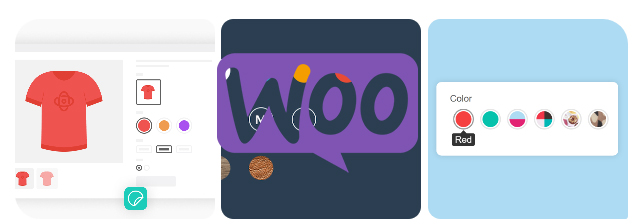
How to Add Attributes to Products in WooCommerce
Whether it's apparel, electronics, or other goods, attributes enable your customers to select products by color, size, material, and many other dimensions.WooCommerce also supports creating variants for different attributes, which means you can set prices for different combinations of products, inventory, and...
How to use WooCommerce plugin to implement multi-language checkout page design
Why Translate WooCommerce Checkout Page? WooCommerce is one of the most popular e-commerce platforms in the world, supporting countless merchants in building their online stores. As your business grows, it may begin to attract a customer base with different language backgrounds. In order to maximize the...

 简体中文
简体中文  English
  日本語
日本語  Français
  Español



