



Elementor Page 16
arrange in order

Elementor pro crack 500 error how to fix it
Many friends in the use of elementor to build WordPress site, because of the free version of the functional limitations of the reason, can not achieve the desired results. Can only choose to upgrade to pro version, but elementor pro version price is relatively high; at this time, elementor pr...

Beginner's Guide to Using Elementor in WordPress
What is Elementor? Elementor is a drag and drop page builder for WordPress. The plugin helps you create beautiful pages using a visual editor. It is designed to create dynamic websites quickly. This WordPress plugin is an all-in-one tool that makes website...

How to add a currency converter to your WordPress website with Elementor?
Integrating a currency converter is critical to providing a seamless shopping experience for global customers. Not only does it cater to an international audience, but customers can view prices in their local currency, helping to build trust and transparency. On your WordPress website you can use the Elementor editor to add...

How to Create Custom Headers and Footers with the Elementor Header and Footer Builder
Elementor Header and Footer Builder (EHF) is a powerful and easy WordPress plugin that lets you create layouts with Elementor and set them as headers, footers or anywhere on the page. If you just want to have a homepage, blog archive page, or an entire web...

How to create a full-screen overlay menu in Elementor
Full-screen overlay menus are perfect for smaller sites with less page content, or can be used to hide and show more links to extend navigation. Using the PowerPack Advanced Menu Widget, you can easily create off-canvas and full-screen overlay menus in Elementor without...

How to Fix Elementor Not Loaded Error
Why is Elementor not loading? If you're having problems launching the Elementor editor and it keeps getting stuck on the loading page, it means that there may be some malfunction. Usually it takes some time for the Elementor editor to load and you should see the following loading screen...

Advantages of Elementor: Professional (Pro) Edition vs Free Edition
The free version of Elementor (Elementor Core) already covers the basics needed for beginners, with utilities like the visual drag-and-drop generator. Elementor Pro, on the other hand, upgrades and complements the free version by providing more advanced features for...

Elementor won't open, stuck on loading screen reasons and solutions
When editing a page with Elementor, it gets stuck and displays a gray page. Possible Causes and Solutions Editing a Page Creates a Conflict If a gray page appears when editing with Elementor, it may be due to a conflict with one of the following plugins...

How to Automatically Apply Elementor Gallery Pro Filters on Page Load
In this guide, it will be explained in detail how to automatically apply Elementor Gallery Pro filters on page load. By following the steps below, you can achieve the effect of automatically filtering a specific gallery on page load. How to apply Elementor Gallery Pro on page load ...

Elementor Pro Cracked: Comprehensive Risk Analysis and Recommendations for Use
Elementor Pro is one of the highly respected plugins for WordPress website builder, which attracts many web developers and designers with its powerful features and flexibility. However, some users choose to use a cracked version of Elementor Pro in order to save money.This article...

Possible SEO Implications of Using Elementor Pro Crack
Elementor Pro is one of the most popular plugins among WordPress website builders, attracting many website developers and designers with its powerful features and user-friendly interface. However, due to its paid model, some users choose to use the cracked version of Elementor Pr...

Potential Risks and Legal Consequences of Elementor Pro Cracked Version
As Elementor Pro is widely used in WordPress website design, many users are attracted by its powerful features and flexible design capabilities. However, some users choose to use a cracked version of Elementor Pro software in order to save money. While this may seem like a quick...
How to tell Elementor Pro genuine from cracked versions
With the popularity of website building tools, Elementor Pro has become the first choice of many users due to its powerful features and easy-to-use interface. However, a number of cracked versions of Elementor Pro software have also appeared on the market. Although these cracked versions seem to be convenient and cost-saving, they...
How to view and edit global fonts in Elementor
Using global fonts and colors is a crucial strategy in website design, not only to enhance the overall visual experience, but also to effectively reinforce your brand image. In this article, we'll explain in detail why it's important to use global fonts and colors, and we'll take a look at how to do so in Elementor...
How Elementor Creates and Manages Single Product Templates (Comprehensive Guide)
Learn how to create, edit and manage single product templates to standardize your product presentation. This guide covers template exporting, renaming, deleting, and other operations to help you optimize your website's product page layouts and improve user experience and SEO.
How to use the custom code feature in Elementor
Learn how to add HTML, JavaScript, and CSS custom code in Elementor to flexibly implement Google Analytics, Facebook Pixel, and other code tracking and custom styles to enhance the functionality and personalization of your WordPress website.
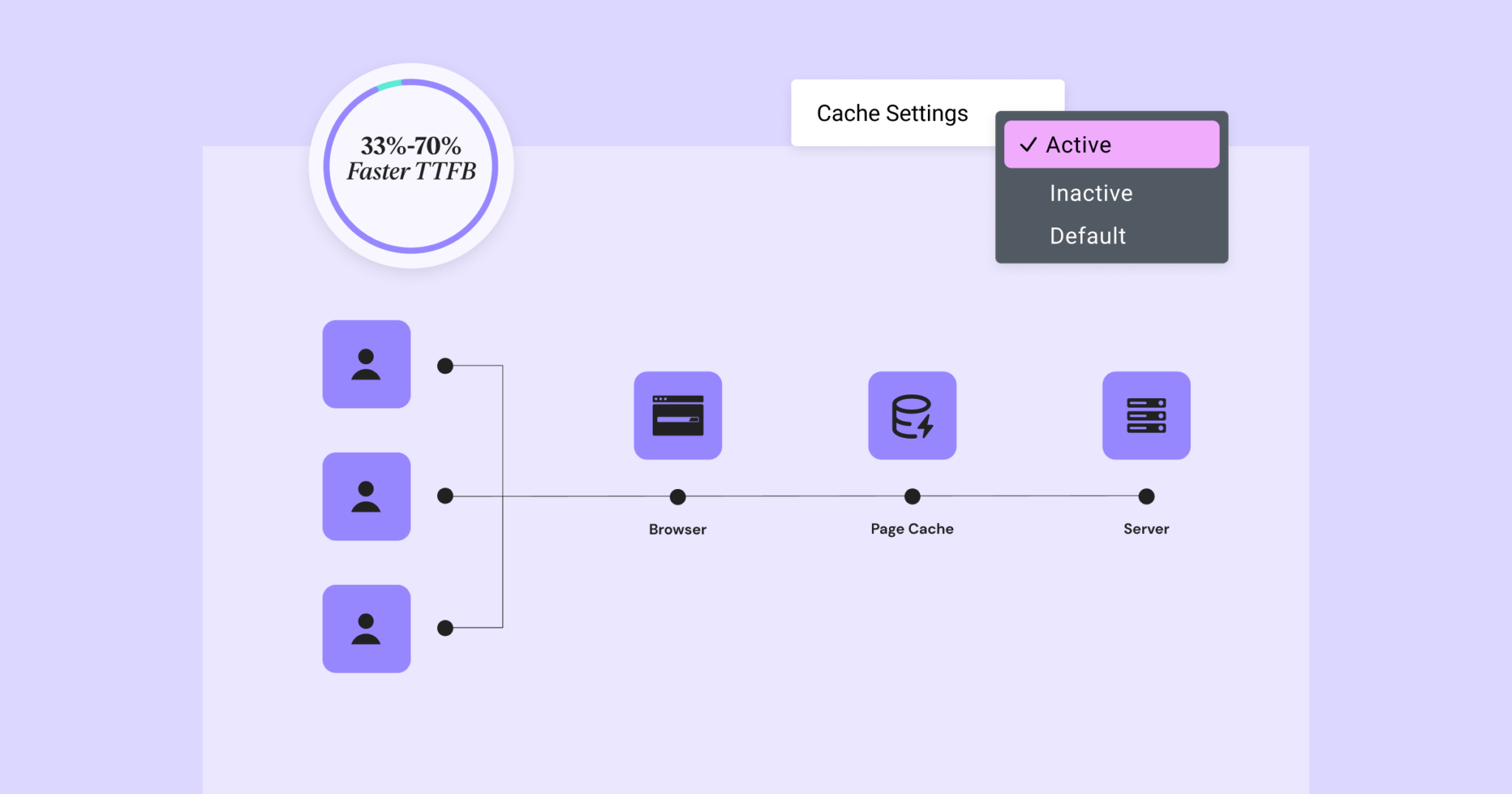
Elementor 3.22 Update: New Off-Canvas Widget and Caching Improve Site Performance
What's New: Off-Canvas Widget Elementor 3.22 introduces Off-Canvas Widget, a new professional design tool that creates interactive page layouts and enhances user experience. Features: Interactive Layout: Open and close containers by clicking on links that can...

How to add and manage custom CSS in Elementor to enhance the visual experience of your website
Custom CSS allows you to add custom code to your website to give it a unique look and feel. What is CSS? CSS (Cascading Style Sheets) is a way to add styles to web pages, such as colors, fonts, spacing, and placement. One of the great advantages of the Elementor editor...

 简体中文
简体中文  English
  日本語
日本語  Français
  Español



