




Common WordPress problems also include beingLocked in WordPress admin areaOther than that. It just won't log into the backend, which can be caused by a lot of different things, which makes it hard for newbies to troubleshoot.
![Image[1]-What to do when locked out of the WordPress admin backend (wp-admin) - Photon Fluctuation Network | Professional WordPress Repair Service, Global Coverage, Fast Response](https://www.361sale.com/wp-content/uploads/2024/08/2024080903051253.png)
If you are a website owner, then you can follow the troubleshooting steps we have provided below. There are multiple reasons for not being able to access the WordPress admin backend, check them one by one, troubleshoot and find a solution to the problem.
Error establishing database connection
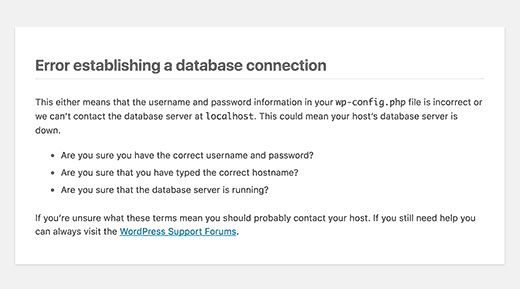
Ever see on every page of a website "Error establishing database connection"Warning? There are various reasons for displaying this message, such asDatabase corruptionmaybeweb serverProblems arise.
If you see this error when trying to log in, see our guide to theHow to fix an error establishing a database connection in WordPress.
500 Internal server error
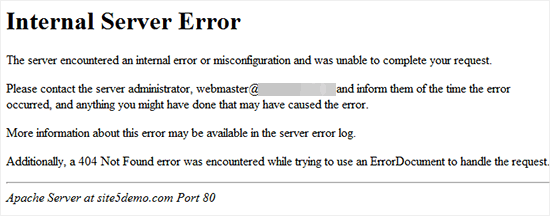
Another WordPress error that newbies may encounter is "Internal server error", sometimes referred to as "500 Internal server error". This error is displayed when there is a problem but the server is unable to recognize what the problem is.
If you see this message when trying to log in to WordPress, follow the steps in our guide forHow to Fix 500 Internal Server Error in WordPressThe
404 "not found" error
Sometimes, users change the WordPress Addressrespond in singingsite addressWhen they do, they will make an error. The next time they log into the admin backend, they will see the error "Error 404 - not found".
![Image [4] - What to do when locked out of the WordPress admin backend (wp-admin) - Photon Fluctuation Network | Professional WordPress Repair Service, Worldwide, Fast Response](https://www.361sale.com/wp-content/uploads/2024/08/2024080902271859.png)
If this is the case, check out our guide to theHow to Change WordPress Link Settings (4 Easy Ways)The
Attention:If you can log in to the site but see a 404 error when viewing a particular post, you are experiencing other issues. This can be understood by following our guide inHow to Fix WordPress Posts Returning 404 ErrorsThe
403 Prohibition error
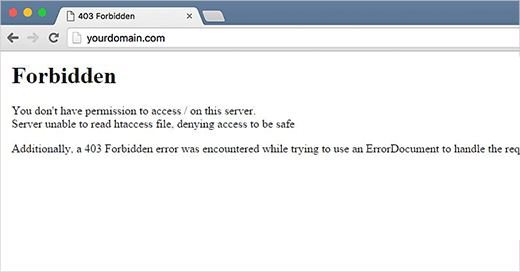
Some users have reported that when trying to log into wp-admin they see "HTTP Error 403 - Disable"Error. This error can be caused by theIncorrect file permissionspeaceImproper coding of full plug-insmaybeServer ConfigurationResult.
401 Unauthorized error
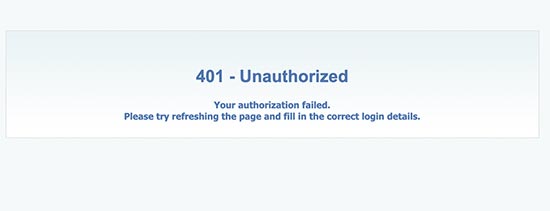
Another message you may see when you cannot access the WordPress admin backend is a 401 error. This error is sometimes accompanied by a message stating that "The error caused by theInvalid login information, access denied"or"Authorization required".
You will see this message if the WordPress admin folder is password protected.
Restricted Login
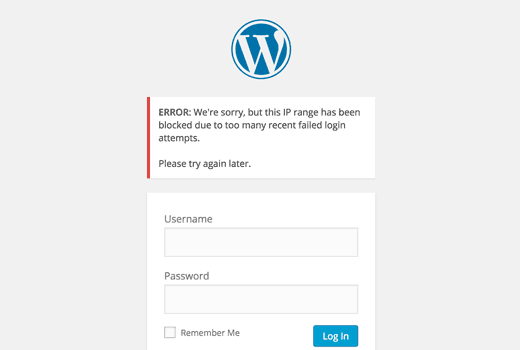
By default, WordPress users can enter passwords at will. Hackers may try to exploit this by using scripts that enter different combinations until the site is cracked.
To prevent this, we recommendLimit the number of failed login attempts per user. However, this can result in you being locked out of your own site if you enter the wrong password too many times.
white screen of death
Ever see a white screen in the WordPress administrator interface? This issue is often referred to as the WordPress white screen of death.
This happens when the memory limit is exhausted. This can be caused by theplug-in (software component)maybeInappropriate coding of themesmaybeUnreliable serversCaused by.
If you see this error, you can refer to our guide to theHow to Fix WordPress White Screen of DeathThe
Wrong password problem
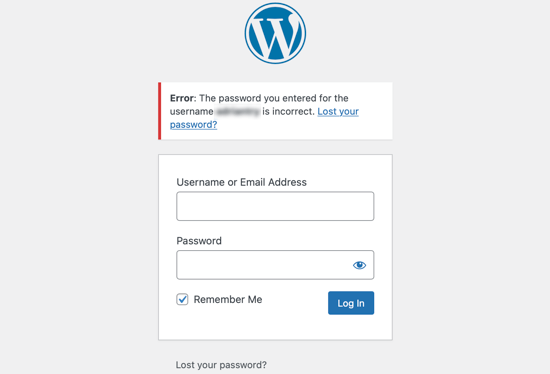
It's terrible to be told that you've entered the wrong password when you're sure you haven't, and have even checked to see if the Caps Lock key is turned on.
This can happen if it's been hacked, or if it's just an unintentional mistake that's been made. At this point, we canReset WordPress password from phpMyAdmin.. This method may be a bit difficult for newbies, but, we are professionals and can "Contact Us"Help out with that!
Plugin Issues
possibly due toplug-in (software component)maybeSubject Malfunction(indicates that sth. is wrong)Locked in WordPress admin interfaceOutside. If you can't log into the WordPress admin interface after installing a new plugin, or if the error message mentions "wp-content/plugins/", then this may be the case.
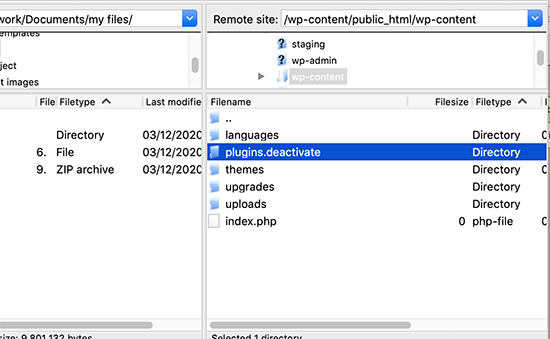
To revisit the site, you must temporarilyDisable plug-insThe
Loss of administrator privileges
Sometimes, it is possible to log in to the WordPress admin backend, but not see any functionality of the dashboard. For example, no access to themes or plugins.
This can happen if your user rights have been modified. A hacker may have infected your site and then removed your administrator privileges.
In this case, it is possible toAdding an Administrator User to the WordPress Database via MySQL (phpMyAdmin)We'll come out with a tutorial on how to do this later.
![Image [11]-What to do when locked out of WordPress admin backend (wp-admin) - Photon Flux | Professional WordPress Repair Service, Worldwide, Fast Response](https://www.361sale.com/wp-content/uploads/2024/08/2024080906083837.png)
Login page refresh and redirection
![Image [12]-What to do when locked out of WordPress admin (wp-admin) - Photon Flux | Professional WordPress repair service, worldwide, fast response](https://www.361sale.com/wp-content/uploads/2024/08/2024080906084879.png)
Another type of login error is when the WordPress login page keeps refreshing and redirecting back to the login screen.
This can happen because the site URL and home page in the WordPress options table URL field valueIncorrect. It could also be due to the .htaccess filehit the nail on the headFixed Link SettingsmaybeImproper redirection settingsCaused by.
"This feature has been disabled" error
When trying to log into the WordPress admin area, do you see the error "This has been disabled."? This message is displayed when entering the wrong administrative address.
A common WordPress security practice is to place theDefault Administrator Login URL (www.361sale.com/wp-adminThis helps prevent hackers and bots from attacking your login URL to gain access.
If you forget that the URL has changed and go to the old URL, then you will see this error message.
"Temporarily unavailable due to scheduled maintenance" error
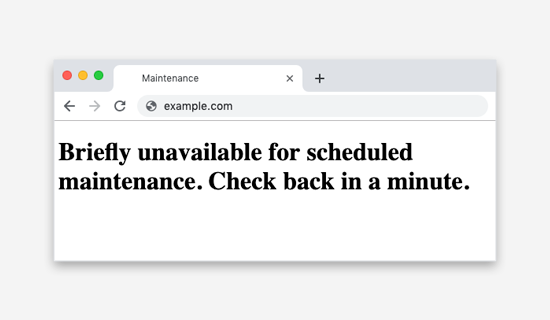
Ever seen in WordPress "Temporarily unavailable due to scheduled maintenance"Error? This error is usually found inUpdate WordPress core, pluginsmaybeThemes emerge whenThe
But if your WordPress site can't complete the update, then it will fall into maintenance mode.
PHP Syntax Errors
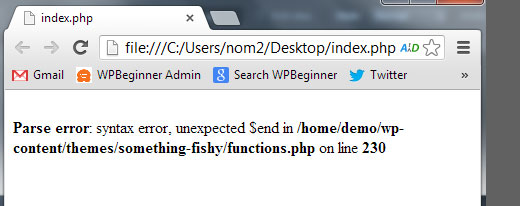
PHP errors may occur after pasting code snippets from WordPress tutorials or websites. The incorrect code may cause the site to not function properly and prevent logins.
Some participants usually use the built-in WordPress editor on the dashboard. This feature is handy, but if you don't know what code you're putting in or if the code snippet is incorrect, something is likely to go wrong.
I hope this tutorial helps you out "WordPress Admin Backend Locked"The question.

Link to this article:https://www.361sale.com/en/16234The article is copyrighted and must be reproduced with attribution.






















![Emoji[wozuimei]-Photonflux.com | Professional WordPress repair service, worldwide, rapid response](https://www.361sale.com/wp-content/themes/zibll/img/smilies/wozuimei.gif)

![Emoticon[baoquan] - Photon Wave Network | Professional WordPress Repair Services, Worldwide Coverage, Rapid Response](https://www.361sale.com/wp-content/themes/zibll/img/smilies/baoquan.gif)


 简体中文
简体中文  English
  日本語
日本語  Français
  Español


No comments