




I don't know if you guys have ever gotten stuck with WordPress updates and couldn't do them. "Another update is currently in progress" error. We've dealt with this error countless times on our own site. In this guide, we share with you some of our experiences with the "Another update is currently in progress" error.
![Image[1]-How to Fix "Another Update is Currently in Progress" Error in WordPress - Photon Flux | Professional WordPress repair service, worldwide, fast response!](https://www.361sale.com/wp-content/uploads/2024/08/2024082207163924.png)
Why do I get the 'Another update is currently in progress' error?
This message usually appears when a core WordPress update is running in the background and the user tries to start another update process. During the core update process, WordPress automatically sets an update lock on the WordPress database. This database lock prevents the webmaster from running updates on the site at the same time, which could cause theWordPress ErrormaybeDestruction of critical dataThe
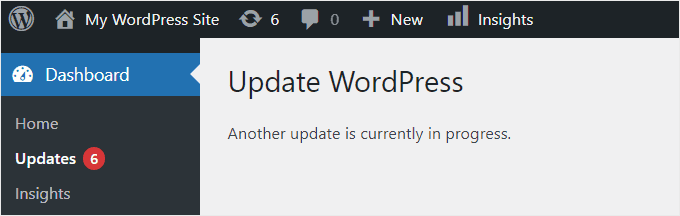
This message is set to disappear automatically after 15 minutes or when the update process is complete. However, if you are stuck with this message, you will need to remove it manually.
Let's see how to fix the "Another update is currently in progress" error in WordPress.
How to Fix the "Another Update in Progress" Error in WordPress (Step-by-Step Instructions)
When encountering the "Another update is in progress" error, you need to remove the following from the WordPress databaseDelete the file "core_updater.lock".. The easiest way to do this is to use thephpMyAdminThe
NOTE: When making changes to the database orWordPress ThemesHave a full site backup before the fileThe
Log in to the control panel to navigate to phpMyAdminThe
Find phpMyAdmin and click on "phpMyAdmin" to start the application where you need to select the WordPress database. After clicking on the database, it will show all the tables in it.
Then, click on the WordPress options list (wp_options) next to the "skim over"Button.
![Image [3] - How to fix "Another update is currently in progress" error in WordPress - Photon Flux | Professional WordPress repair service, worldwide, fast response!](https://www.361sale.com/wp-content/uploads/2024/08/2024082302330877.png)
This will display all rows within the options table.
To find the option name "Core_updater.lock" lineand then click next to the "removing"Button.

Now phpMyAdmin will automatically delete the row from the database.
When returning to your WordPress site, the "another update in progress" error disappears and you can continue to update your site.
How to avoid "Another update is currently in progress" errors in the future
While it is good to know how to fix this error. However, for the sake of unnecessary trouble, it is best to prevent the error from happening in the first place. Here are some ways that will help you avoid encountering this error in the future:
- Update one at a time: Please be patient and update the WordPress core, themes and plugins one at a time to minimize the risk of conflicts.
- Clear Browser Cache: Sometimes the error message may persist due to cached data in the browser.
- Use of temporary sites: Updates can be tested in a temporary environment before they are applied to operational sites. This allows you to identify and resolve potential issues without affecting the actual site.

Link to this article:https://www.361sale.com/en/17441The article is copyrighted and must be reproduced with attribution.






















![Emoji[wozuimei]-Photonflux.com | Professional WordPress repair service, worldwide, rapid response](https://www.361sale.com/wp-content/themes/zibll/img/smilies/wozuimei.gif)

![Emoticon[baoquan] - Photon Wave Network | Professional WordPress Repair Services, Worldwide Coverage, Rapid Response](https://www.361sale.com/wp-content/themes/zibll/img/smilies/baoquan.gif)


 简体中文
简体中文  English
  日本語
日本語  Français
  Español


No comments