






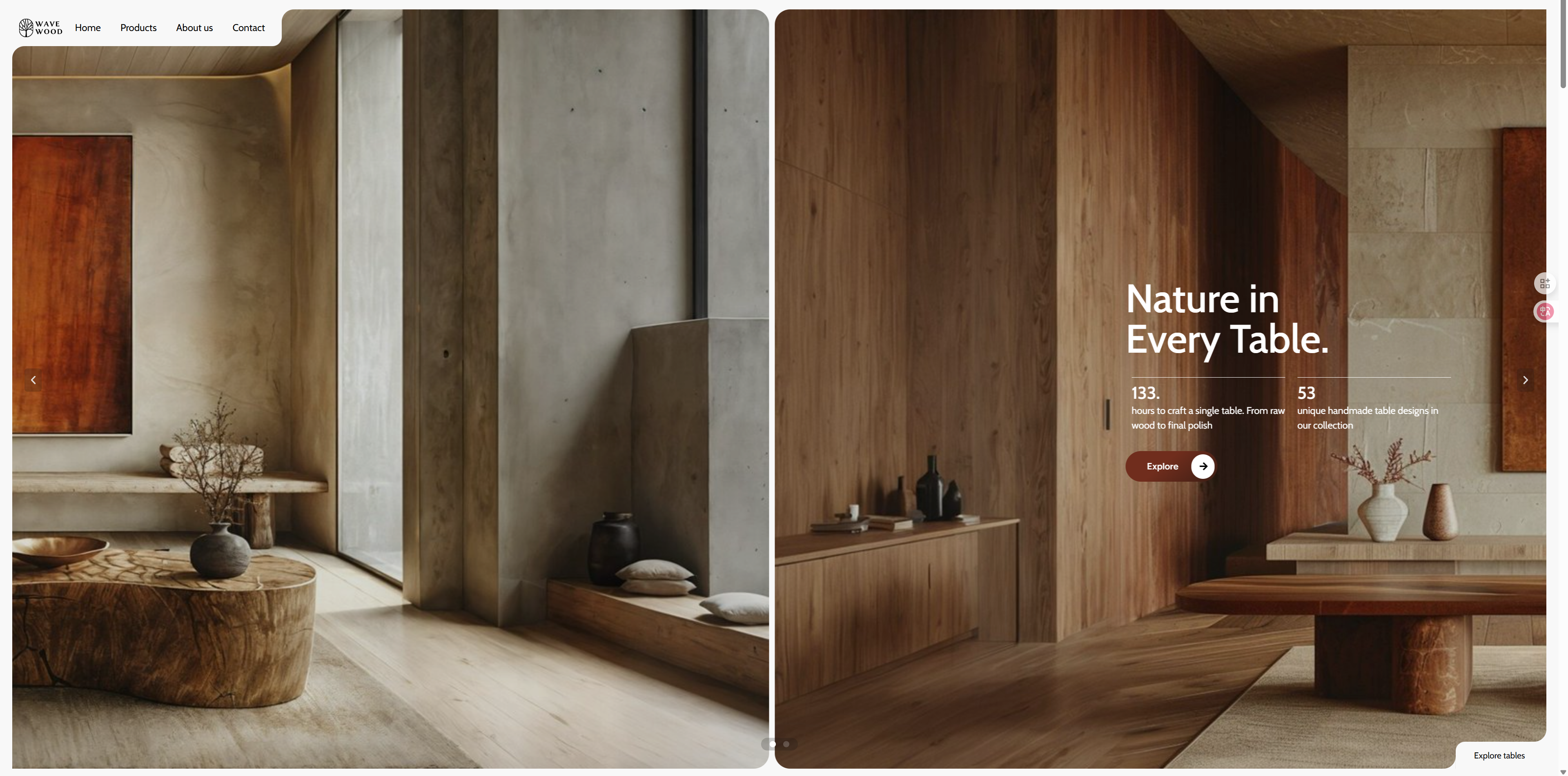
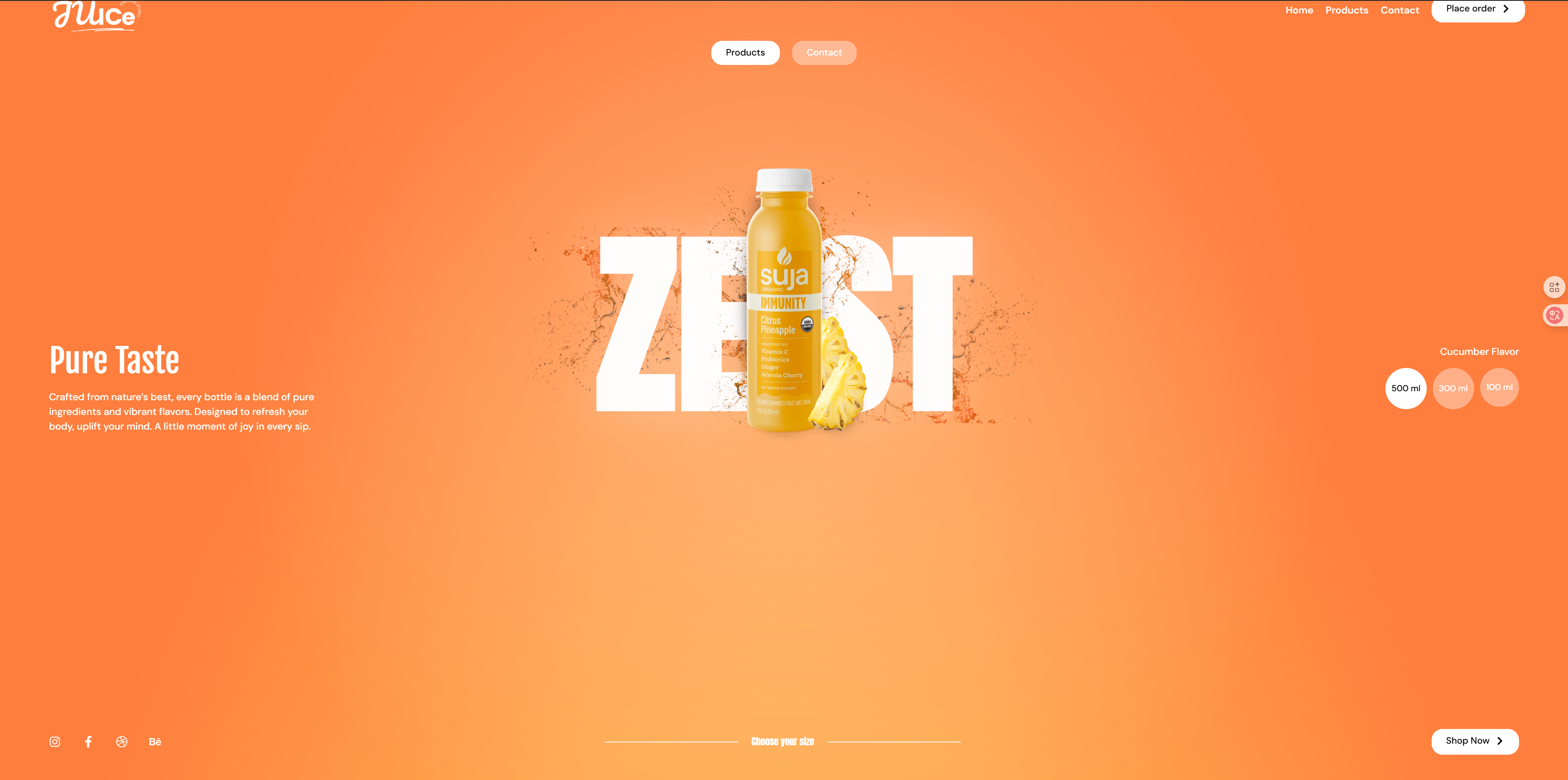
This template combines GSAP Scrolling Effects, Hover Header, Slide InteractionApplicable to SaaS enterprises, tech companies, online platforms and other business scenarios. Through smooth animation and intuitive data display, to create a modern, high conversion of the official website of the enterprise.
Templates are used Scroll trigger animationThe core information is dynamically displayed as the page scrolls, enhancing the sense of visual hierarchy. Hover header makes navigation always available and improves interaction efficiency, and dynamic sliding menu makes content access smoother. Lightweight architecture ensures fast loading, combining high performance with elegant design.
Ideal for businesses that need to create a professional, tech-savvy website that immerses visitors in a smooth browsing experience.
Full version demo address:https://demo-show1.361sale.com/
![Image[1] - GSAP Interactive SaaS Enterprise Template - Lightweight and smooth, immersive experience - Photon Flux.com | Professional WordPress Repair Service, Global Reach, Fast Response](https://www.361sale.com/wp-content/uploads/2025/03/20250312114134788-demo-show1-home.gif)
![Image [2] - GSAP Interactive SaaS Enterprise Template - Lightweight and smooth, immersive experience - Photon Flux.com | Professional WordPress Repair Service, Global Reach, Fast Response](https://www.361sale.com/wp-content/uploads/2025/03/20250312114224267-demo-show1.png)
File download address↓
Import the full version
Okay, the full version will be a little more complicated, but don't worry, I'll walk you through the steps.
![Image [3] - GSAP Interactive SaaS Enterprise Template - Lightweight and smooth, immersive experience - Photon Flux.com | Professional WordPress Repair Service, Global Reach, Fast Response](https://www.361sale.com/wp-content/uploads/2025/03/20250312092235833-image.png)
On the back end of the site we findelementorThen find theartifact(tools), find theImport/Export Libraries(Import / Export Kit), locate theImporting a template library(Import a Template Kit), click on thestart importing(Start lmport). As shown above
![Image [4] - GSAP Interactive SaaS Enterprise Template - Lightweight and smooth, immersive experience - Photon Flux.com | Professional WordPress Repair Service, Global Reach, Fast Response](https://www.361sale.com/wp-content/uploads/2025/03/20250312092813953-image.png)
strike (on the keyboard)Select File(Select File). Find the zip file package we downloaded. As shown below:
![Image [5] - GSAP Interactive SaaS Enterprise Template - Lightweight and smooth, immersive experience - Photon Flux.com | Professional WordPress Repair Service, Global Reach, Fast Response](https://www.361sale.com/wp-content/uploads/2025/03/20250312093040309-image.png)
If a security pop-up appears, don't worry, this is normal, click Continue.Below:
![Image [6] - GSAP Interactive SaaS Enterprise Template - Lightweight and smooth, immersive experience - Photon Flux.com | Professional WordPress Repair Service, Global Reach, Fast Response](https://www.361sale.com/wp-content/uploads/2025/03/20250312093138562-image.png)
Please ensure thatElementorrespond in singingElementor ProAll are the latest versions. Pictured below:
![Image [7] - GSAP Interactive SaaS Enterprise Template - Lightweight and smooth, immersive experience - Photon Flux.com | Professional WordPress Repair Service, Global Reach, Fast Response](https://www.361sale.com/wp-content/uploads/2025/03/20250312093323208-image.png)
Be careful to install the plug-ins he must have, otherwise the import will fail, or the page content will be lost and incomplete display.
Then click on the bottom right corner of theNext.Below:
![Image [8] - GSAP Interactive SaaS Enterprise Template - Lightweight and smooth, immersive experience - Photon Flux.com | Professional WordPress Repair Service, Global Reach, Fast Response](https://www.361sale.com/wp-content/uploads/2025/03/20250312093436404-image.png)
tickAll items, and then click on the bottom right corner of theimport (data). It will check all the items by default, because it is importing the full version, do not cancel it easily, or there may be a gap with the effect, as shown below:
![Image [9] - GSAP Interactive SaaS Enterprise Template - Lightweight and smooth, immersive experience - Photon Flux.com | Professional WordPress Repair Service, Global Reach, Fast Response](https://www.361sale.com/wp-content/uploads/2025/03/20250312093836101-image.png)
The import process requires2-3minutes, please be patient. The picture below:
![Image [10] - GSAP Interactive SaaS Enterprise Template - Lightweight and smooth, immersive experience - Photon Flux.com | Professional WordPress Repair Service, Global Reach, Fast Response](https://www.361sale.com/wp-content/uploads/2025/03/20250312093918829-image.png)
If this message appears, it means that theDone., click on the bottom right corner of theclotureThis can be done. As shown below:
![Image [11] - GSAP Interactive SaaS Enterprise Template - Lightweight and smooth, immersive experience - Photon Flux.com | Professional WordPress Repair Service, Global Reach, Fast Response](https://www.361sale.com/wp-content/uploads/2025/03/20250312094017385-image.png)
Then click on the front end from the back end of the site to see if the end result is working, isn't that very simple.
![Image [12] - GSAP Interactive SaaS Enterprise Template - Lightweight and smooth, immersive experience - Photon Flux.com | Professional WordPress Repair Service, Global Reach, Fast Response](https://www.361sale.com/wp-content/uploads/2025/03/20250312094127187-image.png)
If you import the full version, the front-end page, there are pictures missing is normal, replace the picture you need.
separate sheet
Please ensure thatmountingIt's already installed.Elementor Free Edition and Elementor Pro Edition. OnlyElementor Pro versiononly thenTemplate ImportFunction.
![Image [13] - GSAP Interactive SaaS Enterprise Template - Lightweight and smooth, immersive experience - Photon Flux.com | Professional WordPress Repair Service, Global Reach, Fast Response](https://www.361sale.com/wp-content/uploads/2025/03/20250312103528517-image.png)
![Image [14] - GSAP Interactive SaaS Enterprise Template - Lightweight and smooth, immersive experience - Photon Fluctuation Network | Professional WordPress Repair Service, Global Reach, Fast Response](https://www.361sale.com/wp-content/uploads/2025/03/20250312103606678-image.png)
The back end of the site findsweb pageClick to addnew page. As pictured above:
![Image [15] - GSAP Interactive SaaS Enterprise Template - Lightweight and smooth, immersive experience - Photon Fluctuation Network | Professional WordPress Repair Service, Global Reach, Fast Response](https://www.361sale.com/wp-content/uploads/2025/03/20250312103636864-image.png)
start usingElementor Editor. As pictured above:
![Image [16] - GSAP Interactive SaaS Enterprise Template - Lightweight and smooth, immersive experience - Photon Flux.com | Professional WordPress Repair Service, Global Reach, Fast Response](https://www.361sale.com/wp-content/uploads/2025/03/20250312103710880-image.png)
Click to add the file next to theicon (computing)That is.stencil. As pictured above:
![Image [17] - GSAP Interactive SaaS Enterprise Template - Lightweight and smooth, immersive experience - Photon Fluctuation Network | Professional WordPress Repair Service, Global Reach, Fast Response](https://www.361sale.com/wp-content/uploads/2025/03/20250312104521775-image.png)
![Image [18] - GSAP Interactive SaaS Enterprise Template - Lightweight and smooth, immersive experience - Photon Fluctuation Network | Professional WordPress Repair Service, Global Reach, Fast Response](https://www.361sale.com/wp-content/uploads/2025/03/20250312105045649-image.png)
Click on the upper right corner of theuploadflag, and then click theSelect Fileand then select the local file you've justDownloaded files. As pictured above:
Let's say we upload one of theContact(used form a nominal expression)page templateThe
![Image [19] - GSAP Interactive SaaS Enterprise Template - Lightweight and smooth, immersive experience - Photon Fluctuation Network | Professional WordPress Repair Service, Global Reach, Fast Response](https://www.361sale.com/wp-content/uploads/2025/03/20250312105319289-image.png)
Then go back to My Templates to see the template we just imported and click on thepreviews(Preview) to see the effect, and then select thestick(Insert). As shown above:
![Image [20] - GSAP Interactive SaaS Enterprise Template - Lightweight and smooth, immersive experience - Photon Flux.com | Professional WordPress Repair Service, Global Reach, Fast Response](https://www.361sale.com/wp-content/uploads/2025/03/20250312105447681-image.png)
If the template is still not displayed after uploading, or in My Templates, click Refresh (Synchronize) on the right side, as shown above:
For header and footer display methods, check out the tutorial article at the top of the gallery!
Please remember to ensure that elementor pro for the original version, if it is a cracked version, any problems, please take responsibility for their own, thank you for your support!
Loss of folding menu
If menu folding is missing, follow the instructions below:

Link to this article:https://www.361sale.com/en/37006The article is copyrighted and must be reproduced with attribution.
















![Emoji[wozuimei]-Photonflux.com | Professional WordPress repair service, worldwide, rapid response](https://www.361sale.com/wp-content/themes/zibll/img/smilies/wozuimei.gif)

![Emoticon[baoquan] - Photon Wave Network | Professional WordPress Repair Services, Worldwide Coverage, Rapid Response](https://www.361sale.com/wp-content/themes/zibll/img/smilies/baoquan.gif)


 简体中文
简体中文  English
  日本語
日本語  Français
  Español


No comments