






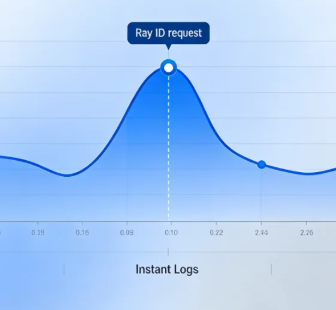
This template combines GSAP Scrolling Effects, Hover Header, Slide InteractionApplicable to SaaS enterprises, tech companies, online platforms and other business scenarios. Through smooth animation and intuitive data display, to create a modern, high conversion of the official website of the enterprise.
Templates are used Scroll trigger animationThe core information is dynamically displayed as the page scrolls, enhancing the sense of visual hierarchy. Hover header makes navigation always available and improves interaction efficiency, and dynamic sliding menu makes content access smoother. Lightweight architecture ensures fast loading, combining high performance with elegant design.
Ideal for businesses that need to create a professional, tech-savvy website that immerses visitors in a smooth browsing experience.
Full version demo address:https://demo-show1.361sale.com/
![图片[1]-GSAP 交互式 SaaS 企业模板 – 轻量流畅,沉浸式体验-光子波动网 | WordPress教程、Elementor教程与故障修复](https://www.361sale.com/wp-content/uploads/2025/03/20250312114134788-demo-show1-home.gif)
![图片[2]-GSAP 交互式 SaaS 企业模板 – 轻量流畅,沉浸式体验-光子波动网 | WordPress教程、Elementor教程与故障修复](https://www.361sale.com/wp-content/uploads/2025/03/20250312114224267-demo-show1.png)
File download address↓
Import the full version
Okay, the full version will be a little more complicated, but don't worry, I'll walk you through the steps.
![图片[3]-GSAP 交互式 SaaS 企业模板 – 轻量流畅,沉浸式体验-光子波动网 | WordPress教程、Elementor教程与故障修复](https://www.361sale.com/wp-content/uploads/2025/03/20250312092235833-image.png)
On the back end of the site we findelementorThen find theartifact(tools), find theImport/Export Libraries(Import / Export Kit), locate theImporting a template library(Import a Template Kit), click on thestart importing(Start lmport). As shown above
![图片[4]-GSAP 交互式 SaaS 企业模板 – 轻量流畅,沉浸式体验-光子波动网 | WordPress教程、Elementor教程与故障修复](https://www.361sale.com/wp-content/uploads/2025/03/20250312092813953-image.png)
strike (on the keyboard)Select File(Select File). Find the zip file package we downloaded. As shown below:
![图片[5]-GSAP 交互式 SaaS 企业模板 – 轻量流畅,沉浸式体验-光子波动网 | WordPress教程、Elementor教程与故障修复](https://www.361sale.com/wp-content/uploads/2025/03/20250312093040309-image.png)
If a security pop-up appears, don't worry, this is normal, click Continue.Below:
![图片[6]-GSAP 交互式 SaaS 企业模板 – 轻量流畅,沉浸式体验-光子波动网 | WordPress教程、Elementor教程与故障修复](https://www.361sale.com/wp-content/uploads/2025/03/20250312093138562-image.png)
Please ensure thatElementorrespond in singingElementor ProAll are the latest versions. Pictured below:
![图片[7]-GSAP 交互式 SaaS 企业模板 – 轻量流畅,沉浸式体验-光子波动网 | WordPress教程、Elementor教程与故障修复](https://www.361sale.com/wp-content/uploads/2025/03/20250312093323208-image.png)
Be careful to install the plug-ins he must have, otherwise the import will fail, or the page content will be lost and incomplete display.
Then click on the bottom right corner of theNext.Below:
![图片[8]-GSAP 交互式 SaaS 企业模板 – 轻量流畅,沉浸式体验-光子波动网 | WordPress教程、Elementor教程与故障修复](https://www.361sale.com/wp-content/uploads/2025/03/20250312093436404-image.png)
tickAll items, and then click on the bottom right corner of theimport (data). It will check all the items by default, because it is importing the full version, do not cancel it easily, or there may be a gap with the effect, as shown below:
![图片[9]-GSAP 交互式 SaaS 企业模板 – 轻量流畅,沉浸式体验-光子波动网 | WordPress教程、Elementor教程与故障修复](https://www.361sale.com/wp-content/uploads/2025/03/20250312093836101-image.png)
The import process requires2-3minutes, please be patient. The picture below:
![图片[10]-GSAP 交互式 SaaS 企业模板 – 轻量流畅,沉浸式体验-光子波动网 | WordPress教程、Elementor教程与故障修复](https://www.361sale.com/wp-content/uploads/2025/03/20250312093918829-image.png)
If this message appears, it means that theDone., click on the bottom right corner of theclotureThis can be done. As shown below:
![图片[11]-GSAP 交互式 SaaS 企业模板 – 轻量流畅,沉浸式体验-光子波动网 | WordPress教程、Elementor教程与故障修复](https://www.361sale.com/wp-content/uploads/2025/03/20250312094017385-image.png)
Then click on the front end from the back end of the site to see if the end result is working, isn't that very simple.
![图片[12]-GSAP 交互式 SaaS 企业模板 – 轻量流畅,沉浸式体验-光子波动网 | WordPress教程、Elementor教程与故障修复](https://www.361sale.com/wp-content/uploads/2025/03/20250312094127187-image.png)
If you import the full version, the front-end page, there are pictures missing is normal, replace the picture you need.
separate sheet
Please ensure thatmountingIt's already installed.Elementor Free Edition and Elementor Pro Edition. OnlyElementor Pro versiononly thenTemplate ImportFunction.
![图片[13]-GSAP 交互式 SaaS 企业模板 – 轻量流畅,沉浸式体验-光子波动网 | WordPress教程、Elementor教程与故障修复](https://www.361sale.com/wp-content/uploads/2025/03/20250312103528517-image.png)
![图片[14]-GSAP 交互式 SaaS 企业模板 – 轻量流畅,沉浸式体验-光子波动网 | WordPress教程、Elementor教程与故障修复](https://www.361sale.com/wp-content/uploads/2025/03/20250312103606678-image.png)
The back end of the site findsweb pageClick to addnew page. As pictured above:
![图片[15]-GSAP 交互式 SaaS 企业模板 – 轻量流畅,沉浸式体验-光子波动网 | WordPress教程、Elementor教程与故障修复](https://www.361sale.com/wp-content/uploads/2025/03/20250312103636864-image.png)
start usingElementor Editor. As pictured above:
![图片[16]-GSAP 交互式 SaaS 企业模板 – 轻量流畅,沉浸式体验-光子波动网 | WordPress教程、Elementor教程与故障修复](https://www.361sale.com/wp-content/uploads/2025/03/20250312103710880-image.png)
Click to add the file next to theicon (computing)That is.stencil. As pictured above:
![图片[17]-GSAP 交互式 SaaS 企业模板 – 轻量流畅,沉浸式体验-光子波动网 | WordPress教程、Elementor教程与故障修复](https://www.361sale.com/wp-content/uploads/2025/03/20250312104521775-image.png)
![图片[18]-GSAP 交互式 SaaS 企业模板 – 轻量流畅,沉浸式体验-光子波动网 | WordPress教程、Elementor教程与故障修复](https://www.361sale.com/wp-content/uploads/2025/03/20250312105045649-image.png)
Click on the upper right corner of theuploadflag, and then click theSelect Fileand then select the local file you've justDownloaded files. As pictured above:
Let's say we upload one of theContact(used form a nominal expression)page templateThe
![图片[19]-GSAP 交互式 SaaS 企业模板 – 轻量流畅,沉浸式体验-光子波动网 | WordPress教程、Elementor教程与故障修复](https://www.361sale.com/wp-content/uploads/2025/03/20250312105319289-image.png)
Then go back to My Templates to see the template we just imported and click on thepreviews(Preview) to see the effect, and then select thestick(Insert). As shown above:
![图片[20]-GSAP 交互式 SaaS 企业模板 – 轻量流畅,沉浸式体验-光子波动网 | WordPress教程、Elementor教程与故障修复](https://www.361sale.com/wp-content/uploads/2025/03/20250312105447681-image.png)
If the template is still not displayed after uploading, or in My Templates, click Refresh (Synchronize) on the right side, as shown above:
For header and footer display methods, check out the tutorial article at the top of the gallery!
Please remember to ensure that elementor pro for the original version, if it is a cracked version, any problems, please take responsibility for their own, thank you for your support!
Loss of folding menu
If menu folding is missing, follow the instructions below:

Link to this article:https://www.361sale.com/en/37006/The article is copyrighted and must be reproduced with attribution.
















![表情[wozuimei]-光子波动网 | WordPress教程、Elementor教程与故障修复](https://www.361sale.com/wp-content/themes/zibll/img/smilies/wozuimei.gif)

![表情[baoquan]-光子波动网 | WordPress教程、Elementor教程与故障修复](https://www.361sale.com/wp-content/themes/zibll/img/smilies/baoquan.gif)


 简体中文
简体中文  English
  日本語
日本語  Français
  Español


No comments