





descriptive
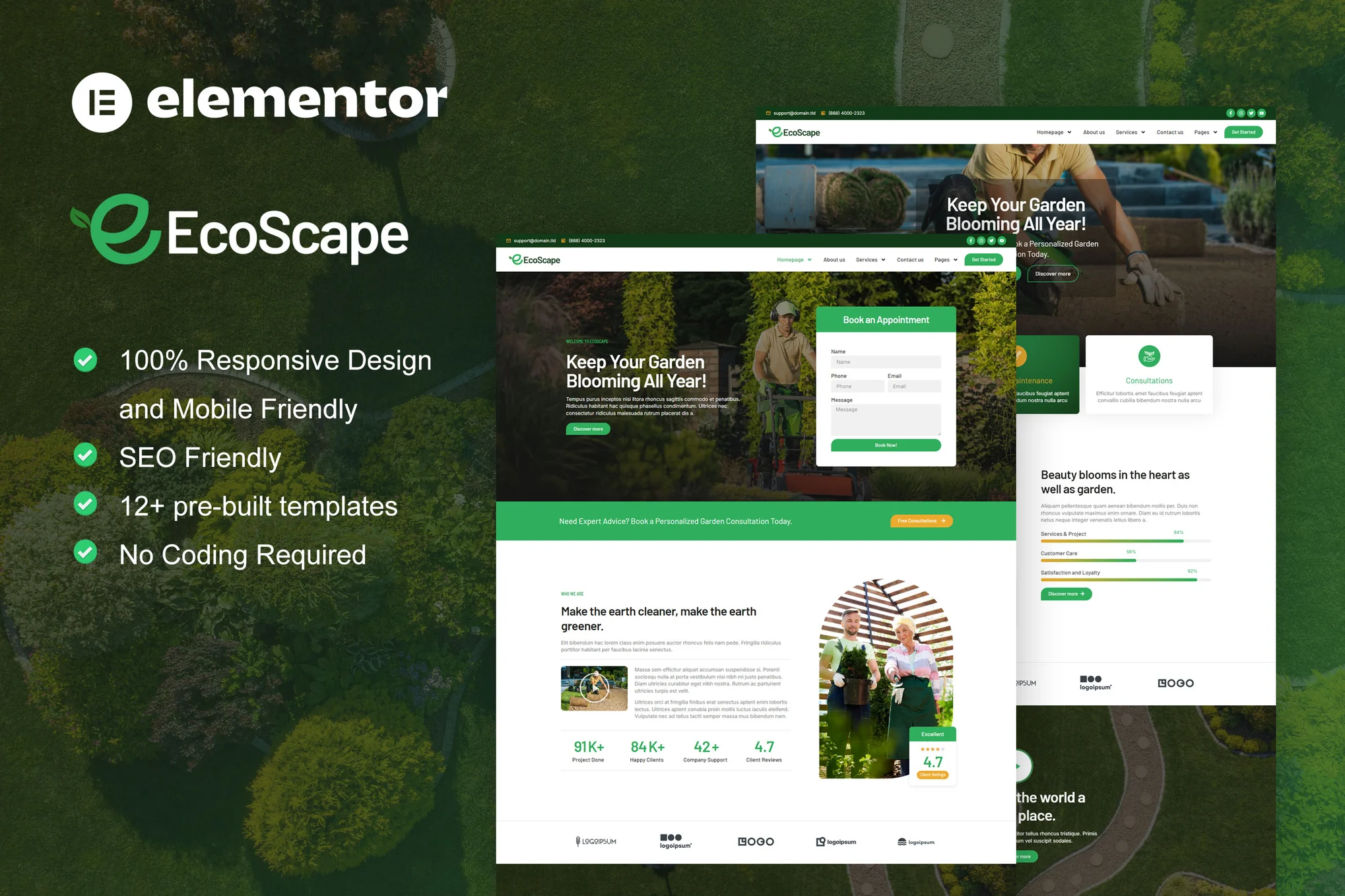
EcoScape is an Elementor Pro template suite designed for gardening websites and related services. This template suite is perfect for gardening, landscaping, decorating, and even lawn service websites. It features more than 12 beautifully designed pre-built templates with modern styles that make it easy to create beautiful green and gardening websites.
Save time building landscape and gardening service websites by using this Elementor template suite. With the Elementor page builder, you can easily edit or customize it with no coding, just drag and drop.
The Elementor Template Kit contains page content designed for the Elementor page builder. The kit has been optimized for the free version of the Hello Elementor theme, but is also compatible for use with most themes that support Elementor.
![图片[1]-EcoScape – 园艺与景观设计 Elementor Pro 模板套件-光子波动网 | WordPress教程、Elementor教程与故障修复](https://www.361sale.com/wp-content/uploads/2025/03/20250319111841246-1742354251946.png)
![图片[2]-EcoScape – 园艺与景观设计 Elementor Pro 模板套件-光子波动网 | WordPress教程、Elementor教程与故障修复](https://www.361sale.com/wp-content/uploads/2025/03/20250319111845944-1742354257214.png)
![图片[3]-EcoScape – 园艺与景观设计 Elementor Pro 模板套件-光子波动网 | WordPress教程、Elementor教程与故障修复](https://www.361sale.com/wp-content/uploads/2025/03/20250319111845523-1742354262406.png)
Layout features:
- Modern and professional design
- Building with Elementor Pro
- 100% Responsive and Mobile Friendly
- 12 or more pre-built templates
- Easy to customize
- This template kit was built using the Elementor Hello theme
The ZIP file contains content:
- fig. beginning
- Home 2
- About Us
- Contact Us
- Blog Archive
- 404 error page
- single article
- common problems
- collection
- pricing plan
- service
- teams
- Global Style
- footer
- footers
Plugins installed by the template kit:
- ElementsKit Lite
- Skyboot Icons
- Elementor Pro (some templates and features require upgrades, not included)
How to use the template kit:
- This is a template kit, not a WordPress theme. The template suite contains only Elementor design data, installed via the Envato Elements plugin or directly via Elementor.
- Download your template file from Envato and do not unzip it. If you are using Safari, make sure to disable "Open Safe Files After Download" in your browser preferences.
- Go to Settings > Permalinks and make sure "Article Name" is selected.
- Go to Appearance > Themes > Add New Theme and make sure the Hello Elementor theme is installed and activated. If Elementor is not already installed, you will be prompted to install it.
- Go to Plugins and make sure the Elementor and Envato Elements plugins are installed and updated to the latest versions. If your template suite requires Elementor Pro, it must be installed and connected to your account now.
- If you have Elementor enabled, go to Elementor > Settings, click on Features, and make sure Flexbox Container is enabled.
- Go to Elements > Installed Kits and click Upload Template Kit ZIP File (or click on your kit to view it).
- Check out the orange banner at the top and click on "Installation Requirements" to load the plugins needed for the template kit.
- First click Import Global Template Styles. This will set the site settings.
- Import each template one by one in order. These templates are stored in Elementor under Templates > Saved Templates and should not be edited directly.

Link to this article:https://www.361sale.com/en/45705/The article is copyrighted and must be reproduced with attribution.



















![表情[wozuimei]-光子波动网 | WordPress教程、Elementor教程与故障修复](https://www.361sale.com/wp-content/themes/zibll/img/smilies/wozuimei.gif)

![表情[baoquan]-光子波动网 | WordPress教程、Elementor教程与故障修复](https://www.361sale.com/wp-content/themes/zibll/img/smilies/baoquan.gif)


 简体中文
简体中文  English


No comments