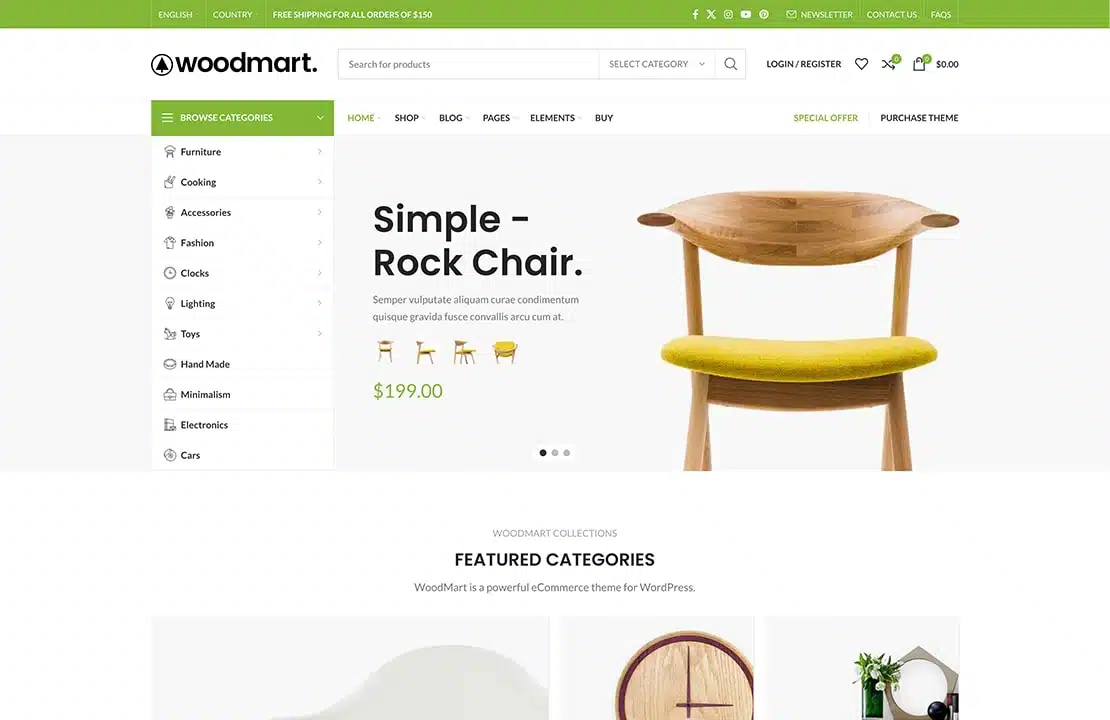






existWoodMartIn the theme.Header Builderis a powerful tool to help webmasters easily design and edit the header structure. Using Frontend mode, you can directly edit in real time on the frontend without switching to wordpress backend, which greatly improves work efficiency.
![图片[1]-如何使用WoodMart主题的Header Builder创建和自定义网站头部](https://www.361sale.com/wp-content/uploads/2025/03/20250324112937223-image.png)
Turn on Frontend mode for header editing
![图片[2]-如何使用WoodMart主题的Header Builder创建和自定义网站头部](https://www.361sale.com/wp-content/uploads/2025/03/20250324112057281-image.png)
To enable Frontend mode editing of the header, first select in the top admin panel theWoodMart -> Header Builder -> Edit Current HeaderThe
![图片[3]-如何使用WoodMart主题的Header Builder创建和自定义网站头部](https://www.361sale.com/wp-content/uploads/2025/03/20250324112151477-image.png)
This way, you'll be able to make header edits directly on the front end.
![图片[4]-如何使用WoodMart主题的Header Builder创建和自定义网站头部](https://www.361sale.com/wp-content/uploads/2025/03/20250324112206433-image.png)
While editing, you can also select the page you want to edit from the drop-down menu at the bottom.
![图片[5]-如何使用WoodMart主题的Header Builder创建和自定义网站头部](https://www.361sale.com/wp-content/uploads/2025/03/20250324112223708-image.png)
This feature allows you to set different header structures on different pages, which greatly facilitates personalization.
Create new header
When creating a new header, theWoodMartSeveral methods are provided:
- blank structure: You can create a blank header structure and add various elements as needed.
- template library: WoodMart provides a library of sample templates, so you can choose one to use as a base and then personalize it.
![图片[6]-如何使用WoodMart主题的Header Builder创建和自定义网站头部](https://www.361sale.com/wp-content/uploads/2025/03/20250324112433711-image.png)
To create a new header, go toDashboard -> WoodMart -> Header BuilderClickCreate new headerbutton. There are two sections in the pop-up window:
- Header Layout Example Library: You can choose a template from which to use as a base and customize it later.
- Existing head: If you already have a custom header, you can choose one to use as the basis for a new header.
![图片[7]-如何使用WoodMart主题的Header Builder创建和自定义网站头部](https://www.361sale.com/wp-content/uploads/2025/03/20250324112520760-image.png)
After completing these steps, a new header layout will be created and you can begin editing.
Setting the default header
On the header management page, you can choose which header will be the default header for your website. Simply click next to the header you want to set as default in thestar-shaped button(set as default) to complete the setup.
![图片[8]-如何使用WoodMart主题的Header Builder创建和自定义网站头部](https://www.361sale.com/wp-content/uploads/2025/03/20250324112548359-image.png)
Import JSON data to create the header
If you have a previously created and exportedJSONfile, which can be imported using Header Builder. Click on theimport (data)button, paste the JSON data and click the pop-up window in theimport (data)This means that the import operation is complete. Using this method, you can migrate the previous header design to the current site and continue customization.
![图片[9]-如何使用WoodMart主题的Header Builder创建和自定义网站头部](https://www.361sale.com/wp-content/uploads/2025/03/20250324112414956-image.png)
Header row and column configuration
In the Header Builder, you will see a layout consisting of three rows, each containing three columns. These columns represent the three sections of the site's header: the top column, the main header, and the bottom column. Each section is a drag-and-drop container area where you can drag and drop various elements into these columns and reposition the columns as needed. In this way, you can design various header layouts according to your needs and freely adjust the order of content elements.
![图片[10]-如何使用WoodMart主题的Header Builder创建和自定义网站头部](https://www.361sale.com/wp-content/uploads/2025/03/20250324112624779-image.png)
Header row and column settings
Each header section has its own configuration options. Click on thecompilerAfter the icon, you can customize the height of the row, color scheme, borders, etc. In the configuration popup, you can also set:
- fixed scrolling: Sets whether the row is fixed on scrolling.
- Device hiding: Choose whether to hide the row on mobile or desktop devices.
- Bottom Bezel: Set whether to add a bottom border.
- Background color or picture: Customize the background of the row.
- structure of a layout: Select the layout structure of the row.
![图片[11]-如何使用WoodMart主题的Header Builder创建和自定义网站头部](https://www.361sale.com/wp-content/uploads/2025/03/20250324112636972-image.png)
After these options, you have the flexibility to adjust the various parts of the head to create a personalized design that meets your needs.
summarize
WoodMartThe theme's Header Builder provides flexible and efficient header design features. Using Frontend mode, you can edit the header in real time on the frontend, avoiding frequent switches to the backend and improving design efficiency. Whether you create a blank structure, use a template or import aJSONThe data, all of which can help you quickly create a header that meets your needs.

Link to this article:https://www.361sale.com/en/47120/The article is copyrighted and must be reproduced with attribution.















![表情[wozuimei]-光子波动网 | WordPress教程、Elementor教程与故障修复](https://www.361sale.com/wp-content/themes/zibll/img/smilies/wozuimei.gif)

![表情[baoquan]-光子波动网 | WordPress教程、Elementor教程与故障修复](https://www.361sale.com/wp-content/themes/zibll/img/smilies/baoquan.gif)


 简体中文
简体中文  English


No comments