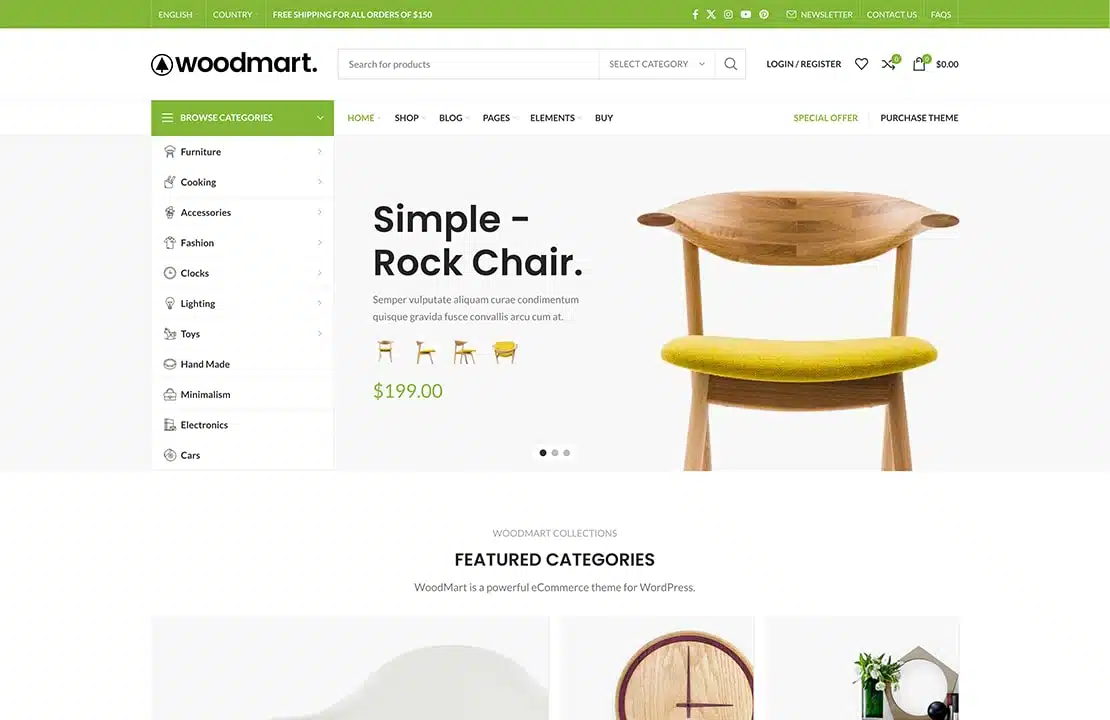






In the highly competitive e-commerce market, how to stand out has become a major challenge for businessesTheWoodMartthematichit the nail on the headWaiting list functionIt's just a very useful tool to help merchants better manage out-of-stock products while providing a timely notification system to ensure that customers are aware of the availability of their favorite items on the shelves.
![图片[1]-如何利用WoodMart主题的等待列表功能提高销售和顾客参与度](https://www.361sale.com/wp-content/uploads/2025/03/20250324181204549-image.png)
Enabling the Waiting List Function
To get started with the waitlist feature, you first need to add a new waitlist function to theWoodMarttheme to enable it. Please follow the steps below:
- leave forTheme Setting -> store -> waiting list, enable the feature.
![图片[2]-如何利用WoodMart主题的等待列表功能提高销售和顾客参与度](https://www.361sale.com/wp-content/uploads/2025/03/20250324174529504-image.png)
- Once completed, you can check any out-of-stock item to see how the wait list is displayed. Customers will be able to add items to the wait list when they are out of stock and they will be notified as soon as the product is back on the shelf.
![图片[3]-如何利用WoodMart主题的等待列表功能提高销售和顾客参与度](https://www.361sale.com/wp-content/uploads/2025/03/20250324175736888-image.png)
Initial state options
When the Wait List feature is enabled, you can select the default presentation of the feature. This is accomplished through theInitial state optionsto set, there are two available options:
![图片[4]-如何利用WoodMart主题的等待列表功能提高销售和顾客参与度](https://www.361sale.com/wp-content/uploads/2025/03/20250324174835786-image.png)
- Always on: When enabled, customers will see a default form to "Add to Waiting List" when they submit a Waiting List form, making it easy for them to add to the waiting list at any time.
- current state: When enabled, customers will see the current status, such as "Added to Waiting List" or "Not Added". This helps customers know if their request has been logged.
![图片[5]-如何利用WoodMart主题的等待列表功能提高销售和顾客参与度](https://www.361sale.com/wp-content/uploads/2025/03/20250324175821454-image.png)
Additional settings
To ensure smooth functioning of theWoodMartAdditional setup options are provided:
- Update Options: When enabled, the waiting list information can be updated accurately even if caching is enabled, avoiding the data inconsistency problem caused by caching.
![图片[6]-如何利用WoodMart主题的等待列表功能提高销售和顾客参与度](https://www.361sale.com/wp-content/uploads/2025/03/20250324175622364-image.png)
- Privacy Policy Options: Enable the Privacy Policy checkbox on the Waiting List form to ensure that customer privacy is safeguarded and data protection requirements are met.
![图片[7]-如何利用WoodMart主题的等待列表功能提高销售和顾客参与度](https://www.361sale.com/wp-content/uploads/2025/03/20250324175159571-image.png)
Editing the content of a waiting list message
The Waiting List feature also includes an email notification feature that automatically sends a notification when a customer's favorite product is back on the shelf. To edit the content of the email, go toWooCommerceset up -> emailand then selectwaiting list -> Products back on the shelvesMail. Here, merchants can customizeHTMLand text content to ensure that the email content matches the store's style and effectively conveys key messages.
![图片[8]-如何利用WoodMart主题的等待列表功能提高销售和顾客参与度](https://www.361sale.com/wp-content/uploads/2025/03/20250324175638309-image.png)
Disable Subscription Confirmation
If a merchant does not wish to enable subscription confirmation for waiting lists, they can choose to disable the associated confirmation emails. Simply go toEmail SettingsDisableWaiting List Confirmation SubscriptionAn email will suffice. This prevents customers from receiving unnecessary subscription confirmation notifications.
![图片[9]-如何利用WoodMart主题的等待列表功能提高销售和顾客参与度](https://www.361sale.com/wp-content/uploads/2025/03/20250324175655666-image.png)
View Waiting List
Merchants are able toofferings -> waiting list, to see which items have been added to the waiting list. This feature enables merchants to get a clear picture of which out-of-stock items are favored by customers and prioritize replenishment based on demand. Merchants can also clickView Customerbutton to see exactly which customers have expressed interest in an item.
![图片[10]-如何利用WoodMart主题的等待列表功能提高销售和顾客参与度](https://www.361sale.com/wp-content/uploads/2025/03/20250324175702694-image.png)
summarize
WoodMartThe theme's Waiting List feature provides merchants with an efficient way to manage out-of-stock items and help customers track inventory changes for their favorite products. By enabling this feature, merchants can not only improve customer engagement, but also better anticipate product demand and drive more sales.

Link to this article:https://www.361sale.com/en/47275/The article is copyrighted and must be reproduced with attribution.















![表情[wozuimei]-光子波动网 | WordPress教程、Elementor教程与故障修复](https://www.361sale.com/wp-content/themes/zibll/img/smilies/wozuimei.gif)

![表情[baoquan]-光子波动网 | WordPress教程、Elementor教程与故障修复](https://www.361sale.com/wp-content/themes/zibll/img/smilies/baoquan.gif)


 简体中文
简体中文  English


No comments