





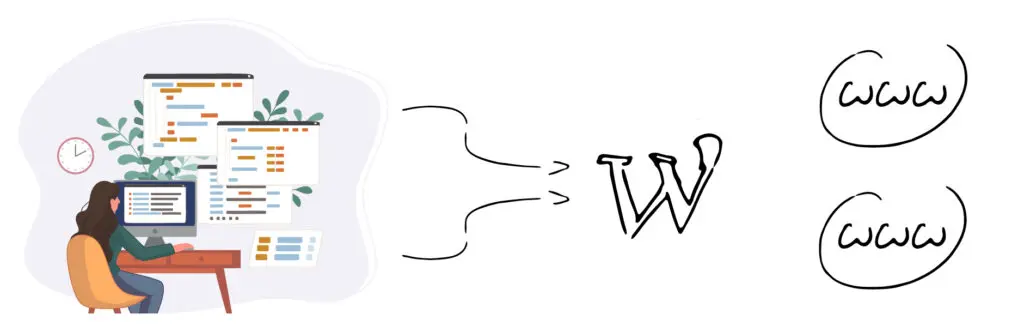
When operating a website, multiple domain names can help improve brand reach, prevent competitors from grabbing related domain names, or facilitate access to the same site for users in different markets. Then the need to properly resolve multiple domain names to the sameWordPress website, and smooth access through proper server configuration and WordPress settings.
![图片[1]-WordPress多域名配置指南:多个域名指向同一网站的设置方法](https://www.361sale.com/wp-content/uploads/2025/05/20250515102319501-image.png)
1. Domain name registration and DNS settings
First of all, one must own multiple domain names with the right domain name registrars andDNS resolution. Usually all domains need to point to the IP address of the web server. A common practice is to point the A records of all domains to the IP of the main web server.
![图片[2]-WordPress多域名配置指南:多个域名指向同一网站的设置方法](https://www.361sale.com/wp-content/uploads/2025/05/20250515105352732-image.png)
Example:
- primary domain name
example.comPoint to server IP - Additional Domain Names
example.netup toexample.orgalso points to the same IP address
This way, access requests arrive at the same server regardless of which domain is accessed.
![图片[3]-WordPress多域名配置指南:多个域名指向同一网站的设置方法](https://www.361sale.com/wp-content/uploads/2025/05/20250515103245342-image.png)
2. Server configuration
The server needs to be configured to receive requests for multiple domains. In the case of an Apache server, for example, the VirtualHost configuration should contain all domain names.
Example Configuration:
ServerName example.com
    ServerAlias example.net example.org
    DocumentRoot /var/www/html
</VirtualHost
This configuration tells the server that theexample.com and its aliases example.net respond in singing example.org All point to the same directory.
If using Nginx, configure it in a similar way:
server {
    listen 80; server_name example.com example.net example.org; server_name
    server_name example.com example.net example.org; server_name example.com example.net example.org; server_name example.com example.net example.org
    server_name example.com example.net example.org; root /var/www/html; ....
    ...
}
This will load the same WordPress site file no matter which domain is visited.
3. WordPress settings
When it comes to WordPress settings, it is crucial to address the issue of automatic jumps when accessing multiple domains. If multiple domains are pointing to the same website, there may be a jump back to the main domain when accessing a non-main domain.
Avoiding jumps is done by configuring the server or using the Wordpress MU Domain Mapping plugin for domain mapping, or by implementing a code that dynamically recognizes the domains visited.
4. Using plug-ins to achieve multi-domain mapping
In order for WordPress to support multiple domains at the same time without automatically jumping, the common practice is to use domain mapping plugins. For example, the "Multiple Domain Mapping on Single Site" plugin enables a WordPress site to bind to multiple domain names.
plug-in (software component)Functions mainly include:
- Display different site URLs based on the domain name visited
- Support for loading the same content on different domains
- Managing multiple domainsSEOset up
After installing and enabling the plugin, follow the plugin's prompts to add domains that need to be mapped.
5. Multi-domain support through code
Those with technical skills can also support multiple domain access through code. For examplewp-config.phpDynamically set the site URL in the
if (isset($_SERVER['HTTP_HOST'])) {
    $domain = $_SERVER['HTTP_HOST'];
    define('WP_HOME', 'http://' . $domain);
    define('WP_SITEURL', 'http://' . $domain);
}
This way WordPress will dynamically adjust the address according to the domain name visited and will not force a jump.
6. SSL certificate configuration
When multiple domains are pointing to the same site, theSSL certificateConfiguration is more complex. It is recommended to use a wildcard certificate (SAN certificate) that supports multiple domains or configure an independent certificate for each domain. Use a free certificate provider such as Let's Encrypt, which also supports multi-domain certificate applications, to secure access.
![图片[5]-WordPress多域名配置指南:多个域名指向同一网站的设置方法](https://www.361sale.com/wp-content/uploads/2025/05/20250515173158929-image.png)
summarize
Multiple domain names pointing to the same WordPress site can enhance brand protection and market coverage. The key lies in setting up DNS resolution and server configuration wisely, as well as adjusting WordPress domain binding behavior.
With the help of plug-ins or code, you can avoid automatic jumps when accessing and support multiple domains at the same time. ssl certificates need to be corresponded toDomain ConfigurationThe process is designed to ensure that access is secure. The overall process involves the coordination of multiple aspects of the registrar, server and WordPress, which will result in flexible and professional multi-domain access when completed.

Link to this article:https://www.361sale.com/en/54506/The article is copyrighted and must be reproduced with attribution.















![表情[wozuimei]-光子波动网 | WordPress教程、Elementor教程与故障修复](https://www.361sale.com/wp-content/themes/zibll/img/smilies/wozuimei.gif)

![表情[baoquan]-光子波动网 | WordPress教程、Elementor教程与故障修复](https://www.361sale.com/wp-content/themes/zibll/img/smilies/baoquan.gif)


 简体中文
简体中文  English


No comments