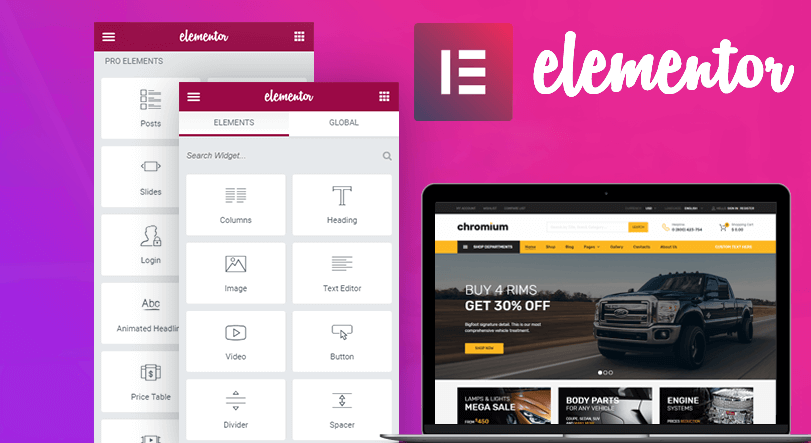





Event pages and landing pages are a key component of many marketing campaigns and promotions. Even people with no design experience can use simple drag-and-drop operations using the ElementorQuickly build a professional event page or landing page. This article will detail how to utilize Elementor Free Templates, helping you to easily create event pages or landing pages.
![Image [1] - How to Build Event Pages and Landing Pages Quickly with Elementor Free Templates](https://www.361sale.com/wp-content/uploads/2025/06/20250625142116685-elementor4.png)
1. Why choose Elementor free templates?
Elementor is a very popular WordPress page builder that makes designing easier with a visual editing interface. For users with no programming background, Elementor Free Edition offers a very powerful drag-and-drop interface that makes it easy to create a wide variety of pages. Moreover, Elementor Free Edition's template library contains a large number of event page and landing page templates that you can directly apply and quickly modify, saving a lot of design and development time.
2. Install Elementor Free Edition
First, you need to install and enable the Elementor plugin in WordPress. The steps are as follows:
- Log in to the WordPress backend.
- In the left-hand menu, select plug-in (software component) → Installation of plug-insThe
- Type in the search box Elementor, click on Search.
- locate Elementor Page Builder plug-in, click mounting and enabled.
![Image [2] - How to Build Event Pages and Landing Pages Quickly with Elementor Free Templates](https://www.361sale.com/wp-content/uploads/2025/06/20250625143113547-image.png)
Once the installation is complete, you can start using Elementor.
3. Selecting and loading templates
Quickly build with templates
In Elementor, templates are the central tool for building pages. The template library is full of free event page and landing page templates to help you create pages quickly. To load a template, do the following:
- In the WordPress backend, select web page → Add New PageThe
- strike (on the keyboard) Using Elementor EditorsThe
![Image [3] - How to Build Event Pages and Landing Pages Quickly with Elementor Free Templates](https://www.361sale.com/wp-content/uploads/2025/06/20250625143241965-image.png)
- Once in the Elementor editor, click the Folders button in the content panel to add a template.
- In the template library, select "Activity" maybe "Landing Page" category to browse the appropriate template.
![Image [4] - How to Build Event Pages and Landing Pages Quickly with Elementor Free Templates](https://www.361sale.com/wp-content/uploads/2025/06/20250625144651804-image.png)
- Select a template and click stick, it will be automatically loaded into the page editor.
If you don't have a precise "campaign" or "landing page" category, you can choose some generic templates, for example:
- Wireframe Series: these are the basic frame templates and you can further customize the design as per the requirement.
- Contact maybe About Templates: These templates are usually suitable for creating basic contact pages or introductory pages, but can equally be adapted as needed to make event pages or landing pages.
After loading the template, you can start modifying the template content to match your campaign needs. All content is editable, including text, images, buttons, and more. Simply click on the element you want to modify and adjust the content as needed.
4. Adjustment of layout and style
Elementor Free Edition provides a wealth of templates that you can completelyCustomized pageslayout and styles. You can add or remove page elements such as text boxes, images, buttons by dragging and dropping widgets (Widgets),form (document)etc. Modifying text, adjusting fonts, background colors, etc. are all very intuitive operations.
![Image [5] - How to Build Event Pages and Landing Pages Quickly with Elementor Free Templates](https://www.361sale.com/wp-content/uploads/2025/06/20250625152857188-image.png)
responsive design
When creating event pages and landing pages, it's important to make sure they display well on different devices.Elementor provides theresponsive designfeature that allows you to adjust the layout and style separately for desktop, tablet and mobile. At the top of the editing interface, you'll see device switching buttons that allow you to view and adjust the display for different devices, ensuring a great user experience no matter which device your visitors use.
![Image [6] - How to Build Event Pages and Landing Pages Quickly with Elementor Free Templates](https://www.361sale.com/wp-content/uploads/2025/06/20250625152240256-image.png)
5. Optimization of page elements
Improve load speed and conversion rates
The purpose of event pages and landing pages is to get visitors to the information and convert quickly, so the speed and clarity of the page loading is critical, and Elementor offers a number of optimizations for this purpose:
- Compressed images: To avoid using oversized images, Elementor allows you to directly resize images to make sure they don't slow down page loading.
- Button Design: Buttons on campaign pages are often important conversion points. Make sure the button design stands out, is colorful, and is prominently placed.Elementor offers a variety of button styles to help you increase conversions.
![Image [7] - How to Build Event Pages and Landing Pages Quickly with Elementor Free Templates](https://www.361sale.com/wp-content/uploads/2025/06/20250625153449324-image.png)
- Forms Integration: Forms are the key to getting information from potential customers. You can use Elementor ProForm widgets are provided to quickly add subscription forms, contact forms, and more, and can even be integrated with email marketing tools such as Mailchimp. Free Elementor can be completed using pluginsSubscription FormThe
6. Publish and test the page
Once the page design is complete, you can click post button to bring the page online. After publishing, don't forget to test it to make sure that all the links, buttons, and form functions are working properly. You can also use Google Analytics or other analytics tools to monitor page visits and conversions, and based on the data furtherOptimization pageThe
A/B testing
If you have multiple design options, you can use A/B testing to determine which page design is more appealing to visitors and improves conversions, and Elementor is compatible with a variety of A/B testing tools to help you find the optimal page layout.
summarize
With these steps, you can quickly build a professional event page or landing page with Elementor free templates without complicated development work. Easily build compelling event pages that helpIncrease Conversion Rateand site performance.

Link to this article:https://www.361sale.com/en/63004The article is copyrighted and must be reproduced with attribution.










![Emoji[wozuimei]-Photonflux.com | Professional WordPress repair service, worldwide, rapid response](https://www.361sale.com/wp-content/themes/zibll/img/smilies/wozuimei.gif)

![Emoticon[baoquan] - Photon Wave Network | Professional WordPress Repair Services, Worldwide Coverage, Rapid Response](https://www.361sale.com/wp-content/themes/zibll/img/smilies/baoquan.gif)


 简体中文
简体中文  English
  日本語
日本語  Français
  Español


No comments