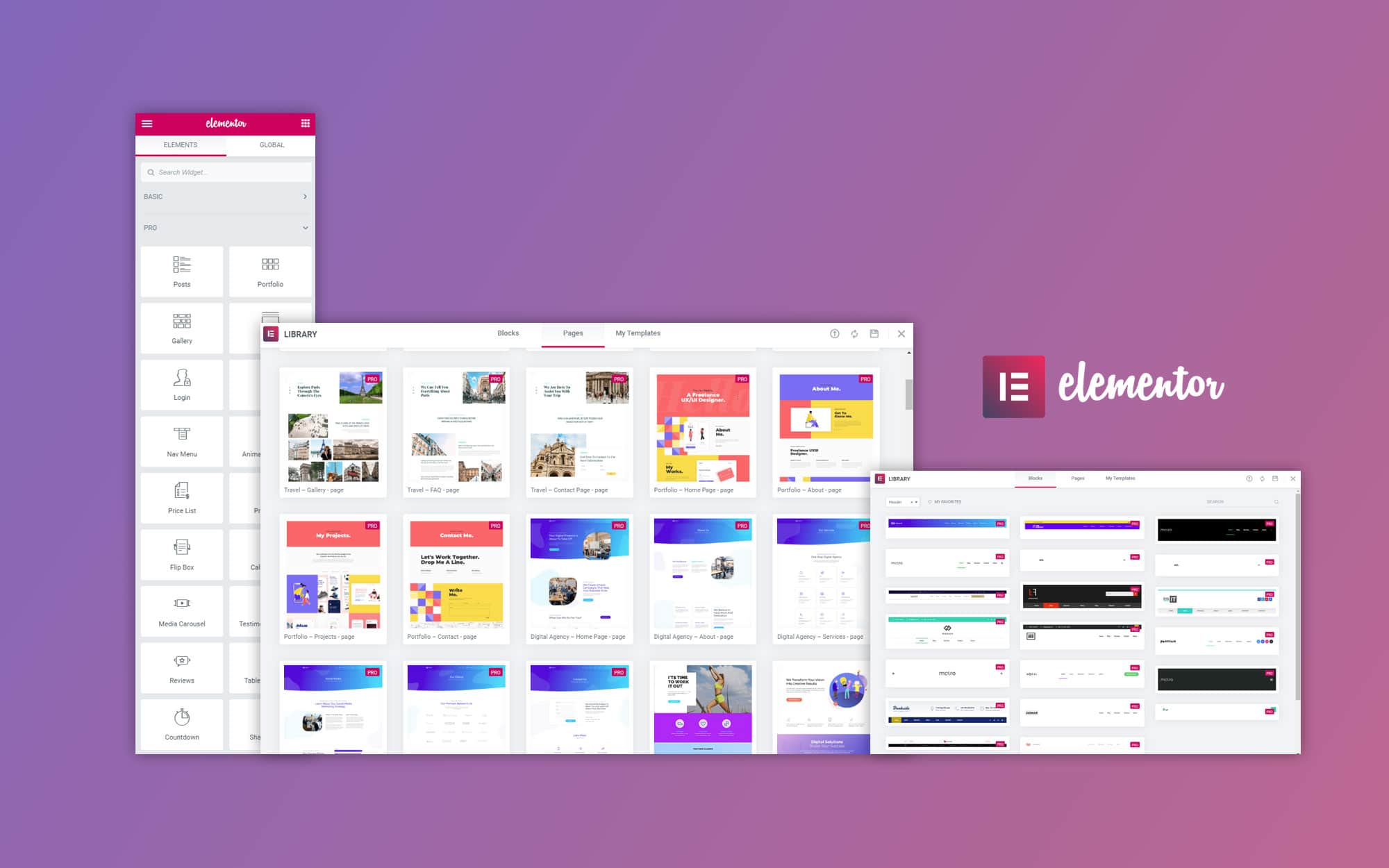





utilization Elementor Creating a personal portfolio website is an efficient and flexible option, especially when you use free templates, which can save a lot of time and resources while offering a high degree of customization. In this article, we'll walk you through how to use Free Elementor Templates Create a personal portfolio website and help you design a beautiful and powerful platform.
![Image [1] - How to Make a Personal Portfolio with Free Elementor Templates](https://www.361sale.com/wp-content/uploads/2025/06/20250626142324608-image.png)
1. Install and setup Elementor
First of all, you need to add the WordPress Install and enable the Elementor plug-in (software component). Here are the simple installation steps:
- Log in to the WordPress backend.
- switch to Plugins > Install PluginsThe
- look for sth. ElementorClick mounting and enabled.
![Image [2] - How to Make a Personal Portfolio with Free Elementor Templates](https://www.361sale.com/wp-content/uploads/2025/06/20250626141923905-image.png)
Elementor is a very intuitive page builder that helps you design pages easily with drag-and-drop functionality without writing any code.
Choosing the right template
Elementor provides a large number ofFree Templates, which includes a wide range of designs suitable for personal portfolios. You can choose a template that suits your style and needs for personalized modifications. After selecting a template, you can simply click "Insert" and the template will be automatically loaded into the page editor for you to edit and modify.
![Image [3] - How to Make a Personal Portfolio with Free Elementor Templates](https://www.361sale.com/wp-content/uploads/2025/06/20250626144126608-image.png)
2. Selecting and modifying free Elementor templates
After choosing the right template, you can start working on your custom design. Here are the steps on how to quickly create your personal portfolio with free Elementor templates.
Customize Home Page Layout
The homepage is the first impression visitors get when they enter your personal portfolio, so it's important to design an eye-catching homepage. Most free templates offer a clean and modern layout for the homepage, which usually contains the following sections:
- Personal Profile: A short introduction that showcases your professional identity, skills and characteristics.
- Exhibition Area: Showcase your work through images, videos, slideshows and other multimedia formats. Most templates are already preset with a grid layout suitable for displaying your work.
- Contact Information: Provide easy contact information so visitors can quickly reach you.
In Elementor, you can customize these sections by dragging and dropping widgets (e.g., text, images, buttons, etc.) to make the home page layout more customizable to your needs.
Modified Works Display Area
The presentation of your work is the centerpiece of your personal portfolio. You can present your work in the following ways:
Adding a "Picture Grid" Layout
- Go to the editor::
- Log in to the WordPress backend and select Pages > Add New Pageand click Using Elementor EditorsThe
![Image [4] - How to Make a Personal Portfolio with Free Elementor Templates](https://www.361sale.com/wp-content/uploads/2025/06/20250626143100102-image.png)
![Image [5] - How to Make a Personal Portfolio with Free Elementor Templates](https://www.361sale.com/wp-content/uploads/2025/06/20250626143129568-image.png)
- Choose two or three column layout::
- In the left panel select photograph widget, drag it to the page layout.
- Upload a picture of each entry and add a link to the detail page.
![Image [6] - How to Make a Personal Portfolio with Free Elementor Templates](https://www.361sale.com/wp-content/uploads/2025/06/20250626153610445-image.png)
- Adjusting spacing and alignment::
- utilization spacing respond in singing alignment tool, ensuring that the images are neatly aligned and visually clear.
Use of "artwork rotation" displays
- Adding a rotation module::
- In the left panel find the Photo Rotation widget, drag and drop it onto the page, and upload multiple images of your work.
![Image [7] - How to Make a Personal Portfolio with Free Elementor Templates](https://www.361sale.com/wp-content/uploads/2025/06/20250626152720919-image.png)
- Setting up autoplay::
- Configure rotation intervals and set image sizes and visual effects to ensure dynamic display.
![Image [8] - How to Make a Personal Portfolio with Free Elementor Templates](https://www.361sale.com/wp-content/uploads/2025/06/20250626153513250-image.png)
Add button link
- Create Button::
- Add below the image Button Widget, set the button text to "See More", and links to the detail page of the work.
![Image [9] - How to Make a Personal Portfolio with Free Elementor Templates](https://www.361sale.com/wp-content/uploads/2025/06/20250626161206177-image.png)
- Style Settings::
- Adjust the color and style of the buttons to harmonize with the page design.
![Image [10] - How to Make a Personal Portfolio with Free Elementor Templates](https://www.361sale.com/wp-content/uploads/2025/06/20250626161257642-image.png)
Dynamic content and filtering features
- utilizationdynamic content::
- Add for each piece descriptiveUse dynamic labeling(Dynamic Tags) Display project details, saving time and adding personalization to content.
![Image [11] - How to Make a Personal Portfolio with Free Elementor Templates](https://www.361sale.com/wp-content/uploads/2025/06/20250626154506813-image.png)
- Adding Filters::
- mounting JetSmartFilters Plug-ins such as create filtering functions for works based on tags, categories, etc. to help users quickly find relevant works.
Adjusting fonts and color schemes
To ensure that the style of your personal portfolio matches your brand image, adjust the fonts and color schemes in the template.Elementor offers a wide range of font and color options that allow you to customize them to your personal preferences. Example:
- calligraphic style: Choose a clean and modern font to make the content more legible.
- color: Choose colors based on your personal brand colors or preferences to ensure a visually unified and harmonious website.
These adjustments help to improve the overall design feel and make the portfolio site more personalized.
3. Add an about me page and a detailed project page
In addition to the home page, other important pages of a personal portfolio include About me. page and each piece of Detailed page. These two pages will help you further demonstrate your professional background and details of your work.
![Image [12] - How to make a personal portfolio with free Elementor templates](https://www.361sale.com/wp-content/uploads/2025/06/20250626160919199-image.png)
exist About me. The page allows you to introduce yourself in detail, including your educational background, professional experience, technical expertise, and personal accomplishments.Elementor offers a number of templates suitable for personal presentations, which you can quickly import and modify the content as needed. Make sure this page conveys your professionalism and personality to help visitors get to know you better.
4. Optimization and release
Mobile Optimization
With the popularity of mobile device use, it's critical to ensure that your personal portfolio displays well on phones, tablets, and desktops.Elementor has built-inresponsive designfeature, you can optimize pages for different devices. You can switch between device views in the Elementor editor to ensure that every page element is appropriate for mobile and tablet devices.
![Image [13] - How to Make a Personal Portfolio with Free Elementor Templates](https://www.361sale.com/wp-content/uploads/2025/06/20250626160430735-image.png)
SEO optimization
In order to rank your personal portfolio better in search engines, make sure to use the appropriate on-page byword,Title Tags respond in singing meta-description. Use Yoast SEO and other plugins to help you optimize each blog post and page to make it more crawlable by search engines.
5. Promotion of individual portfolios
Once your personal portfolio is live, the next task is how to attract visitors. You can promote your website through social media, email marketing and SEO optimization. Share the link to your personal portfolio on social platforms such as LinkedIn and Twitter and encourage friends and peers to share it.
summarize
expense or outlay Free Elementor Templates Creating a personal portfolio is an efficient and flexible way to help you quickly build a professional and personalized website. Whether you're a professional in the creative field or a personal brand builder, utilizing a Elementor With powerful features, you can easily create a personal portfolio that attracts visitors and increases exposure.

Link to this article:https://www.361sale.com/en/63423The article is copyrighted and must be reproduced with attribution.










![Emoji[wozuimei]-Photonflux.com | Professional WordPress repair service, worldwide, rapid response](https://www.361sale.com/wp-content/themes/zibll/img/smilies/wozuimei.gif)

![Emoticon[baoquan] - Photon Wave Network | Professional WordPress Repair Services, Worldwide Coverage, Rapid Response](https://www.361sale.com/wp-content/themes/zibll/img/smilies/baoquan.gif)


 简体中文
简体中文  English
  日本語
日本語  Français
  Español


No comments