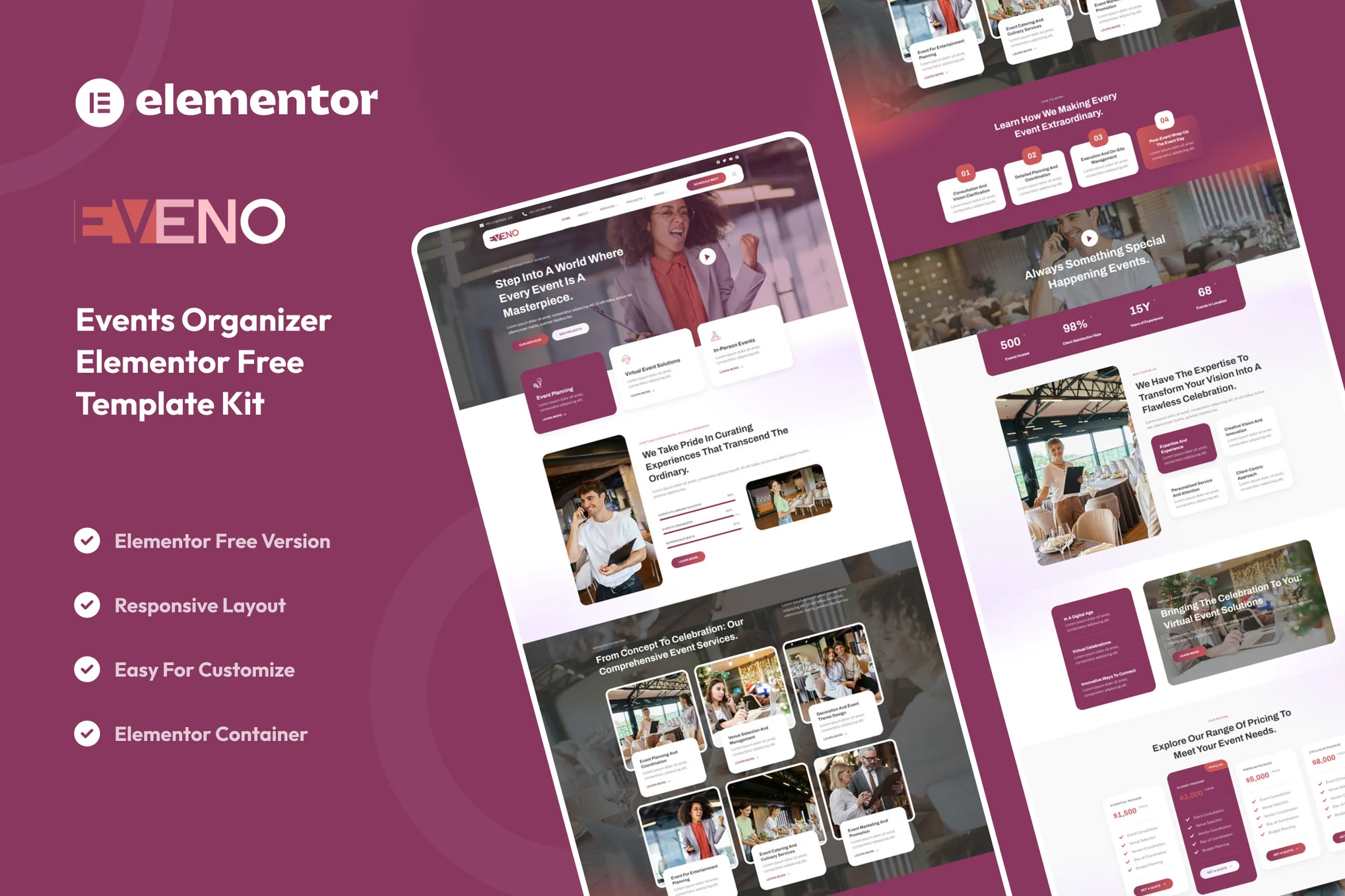






Eveno is an event organizer template suite for the Elementor page builder for the free version of Elementor that offers a clean design, supports most themes, and has been optimized for compatibility with the free Hello Elementor theme.
Suitable for creative professionals, business owners or freelancers, this template suite helps you easily create a compelling online presence that showcases the expertise of event management companies, party planners and conference organizers. The design is optimized for great performance and SEO-friendliness, ensuring that your website will stand out in the competitive event management industry.
![图片[1]-Eveno – 活动组织者 Elementor 模板套件-光子波动网 | WordPress教程、Elementor教程与故障修复](https://www.361sale.com/wp-content/uploads/2025/08/20250802103612372-Our-SErvices.webp)
![图片[2]-Eveno – 活动组织者 Elementor 模板套件-光子波动网 | WordPress教程、Elementor教程与故障修复](https://www.361sale.com/wp-content/uploads/2025/08/20250802103612456-Our-Team.webp)
Key Features:
- Modern and clean design
- Fully responsive for desktop, tablet and mobile
- Easily customizable with Elementor, no need to write code!
- Multi-functional modules for displaying your content
- Performance optimization for fast loading
- Cross-browser compatibility with all major browsers
Contains templates:
- fig. beginning
- About Us
- Our Team
- Our Services
- Service Details
- Our Programs
- Project Details
- Our Pricing
- common problems
- Contact Us
- estimation
- 404 Page
- Our Blog
- single-post blog
- Global Style Kit
- Header, footer, side content
- MetForm - contact form, FAQ form, subscription form
Required plug-ins (installed):
- Elements Kit Lite
- MetForm
Installation method:
- Install and enable the "Envato Elements" plugin in the WordPress backend plugins.
- Download and keep the zip file
- Go to Elements > Installed Kits and click on the Upload Template Kit button
- Make sure to activate the plugin by clicking on "Install required plugin".
- Import each template in order, the templates are saved in Templates > Saved Templates in Elementor.
- Go to Pages > Add New Page and click "Edit with Elementor".
- In the Elementor editor, set the page to Elementor full width and hide the page title
- Click on the folder icon and go to the "My Templates" tab and import the page templates you want to customize.

Link to this article:https://www.361sale.com/en/72594/The article is copyrighted and must be reproduced with attribution.















![表情[wozuimei]-光子波动网 | WordPress教程、Elementor教程与故障修复](https://www.361sale.com/wp-content/themes/zibll/img/smilies/wozuimei.gif)

![表情[baoquan]-光子波动网 | WordPress教程、Elementor教程与故障修复](https://www.361sale.com/wp-content/themes/zibll/img/smilies/baoquan.gif)


 简体中文
简体中文  English
  日本語
日本語  Français
  Español


No comments