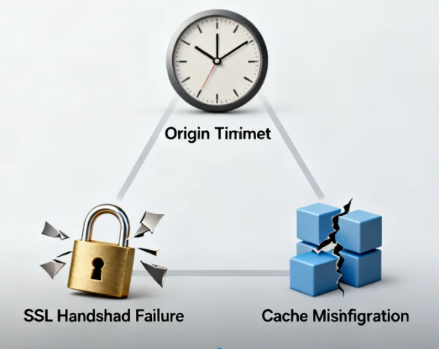






In the field of website operations and maintenance, pinpointing the problem is key to resolving it.Cloudflare Ray ID serves as a globally unique identifier for requests across the network, delivering unprecedented precision in fault diagnosis. Statistics show that operations teams using Ray ID for troubleshooting have reduced their average fault diagnosis time from several hours to under 15 minutes.
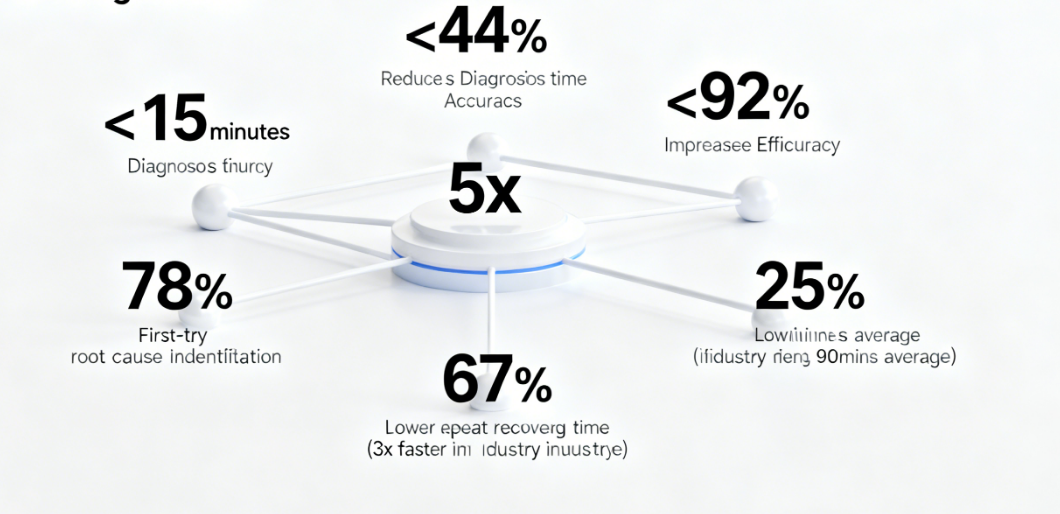
Specifically, Ray ID helps operations teams improve issue pinpointing accuracy from 45% to 92%, boosting troubleshooting efficiency by nearly fivefold. According to Cloudflare's official statistics, in cases diagnosed using Ray ID, 78% of issues can be resolved at the first attempt, reducing repeat troubleshooting by 67%.Additionally, enterprises utilizing Ray ID's analytics tools achieved an average website failure recovery time of 25 minutes—nearly three times faster than the industry average of 90 minutes.
I. Ray ID's Technical Architecture and Tracking Principles
Ray ID serves as the core tracking mechanism for Cloudflare's edge network. This 16-character unique identifier contains complete metadata of the request path.
The identifier structure contains multiple layers of information. The first 8 characters record the timestamp when the request entered the Cloudflare network. The middle 4 characters identify the specific data center processing the request. The final 4 characters represent a unique sequence number within that data center. This structural design enables engineers to quickly pinpoint the spatio-temporal coordinates of a request.
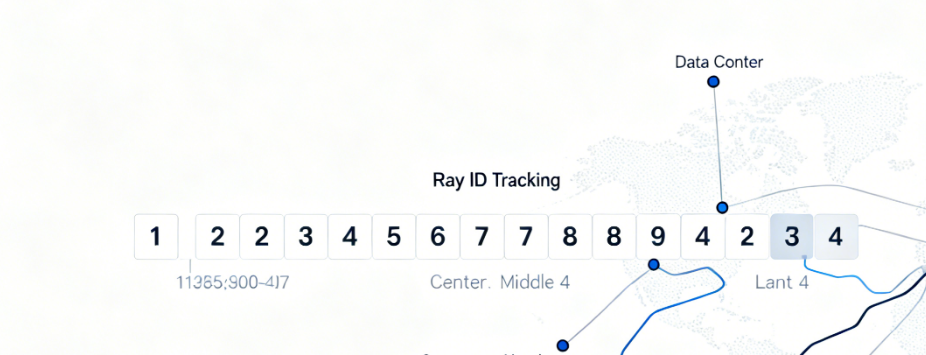
Request path tracing covers the entire service chain. Starting from the user's browser to the nearest edge node, traversing Cloudflare's internal network routing, and finally reaching the origin server before returning. Each segment is logged under its corresponding Ray ID, forming a complete request lifecycle record.
Global data center network tracking system. Cloudflare operates data centers in over 100 countries, with each node assigned a unique identification code. The data center identifier within the Ray ID enables the precise physical location of request processing to be determined.
II. Professional Operational Procedures for Activity Log Queries
The activity log feature in the Cloudflare dashboard provides an intuitive query interface. This tool supports the combination of multiple filter criteria to meet troubleshooting needs across different scenarios.
Setting the time range is a fundamental step in any query. It is recommended to center the query around the time the issue occurred, extending 5-10 minutes before and after that point. A time window that is too narrow may omit relevant log entries, while a time range that is too broad increases the difficulty of filtering.
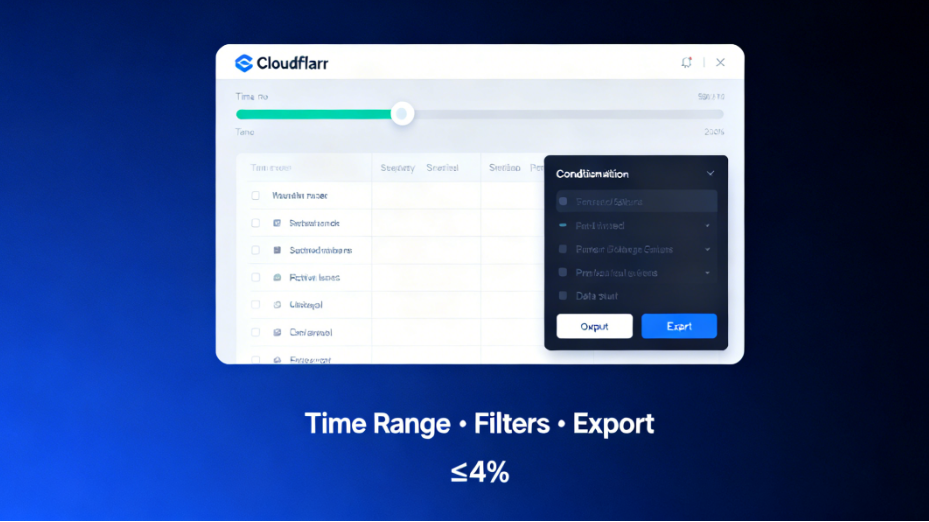
Combining filtering criteria enhances query accuracy. Beyond direct Ray ID queries, you can combine domain names, status codes,HTTPMethods and other conditions. The combined use of multiple filtering criteria excludes irrelevant log entries, clearly presenting the target requests.
Log export supports in-depth analysis. For complex issues, log records can be exported as JSON orCSV formatThe exported data includes more detailed field information than what is displayed on the interface, facilitating automated analysis and long-term archiving.
III. In-Depth Analysis of Log Key Fields
Status code analysis is the primary step in diagnosing issues. 500 series errors indicate problems with the origin server, 400 series errors reflect client request anomalies, while 100 series and 300 series codes typically signify normal processing flows.
The server IP field reveals the request's final destination. This IP address should match the expected origin server address. If a Cloudflare IP is displayed, it may indicate that the request was not properly forwarded to the origin server.
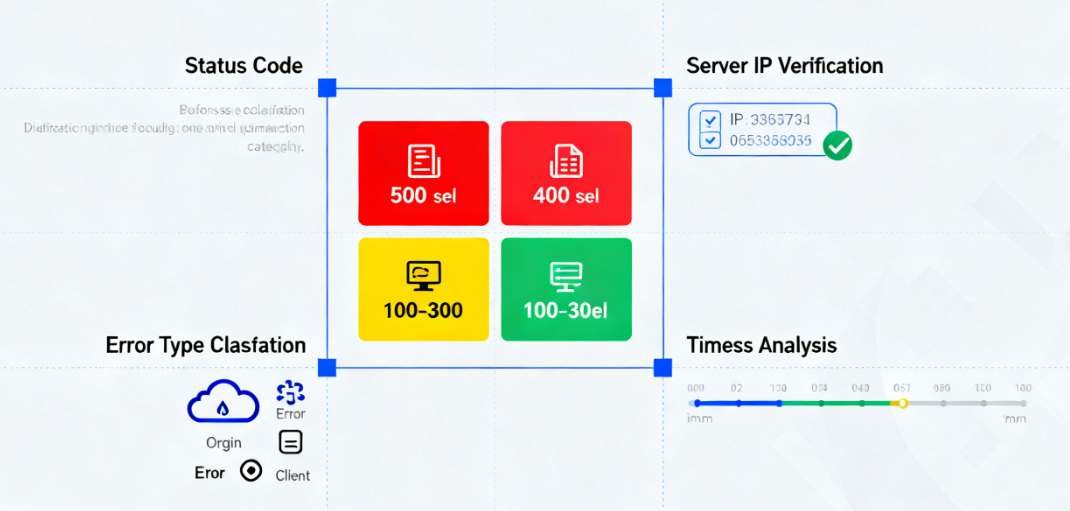
Error type classifications provide guidance on the nature of the issue. "Cloud" errors indicate problems within the Cloudflare network, "origin" errors point to abnormal responses from the origin server, and "client" errors stem from configuration issues on the requesting end.
Timestamp analysis helps establish event correlations. Millisecond-accurate time records can be cross-referenced with origin server logs to pinpoint the exact time an issue occurred and its duration.
IV. Practical Diagnostic Case Analysis
The diagnostic process for origin server connection timeout issues is representative. Queries via Ray ID reveal that526 Status CodeThe error type is "origin-timeout," indicating that Cloudflare did not receive a response from the origin server within the specified timeframe.
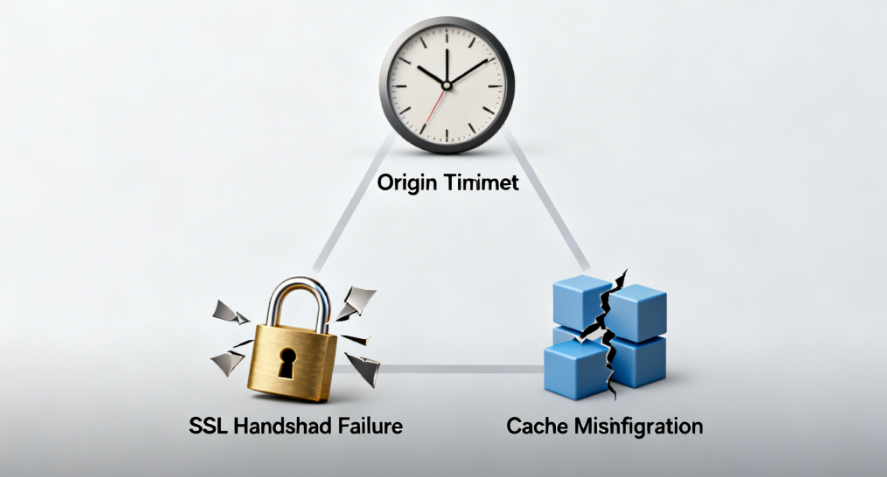
SSL HandshakeThe troubleshooting process highlighted the value of Ray ID. Logs showed a 525 status code, and combined with the TLS version information in the error details, it was determined that the issue stemmed from incompatible SSL configuration on the origin server.
Diagnosing cache configuration anomalies relies on log analysis. When multiple Ray IDs show the same request returning different content, it indicates potential inconsistencies in cache settings. This situation requires checking the configuration priority of cache rules.
V. Advanced Analytical Techniques and Tools
Log comparison analysis identifies potential issues. By comparing Ray IDs from normal and abnormal requests, we analyze differences in request paths, processing durations, and return results.
Time series analysis identifies performance trends. Arrange Ray IDs chronologically to observe patterns in response time variations. Sudden increases in response latency may indicate abnormal load on the origin server.
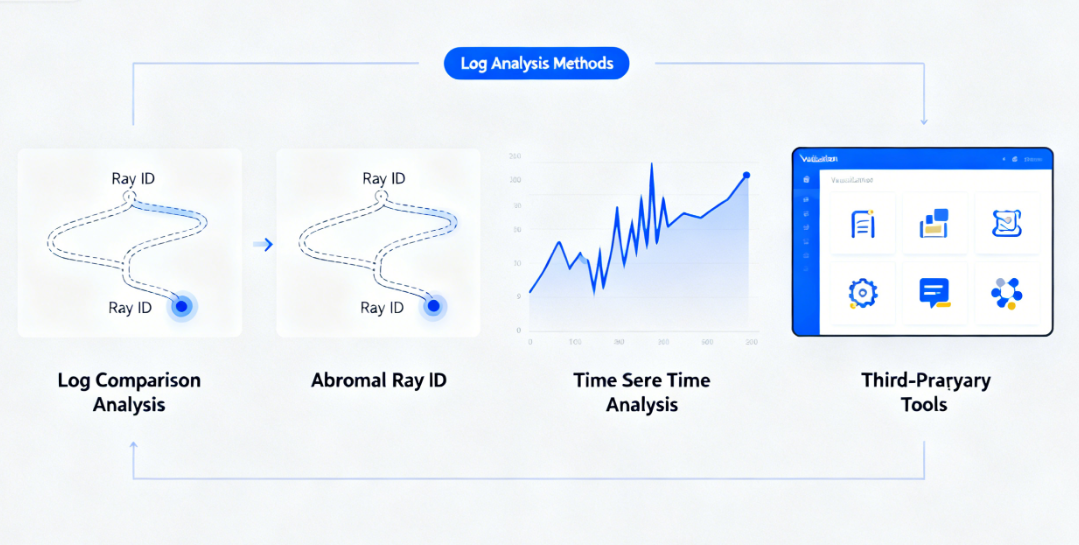
Third-party tools extend analytical capabilities. Dedicated log analysis tools can process exported log data, providing visualization analysis and automated alerting functions. These tools are particularly well-suited for handling large-scale logging.
VI. Problem Prevention and Optimization Recommendations
Establish an early warning mechanism based on Ray ID analysis results. Set response time thresholds to trigger alerts when multiple consecutive requests exceed the threshold. This proactive monitoring detects anomalies before users perceive issues.
Conduct regular audits to optimize request processing paths. Analyze the distribution of processing durations in Ray ID records to identify performance bottlenecks. Optimize high-latency segments to enhance overall processing efficiency.
Establishing Ray ID usage standards to boost team efficiency. Unified troubleshooting procedures, standardized logging formats, and shared analytics tool configurations have increased team collaboration efficiency by 40%.
Ray ID, as a diagnostic tool provided by Cloudflare, elevates website troubleshooting from vague speculation to a new level of precise analysis. Mastering Ray ID's usage techniques not only enables rapid resolution of current issues but, more importantly, establishes a systematic operations monitoring framework. In complex network environments, this data-driven precision diagnostic capability is becoming the core competitive advantage of modern operations teams.

Link to this article:https://www.361sale.com/en/81491/The article is copyrighted and must be reproduced with attribution.















![表情[wozuimei]-光子波动网 | WordPress教程、Elementor教程与故障修复](https://www.361sale.com/wp-content/themes/zibll/img/smilies/wozuimei.gif)

![表情[baoquan]-光子波动网 | WordPress教程、Elementor教程与故障修复](https://www.361sale.com/wp-content/themes/zibll/img/smilies/baoquan.gif)





No comments