






Use"Free Quick Ranking ToolThese tools can act as growth amplifiers during a new site's first month online. By strategically combining them, you can accelerate indexing, uncover long-tail keyword opportunities, fix technical issues, and use data to validate which content deserves sustained investment. Below is a practical roadmap organized around the "first month of site launch" timeline.

The Role of Free Rapid Ranking Tools in Boosting Traffic for New Websites
1. What exactly do free rapid ranking tools solve?
"Free Quick Ranking Tools" do not directly alter search engine algorithms. Instead, they help new websites improve efficiency and accuracy in several key areas, including:
- Detect technical errors and indexing issues faster
- Find long-tail keywords more efficiently for new websites
- More accurately determine which pages have potential and which content needs adjustment.
- Optimize titles, summaries, and internal linking structures using objective data
For new websites, budgets are limited but time and trial-and-error costs are equally valuable. Therefore, the "diagnostic + decision support" offered by free tools is crucial.
2. Why Do New Websites Need Free, Fast Ranking Tools More?
Established websites typically possess historical data, accumulated backlinks, and brand search volume, while new sites start virtually from scratch in these areas.
Without investing heavily in paid SEO packages, free rapid ranking tools can help new websites achieve the following sooner:
- Basic technical compliance (pages are crawlable, indexable, and free of critical errors)
- Foundational Keyword Strategy (Starting with Low-Competition Long-Tail Keywords)
- Basic content metrics (click-through rate, dwell time, bounce rate)
This way, the new site can accumulate "the earliest batch of authentic data" within the first 30 days, paving the way for subsequent optimization.

Week 1: Technical Audit + Foundational Setup for Indexing
1. Use the free rapid ranking tool to complete the "New Site Health Check"
In the first few days after a new site goes live, the primary task is not to publish numerous articles, but to ensure the site can be properly crawled and indexed. Key considerations for using "free rapid ranking tools" during this phase include:
- Use webmaster tools (such as the free backend tools provided by various search engines) to check:
- Has the sitemap been successfully submitted?
- Are there any serious crawling errors or server errors?
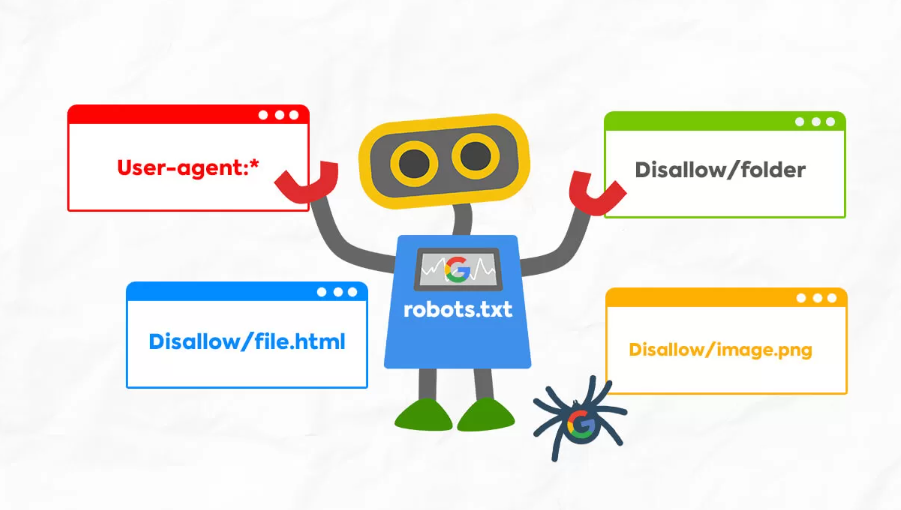
- Is robots.txt mistakenly blocking important pages?
- Use the Page Speed and Performance Diagnostic Tool for an initial troubleshooting:
- First-screen load time
- Do styles and scripts block rendering?
- Are there any significant issues with the mobile experience?
The objective of this inspection round is to confirm that the new site "meets the technical requirements for inclusion," laying the groundwork for subsequent ranking.
2. Establish the minimum required pages and structure
Before free rapid ranking tools can take effect, the website itself must have the foundational structure in place.
Week 1 Recommendations:
- Define the main sections and category structure.Avoid frequent major URL changes later on
- Build foundational pages: Homepage, Core Services/Products page, Blog List page, Contact page, Privacy Policy, etc.
- Set clear titles, descriptions, and URL structures for each key page, avoiding redundant parameters.
At this stage, the "free rapid ranking tool" primarily serves as an auxiliary check to verify whether pages have been successfully indexed, whether duplicate titles exist, and whether 404 errors are present.
3. Recommended Tools:
| name (of a thing) | Tool type | primary role |
|---|---|---|
| Google PageSpeed Insights | Page Speed and Performance Testing Tool | Measure page load speed and core web vitals on mobile and desktop devices, and provide optimization recommendations. |
| GTmetrix | Website Performance Analysis Tool | Evaluate page loading processes using multiple metrics to help troubleshoot issues with images, scripts, and caching. |
| Screaming Frog SEO Spider (Free Version) | Desktop SEO Crawler | Simulate search engine crawling of websites to check for internal structural issues such as dead links, duplicate titles, and missing tags. |
Week 2: Use Free Quick Ranking Tools to Uncover Long-Tail Keywords and Content Directions
1. Define the core theme, then useTool for Expanding Long-Tail Keywords
The focus of the second week is to strategically target long-tail keywords that rank well around the site's core business.
The "Free Quick Ranking Tool" can be effective in the following areas:
- Starting from the core theme, use keyword tools to expand related long-tail keywords.
- Prioritize phrases with moderate search volume but low competition.
- Form a content tree structured as "Core Topic → Subtopics → Specific Long-Tail Keywords"
For example, around the core keyword "free quick ranking tool," you can further develop long-tail keywords such as: "Practical Guide to Free Quick Ranking Tools for New Websites," "Free Quick Ranking Tools Suitable for Blog Sites," and "Steps and Precautions for Using Free Quick Ranking Tools." These long-tail keywords are more likely to achieve initial visibility and clicks in the short term.

2. Plan the initial content based on search intent
Long-tail keywords are merely entry points; what truly impacts rankings is whether they match search intent.
Based on the theme of "Free Quick Ranking Tools," the initial batch of articles can cover:
- Tool Reviews: Which Tools Are Best for New Websites?
- Roadmap Category: How to Plan Usage Sequence During the First Month of Website Development
- Practical Case Study: Analyzing Changes in Impressions and Clicks Generated by a Specific Category of Free Quick Ranking Tools
The content structure should be relatively consistent starting from Week 2, following this format: Problem introduction → Tool overview → Step-by-step guide → Practical recommendations → Key takeaways.
3. Recommended Tools
| name (of a thing) | Tool type | primary role |
|---|---|---|
| Google Keyword Planner | Keyword Research Tools | Identify search volume, bid ranges, and related keywords to establish the keyword framework for a new website. |
| Google Trends | Trend Analysis Tool | Monitor keyword popularity trends and regional distribution to determine whether a topic has sustained search demand. |
| AnswerThePublic | Long Tail Problem Mining Tool | Generate long-tail keywords such as questions, prepositions, and comparisons based on user search queries to assist in designing content topics. |
Week 3: Optimize Titles, Click-Through Rates, and Page Experience with Free Quick Ranking Tools
1. Title and Summary: From "Writing for Yourself" to "Writing for Search Results Pages"
Once the first batch of articles goes live and begins to appear in search results, you can use free rapid ranking tools to monitor progress by the third week:
- Have certain long-tail keywords already gained visibility?
- The click-through rate of the corresponding page
- Is the title sufficiently clear and compelling on the search results page?
At this point, you can create more compelling title variations centered around "free quick ranking tools," such as:
- 3 Free Quick Ranking Tools Ideal for New Websites—See Results in Just 30 Days
- Common Misconceptions About Free Quick Ranking Tools: Why the Data Looks Great, Yet Rankings Fail to Improve
By observing click-through rates before and after title adjustments, new websites can quickly develop a title style tailored to their audience.
2. Page Experience and Content Structure Fine-Tuning
Free rapid ranking tools not only focus on keywords and rankings but can also reflect page experience issues to some extent.
Adjustments that can be made based on the data include:
- Unify the article structure as follows: Clear subheadings + Logical paragraphs + Appropriate use of lists
- Avoid large blocks of dense text; incorporate summaries and transitional phrases.
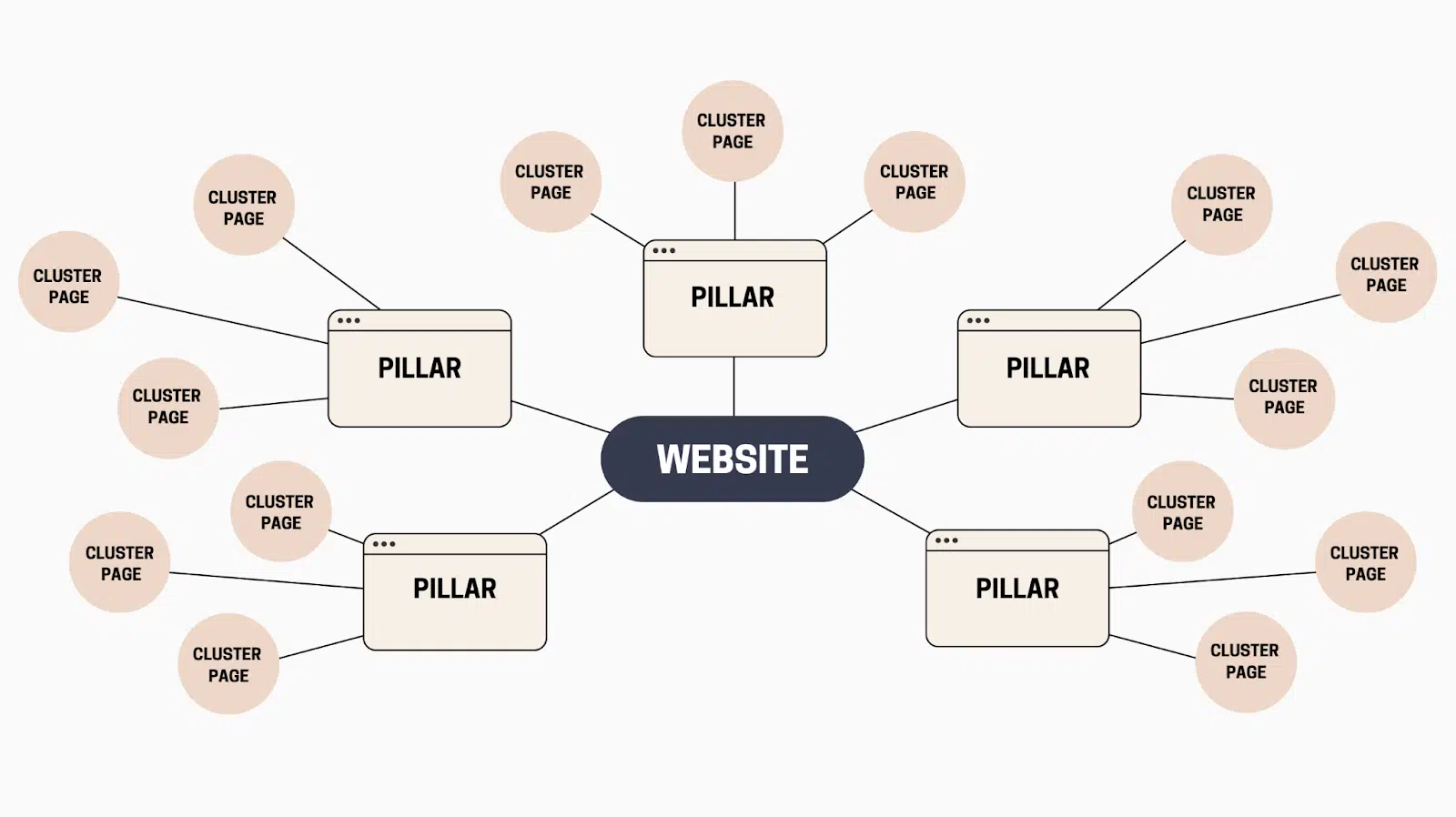
- Include internal links to other relevant articles at appropriate points within the text to build a comprehensive topic cluster.
At this stage, new websites begin transitioning from being "visible" to being "more likely to be clicked and read."
3. Recommended Tools
| Tool name | Tool type | primary role |
|---|---|---|
| SERP Snippet Preview Tools (such as SERPsim) | Search Results Preview | Preview the title and description length in search results to avoid truncation, and optimize the copy structure to attract clicks. |
| Chrome DevTools Lighthouse Report | Overall Experience Rating and Optimization Recommendations | Evaluate pages based on performance, accessibility, best practices, and other dimensions, and provide specific technical optimization recommendations. |
| Microsoft Clarity | User Behavior Analysis and Heatmaps | Analyze user interactions—clicks, swipes, dwell time, and exit points—through heatmaps and session replays to determine whether content layout impacts conversion rates and user retention. |
Week 4: Using Free Rapid Ranking Tools for Data Review and Prioritization
1. Identify pages that warrant further optimization
After three weeks of content publishing and adjustments, a new website typically accumulates some initial data.
You can use free rapid ranking tools to focus on monitoring:
- Pages showing a significant increase but with low click-through rates
- Long-tail keywords with relatively high click-through rates but still ranking around page 2
- Pages that are not displayed at all (possibly due to indexing or matching issues)
These data points can help new websites establish "optimization priorities":
- First, optimize pages with high visibility but low click-through rates by refining titles and descriptions to boost click-through rates.
- Further enhance content for long-tail keywords that already have a small number of clicks by adding details or case studies.
- For pages that have not been displayed for an extended period, handle them on a case-by-case basis: merge, rewrite, or delete.
2. Create a free, fast-ranking toolkit tailored for new websites
After a month-long trial period, the new station will generally have a good grasp of:
- Which free rapid ranking tools are best suited for your current business type?
- Which data metrics truly guide content decisions?
- Which features can be temporarily omitted to avoid distractions?
At this point, the entire process can be distilled into a simplified version, such as the "SOP for Using the Free Rapid Ranking Tool for New Websites":
- Check technical and indexing status at a fixed time each week
- Plan new content weekly based on keywords and search intent
- Review headlines, click-through rates, and page performance every two weeks.
- Conduct a comprehensive data review and content inventory once a month.
3. Recommended Tools:
| name (of a thing) | Tool type | primary role |
|---|---|---|
| Google Search Console | Webmaster Tools and Search Data Platform | Monitor keyword rankings, clicks, impressions, and average positions to identify which keywords are starting to drive traffic. |
| Google Analytics 4 | Website Analytics Tool | Analyze traffic sources, page performance, and user behavior to provide data-driven insights for subsequent content and channel strategies. |
| SERP Robot (or other free Rank Checkers) | Ranking Lookup Tool | Regularly monitor changes in the search rankings of target keywords to validate the actual effectiveness of free rapid ranking tools and strategies. |
Conclusion:Free Quick Ranking ToolIt's an "accelerator," not a "magic wand."
The value of the "Free Quick Ranking Tool" lies primarily in three aspects: faster problem detection, quicker opportunity identification, and swifter direction validation. While the tool itself does not directly alter ranking algorithms, it empowers new websites with limited resources to focus efforts on more promising keywords, content, and pages. By consistently prioritizing genuine search intent and continuously refining strategies through this free quick ranking tool, new sites have every opportunity to capture their first wave of organic traffic within the first few months.

Link to this article:https://www.361sale.com/en/81564/The article is copyrighted and must be reproduced with attribution.

















![Emoji[wozuimei]-Photonflux.com | Professional WordPress repair service, worldwide, rapid response](https://www.361sale.com/wp-content/themes/zibll/img/smilies/wozuimei.gif)

![Emoticon[baoquan] - Photon Wave Network | Professional WordPress Repair Services, Worldwide Coverage, Rapid Response](https://www.361sale.com/wp-content/themes/zibll/img/smilies/baoquan.gif)


 简体中文
简体中文  English
  日本語
日本語  Français
  Español


No comments