






When deploying a website using Nginx, a 521 error occurs when accessing the site. To understand What does error code 521 mean?To troubleshoot this issue, it is essential to analyze the Nginx configuration, server operational status, and proxy architecture. This article focuses on explaining the meaning of error code 521, covering its causes, related configuration settings, and log inspection procedures. It provides a comprehensive guide on how to diagnose and resolve such problems within an Nginx environment, helping administrators quickly restore service stability.
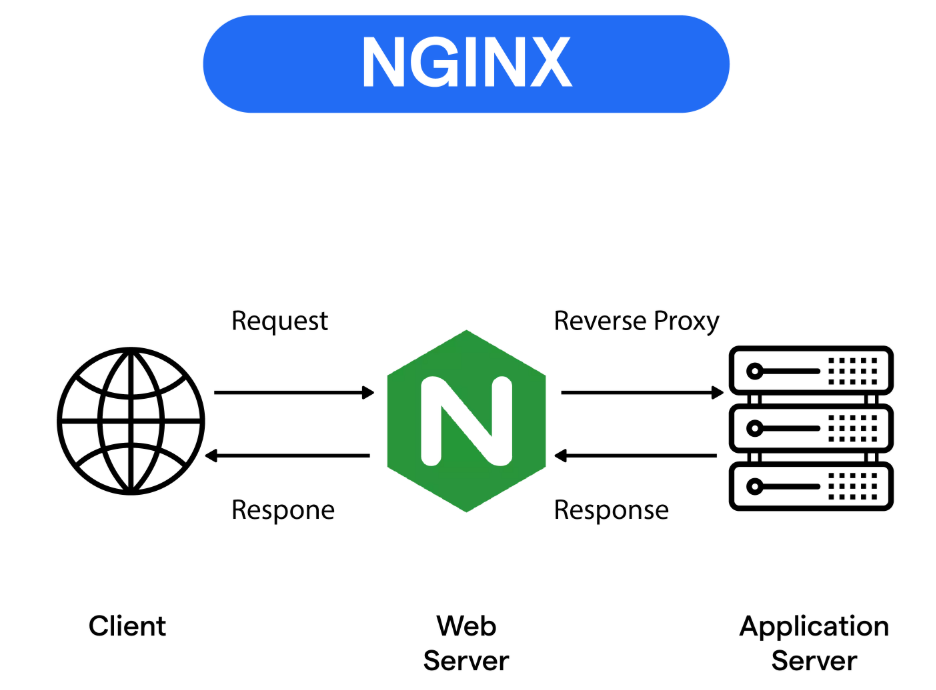
1. What does error code 521 mean? Why does it occur in an Nginx environment?
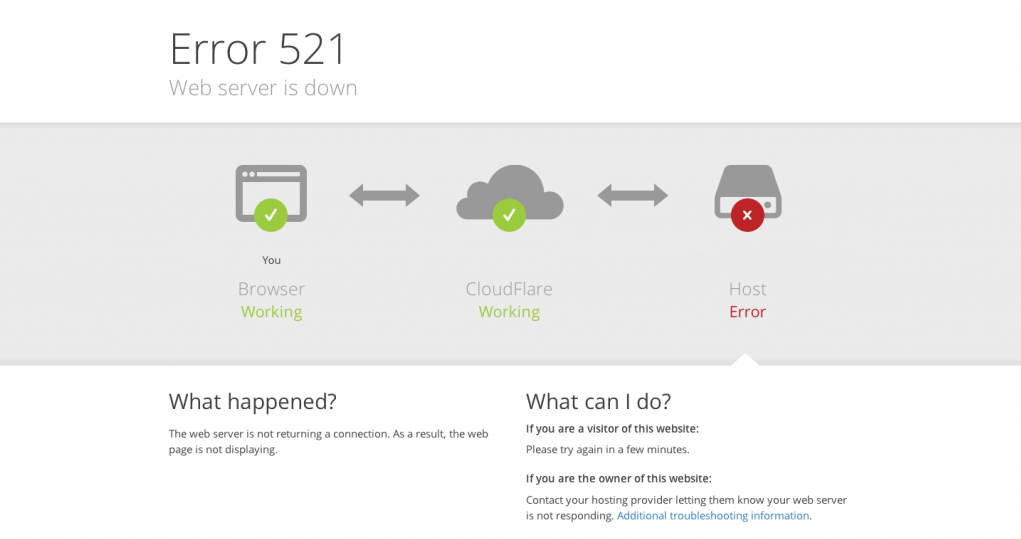
To understand what error code 521 means, it's important to recognize that this error commonly occurs in reverse proxy or CDN architectures, such as Cloudflare. When a user accesses a website, the proxy server sends a request to Nginx. However, if Nginx fails to return any HTTP response, the proxy returns a 521 error. This indicates that the proxy successfully connected to the server, but the web service never responded.
surname Cong Cloudflare Official DocumentationTo explain, error code 521 primarily encompasses the following meanings:
1) The origin server has denied access.
2) Nginx is not running or has terminated abnormally.
3) The firewall blocks proxy IP requests.
4) Server overload prevents connection processing
5) Server SSL handshake failed
These factors collectively form the core meaning of error code 521: the proxy and server are unable to communicate properly, preventing users from accessing normal content.
2. Underlying cause of error code 521: What state is Nginx in?
To understand what error code 521 means from the perspective of the Nginx service, we can approach it from three angles.
2.1 Nginx service is not running or the process has terminated.
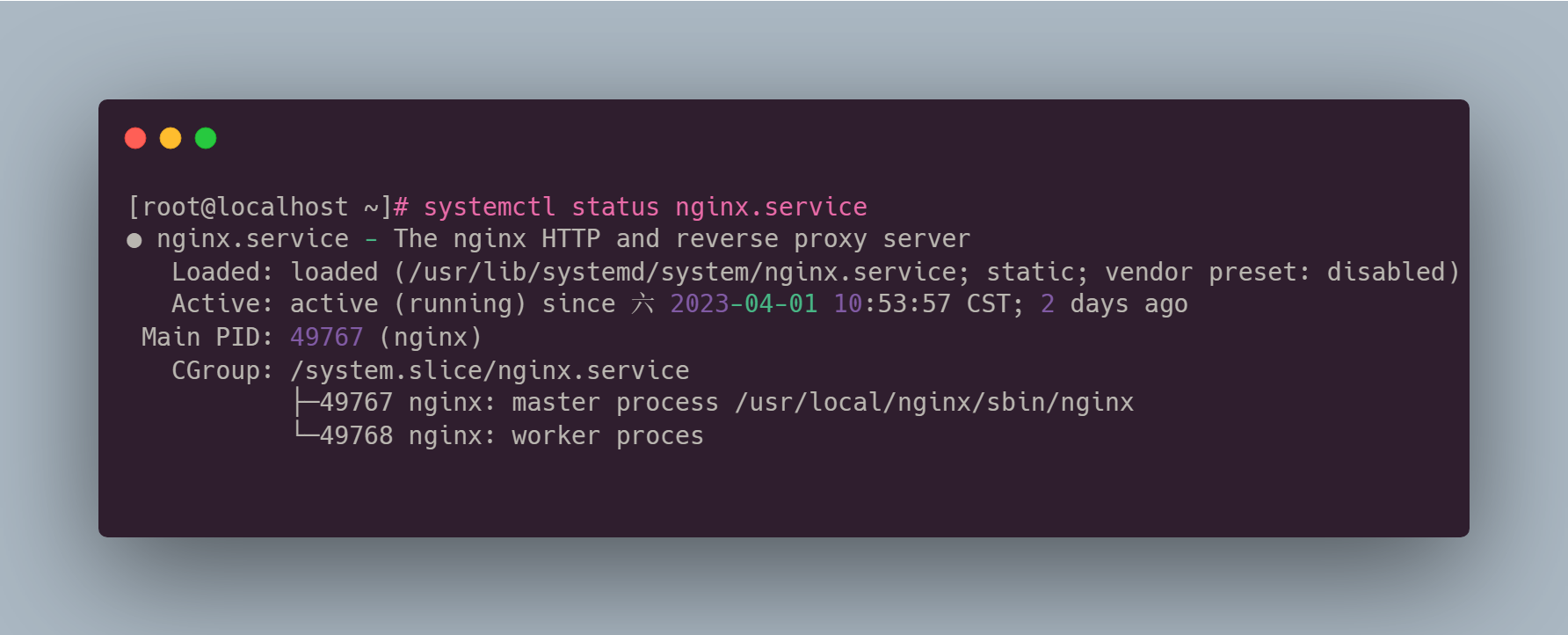
Execute the following command to check the service status.systemctl status nginx
If Nginx displays inactive, dead, or failed, the proxy server cannot receive any responses, ultimately resulting in a 521 error.
2.2 Nginx is blocked by a firewall or security group
If the origin server has enabled firewall rules but has not added the proxy IP to the allowlist, requests sent by the proxy will be directly rejected by the server. Relevant rejection information can be found in the server logs.
2.3 Nginx Configuration Error Prevents Response Delivery
for example
- Port Listening Conflict
- Certificate path error
- Load Balancer Upstream Configuration Anomaly
- Reverse Proxy Loop
If these configuration items contain errors, they can also cause Nginx to become unresponsive, which is the actual cause behind the error code 521.
3. Which Nginx configuration options can directly cause a 521 error?
To gain a deeper understanding of what error code 521 signifies, it is essential to grasp the key configuration settings related to Nginx. If these settings are improperly configured, it can trigger the service's inability to return a response.
3.1 Listening Port Configuration Error
typical example
server { listen 80; server_name example.com; }
If the port is occupied by another program, Nginx will fail to start successfully even if configured correctly.
3.2 Upstream Reverse Proxy Configuration Anomalies
proxy_pass http://127.0.0.1:8080;
If the upstream service is not running or the port is not listening, Nginx will encounter connection failures. The proxy layer receives a "no response" feedback, resulting in a 521 error.
3.3 Incorrect SSL Certificate Configuration
including through
- The certificate path does not exist.
- File permission error
- Expired certificates
- TLS handshake failure for reverse proxy
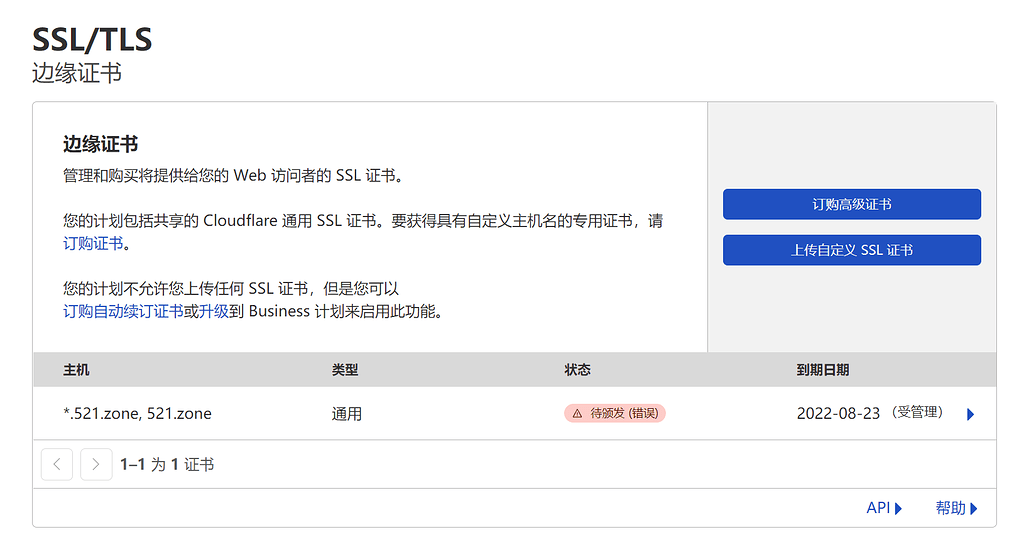
These issues will cause the actual manifestation of error code 521 to become "origin server not responding."
3.4 Insufficient Connection Count and Timeout Configuration
Common configuration items includeworker_connectionsworker_rlimit_nofileproxy_read_timeout
When server load reaches its limit, Nginx will refuse new connections, causing the proxy to return a 521 error.
4. How to determine the meaning of error code 521 through logs? Log analysis is key.
To understand what error code 521 means, the most direct approach is to check the Nginx and system logs. These logs reveal whether the server responded to the proxy request.
4.1 Viewing Nginx Error Logs
The path is typically/var/log/nginx/error.log
Key search terms
- Port Occupancy
- Competence issues
- Certificate Error
- Upstream connection failed
The log content accurately indicates whether Nginx is capable of responding to proxy layer requests.
4.2 Viewing Nginx Access Logs
The path is typically/var/log/nginx/access.log
If the proxy request has reached Nginx but no status code is returned, it indicates that the service encountered an issue during processing.
4.3 System-Level Logging
fulfillmentjournalctl -u nginx
You can check whether the service exited abnormally, which is crucial for determining what error code 521 means.
4.4 Firewall Logs
If the server uses a firewall, iptables, or cloud provider security groups, check whether proxy IP requests are being blocked. Such blocking will directly cause the proxy to return a 521 error.
5. How to fundamentally resolve error code 521?
After understanding what error code 521 means, the key focus is on how to resolve it and restore the website to normal operation.
5.1 Verify Nginx is Running
pass (a bill or inspection etc)systemctl restart nginx
Restore service to normal.
5.2 Check Port Listening Status
utilizationnetstat -tulnp | grep 80
Verify that the port is being properly listened to by Nginx.
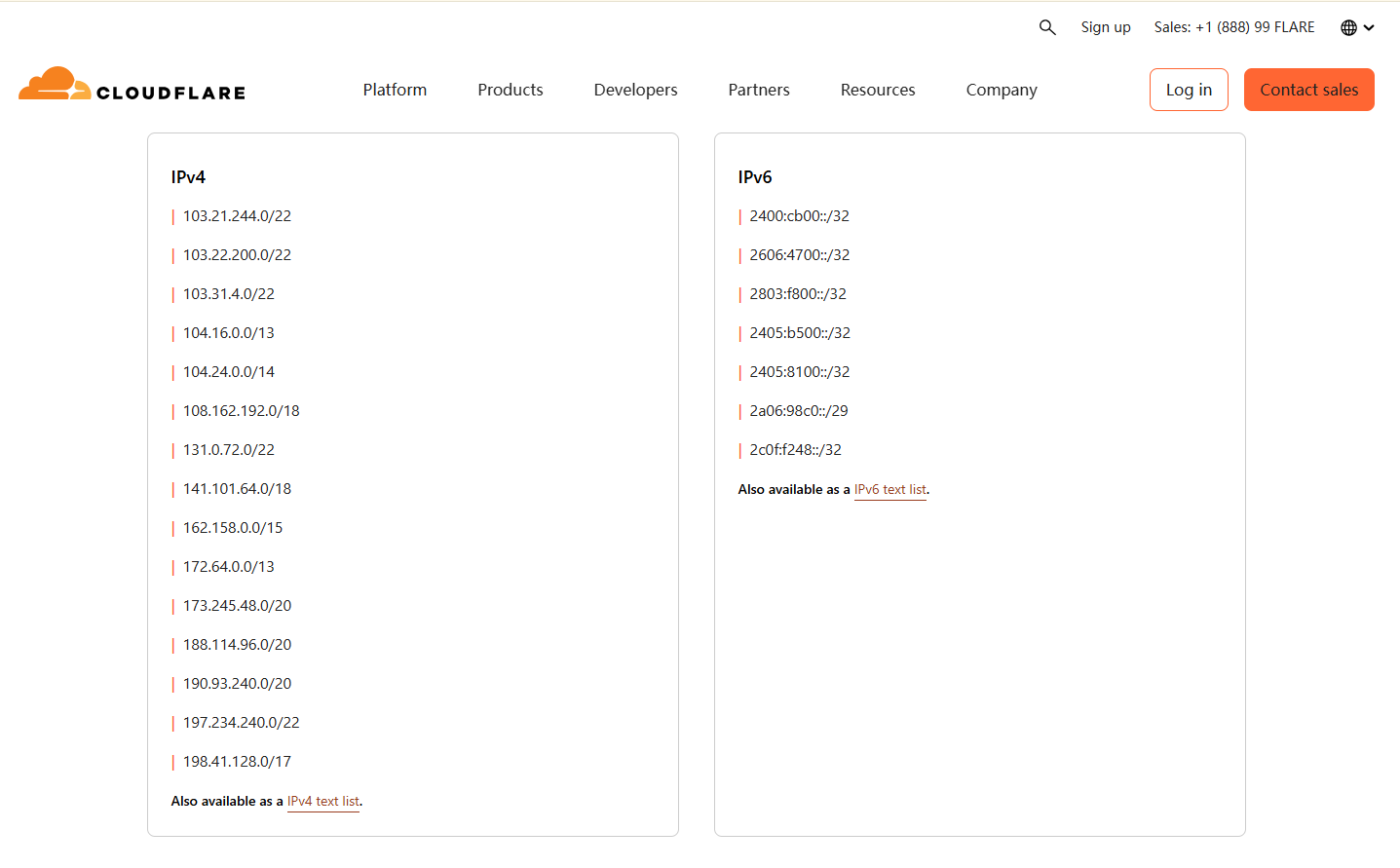
5.3 Unblocking the Proxy IP Range from the Firewall
Add the proxy IP list provided in Cloudflare's official documentation to the server's whitelist.
5.4 Fix Nginx Configuration Errors
Re-examine server blocks, SSL settings, and proxy_pass configurations for misconfigurations, and roll back if necessary.
5.5 Check Server Resources
Use top, htop, or the cloud monitoring panel to determine whether the server is experiencing high load preventing Nginx from returning responses.
concluding remarks
Understanding what error code 521 means is the first step in troubleshooting access issues. In an Nginx environment, 521 typically indicates that the proxy successfully reached the server, but the server failed to return a proper response. By checking configuration settings, analyzing logs, and verifying service status, you can quickly identify the cause and restore access.

Link to this article:https://www.361sale.com/en/82304/The article is copyrighted and must be reproduced with attribution.
















![Emoji[wozuimei]-Photonflux.com | Professional WordPress repair service, worldwide, rapid response](https://www.361sale.com/wp-content/themes/zibll/img/smilies/wozuimei.gif)

![Emoticon[baoquan] - Photon Wave Network | Professional WordPress Repair Services, Worldwide Coverage, Rapid Response](https://www.361sale.com/wp-content/themes/zibll/img/smilies/baoquan.gif)


 简体中文
简体中文  English
  日本語
日本語  Français
  Español


No comments