






Making the Complicated Simple





Creating a Personalized Website: Advanced Use of the Elementor Editor and WoodMart Theme (05)
The last installment introduced a basic introduction to the Elementor editor paired with the WoodMart theme, and today we're going to dive into how to use the Elementor editor with the WoodMart theme for more advanced website design customization. Whether you're new to design or looking for a more refined layout...

Elementor Text Color Cannot Be Adjusted: Solution Guide
When editing text with Elementor, sometimes you may find that the text color does not change as expected. This may be because some settings are not applied correctly or there are other technical problems. If this happens, we need to find the source of the problem before solving it. Possible...

WordPress Sidebar Design Tips: Improve Website Visuals and Usability
WordPress sidebars can attract visitors' attention, guide them through content, and more. Our team has been doing WordPress for many years, and we have a lot of experience and insights in WordPress sidebars. Today we share all of them with you, hope it will help you! Why customize...

Creating Floating Contact Forms in WordPress with UserFeedback
Want to create a simple floating contact form with direct customization options in your WordPress website, then using a plugin is better for WordPress newbies. UserFeedback is a WordPress plugin that creates customized feedback forms, floating contact forms, and popup tunes...

How to Edit and Customize WooCommerce Checkout Page
Why Build Custom WooCommerce Checkout Pages? Ensuring that the checkout process is smooth and hassle-free is essential to enhancing the shopper experience. One simple and straightforward way to do this is to streamline the checkout process so that shoppers can complete their orders quickly. Not only that, but customizing WooCommerce checkout...

How to Fix WordPress 429 Too Many Requests Error
Recently I was visiting the WordPress open source website https://wordpress.org时, and because of my VPN, I reloaded it a few times and always got a "429 Too Many Requests" error. This error message indicates that the user has sent too many HTTP ...

WordPress Two Tone Filter Tutorial: How to Create Unique Visual Effects for Images and Videos
We're going to take an in-depth look at how to utilize a very useful and creative feature in WordPress - the two-tone filter. We'll go through a series of detailed steps that will help you learn how to apply a two-tone filter to images and videos, create custom two-tone effects, and...

Soum E-Commerce Platform Closes $18 Million Series A Funding, Accelerates Expansion in MENA Markets
Brand Ark recently reported that Soum, an e-commerce platform in the Middle East, has successfully closed a Series A funding round worth $18 million. The funding will primarily be utilized to expand its business footprint in the Middle East and North Africa (MENA) region. The lead investor was Jahez Group, alongside...

Optimizing independent site sales: choosing the right logistics solution for self shipment
In today's digital age, many merchants are turning to building their own independent websites, which can not only shape brand image and improve customer experience, but also drive sales growth. However, in the process of building an independent site, logistics services, as an important bridge between merchants and consumers, are important...

How to Properly Configure WordPress Email Settings
Properly configuring your WordPress website's email settings is important to stay in touch with your users. If the settings are not correct, emails may not be sent successfully. This can damage a website's reputation and user experience. Why WordPress email settings don't work...

How to fix "Your connection is not a private connection" error
The "Your connection is not a private connection" error is displayed when the browser is unable to determine the security of the website it is trying to access. The message displayed varies slightly depending on the browser used, which can make troubleshooting a bit difficult for novices. Let's take a look at what's going on...
WordPress 6.7 Update: In-depth Analysis of New Features and Improvements
We've been following the development of WordPress 6.7 closely and have tested the beta version of the release (WordPress 6.7 Beta 2), which has been updated with several new features that are more convenient and useful. For example, the upcoming release will come with a new default theme (Twenty Twenty-Five-Fi...

How to Bulk Compress Existing Images in WordPress
When managing a WordPress website, images are one of the most common resources. A large number of uncompressed images will not only take up server space, but also affect the loading speed of the website, which in turn affects user experience and SEO ranking. Therefore, batch compression of existing images is one of the ways to improve website performance...

How to boost natural traffic to a new website quickly?
For a new website, you want to quickly enhance the natural traffic need to consider a number of factors. The following is a more comprehensive program: confirm whether the site has been included in the search engine First of all, you need to confirm whether the new site has been included in the search engine. If it has not been...

WooCommerce Updated to Address Cross-Site Scripting Vulnerability
The official team at Woo has deployed a critical update for WooCommerce. The update addresses a vulnerability that previously allowed malicious actors to inject malicious content into the browser.The official Woo team has also contacted WooCommerce merchants whose stores may be vulnerable. ...

Flatsome WordPress Theme Explained: Build an Efficient and Creative WooCommerce Store
When opening a WooCommerce store, you may be confused by the thousands of theme options available. But if you're looking for a versatile theme that's both practical and offers great performance, Flatsome is definitely worth considering. This WordPress theme has been popular for a long time,...

Avada theme babysitting tutorial
Learn how to purchase and install an Avada theme, and get tips on how to use Avada Builder to easily create a customized WordPress website. Tutorials include practical tips on navigation menus, mega menus, header and footer settings, and more to help you create a unique website design.

Learning WordPress - Using Page Templates
A template is like a bunch of Legos put together to end up with a web page design. You can think of a template as a complete page layout that includes areas such as a header, sidebar, and footer. Learn how to use, modify and add templates to add to your articles and pages...

Ways to skip directly to the shopping cart page in WooCommerce
WooCommerce is a free and open-source e-commerce plugin for WordPress websites, and many people use it to build their own online malls. However, some users want to make the checkout process a little smoother as a way to improve the user experience of their website. Skipping shopping in WooCommerce...

How to Bulk Update Products in WooCommerce
Updating your product catalog is crucial to running a WooCommerce store. What would you do if you needed to add new sizes to all the t-shirts in your store, or raise the price of all the mugs? Manually changing them one by one is not only a hassle but also very time-consuming. Good thing WooCommerc...

How YouTube playback revenue is calculated and the factors that influence it
YouTube is the world's largest video sharing platform. It is a place for content creators to showcase their talent and share their knowledge, and an important channel for many to generate income.YouTube's revenue model is complex and varied, and creators' income depends on a number of factors. This article will detail YouTube broadcast...

JavaScript coding standards in WordPress
The WordPress coding standards also provide guidelines for formatting and styling the JavaScript code of themes and plugins. In addition, these standards help promote code consistency with core PHP, HTML, and CSS code. The WordPress JavaScript coding standards are built on the j...

How to Install Python on a Linux Server
There are usually two ways to install Python on Linux: through a package manager or manually. Here we describe how to install Python through a package manager: Installing Python with a Package Manager Linux distributions usually come with Python, but it may be an older version of Py...
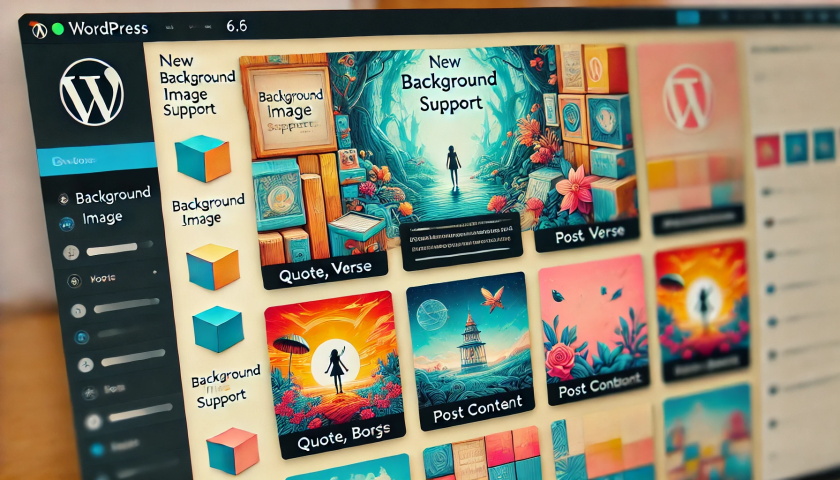
Gutenberg 18.6 Update: Enhanced Background Image Support and DataViews Extension
Gutenberg 18.6 mainly did some bug fixes in preparation for the release of WordPress 6.6, not many new features were added, mainly adding background image support for a variety of blocks. Background image support for quote, verse and post content blocks Quotes with background and negative margins...

How to Set Up Multiple Domains in WordPress
Using multiple domains to access and manage the same WordPress site can increase flexibility and scalability. This article will detail the steps and practicalities of setting up multiple domain names in WordPress. 1. Why use multiple domain names? There are several benefits of using multiple domain names: Branding:...
How to set the maximum number of products per user in WooCommerce?
When running a WooCommerce e-commerce platform, limiting the maximum number of products that can be purchased by each user is a very useful feature, especially when you need to sell limited edition products or manage inventory. With this feature, you can ensure a fairer distribution of products and avoid a few users...

An in-depth analysis of the new features of WordPress 6.5: Introduction to the font library
WordPress 6.5 adds the Font Library feature, which allows users to manage fonts directly in the editor. In addition, it provides a range of APIs, which means developers have more flexibility to control and tweak this feature, and even disable it. Font Sets A font set is a series of fonts that you...

Tutorial for Elementor Core installation and activation
Elementor Core is a free version of Elementor that provides basic page building functionality, allowing users to create and edit pages on WordPress sites through a drag and drop interface. This version includes many useful widgets and features for most basic website...

How to Use WooCommerce Product Sheets with Elementor
WordPress makes it easy to set up a website, and WooCommerce can quickly turn any WordPress website into a fully functional online store. However, if you simply use their default settings, your website may look ordinary and fail to highlight your business features. W...

502 Bad Gateway Errors: Causes, Prevention and Solutions
What is a 502 Bad Gateway error? 502 Bad Gateway is when a web server, acting as a gateway or proxy server, receives an invalid response from an upstream server, such as an application server. This is usually due to the fact that the upstream server is not working properly or is unable to respond in a timely manner...

 简体中文
简体中文  English
  日本語
日本語  Français
  Español



