


 Harry.



Making the Complicated Simple





How to View Website Weighting with SEMrush: A Detailed Step-by-Step Guide
In the field of digital marketing and SEO optimization, it is crucial to understand and analyze the weight of a website.SEMrush, a popular online marketing tool, provides powerful features to help users evaluate the weight of a website. In this article, we will detail how to use SEMrush to view website weight...

How to Set Up Sales Tax with WooCommerce on a WordPress Site
How to set up sales tax in WooCommerce. First, it's important to know the correct tax rate and understand how to set it up manually. Then, we'll cover some WooCommerce extensions that can be used to simplify the process. Use the default WooCommerce tax settings Default...

Customizing the WooCommerce Checkout Page: Full Tutorial
The checkout page of a website that does e-commerce is one of the important aspects. After all, it's the final destination for customers after placing an order. If the website WooCommerce checkout page is difficult or time-consuming to use, buyers may abandon their shopping and leave a bad impression of the website. An effective and high converting checkout...
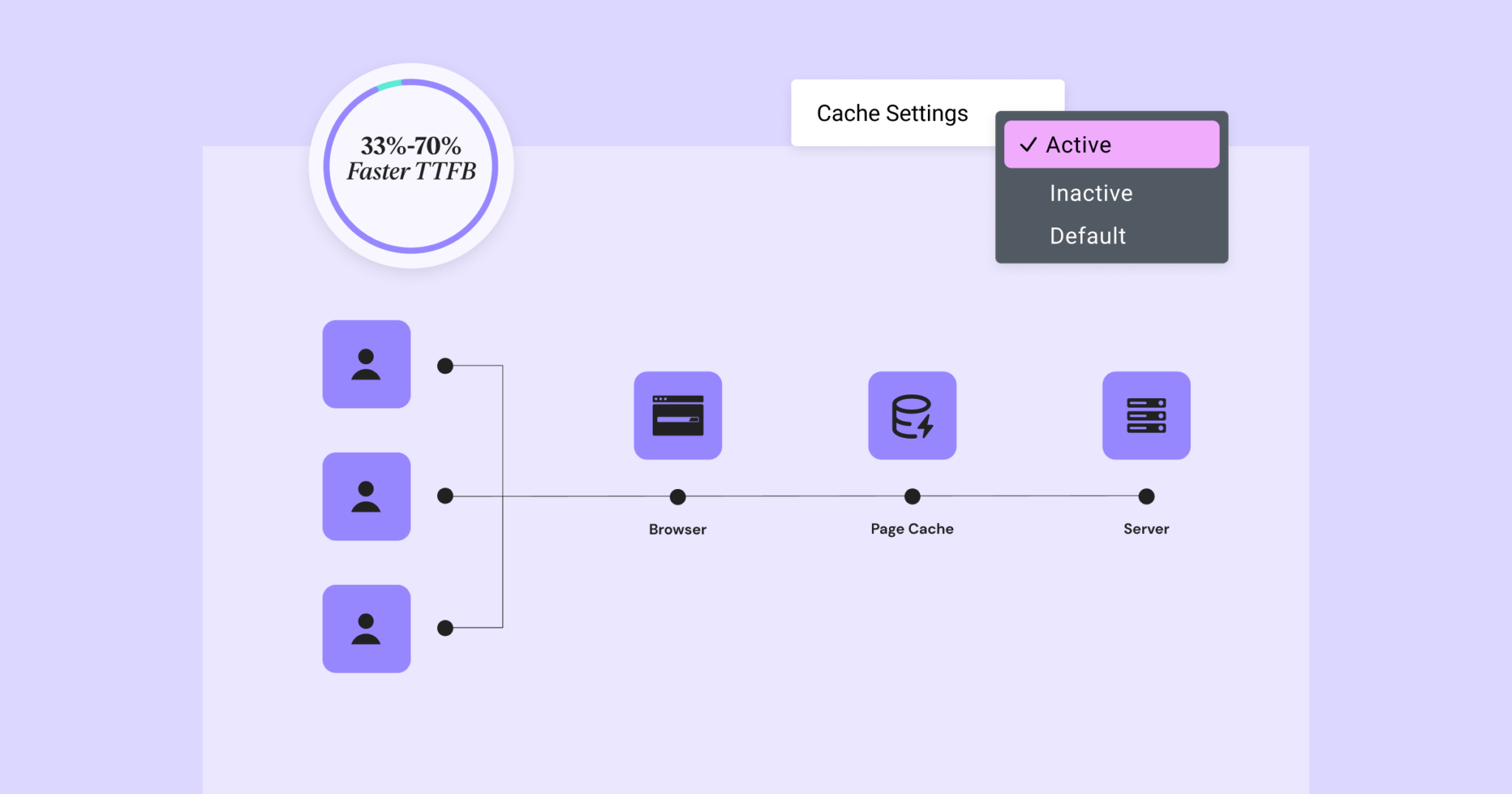
Elementor 3.22 Update: New Off-Canvas Widget and Caching Improve Site Performance
What's New: Off-Canvas Widget Elementor 3.22 introduces Off-Canvas Widget, a new professional design tool that creates interactive page layouts and enhances user experience. Features: Interactive Layout: Open and close containers by clicking on links that can...

How can independent e-commerce sites effectively reduce shopping cart abandonment rates?
Cart abandonment is a situation where a customer selects an item and is ready to pay for it but ultimately decides not to purchase it. Many times, customers will browse a website, learn about a product, or even add the item to their cart, but opt out during the payment session. This phenomenon is commonplace, so what...
WordPress 6.7 Update: In-depth Analysis of New Features and Improvements
We've been following the development of WordPress 6.7 closely and have tested the beta version of the release (WordPress 6.7 Beta 2), which has been updated with several new features that are more convenient and useful. For example, the upcoming release will come with a new default theme (Twenty Twenty-Five-Fi...

How to Bulk Compress Existing Images in WordPress
When managing a WordPress website, images are one of the most common resources. A large number of uncompressed images will not only take up server space, but also affect the loading speed of the website, which in turn affects user experience and SEO ranking. Therefore, batch compression of existing images is one of the ways to improve website performance...

Flatsome WordPress Theme Explained: Build an Efficient and Creative WooCommerce Store
When opening a WooCommerce store, you may be confused by the thousands of theme options available. But if you're looking for a versatile theme that's both practical and offers great performance, Flatsome is definitely worth considering. This WordPress theme has been popular for a long time,...

How to Automatically Watermark Images in WordPress
Why add watermarks to images in WordPress? Watermarks are semi-transparent logos, text, or patterns that cover an image. Watermarks are designed to be obvious but subtle so that users are not disturbed when viewing photos, but cannot download and use the files without purchasing...

How to Optimize WordPress Website SEO with Google Search Console
Google Search Console (GSC) is a free tool that we often refer to as Google Webmaster. It is provided by Google and can be used to help webmasters monitor and optimize their websites. For those who use WordPress to build their websites, utilizing Google Search Console...

Why Your WordPress Site Needs Akismet Anti-spam and Jetpack
WordPress is a powerful content management system, but as website traffic increases, it also becomes an easy target for spam comments and security attacks. That's why it's crucial to install plugins like Akismet Anti-Spam and Jetpack. Akismet Anti-s...

Detailed Guide to Adding and Managing Products with WooCommerce in WordPress
The first step to using WooCommerce to sell on your WordPress site is to add products. In fact, it's not complicated to get started, all you need to do is name the product and set a price. Next, I'll walk you through how to add various core types of WooCommerc...

 简体中文
简体中文  English
  日本語
日本語  Français
  Español



