









How to Disable JSON REST API in WordPress for Better Security
The advent of the JSON REST API in Wordpress has provided developers with more functionality to easily interact with website data through the API. This is undoubtedly a powerful tool for developers, but for some website owners, it may bring no...

How to Create Sticky Headers with Elementor: An Exhaustive Guide
Headers are one of the first elements users see when they visit a website, and are a key navigation tool for them to navigate the site. Sticky headers are a major trend in web design, as they keep the header visible as the page scrolls, greatly enhancing the user's...

How to Implement Advanced Design Features in Gutenberg with Elementor Blocks
Gutenberg is a block editor for WordPress that allows users to create and edit content in the form of blocks. In order to allow users to utilize the power of Elementor in Gutenberg, Elementor has developed a program called 'Elementor Blocks for Gutenberg'...
An In-Depth Look at Elementor: Best Practices for Accelerating WordPress Website Design
Elementor, one of the most popular page builders in today's WordPress community, is no longer just a simple page builder. With its powerful features, even with a free basic WordPress theme, users can design fully functional websites,...

How to Boost User Engagement and Brand Impact with WordPress Chat Room Plugin
Why Add a Chat Room to Your WordPress Website Adding a chat room to your WordPress website has the following benefits: Builds a community: chat rooms provide a space for visitors to discuss and help build an active community atmosphere. Live support: chat rooms can be utilized for real...

How to queue scripts in WordPress using wp_enqueue_scripts hooks
How to Manage Scripts and Stylesheets Efficiently in WordPress In WordPress, using the functions wp_enqueue_script() and wp_enqueue_style() can help you add JavaScript scripts and CSS stylesheets to your website's front-end loading queue. This method is called...

How to Create Professional Coming Soon and Maintenance Pages with WordPress Plugins
What is a WordPress Coming Soon page? A WordPress Coming Soon page ("Coming Soon" page) is a page that is displayed when a website is not yet fully built or is undergoing maintenance. Such a page serves several main purposes: Informational notification: to inform visitors...
How to Launch Your WordPress Site Smoothly, From Domain Name Selection to Publishing Pages
Launching a fully functional WordPress website may seem like a complicated process, but by systematically following the steps below, you too will be able to easily build and design an efficient and aesthetically pleasing website. This article will detail everything from choosing a domain name to publishing your first page...
Accelerating Your WordPress Site: A Comprehensive Guide
WordPress, the world's most popular Content Management System (CMS), offers users unrivaled flexibility and ease of use. Today, over 42.7% websites are powered by WordPress. While this phenomenon is impressive, it also presents a challenge -...
How to Choose and Use the Best Plugins to Accelerate Your WordPress Website
WordPress is the world's most popular Content Management System (CMS), offering users unparalleled flexibility and ease of use. However, when it comes to website page loading speed, how to speed up your WordPress website by choosing and using the best plugins would be what you need to...
Create Mobile-Friendly WordPress Sites Without Plugins
With internet users around the world increasingly relying on mobile devices to access the web, it has become an essential task to ensure that your WordPress website runs smoothly on all screen sizes. While there are many plugins on the market that can help achieve this goal, these plugins usually increase web...
Comprehensive mastery of Elementor theme style settings to enhance the visual unity of the site and design efficiency
Elementor gives users the flexibility to design web pages and also provides comprehensive theme style settings. These settings help you set default styling options for various elements (such as backgrounds, headers, buttons, images, and form fields), thus improving the efficiency and uniformity of web design...

Enhancing E-Commerce Success: A Guide to SEO Strategies and Practices
What is E-Commerce SEO? E-Commerce SEO is a set of strategies and techniques used to optimize the visibility and ranking of an online store on search engine results pages (SERPs). By appearing in relevant search results, your website attracts people who are actively searching for the products you offer...

Optimizing website interactions: key strategies to improve INP and user experience
What is Interaction to Next Paint (INP)? Interaction to Next Paint (INP), is a Core Web Vitals metric that measures web page response time. It replaces the previous First Input Delay (FID) in March 2024 . Understanding the relationship between FID and ...

A Comprehensive Guide to Choosing the Right Website Builder to Build Your Ideal Website
What is Website Builder? Website Builder is a handy online tool designed for individuals and businesses that do not have deep programming knowledge. By using this tool, you can build your own website easily, quickly and affordably. It is an all-inclusive...

How to Create and Maintain an SEO Friendly Website
Why do you need to have SEO friendly website? Neglecting SEO is equivalent to passing up the opportunity to turn your website into a valuable asset. Therefore, SEO should be prioritized when developing your online marketing strategy.This will not only help your website get better search engine rankings, but also...

How to Improve WordPress Website Performance with Artificial Intelligence
10 Uses for AI in WordPress 1. Generate Copy and Content Regularly updating content is a great way to improve your search engine rankings. But not all website owners have enough time and resources to maintain this frequency of updates. Artificial intelligence tools can simplify content creation...

How to Boost Your Website SEO Ranking with Effective Backlinking Strategies
What are backlinks? Backlinks are links from other websites to your website. In search engine optimization (SEO), these links are like a "vote of confidence" from other websites. If your website has a lot of backlinks from other reputable websites, then...

Creating Great WooCommerce Store Pages in Elementor: A Detailed Guide
WooCommerce is one of the most popular e-commerce plugins for WordPress, and Elementor is a powerful page builder. Combining the two makes it easy to build a visually stunning and powerful e-commerce store page. This article will detail how to use...

How to Check and Resolve WordPress Plugin Conflicts: A Comprehensive Guide
Plugin conflicts are one of the most common technical issues when managing a WordPress website. This post will give you details on how to check for and resolve WordPress plugin conflicts to ensure your site is always running smoothly. What is a WordPress Plugin Conflict? A plugin conflict is when...

Mastering Global Layout Settings in Elementor: A Detailed Guide
When building a WordPress site with Elementor, controlling global layout settings is critical to ensuring a consistent and visually appealing site. Global layout settings define the default appearance and layout of site pages, whether it's the width of content, the padding of containers, or the elements...

Elementor vs WPBakery: which is the best WordPress page builder?
Choosing the right page builder is crucial when building and designing a WordPress website.Elementor and WPBakery are two of the most popular page builder plugins on the market today. They each provide powerful tools and features to help users without having to write genera...

How to Write Effective Meta Descriptions to Boost SEO and User Click-Through Rates
What is a meta description? A meta description is an HTML attribute that is used to briefly describe the content of a web page. You can think of it as a business card to a web page, telling search engines and visitors what the page is about. How to write meta description? In HTML code, the meta description looks...

Detailed Guide to Placing Orders Manually in WooCommerce: No Plugin Required
Manually placing orders can be an often overlooked but very useful feature when managing a WooCommerce store. While most customers will place orders the standard way, in some cases it may be necessary to manually create an order for a customer. In this article, we will detail how to create an order in WooCom...

How to Send Email Confirmations with Elementor Forms: A Detailed Guide
Elementor Forms in Elementor Pro is a powerful tool that not only allows you to create custom forms, but also to enhance the user experience by sending email confirmations. Since Elementor Forms is an exclusive feature of Elementor Pro, this article will...

How to add HTML, JavaScript and CSS code to your website using Elementor's Custom Code feature
Customizing and optimizing the functionality of your website in a WordPress site builder often involves adding custom code snippets, such as Google Analytics codes or Facebook Pixel codes. These code snippets can help you track website data, enhance the user experience, and even add specific sample...
How to Improve WordPress Website Design Efficiency with Elementor Global Widgets
In WordPress websites, it is sometimes necessary to use the same design elements or features in multiple pages.Elementor Pro provides a powerful tool for this purpose - Global Widgets. With global widgets, it is possible to create a widget and use it in multiple pages without...
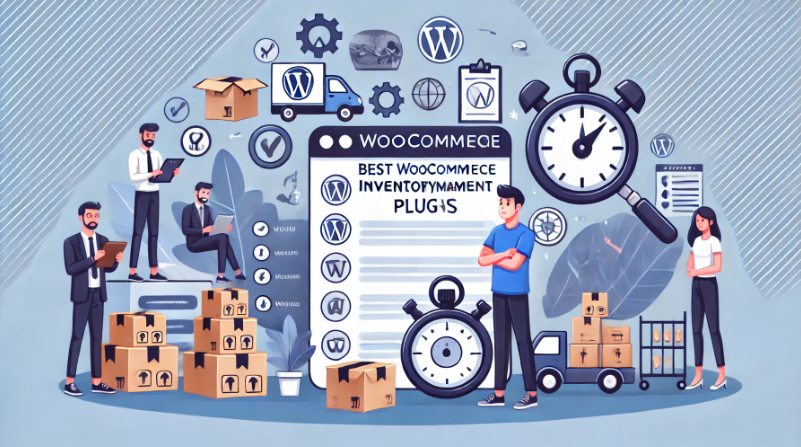
In-Depth Analysis of WooCommerce Inventory Management: Default System and Best Plugin Recommendations
Although WooCommerce provides basic inventory management features, they often seem insufficient for complex and extended requirements. For this reason, this article will delve into the features, limitations, and how WooCommerce's default inventory management can be improved by choosing the right advanced plug...

How to Add Wishlist Icons to Elementor WooCommerce Product Listings: A Detailed Guide
Adding a wishlist feature can help you increase customer engagement and boost conversions. The wishlist feature allows customers to save products that they desire but have not purchased yet, and return to your store to make a purchase at a later date. This post will detail how to do this by using the Elementor page...

How to Create WordPress Category Pages with Elementor Pro Recurring Grids
In WordPress, it is possible to create beautiful and powerful category pages by using a recurring grid or recurring rotation. This article will detail how to use these tools to achieve this goal. First, why use circular grid or circular rotation to create category pages? Circular ...

 简体中文
简体中文  English
  日本語
日本語  Français
  Español



