










12 Useful Tips to Speed Up WordPress Without Plugins
How to make your WordPress site run faster without using plugins? While using WordPress performance plugins may seem like a good solution, these plugins can cause other problems such as security risks or code becoming bloated. It's now entirely possible to make your website run faster without using any...

How to Solve WordPress Website Constant Downtime Problems: A Comprehensive Check & Solution
If your WordPress site is consistently down, it could be the result of several common problems: Problems with the hosting server Too many plugins running at once Conflicts between themes and plugins Poor optimization of the site code Whatever the reason, site downtime can cause your business...

How to Add and Customize HTML Forms in WordPress: Detailed Tutorials
What are HTML forms? Why are they needed? An HTML form is an area that allows users to enter and submit data, and is commonly used to collect user information such as name, email address, feedback, and order information. Unlike WordPress form plugins, HTML forms are created through...

Optimizing Website Performance and Preventing Conflicts with the Elementor Compatibility Tag
The Compatibility tab is the mechanism Elementor uses to identify and manage theme and plugin compatibility. It helps identify potential issues and ensures that Elementor works well with other components of your WordPress site. Why use the compatibility tag? Prevents conflicts: Helps...
How to Easily Sort Posts in WordPress with Drag and Drop Features and Plugins
By default, posts are displayed in Wordpress in chronological order from newest to oldest. Sometimes we may want to reorder them, such as putting important announcements, promotions, or the latest blog posts at the top of the home page. If you want to reorder posts in WordPress...

How to Optimize Elementor Settings for Better Performance
1. Install Elementor and Configure Settings After installing Elementor, go to Settings and configure it appropriately: General Tab: Select the post types for which you want to use Elementor. If some custom post types (CPTs) do not require Elementor, turn off...
How to Improve the Loading Speed of Your WordPress Website: From Image Optimization to Cache Management
Discover how to improve the loading speed of your WordPress website by optimizing images, enabling caching, choosing efficient plugins and using a CDN. Improve user experience, SEO rankings and reduce bounce rates to accelerate website conversions.

Shopify and WordPress Integration Guide: Enabling Online Sales on Your WordPress Website
Shopify and WordPress are two powerful tools; Shopify is a best-in-class online sales platform and WordPress is the world's most popular website content management system. In this article, I'm going to dive into how to integrate Shopify with WordPress so that you...

5 Practical Ways to Add Custom CSS in WordPress and FAQs
Adding custom CSS to WordPress is a very practical way to give you complete control over the look and feel of your website. Custom CSS is a very flexible and powerful tool in WordPress website customization, helping you to have fine control over your website's visuals, cloth...

WordPress 301 Redirects: Everything You Need to Know
In this detailed guide, we're going to dive into all the information about WordPress 301 redirects and how it differs from 302 redirects, and teach you how to set them up effectively. What is a WordPress 301 Redirect? In WordPress, redirection is the process of moving a website with...
Protect Your Private Content with WordPress Password Protection
Whether you're a personal blogger, a business owner, or a content creator, you may need to protect certain pages or posts so that they're only visible to a specific audience.WordPress offers a simple and effective way to do this - the password protection feature. Before you proceed with the WP self-taught site ...

WordPress WooCommerce Initial Installation and Basic Setup Guide
This article will provide you with a detailed guide to the initial installation and basic setup of WooCommerce to help you easily build and manage your online store. First, what is WooCommerce? WooCommerce is an e-commerce plugin for WordPress websites, widely used...

Comprehensive analysis of the importance of DISALLOW_FILE_EDIT in WordPress and setup guide
Security is one of the most important factors in the daily maintenance of a WordPress website, and DISALLOW_FILE_EDIT is a key constant in WordPress that can effectively improve the security of your website. In this article, we will discuss in detail the meaning of DISALLOW_FILE_EDIT, start...

An exhaustive comparison of Elementor's free and pro versions: a guide to choosing the best page builder
Elementor is one of the most popular WordPress page builders available today, and its intuitive drag-and-drop interface makes website building easy. It's easy to use, reliable, and offers endless design possibilities for your website. The free version of Elementor has all possible...

How do I add a "Minimum Purchase Amount" or "Cart Discount" rule to WooCommerce?
Want to boost your WooCommerce store's customer unit price? This guide explains in detail how to set minimum purchase amount limits, full discount offers and shopping cart discount rules, and recommends useful plugins to make discounts apply automatically, optimize user shopping experience and increase sales!

How to Effectively Delete and Manage WordPress Archived Pages to Improve SEO Performance
Why delete archive pages? In some cases, deleting archive pages is necessary for website optimization and management. Here are some common reasons: Duplicate Content Issues: Archived pages typically display excerpts of existing content from a single WordPress post that may be searched...

Comprehensive Guide: How to Edit WordPress Robots.txt File to Improve Site Performance and SEO
Learn what a Robots.txt file is and why it's important, and easily edit your WordPress site's Robots.txt file with an FTP client, cPanel, or the AIOSEO plugin to speed up your site, optimize your server's performance, and improve your SEO rankings.

Optimizing WordPress Site Load Speed: A Comprehensive Guide to Improving Elementor Performance (I)
Optimizing the loading speed of your WordPress website is an important measure to improve user experience and SEO results.Elementor, as a powerful and flexible page builder, can cause your website to load slowly if not optimized. We will detail a series of optimization recommendations to help...

How to Add Wishlist Icons to Elementor WooCommerce Product Listings: A Detailed Guide
Adding a wishlist feature can help you increase customer engagement and boost conversions. The wishlist feature allows customers to save products that they desire but have not purchased yet, and return to your store to make a purchase at a later date. This post will detail how to do this by using the Elementor page...

WordPress User Management Guide
Managing WordPress users is an administrative task that is often overlooked, but it is critical to improving WordPress management and security. Poorly managed users can pose a security risk, especially as a site grows and develops. Fortunately, having a user management plan in place is more important than one might think...

How to Write Effective Meta Descriptions to Boost SEO and User Click-Through Rates
What is a meta description? A meta description is an HTML attribute that is used to briefly describe the content of a web page. You can think of it as a business card to a web page, telling search engines and visitors what the page is about. How to write meta description? In HTML code, the meta description looks...
Quick Fix for "Missing Temporary Folder" Error in WordPress: Detailed Tutorial and Solution
In this article, we will take an in-depth look at the "Missing Temporary Folder" error encountered by WordPress and provide you with detailed steps to fix it. With the guidelines in this article, you can easily fix the "Missing Temporary Folder" error and restore WordPress to its normal functionality. What is "Missing ...

Comed Elementor Template Pack: for Comedians, Actors and Film Industry Websites
Learn how to install and use Comed Elementor template pack for comedians, actors, producers, screenwriters and more. Detailed step-by-step installation and configuration guide to help you easily create a professional website for the film and television industry.
Best WordPress CRM Plugin Recommendations and Reviews: essential tools to enhance customer management and business growth
Customer Relationship Management (CRM) Whether it's following up on leads, increasing sales, and managing interactions with customers, WordPress CRM plugins can help you streamline these tasks. In this article, we dive into 8 recommended WordPress CRM plugins to help you optimize customer...
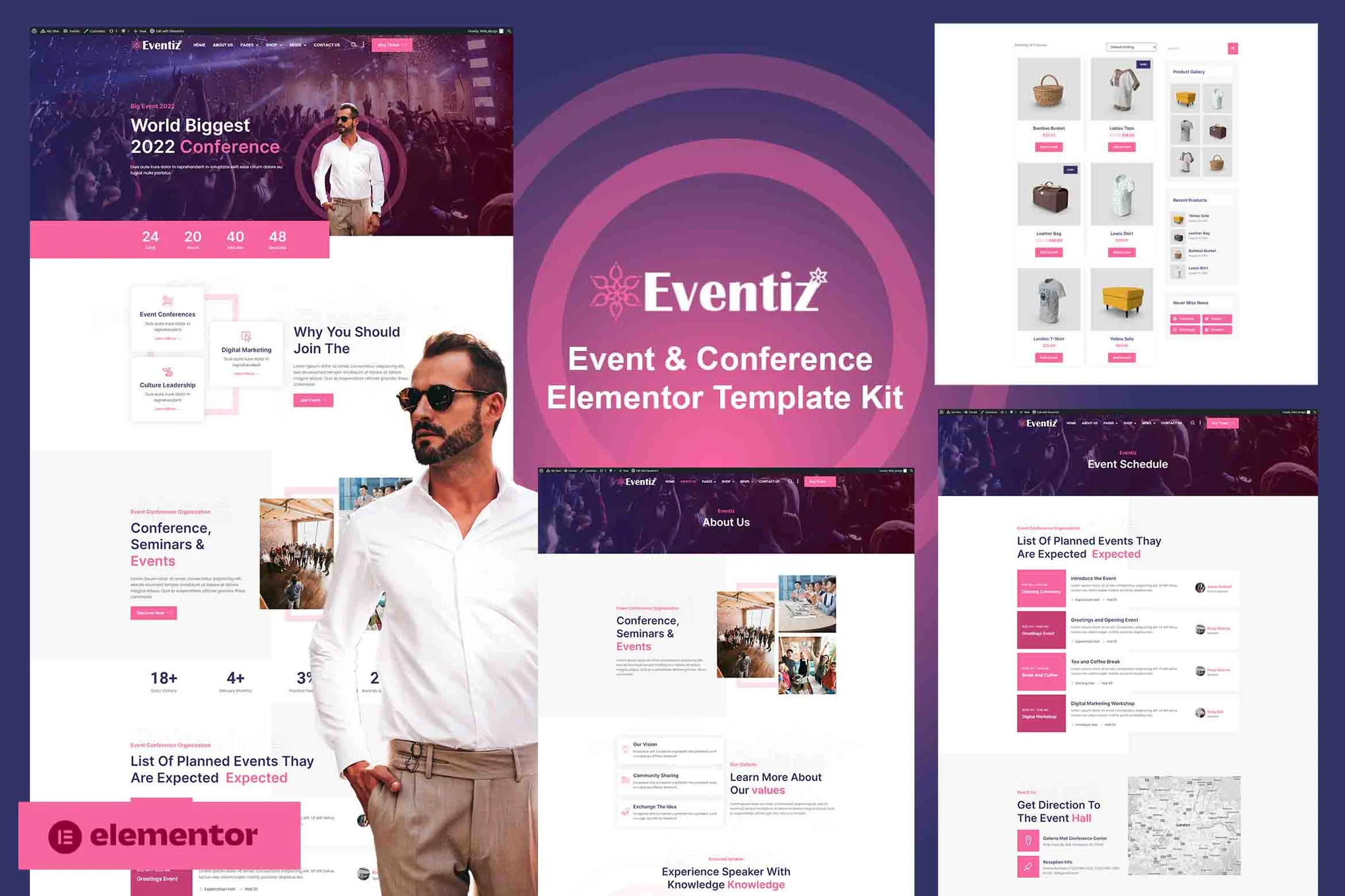
Eventiz - Professional Event and Conference Website Building Solution Elementor Template Packs
Eventiz Elementor Template Pack is a professional template for event, conference, exhibition and business websites, offering over 20 easy-to-customize page templates with responsive design support to quickly build modern, professional websites without programming skills.

Premium WordPress SEO plugins: are they worth the investment? How to choose the best tool for you?
There are many free and paid SEO tools available on the market, so many people will ask, "Is a premium SEO plugin worth the investment?" In this article, we will delve into this question, analyze the differences between free and paid plugins, and provide options for choosing an SEO plugin...

A Comprehensive Guide to Enhancing Elementor Website Accessibility: Best Practices for Ensuring Inclusion and Compliance
What is Elementor Accessibility? An accessible Elementor website is one that can be easily accessed and understood by all visitors, including people with disabilities or impairments. This means using tools or technologies that make the Internet easier to use for everyone. El...

WordPress Image Rotation Tutorial: Creation, Optimization & Best Practices
Learn how to create professional image rotations in WordPress using the WP Carousel plugin. Optimize image rotation with detailed steps and best practices to improve user experience and website interaction, easily done without coding.

Create professional tech events and educational websites | Using Eventech Elementor Template Suite
Eventech is a modern Elementor template suite for tech events, conferences, expos, educational and technical websites. Includes 14+ responsive templates that are easy to customize and support free plugins. Create professional tech event websites in simple steps...

A comprehensive look at the Speculation Rules API in WordPress and its implications
To take advantage of the Speculation Rules API in WordPress, the WordPress performance team (including developers from Google) recently released a speculation loading plugin. This plugin preloads the front-end URLs of links on a page from...

 简体中文
简体中文  English
  日本語
日本語  Français
  Español



