







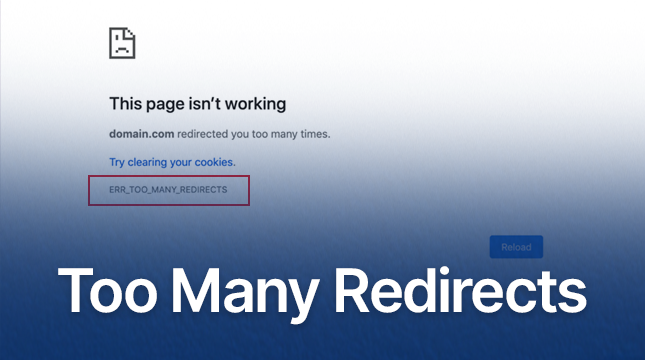
WordPress Redirects Too Many Times: ERR_TOO_MANY_REDIRECTS Error Cause and Solution
Detailed analysis of the causes and fixes of ERR_TOO_MANY_REDIRECTS errors, including HTTPS configuration, caching issues, plugin conflicts and CDN configuration, to help websites quickly solve redirection loop problems and improve performance.
2 Simple Ways to Use WebP Images in WordPress to Improve Site Speed and Performance
Learn 2 ways to use WebP images in your WordPress site, including the EWWW Image Optimizer and Imagify plugins, to reduce image file sizes, increase page load speeds, and optimize SEO rankings while keeping image quality intact.

How to Force a Strong Password Generator on a WordPress Website
Learn how to force a strong password generator on your WordPress website to improve site security and prevent users from using weak passwords. This article explains how to set strong passwords using plugins, WPForms and customization.

WordPress Gutenberg Custom Fields Tutorial: Plugin and Manual Methods Fully Explained
Learn how to add custom fields to your WordPress Gutenberg site, including an easy way to use the ACF plugin and detailed steps to manually configure them to help you expand your content structure and improve site functionality.

PHP Configuration Tweaks to Maximize Server Throughput: An Essential Guide for WordPress Developers
By optimizing PHP.ini configuration (such as memory limit, execution time, upload size, etc.) and enabling technologies such as OpCache, JIT compilation, Realpath caching, etc., we can comprehensively improve the performance and throughput of PHP applications, and provide users with a smoother experience.

How to Add Parallax Effects to Your WordPress Website: From Manual Coding to Using Elementor
A comprehensive breakdown of how to add parallax effects to your WordPress website, including detailed methods for manual coding, using plugins and Elementor, to help you create dynamic and attractive web designs with ease.

How to use WPBakery to create dynamic rotation of images: detailed tutorials
Learn how to create dynamic image rotation effects using WPBakery page builder with this tutorial. Detailed installation, setup and optimization tips are explained to enhance the interactivity and visual appeal of your website.

How to create and customize headers and footers with Elementor Free Edition
Learn how to use the free version of Elementor and the ElementsKit plugin to easily create and customize the header and footer of your WordPress website, entirely through a visual interface, with no coding experience required.

Common Gutenberg Editor Block Types and Their Functions Explained
Explore how to add and use blocks in the Gutenberg editor, learn about common block types, and learn tips for customizing and extending the Gutenberg editor to improve flexibility in WordPress content creation and page layout.

How to Add Post Metadata in Gutenberg: A Comprehensive Guide
Learn how to add post metadata in WordPress Gutenberg with built-in features, plugins, and REST APIs to display author, publish date, SKU, and more. The full tutorial helps you improve the user experience and SEO performance of your content.
The Ultimate Guide to Fully Optimizing Elementor's Website Speed: Improving Performance and User Experience
Learn how to optimize the speed of WordPress sites built on Elementor to improve performance and user experience. This guide covers CSS optimization, cache settings, database cleanup, image compression, and other advanced techniques to help improve search engine rankings and reduce load times.

How to Clear Elementor's Cache to Optimize Website Performance and Keep Content Updated
Learn how to clear the Elementor cache to ensure that your WordPress site is always displaying up-to-date content and optimizing loading speeds. This article provides detailed clearing steps and FAQs to help you improve your site's performance.





