





arrange in order
Essential Tips for Managing Your Personal WordPress Website in 2025
Learn how to efficiently manage your personal WordPress site in 2025, including regular backups, updating plugins, enhancing security, optimizing performance and SEO, and improving your site's operational efficiency and user experience.

Site Security Race: Who is more resistant to attacks, Drupal or WordPress?
Which CMS, Drupal or WordPress, is better able to withstand cyberattacks? From permissions control, default configuration, plug-in security to security response mechanisms, this article provides an in-depth analysis of the advantages and disadvantages of both in terms of security, to help you choose the most suitable security platform for your website.

WordPress security analysis: how secure is it really?
Is WordPress secure? Many new users ask this question, especially when they know that WordPress is an open source platform, there will inevitably be concerns in their minds. Well, let's answer this question today with data. I'll look at WordPress core, themes and plugins in terms of security...
Cracking Plugins and SEO Performance: why your site rankings are suffering
Cracked plugins may seem like a money saver, but they can lead to security breaches, slower loading, and structural damage, directly affecting search rankings and website trust.
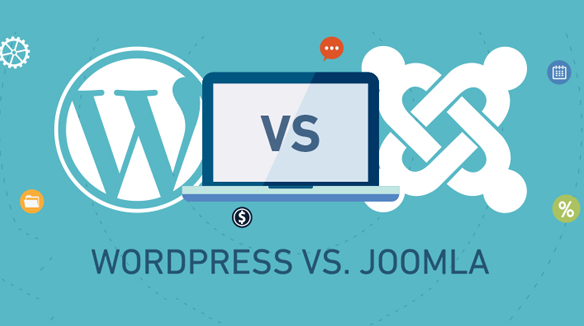
WordPress vs Joomla security: which is more secure?
This article compares the security architecture of WordPress and Joomla, plug-in risk, privilege control and vulnerability response, analyze the performance and differences between the two major website building systems in terms of site protection, to help you make a more informed choice of technology.

Wordfence vs Solid Security Security Plugin In-Depth Comparison: Which Plugin is Better for Your WordPress Site?
In this article, we compare two popular WordPress security plugins - Wordfence and Solid Security - and analyze their differences in terms of installation, features, price, user interface, etc. to help you choose the right security plugin for your website.
Must-do basic settings after WordPress installation for smooth website operation
After completing your WordPress installation, make the necessary settings to ensure your website runs efficiently and securely. Learn how to add a contact form, set up SEO, enable spam protection, clean up unused themes and more optimization actions.
How to Protect, Optimize and Control Redirects in WordPress with .htaccess Files
Understand the role of WordPress .htaccess files, how to edit them, and best practices. Master .htaccess rules for redirecting, enhancing security, and optimizing site performance to improve SEO and user experience on WordPress sites.

Avoiding the "Your Connection is Not Private" Warning: Essential SSL Configuration Tips for Webmasters
This article introduces common SSL certificate error types, causes and fixes to help webmasters solve SSL certificate problems, improve website security, and improve website SEO ranking by optimizing SSL configuration.
How to backup WordPress website data?
Learn how to use manual backups and plugin backups like UpdraftPlus to keep your WordPress site's data safe from loss due to operational errors or external attacks.
How to manually configure .htaccess file to block country-specific IP addresses
Blocking access from specific countries is necessary to secure your website and optimize resource usage. For example, if your website is subject to frequent malicious attacks from certain countries, or if you need to restrict access to certain content to users from specific countries, manually configuring the .htaccess file...

A Detailed Guide to Blocking WordPress Spam with the Akismet Plugin
Spam is a common problem for many webmasters, and WordPress, being one of the most popular content management systems, is no exception. There are a number of tools that can help us block spam effectively, and one of the most popular is the Akismet plugin. In this article, we will detail...





