





arrange in order

Make Elementor pages move! Essential Addons animations explained!
Add interactive animation effects to your Elementor website with the Essential Addons plugin to make page elements move and enhance visual appeal. This article describes in detail how to use the plugin for images, text and containers and other elements to set dynamic effects, to enhance site interactivity and use...

Elementor 3.28.1 Update Released: Upgraded Security, More Peace of Mind for Website Building
Elementor 3.28.1 update is officially released, fixing the security vulnerabilities of animated headers and form widgets, and enhancing the stability of website operation, it is recommended to upgrade to the new version as soon as possible.

How to Create a Mega Menu with Elementor Builder and WoodMart Themes
This article describes how to create powerful and flexible mega menus with the Elementor builder and WoodMart theme. It includes creating navigation menus, setting up dropdown menus, adding full-width mega menus, customizing sizes, adding labels and setting up rotating product displays to help enhance web...

Integration and Optimization of Astra Themes with Elementor
This article introduces Astra theme and Elementor page builder efficient integration methods, including preset template import, global settings tips and performance optimization suggestions to help newbies quickly build both beauty and speed of professional websites.

Bricks Builder vs Elementor: How to choose the right WordPress page builder for you?
In this post, we'll compare two popular WordPress page builders, Bricks Builder and Elementor, in detail, exploring their features, pricing, and advantages and disadvantages to help you choose the best builder for your website's needs.

Five Hot Plugin Recommendations for Elementor in 2025: Extending Functionality and Enhancing Design Freedom
Explore five popular addons for Elementor in 2025, including Unlimited Elements for Elementor, Royal Elementor Addons, ElementsKit, Essential Addons, and Ultimate Addons.These addons provide users with Powerful design...

Create beautiful and efficient homepage designs with Kadence themes and Elementor
This article describes how to combine Kadence theme with Elementor page builder to create a beautiful and efficient homepage design. Including home page template selection, page layout customization, performance optimization, SEO settings and other steps to help you quickly build responsive, fast-loading, high-quality...

Elementor Preview Page Not Loading: Causes and Solutions
Encountered the problem that Elementor preview page can not be loaded? This article explains in detail the common causes of the problem, such as theme settings, plugin conflicts, server configuration, etc., and provides a step-by-step solution to help you easily restore the page preview function.

Elementor for Beginners: Web Design Tutorials from Scratch in 1 Second!
Elementor Tutorials, WordPress Design, Elementor Installation, Elementor Editor, Website Design, Elementor for Beginners, Page Builder Plugin, Elementor Widgets, Elementor Custom Styles, Responsive Design, Elementor Pro, Elementor Models...

The Beginner's Bible: 10 Golden Rules for Building Fully Responsive Websites with Elementor
Learn how to create a perfectly responsive website with Elementor. This article covers 10 key tips, from mobile-first design to image optimization, to help you boost your site's performance and optimize the user experience on different devices.
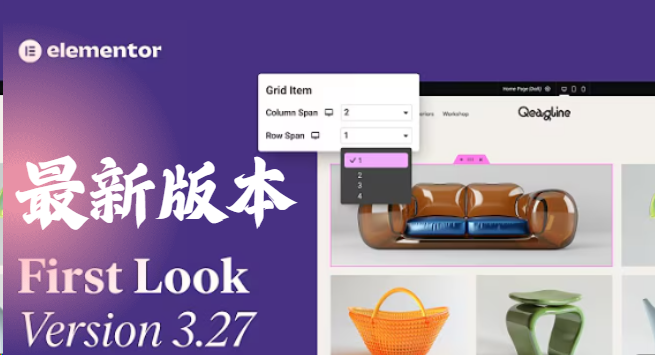
Elementor 3.27 Update: Flexible Grids, Security Enhancements, Accessibility Optimization and Creative Breakthroughs
The Elementor 3.27 update brings flexible grid layouts, improved site security, enhanced accessibility support, and new AI effects and native loading of Google fonts. It's easier than ever to create effective, smart, and creative websites that improve user experience and performance....

Container and Column Width Settings in Elementor: Tips for Creating Beautifully Structured Web Pages
Learn how to set the width of containers and columns in Elementor to flexibly adjust the page layout, optimize the user experience, and ensure that the page displays perfectly on a variety of devices through responsive design.





