





arrange in order

How to make Elementor columns equal in height (also Flexbox containers)
Learn how to use the HappyAddons plugin to equalize columns and Flexbox containers in Elementor, simplifying the site design process, eliminating the need to write code, and improving page aesthetics and consistency.

Elementor Secure Mode vs Debug Mode: Which is better for your workflow?
Understand the core difference between Elementor Safe Mode and Debug Mode, master how to quickly locate and solve common problems such as website loading, white screen, plugin conflicts, etc., to improve your WordPress development and design efficiency. Understand the core difference between Elementor safe mode and debug mode, master...

Complete Tutorial on Creating Comparison Tables with Elementor
Use Elementor in conjunction with widgets to easily create product comparison tables that showcase product features, images, and prices for e-commerce sites, service packages, or feature module comparisons.
How to Troubleshoot Incompatibility with Themes via Elementor Safe Mode
Use Elementor Safe Mode to quickly troubleshoot conflicts between themes or plug-ins and editors, solve common failures such as page failure to load, wrong style, etc., and improve WordPress website stability.
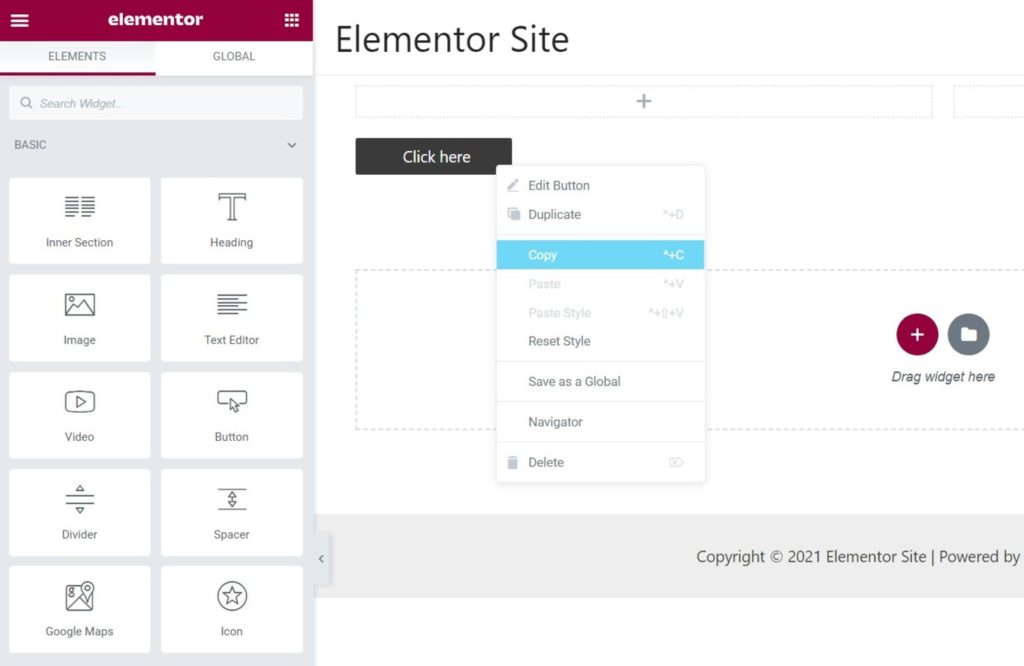
How to Fix Elementor "Inner Section Widget Missing" Issue
This tutorial teaches you to restore the gadget and analyze the common applications and compare the differences.

Elementor Safe Mode and Website Backup: How to Synchronize Your Website Security
Learn how to troubleshoot plugin conflicts with Elementor Safe Mode and secure your WordPress site with regular backups. This article provides complete instructions and advice to help you secure a stable website.

How to Avoid Data Loss in Page Design with Elementor Security Patterns?
Learn how to effectively avoid data loss in page design, resolve plugin conflicts and editor crashes, safeguard your design results and improve development efficiency by enabling Elementor Security Mode.

Elementor Safe Mode and Automatic Backup: Important Tools for Preventing Accidental Losses
Learn how to effectively prevent data loss in page design, safeguard the integrity of design results, and improve development efficiency and security by enabling Elementor's Safe Mode and Auto Backup features.

Why Elementor Safe Mode is a must-have tool for every developer?
Learn how Elementor Safe Mode helps developers quickly pinpoint problems, reduce debugging risks, and save time and effort. By isolating distractions and improving debugging efficiency, Elementor Safe Mode is a must-have tool for improving development productivity.

The Impact of Elementor Secure Mode on SEO Optimization: Improving Website Performance and Accessibility
Learn how Elementor Security Mode can indirectly improve the SEO performance of your WordPress site by optimizing site performance and accessibility, with a full breakdown from load speed to user experience.
Common Misconceptions and Solutions in Elementor Safe Mode
Learn about common misconceptions and solutions in Elementor security mode to help you easily troubleshoot plugin conflicts, front-end design issues, and performance impacts to optimize your WordPress site building process.
Best Practices for Elementor Secure Mode: Optimization and Troubleshooting Tips
Learn how to optimize page design, resolve plugin conflicts, and troubleshoot issues with Elementor Security Mode. This article provides practical tips and best practices to help developers increase development efficiency and improve site performance.





