





arrange in order

How to Fully Customize WooCommerce Checkout Page with Elementor
Fully customize the appearance and functionality of your WooCommerce checkout page with Elementor's Checkout Widget. This article shows you how to set up the layout, fields, payment methods, and styles of the checkout page to optimize the user experience and increase conversions.

How to Use Chat Plugin with WooCommerce: Live Customer Support for Ecommerce Websites
Learn how to integrate chat plugins with WooCommerce to boost customer support and conversions on your e-commerce site. Optimize the shopping experience by providing customers with instant help through live chat, automated responses, and multi-channel support.

How to change "Add to Cart" button text in WooCommerce
Learn how to modify the Add to Cart button text in WooCommerce with the Loco Translate plugin and custom CSS. This article provides detailed steps to help customize the button text and style according to your needs, enhancing the personalization and user experience of your website.

How to Customize the Appearance of WooCommerce Product Images with Essential Addons (Elementor Free Plan)
Learn how to use Essential Addons plugin with Elementor Free Edition in this tutorial to customize the image display of WooCommerce product pages, including rotating, thumbnail arrangement and popup view functions, to enhance the visual effect and user experience of product pages, and to easily achieve...

Three useful features of Astra Pro that enhance WooCommerce performance and shopping flow
This article introduces three useful features of Astra Pro in WooCommerce stores, including high-performance order storage support, product image width settings, and product quantity up/down buttons, which help merchants improve system performance and shopping operation efficiency.

Designing Catalog Pages and Store Pages with Astra WooCommerce Module
A comprehensive introduction to the product presentation features of the WooCommerce module in the Astra theme, including card styles, pagination, quick previews, sidebar layouts and filter interactions, helping to build fully functional e-commerce pages.

How to Add WooCommerce Mini Cart in Astra Header and Optimize Shopping Experience
Learn how to add a WooCommerce Mini shopping cart to an older Astra header to improve site functionality. With the Astra Pro plugin, learn to add the cart to the main menu, above or below the header, and enable the Quick View feature and Off-Canvas sidebar to optimize...

Styling WooCommerce Single Product Pages with Astra Pro
Learn how to customize the features of WooCommerce single product pages with the Astra Pro plugin, from product headers, container layouts, sidebar settings, to image displays, and more, to create more engaging and interactive pages for merchants.

How to Fix Cart Border Issues and Optimize WooCommerce Cart Snippets
This article describes how to remove the border of WooCommerce cart icon and disable cart snippet to help merchants optimize website performance and improve page loading speed, especially for sites with slow hosting to provide a smoother user experience.
Avada Theme Tutorial: Designing Unique WooCommerce Product Detail Pages with Avada
Learn how to build personalized WooCommerce product pages using Avada layouts. With dynamic content integration, seamless integration with WooCommerce, and pre-built templates, it's easy to create e-commerce pages that fit your brand's needs. Ideal for large-scale product management and enhancing the use of...

Complete method to add WooCommerce Mini Cart to Astra Pro
Describes how to add WooCommerce cart icons in Astra themes using the Astra Pro plugin, including old header settings, new builder layouts, short code calls, and numeric color adjustment methods.

Kadence Tutorial: Selling Kadence Pattern Hub Access Keys in WooCommerce
This article details how to sell Kadence Pattern Hub access keys in WooCommerce through the WooCommerce Software License and License Manager for WooCommerce plug-ins, which provide powerful license management and privilege control features.

Kadence Teaching: A Complete Guide to Kadence Theme Sidebars
Learn how to add and manage sidebars in Kadence Theme, this article includes site-wide and individual page sidebar settings, WooCommerce sidebar configuration, and how to enable sticky sidebars to make your WordPress website layout more flexible and interactive.

Kadence Tutorial: How to Install and Activate the Kadence Shop Kit Plug-in
This article describes the installation and activation process of the Kadence Shop Kit plugin and explains in detail the main features of the plugin, such as variant styles, product galleries, checkout editor, etc., to help merchants optimize their WooCommerce stores and improve conversion rates and user experience.
Avada Theme Tutorial: Avada Woo Product Rotation Element Usage Guide to Increase Website Conversion Rate
With Avada Woo product rotation elements, create beautiful and smooth product display modules, support autoplay and customized layouts, help WooCommerce website to improve the conversion rate and sense of professionalism.

Kadence Tutorial: Using the Kadence Shop Kit Plug-In to Enable Product Quick Looks
This article describes the Product Quick View feature of the Kadence Shop Kit plugin, which helps merchants optimize the shopping process and increase conversions. Learn how to enable and customize the Product Quick View button to enhance the customer shopping experience.

Boosting WooCommerce Store Conversions: Three Key Features of WoodMart Theme Explained
This article describes how to boost conversions in your WooCommerce store with the WoodMart theme's Wishlist, Buy Together Often, and Freebies features. These features increase customer engagement, improve order value, and optimize the shopping experience to help merchants boost sales and profitability...

WoodMart Theme's Abandoned Cart Feature: An Effective Tool for Increasing Conversions
WoodMart Theme Abandoned Shopping Cart feature helps merchants recover unfilled orders and reduce lost sales. This article describes how to enable cart storage, email alerts, coupon incentives, and other features to boost conversions and optimize e-commerce operations strategies.
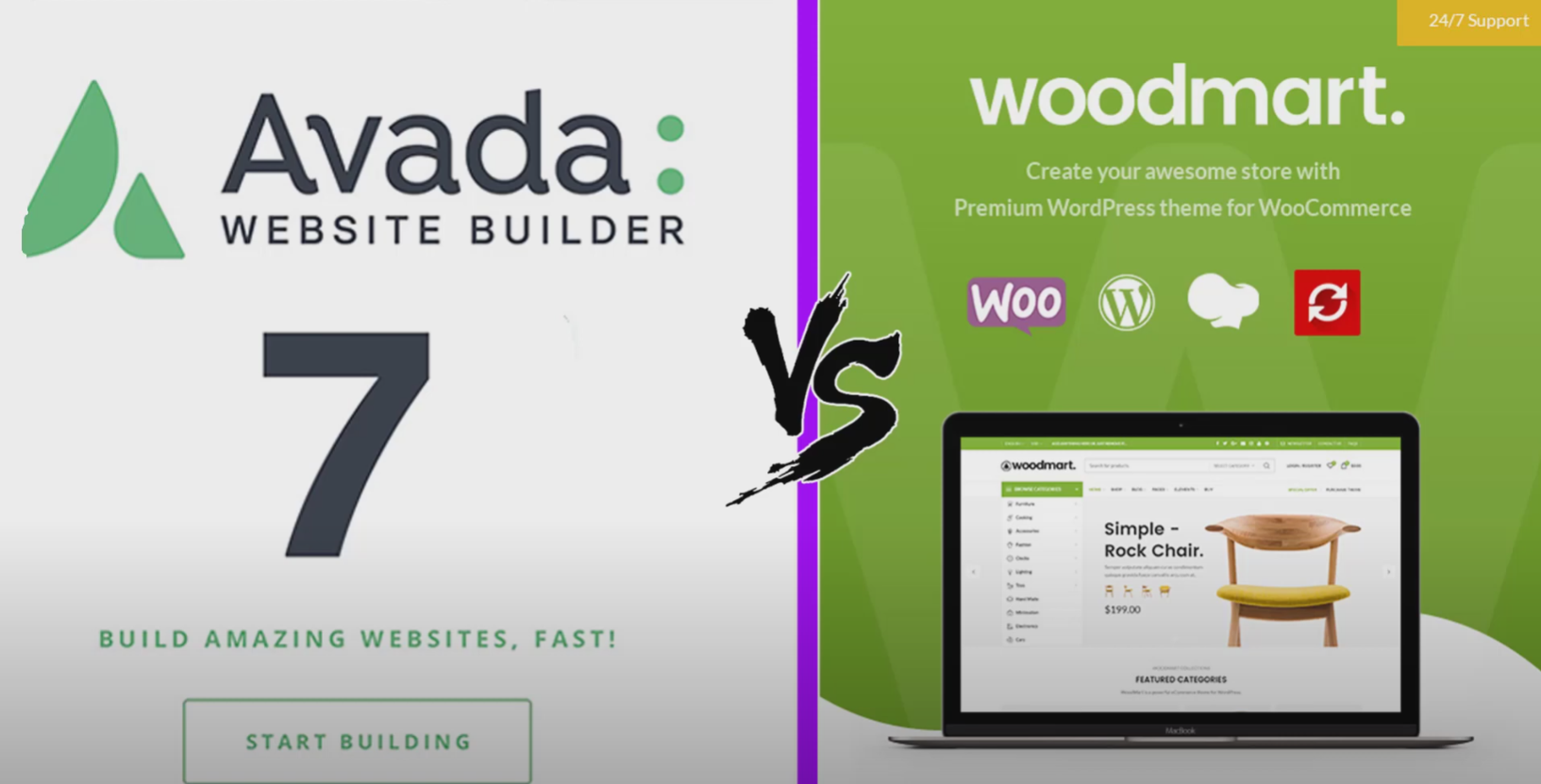
Avada vs WoodMart Theme Comparison: Which is Better for WooCommerce Ecommerce Sites?
Avada and WoodMart are the most popular WooCommerce themes on the market, each with different advantages. This article compares the page builder, performance optimization, mega menu, template library and pricing of the two to help users choose the most suitable WordPress theme to build an efficient...
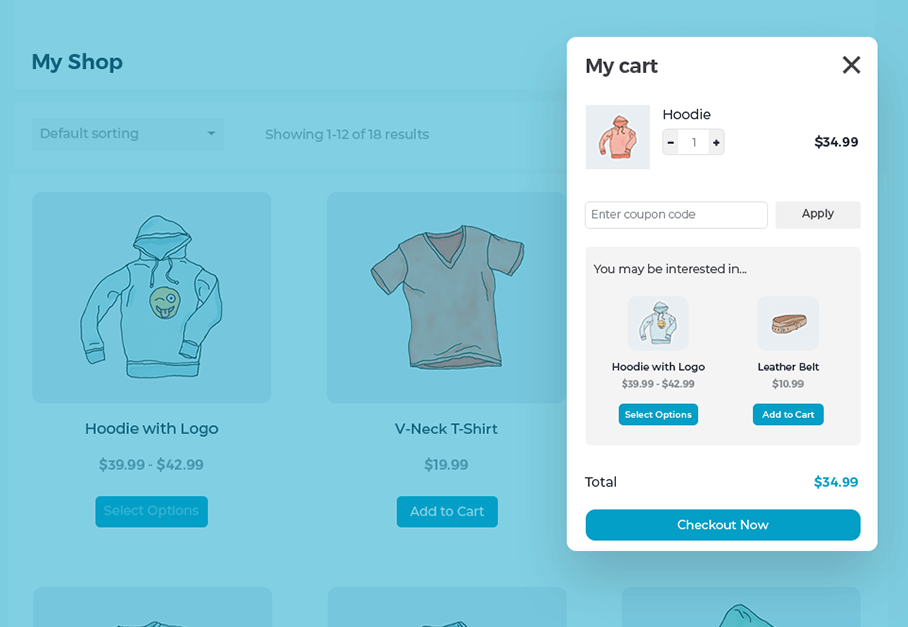
Create a Popup WooCommerce Cart with the WooCommerce Fast Cart Plugin
WooCommerce Fast Cart plugin makes shopping more convenient, supports pop-up shopping cart, fast checkout and recommended products features, reduces bouncing, optimizes the shopping process and improves the order completion rate.

How-to Tutorial: How to Integrate PayPal for Your WooCommerce Store
Learn how to integrate the PayPal payment gateway in your WooCommerce store to provide secure and convenient payment processing. This article details installation and configuration steps to help merchants improve international payment capabilities and customer trust.

Complete guide to setting up a WooCommerce store with the Flatsome theme
Optimize your WooCommerce store with the Flatsome theme, from choosing pre-built templates and configuring category pages to optimizing the product display and checkout process, to enhance the user experience, increase conversions, and create an efficient e-commerce site.

How to choose a theme after WordPress installation: key points for choosing a WordPress theme
How to pick the right theme after installing WordPress? This guide compares the functional features of Kadence, Astra, GeneratePress, and Neve, analyzes the difference between free themes and paid themes, and helps you pick the most suitable theme for your website.

WooCommerce shopping cart product quantity and content of the real-time update display method
Add AJAX dynamic update function in WooCommerce shopping cart to allow customers to view the cart content and the number of products at any time. This article describes how to display shopping cart information in the navigation bar and realize automatic update through code to improve the shopping experience.

How to Implement Sticky Join WooCommerce Cart Button and Optimize It
Enable Sticky Add to Cart button in WooCommerce store to make the cart button always visible and increase the purchase success rate. This article describes how to add a Sticky Add to Cart button using the WowStore plugin or custom code, and explains in detail the styling and move...

Improve page loading speed and increase customer satisfaction: performance optimization features of Woodmart theme
Learn how to optimize your Woodmart theme to improve page load speeds, enhance the user browsing experience, boost conversions, and increase customer satisfaction. This article covers key performance improvements such as image optimization, lazy loading, browser cache settings, and JavaScript optimization.

Build an Efficient Shopping Cart System with Avada and WooCommerce
Deepening the integration of WooCommerce in the Avada theme, this article explains how to optimize the shopping cart system to improve conversion rates. It includes enabling Ajax shopping cart, setting up side popup shopping cart, auto-populating checkout address and other features to improve customer shopping experience and conversion rate.

How to Display Categories and Subcategories in WooCommerce
Setting up product categories and subcategories in your WooCommerce store not only improves user experience, but also optimizes SEO rankings. This guide details how to show, hide, and sort WooCommerce product categories, as well as customize category display through plugins and code...

Flatsome theme comprehensive guide: from installation to optimization for an efficient e-commerce site
Flatsome is a powerful WordPress eCommerce theme built for WooCommerce. It offers an intuitive UX Builder page builder with support for highly customizable designs, responsive layouts, fast loading and SEO optimization features to help you easily build and optimize...

How to use Kadence themes with WooCommerce to create the perfect online store
Learn how to use Kadence themes and WooCommerce plugins to create a powerful and beautifully designed online store. This article explains the installation, setup, design, and optimization process in detail to help you create an efficient e-commerce platform with ease.

 简体中文
简体中文  English
  日本語
日本語  Français
  Español



