




Elementor Page 11
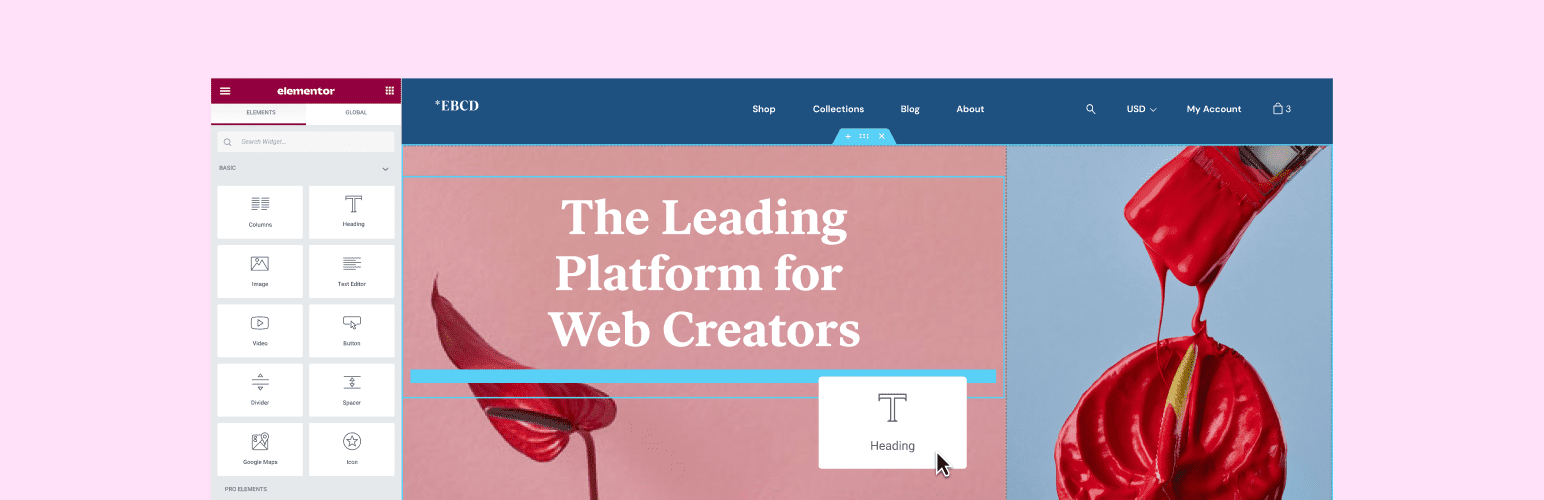
Elementor is a powerful drag and drop page builder for WordPress that makes it easy for users to create responsive websites. Known for its user-friendly interface that allows even non-developers to create professional-looking pages without writing a single line of code, Elementor offers a wealth of widgets, templates, and design options that grant complete creative freedom to improve the functionality and aesthetics of your website, making it the tool of choice for beginners and experienced developers looking to streamline their website design workflow.
arrange in order

Replace common widgets (forms, slideshows, action responses) with a combination of these plugins for the Elementor Pro version
Introducing a portfolio of free plugins to replace Elementor Pro's forms, slideshows, and dynamic effects modules for web projects on a budget.

Why Elementor chose to prioritize CSS: The vision behind Editor V4
Elementor adopts a CSS-first style system in Editor V4 for greater design consistency, scalability and efficiency. Through classes and inheritance, users can easily manage site-wide styles, improving the efficiency of design changes and enhancing site performance.

Archive template not working? Don't blame Elementor just yet—understand this first.
You've created and activated the Archive template, yet nothing changed on the frontend? The issue isn't with Elementor, but with your theme's loading priority and Loop control. This article systematically breaks down WordPress Archive page loading logic, helping you understand once and for all why templates might "fail"...

Elementor fonts not showing up? Figure out server and CDN settings once and for all!
Elementor fonts fail to load? This article provides an in-depth analysis of the impact of server and CDN settings on font display, and offers practical solutions to help you restore the beauty of your pages.

Does using Elementor Optimized Markup break the page layout? Full Analysis and Enablement Recommendations
Elementor Optimized Markup is a great way to improve your site's performance, but does it break the page layout? This article provides a comprehensive explanation of how it works, common problems, and recommendations for enabling it to help you safely use it for WordPress optimization.

ACF in combination with Elementor: for efficient and flexible WordPress page building
The perfect combination of ACF and Elementor makes it easy to create a flexible and efficient WordPress page structure, realize modular design and independent content updating, and improve the efficiency of website management.

Free Elementor Templates with Which Theme is the Most Stable?Astra, Hello, Kadence Comparison
Learn the pros and cons of free Elementor templates paired with Astra, Hello and Kadence themes to help you choose the most stable theme to improve your website performance and user experience.

Layout messed up after Elementor optimization markup is turned on? Solutions to Common Problems
Confusing page layout after turning on Elementor optimization markup? This article comprehensively analyzes the causes of the problem and solutions to help you easily adapt to the new structure, improve performance and SEO performance!

Solving the Hello Biz Compatibility Puzzle: The Ultimate Guide to Making Your Store Work Seamlessly
Encountering Hello Biz compatibility issues? This article details common plugin conflicts, styling issues and performance optimization methods to help you easily solve the problem and improve website speed and user experience. Read it now to optimize your WooCommerce store and make your website run more efficiently!

Elementor 3.33 Update: Variable Manager, Custom CSS, Mixed Modes, and More!
Elementor 3.33 is fully upgraded: Editor V4, Variable Manager, Custom CSS, and Mixed Mode are now available, making web design faster, more stable, and more professional, so it's worth updating now.

From Templates to Conversions: How ShopEngine Reinvented WooCommerce Building Logic and Became the New Standard for Ecommerce Customization?
Want to turn your WooCommerce site into a high converting site in seconds? ShopEngine is becoming a new favorite in the e-commerce world! It allows operators to create visually stunning e-commerce pages without writing code, visualizing everything from the product page to the checkout process. Lightweight, flexible and reusable, this is what 2...
Elementor gets stuck ≠ site slows down? 90% has it all wrong!
Elementor editor getting more and more laggy and the frontend is still slowing down to a crawl? Don't mess around with plugins anymore. In this article, we use the clearest thinking to separate the "background card" and "foreground slow", step by step to teach you to locate the root cause, and directly find the fastest path to optimization.





