




woocommerce Page 35
Focus on the latest marketing technologies and operational practices in the cross-border industry
arrange in order

Ways to skip directly to the shopping cart page in WooCommerce
WooCommerce is a free and open-source e-commerce plugin for WordPress websites, and many people use it to build their own online malls. However, some users want to make the checkout process a little smoother as a way to improve the user experience of their website. Skipping shopping in WooCommerce...
How to Find Products by WooCommerce Product IDs
In WooCommerce, each product is assigned a unique Product ID.This article will detail how to find the ID of a WooCommerce product and provide you with simple steps and usage scenarios. Why do I need a Product ID? Product IDs are WooCommerce ...
WooCommerce Direct Checkout: Solution to Cart Abandonment Issue
Implementing a "Direct Checkout" strategy is one of the effective solutions to minimize WooCommerce cart abandonment. In this article, we will explain how to set up WooCommerce Direct Checkout and how to solve the cart abandonment problem by optimizing the shopping process. ...

How to Achieve Efficient Inventory Management with WooCommerce and Attribute Stock Plugin
WooCommerce provides a basic set of inventory management tools to track product availability and avoid overselling or running out of stock. For stores with complex inventory needs, WooCommerce's built-in functionality may not be fully sufficient. In this article, we'll detail how Woo...

How to Add Custom Tags to WooCommerce Product Pages (Using Elementor)
Adding custom tags to WooCommerce product pages can help you better present product information and enhance the user experience. These tags can be used to provide additional descriptions, user reviews, specifications or other key information. With the Elementor plugin, it's easy to customize these...
How to Change WooCommerce Store Page Titles: A Complete Guide
In WooCommerce, the title of a store page is usually displayed as "Shop" by default. However, depending on your business needs, you may want to change this title to better reflect your brand or product type. In this article, we'll show you how to use Wo...
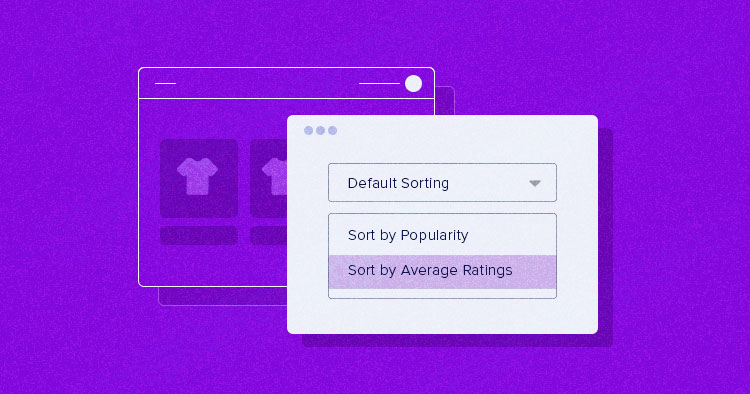
How to Setup and Optimize Product Sorting in WooCommerce to Enhance User Experience
WooCommerce comes with some common product sorting options for various types of product display. The following are some of the sorting options provided by WooCommerce by default: Default Sort (Custom Sort + Rank): This is the default sorting option in WooCommerce, combining...

How to Fix WooCommerce Not Sending Order Emails
What causes WooCommerce emails not to be sent? Being an online store, then emails can be used to help the business run smoothly. For example, if a customer hasn't paid after they have already added to their cart, you can send an email to remind them of the order, etc. Use email to welcome new customers. Send ...
How to Customize WooCommerce Emails
WooCommerce emails help customers get information about the status of their orders, delivery times, and more. Why customize WooCommerce emails? When running a WooCommerce store, customers receive different transactional emails. These emails help them...

15 Useful Tips to Boost WooCommerce Site Speed
If your WooCommerce store is slow to load, it could make customers impatient and ultimately affect your sales. When shopping online, people expect everything to load quickly - even a small delay could cause them to abandon their purchase and move on to your competitors. Pass...
How to Improve WooCommerce Performance: 11 Optimization Tips to Improve Website Speed and User Experience
Many of our readers who use WordPress websites for online retailing have left comments in the community wondering what they can do to improve WooCommerce performance. So, this tutorial summarizes some of our team's experience in optimizing WooCommerce performance. Why is WooCommerce speed important? Wo...

Dynamic Methods for Getting WooCommerce Cart, Checkout & Store Page Links
Woocommerce is an awesome plugin for setting up an online store on WordPress that lets you sell anything from books to electronics.Woocommerce not only has powerful plugins and extensive help documentation, but it also builds a super developer-friendly community. ...





