


WordPress Tutorial Page 17
The "WordPress Tutorials" feature takes you in-depth understanding of WordPress, from the basic installation, theme and plug-in configuration, to SEO optimization and site security, covering all aspects of the core knowledge and practical skills needed to build a site. Whether you are a novice or an experienced developer, you can find the appropriate tutorials to help you easily master the use of WordPress and advanced operations.
arrange in order

Localizing Payments for Global Customers: The Ultimate Combination of Airwallex Multi-Currency and WooCommerce
By integrating Airwallex and WooCommerce, we create an e-commerce system that supports global local payment and multi-currency settlement, significantly reducing handling fees, increasing conversion rates, and accelerating the efficiency of cross-border e-commerce fund flow.

Heartbeat and Security Plugin / Firewall Conflict Explained: Key Notes on Login Authentication, 2FA
Detailed explanation of WordPress Heartbeat and security plugin/firewall conflict causes, covering login authentication, 2FA misjudgment, admin-ajax interception and other scenarios, and provide not affect the front-end troubleshooting and security optimization solutions.

Don't want your posts to be moved around? Hands-on guide to blocking text copy and paste in WordPress
Want to stop posts from being copied and moved? This comprehensive guide to WordPress copy-banning and content protection makes it easy to boost original security with plugins, CSS and JS, so plagiarizers can't do anything about it.

Build a consistently profitable subscription system with WooCommerce and easily earn over $10,000 a month!
Want to make your e-commerce business realize long-term stable income? Easily create and manage product subscriptions, set up auto-renewals, and boost customer loyalty and repurchase rates with the WooCommerce Subscriptions plugin. Master these tips now and drive your eCommerce business growth!
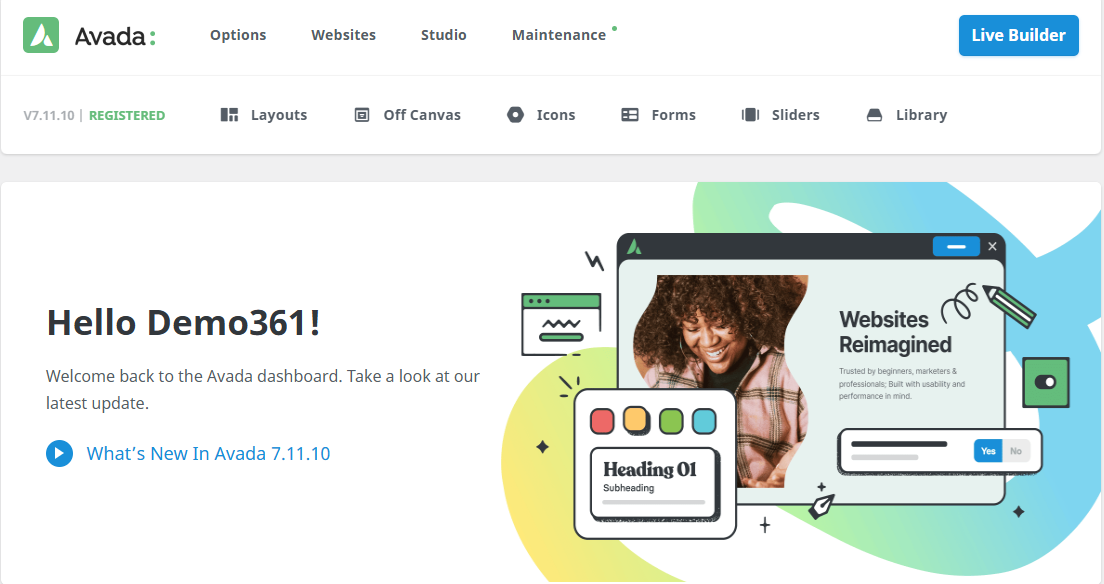
WordPress Tutorial Site How to Show Course Learning Path with Avada Timeline
Through the Avada Builder and Timeline modules, the course chapters are linked into a clear learning path, improving the structure and user experience of the WordPress tutorial site.

How to optimize the security of your website after WooCommerce activation (a guide to protection even for newbies)
Learn how to optimize website security after WooCommerce activation, including enabling SSL, updating plugins, setting strong passwords, double authentication, firewall plugins, backup mechanisms, and more. Newbies can also easily follow the operation, comprehensively improve the security level of the online store, protect customer data and order system...

How Airwallex Helps WooCommerce Merchants Save on High FX Fees
How can WooCommerce merchants reduce high foreign exchange fees? Optimize cross-border e-commerce collections with significant cost savings through multi-currency local accounts and real-time, low exchange rates with Airwallex. Learn about the full integration and application scenarios.

Woodmart Subscription Playbook Revealed: Monthly Boxes + Membership Model for Active Renewals
Uncover how merchants can build subscription-based e-commerce with Woodmart! Monthly Boxes + Membership Model for Stable Cash Flow & Super User Stickiness.

How to Fix WordPress and Cloudflare Error 521
Error 521 error usually indicates that Cloudflare cannot connect to your WordPress web server. This article explains the possible causes and provides steps to resolve the issue, including checking the status of the server, configuring the firewall, and unblocking IPs.

Latest woodmart theme tutorials for 2025: how to build an e-commerce website with woodmart theme
Learn how to build a professional e-commerce website with WoodMart theme. This article details the installation, setup, page editing and optimization methods of the WoodMart theme. With a quick installation wizard, Elementor page editor and powerful WooCommerce integration, WoodMa...

How to Fix 408 Request Timeout Error (Simple Fix Guide)
A comprehensive understanding of the causes and solutions to HTTP 408 request timeout errors. 8 solutions from client-side to server-side, including debugging plug-ins, server log analysis and firewall adjustments to help you quickly troubleshoot problems and improve your browsing experience.
How to Fix Missing Theme File Editor in WordPress
If you can't find the theme file editor in the WordPress backend, this article will teach you how to restore it and fix possible security settings. Learn how to find and enable the editor in the Tools menu to avoid site failures due to modification errors.

How WooCommerce Store Owners Use Airwallex to Achieve Low-Cost Cross-Border Payments
This article introduces in detail how WooCommerce can access Airwallex to achieve a low-fee, high-efficiency cross-border settlement solution, which is suitable for independent website sellers to optimize the collection process.

What is disallow_file_edit? Disable WordPress backend file editing with one line of code
Is your website really safe? Many stations are not safe, but have not been targeted! Background "theme/plugin file editor" once utilized, a few seconds to plug the backdoor. This article teaches you to use DISALLOW_FILE_EDIT in wp-config.php add a line of code, directly off the background of the online ...

How to set up WP Mail SMTP via SendGrid to solve the problem of emails being misdiagnosed as spam for delivery?
Solve WordPress email delivery problems by setting up WP Mail SMTP and SendGrid to ensure reliable delivery of emails. This article describes in detail how to improve email delivery rate and avoid spam problem by authenticating domain name and configuring SMTP.
How to Fix 502 Bad Gateway Error: Troubleshooting and Repair Methods
502 Bad Gateway error can be caused by a variety of reasons, this article will introduce detailed troubleshooting steps and solutions to help you quickly fix the 502 error and restore your website to normal operation.

Blocksy Pro Content Blocks Explained: A Key Tool to Improve WordPress Website Flexibility
Take a deep dive into Blocksy Pro's Content Blocks feature and learn how to quickly create bulletin boards, promotional banners, and custom content modules without code for precise placement, optimized experience, and increased site flexibility.

PHP Configuration Tweaks to Maximize Server Throughput: An Essential Guide for WordPress Developers
By optimizing PHP.ini configuration (such as memory limit, execution time, upload size, etc.) and enabling technologies such as OpCache, JIT compilation, Realpath caching, etc., we can comprehensively improve the performance and throughput of PHP applications, and provide users with a smoother experience.

Astra theme tutorial: how to create sticky headers for free?
Sticky header functionality is also possible with the free version of Astra! Keep the top navigation of your WordPress site fixed while scrolling with simple CSS code, no plugins, no Pro upgrades, step-by-step instruction for newbies to get started quickly.
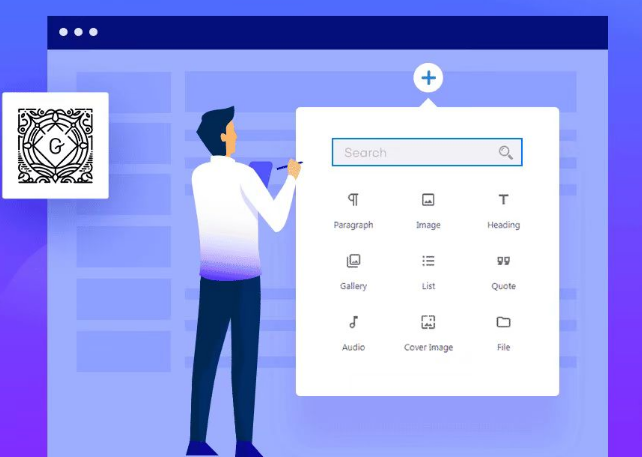
Common Gutenberg Editor Block Types and Their Functions Explained
Explore how to add and use blocks in the Gutenberg editor, learn about common block types, and learn tips for customizing and extending the Gutenberg editor to improve flexibility in WordPress content creation and page layout.

Improving Kadence Theme SEO Performance: 5 Optimization Tips to Do
Learn how to optimize your Kadence theme with five practical tips to improve your website's loading speed, search engine friendliness, and user experience to help boost your website rankings.

Blocksy child theme update guide: does the parent theme upgrade affect customization settings?
When using Blocksy child theme, the parent theme update will not affect your customization settings in the child theme. This article analyzes the theme structure relationship, update mechanism and best practices to help you feel free to customize and upgrade.

Basic Guide to WordPress Security Settings: Preventing Website Attacks
From account passwords and login restrictions to plugin protection, this article teaches you to do the most basic security settings for your WordPress site to prevent malicious attacks.

TranslatePress Plugin Explained: Easy WordPress Multilingual Website Implementation
Learn about the main features, usage scenarios and free/pro version differences of the TranslatePress plugin to help you easily build a multilingual WordPress website with broader global reach and SEO optimization.

Avada Theme Tutorial: How to Design Interactive Blog Posts with Avada Post Slider
Learn how to add interactivity and visual appeal to blog pages with Avada's Post Slider elements. Display blog posts with different layout options to bring the content to life and enhance the user experience.
How to set up PayPal for a WordPress site with WooCommerce installed
Many of you who are running WooCommerce e-commerce websites (especially those who do external cross-border) would like to find a reliable payment method to receive payments from your customers? From our team's years of operating experience, PayPal is a more reliable choice! As the world's most widely used...

Create stunning flickering image effects with Elementor's Image Carousel widgets
Use Elementor to create modern and engaging flashing image effects to showcase fashion brands' collections. Enhance the dynamic feel and user experience of the page with Image Carousel widgets and fade-in effects that make it easy for users to browse products and engage with the campaign.

How to Fix "Sorry, this file type is not allowed for security reasons" Error in WordPress
Encountering "Sorry, this file type is not allowed for security reasons" error when uploading files in WordPress? This guide provides 7 easy ways, including modifying wp-config.php, tweaking .htaccess, using plugins, checking file extensions, and more, to help you lightly...

SEO for WordPress: 15 Speed-Up Tips to Boost Search Rankings | 2025 Ultimate Guide
Learn professional WordPress SEO optimization tips to dramatically improve your Google search rankings by boosting your website speed, optimizing images and cache settings. Includes the latest WordPress SEO strategies for 2025!
How to Implement SEO Optimized Onsite Link Blocks with Blocksy Content Blocks
A detailed explanation of how to use Blocksy Content Blocks to build automated onsite link recommendation blocks to improve website structure optimization, user experience and search engine crawling efficiency.

 简体中文
简体中文  English
  日本語
日本語  Français
  Español



