


WordPress Tutorial Page 78
The "WordPress Tutorials" feature takes you in-depth understanding of WordPress, from the basic installation, theme and plug-in configuration, to SEO optimization and site security, covering all aspects of the core knowledge and practical skills needed to build a site. Whether you are a novice or an experienced developer, you can find the appropriate tutorials to help you easily master the use of WordPress and advanced operations.
arrange in order

Solving Common Problems in WordPress Multi-Domain Configuration
Multi-domain configuration is a powerful feature in WordPress that helps webmasters manage multiple domains in the same WordPress installation. This configuration is especially useful when managing multiple websites or sub-sites, and can greatly simplify website maintenance. However, multi-domain configuration...
How to manually configure .htaccess file to block country-specific IP addresses
Blocking access from specific countries is necessary to secure your website and optimize resource usage. For example, if your website is subject to frequent malicious attacks from certain countries, or if you need to restrict access to certain content to users from specific countries, manually configuring the .htaccess file...

How to Block Country-Specific Access in WordPress Using Plugins
In some cases, it may be necessary to block access from specific countries. For example, one may experience a large number of malicious attacks from a specific region, or your content may be restricted to users from certain countries. Using a WordPress plugin can simplify this process. In this article, we'll cover how to make...

How to Prevent and Manage WordPress Spam
WordPress spam is a common problem that webmasters have to face. With spam messages showing up on your site, visitors may perceive your site as poor quality and search engines may mark your site as unsafe.WordPress is a popular content management...
How to Optimize WordPress Website SEO with Google Search Console
Google Search Console (GSC) is a free tool that we often refer to as Google Webmaster. It is provided by Google and can be used to help webmasters monitor and optimize their websites. For those who use WordPress to build their websites, utilizing Google Search Console...

Troubleshooting and Fixing Missing WordPress Images
When all or some of the images on your website are no longer visible, it's usually due to a file or folder that has permission issues. The following steps will help you diagnose and fix these permission issues. Checking for Permission Issues 1. Test the images for permission issues Visit the URL of the image in your browser...

A Complete Guide to Resetting Your WordPress Password Using an Email Link
In the process of using WordPress, you will encounter the problem of forgetting your password. But it's not a big problem, there are many WordPress ways to reset your password. Let's take a look today at an easy and secure way WordPress offers to reset your password - through an email link. Let's move along to...

A Detailed Guide to Blocking WordPress Spam with the Akismet Plugin
Spam is a common problem for many webmasters, and WordPress, being one of the most popular content management systems, is no exception. There are a number of tools that can help us block spam effectively, and one of the most popular is the Akismet plugin. In this article, we will detail...

How to Block Contact Form Spam in WordPress
Are you receiving tons of spam emails through your website's contact form? This situation can give you a headache, but WordPress provides several automatic methods to block spam contact forms. In this article, we'll share 5 effective methods that will help you reduce and block WordPre...
How to Optimize WordPress Media Library Image Loading Speed Using a CDN
In order to improve the performance of your website, using a Content Delivery Network (CDN) to optimize image loading speed is a very effective method. In this article, we will detail how to use CDN to optimize WordPress media library image loading speed. What is a CDN? A content delivery network (CDN) is a group of...

How to Clear WordPress Cache to Fix Media Library Image Not Loading Issue
When using a WordPress website, many users may experience issues with media gallery images not loading. This issue is usually related to caching. Clearing the cache is one of the effective ways to solve this problem. In this article, we will detail how to clear WordPress cache to help users solve the media...

What is redirection? When is redirection (redirection) necessary?
"Redirection" is a process of directing the URL from page A to page B, through which users are directed to the page we want to present. Usually, we will set up redirection in the following five cases: 1. Website revamp and relocation When we build a new website and need to relocate...
Multi-Domain SSL Certificate Configuration Guide in WordPress
SSL certificate is a necessity for every website. It not only protects user data but also improves the SEO ranking of the website. For websites running multiple domains, especially those using WordPress, configuring a multi-domain SSL certificate is a relatively complex but very important task. Next...
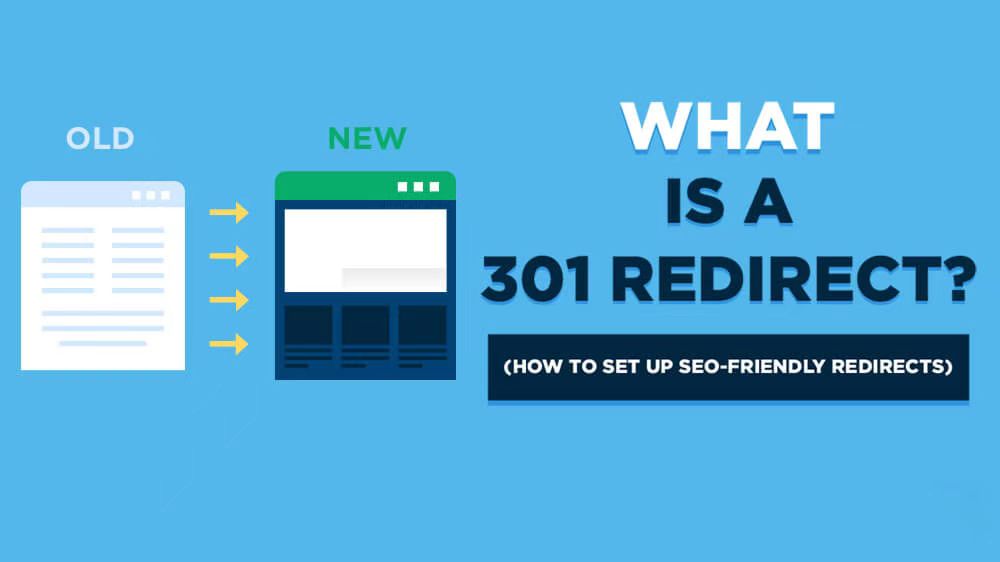
Domain name 301 jump (redirection): explain the importance and realization of the method
In the field of Internet marketing and website building, "domain name 301 jump" is a very important concept. Understanding and mastering its meaning and application is crucial for a webmaster or an internet marketer. In this article, we will explain in detail the "Domain 301 Jump"...

WordPress SEO 301 Jump SEO Optimization Strategy
In the process of website SEO optimization, 301 jump is a very important technical means. It not only effectively improves the user experience of the website, but also maintains and improves the SEO ranking of the website. In this article, we will discuss in detail the best practices and strategies for using 301 jumps under the WordPress platform. What...

Elementor Editor In-Depth Analysis: Creating a Personalized WoodMart Theme Website (04)
In the last issue we talked about how to set up a Woodmart theme poster (banner), in this issue we talk about the Elementor editor to renovate a Woodmart theme, we'll dive into how to use the Elementor editor to further customize and optimize your WoodMart theme. By...

A Deeper Look at WordPress SE0301 Jumps: Basic Concepts and Implementations
If you are new to SEO, you may be confused about 301 redirects.What is a 301 redirect? Why should you use it? How to use it properly? This article will answer these questions for you and help you master the basics of 301 redirection. First, what is 301 redirection?...

Optimize WordPress media library performance to prevent image loading issues
When using a WordPress website, especially for image loading issues, the performance of the media library needs to be optimized. This article will detail how to optimize WordPress media library performance to prevent image loading problems. 1. Compress and optimize images Use plugins for image compression U...
Common WordPress Media Library Image Loading Errors and Their Solutions
WordPress, one of the most popular content management systems, has a powerful media gallery feature. However, many users may encounter the problem of media gallery images not loading during the process. This article will detail some common WordPress media gallery image loading errors and their solutions...
Common Errors Encountered During WordPress Password Reset and Their Solutions
Forgetting a password or needing to reset it is a common problem when managing a WordPress website. Sometimes the password reset process may encounter various errors that prevent users from logging in successfully. Together, we will explore the common errors and their solutions during WordPress password reset to help fast...
How to Avoid and Solve Duplicate Content Problems on WordPress Websites
Duplicate content is a common and headache-inducing problem during SEO optimization. Not only does it affect how search engines rate your site, it can also lead to a drop in rankings. Here's a look at how to avoid and fix duplicate content issues in your WordPress website to ensure the site stays at its best...

A Guide to Using Elementor Safe Mode for Website Migration
What is Elementor Safe Mode? Elementor's Safe Mode is a troubleshooting tool that loads the Elementor page editor with other plugins and themes disabled. This ensures that when troubleshooting potential conflicts and issues, the editor can...
How to set up a WordPress comment box
In order to allow readers to participate in discussions, WordPress offers the option to include a comment feature in posts and pages. Setting up an easy-to-use comment box not only improves interaction but also enhances the user experience of your website. Let's take a look at how to set up a WordPress comment box. ...

Elementor Display Errors: Case Studies and Practical Fixes
Elementor is a very popular WordPress page builder plugin, loved by users for its intuitive drag-and-drop interface and rich functionality. In this article, we'll explore the common causes of Elementor display errors and provide practical fixes to help you quickly resolve these issues...
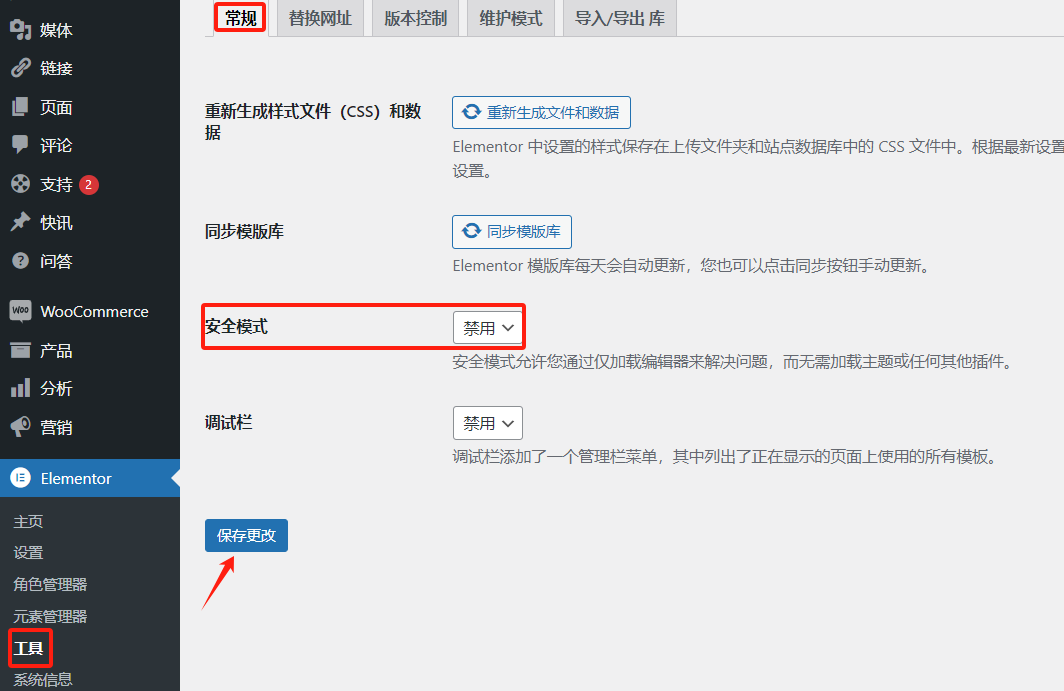
Advanced Debugging Tips for Elementor Display Errors
Elementor is a powerful WordPress page builder, but sometimes users may encounter display errors while using it. Solving these errors requires some advanced debugging skills. This article will introduce some effective debugging methods to help you quickly locate and resolve Elemento...
Detailed Steps on How to Troubleshoot Elementor Display Errors
Elementor is a powerful page builder plugin, but sometimes you may encounter display errors while using it. This article will detail the steps on how to troubleshoot and resolve Elementor display errors to help you quickly restore your site's normal display. Step 1: Check the plugin...
How to Reset Password via WordPress Command Line Tool (WP-CLI)
WP-CLI is a command line tool for WordPress that provides developers and webmasters with a fast and efficient way to manage WordPress websites. With WP-CLI, many operations can be performed, including installing plugins, updating WordPress core, creating users, and more. A. Sh...

Performance Impact of Elementor Safe Mode and How to Optimize It
Elementor is a popular WordPress page builder that offers great features and flexibility. However, enabling Safe Mode may impact site performance when debugging and problem solving. In this article, we will explore the performance impact of Elementor's safe mode and provide optimization...

How to Enable Multiple Domains in WordPress
WordPress is able to meet the needs of various types of websites, such as managing multiple independent websites on a single WordPress instance with separate domain names for each, you can enable the multi-site multi-domain feature of WordPress. Let's take a look at how to enable WordPress...
Elementor Safe Mode vs. Regular Mode
Elementor, as a popular WordPress page builder, has won the favor of users with its rich features and user-friendly interface. In order to protect users in the process of building and managing websites, Elementor provides a secure mode and a regular mode. This article will ...

 简体中文
简体中文  English
  日本語
日本語  Français
  Español



