


WordPress Tutorial Page 96
The "WordPress Tutorials" feature takes you in-depth understanding of WordPress, from the basic installation, theme and plug-in configuration, to SEO optimization and site security, covering all aspects of the core knowledge and practical skills needed to build a site. Whether you are a novice or an experienced developer, you can find the appropriate tutorials to help you easily master the use of WordPress and advanced operations.
arrange in order

How to Create and Optimize Recipe Cards in WordPress with the WP Tasty Recipes Plugin
What are recipe cards? Why should you use them? Recipe cards are an extremely useful tool in the culinary world. They provide the ingredients and instructions for cooking a specific dish, helping chefs to create a delicious meal. Recipe cards are usually in a structured format and contain the following sections: dish...
How to Automatically Deploy WordPress Theme Changes Using GitHub and Deploy
Why use a Version Control System for WordPress Theme Development? Using a Version Control System (VCS) for WordPress theme development can significantly improve development efficiency, team collaboration, and project stability. A version control system allows documenting changes to files or text...
WordPress source code - jquery-ui (1.8.20 - jquery.effects.drop.js)
1 /*! 2 * jQuery UI Effects Drop @VERSION 3 * 4 * Copyright 2012, AUTHORS.txt (http://jqueryui.com/about) 5 * Dually licensed under the MIT or GPL Version 2 licenses. 6 * http://jque...

WordPress source code - jquery-ui (1.8.20 - jquery.effects.explode.js)
1 /*! 2 * jQuery UI Effects Explode @VERSION 3 * 4 * Copyright 2012, AUTHORS.txt (http://jqueryui.com/about) 5 * Dually licensed under the MIT or GPL Version 2 licenses. 6 * http://j...
502 Common Troubleshooting Steps for Bad Gateway Errors
The 502 Bad Gateway error is a common HTTP status code indicating that a server received an invalid response from an upstream server while acting as a gateway or proxy. This error is commonly seen in load balancer, proxy server or reverse proxy setups and affects website accessibility and user...

Improving WordPress Website Performance Through Technical SEO Optimization
Website performance and search engine optimization (SEO) are crucial. Technical SEO optimization not only improves your website's search engine rankings, it also improves the user experience. How to improve the performance of your WordPress website through technical SEO optimization covers optimizing your website structure, fixing 404 errors, making...

A Comprehensive Guide to Securing Your Business WordPress Website
For organizations that use WordPress, it's critical to keep customer information safe and protect digital systems from online threats. At a corporate and organizational level, it's important to secure multiple WordPress sites. This is not just a small task, but requires careful planning, thorough...
Gutenberg Version 18.7 Update: New Features and Enhancements
Gutenberg version 18.7 mainly fixes a few issues, but also includes some great new features and enhancements. Here are the highlights of the update: Drag and Drop Grid Items in Manual Mode For more precise manipulation of the grid, when using manual mode, all grid items are now...

Comparison of the 7 Best WordPress User Registration Plugins
There are many options to choose from when looking for the best WordPress user registration plugin for your website. Creating a signup form is one of the key steps to improving user engagement, and using the right plugin can make the process easier and more effective. In this article, we'll detail seven of the best...

WordPress source code - jquery-ui (1.8.20 - jquery.effects.fade.js)
1 /*! 2 * jQuery UI Effects Fade @VERSION 3 * 4 * Copyright 2012, AUTHORS.txt (http://jqueryui.com/about) 5 * Dually licensed under the MIT or GPL Version 2 licenses. 6 * http://jque...

How to Optimize WordPress Themes for Better Performance
WordPress is a powerful content management system (CMS) that is widely used to create various types of websites. However, as website content and functionality increases, performance issues become more prevalent. Optimizing your WordPress theme is a critical step in improving your website's performance. We...

How to Insert or Edit Links in WordPress Content Editor
A link is a word, group of words, or image that you can click on to go to a new page. In WordPress, inserting and editing links is a key part of improving user experience and site navigation. Below are detailed steps and methods to teach you how to add links to posts, pages and widgets. ...

WordPress Tutorial: Creating a Slideshow with Image and Video Support
WordPress is a popular content management system (CMS), especially popular with website owners who are not very good at programming, as it allows them to focus more on creating content. It also has a large user community that offers hundreds of great plugins for use...

How to add a WordPress Privacy Policy page and why you should have one?
Every WordPress website needs a solid foundation of trust and transparency, and a well-designed privacy policy is the key to making that happen. Whether you run a personal blog or an e-commerce site, a WordPress privacy policy page is essential for legal compliance and data security...

WooCommerce Blocks: Add WooCommerce functionality to your WordPress site!
WooCommerce Blocks help webmasters create customized store pages, showcase your products and add advanced eCommerce features like filtering and searching, and more, all without writing a single line of code. By default, many blocks come with WooCommerce, but several...

Advantages of Elementor: Professional (Pro) Edition vs Free Edition
The free version of Elementor (Elementor Core) already covers the basics needed for beginners, with utilities like the visual drag-and-drop generator. Elementor Pro, on the other hand, upgrades and complements the free version by providing more advanced features for...

Elementor won't open, stuck on loading screen reasons and solutions
When editing a page with Elementor, it gets stuck and displays a gray page. Possible Causes and Solutions Editing a Page Creates a Conflict If a gray page appears when editing with Elementor, it may be due to a conflict with one of the following plugins...

How to Automatically Apply Elementor Gallery Pro Filters on Page Load
In this guide, it will be explained in detail how to automatically apply Elementor Gallery Pro filters on page load. By following the steps below, you can achieve the effect of automatically filtering a specific gallery on page load. How to apply Elementor Gallery Pro on page load ...

Elementor Pro Cracked: Comprehensive Risk Analysis and Recommendations for Use
Elementor Pro is one of the highly respected plugins for WordPress website builder, which attracts many web developers and designers with its powerful features and flexibility. However, some users choose to use a cracked version of Elementor Pro in order to save money.This article...

Possible SEO Implications of Using Elementor Pro Crack
Elementor Pro is one of the most popular plugins among WordPress website builders, attracting many website developers and designers with its powerful features and user-friendly interface. However, due to its paid model, some users choose to use the cracked version of Elementor Pr...

Potential Risks and Legal Consequences of Elementor Pro Cracked Version
As Elementor Pro is widely used in WordPress website design, many users are attracted by its powerful features and flexible design capabilities. However, some users choose to use a cracked version of Elementor Pro software in order to save money. While this may seem like a quick...
How to tell Elementor Pro genuine from cracked versions
With the popularity of website building tools, Elementor Pro has become the first choice of many users due to its powerful features and easy-to-use interface. However, a number of cracked versions of Elementor Pro software have also appeared on the market. Although these cracked versions seem to be convenient and cost-saving, they...
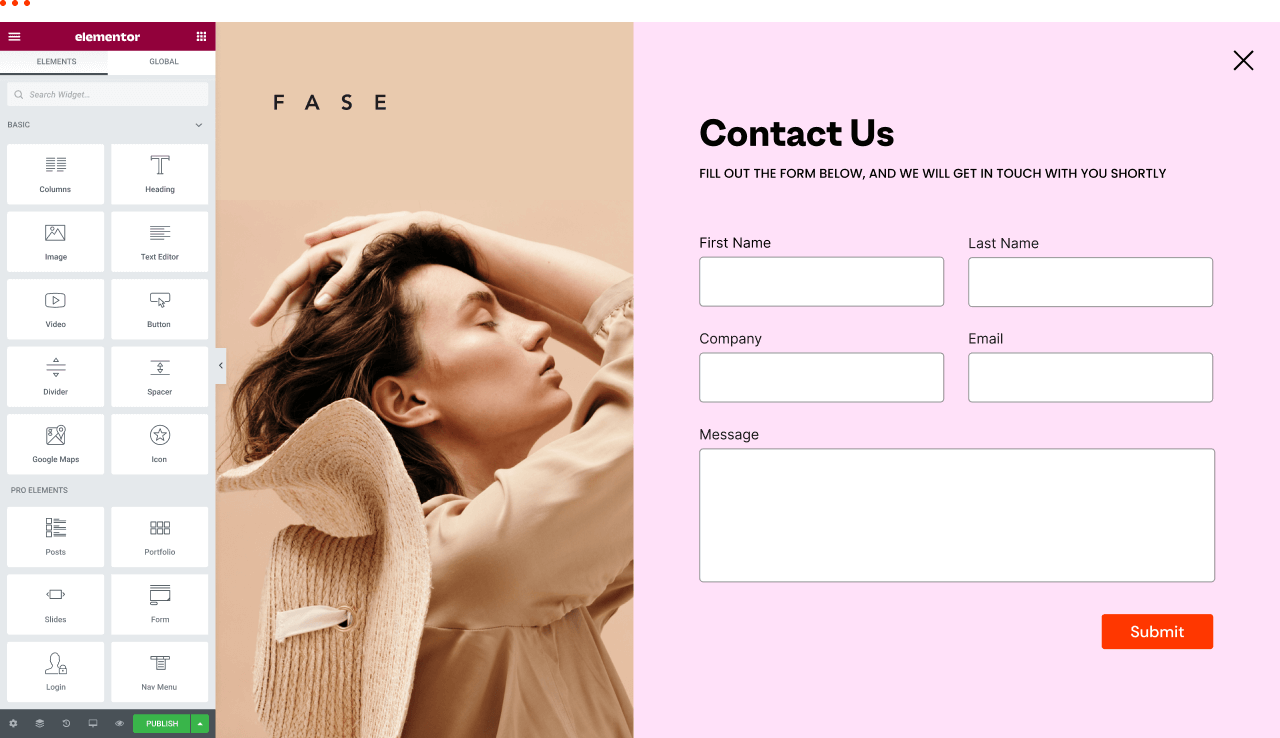
How to view and edit global fonts in Elementor
Using global fonts and colors is a crucial strategy in website design, not only to enhance the overall visual experience, but also to effectively reinforce your brand image. In this article, we'll explain in detail why it's important to use global fonts and colors, and we'll take a look at how to do so in Elementor...

Magento 2: Is it your team's next 'big production'?
Magento 2, like a big-budget movie in the movie industry, has glossy special effects, rich plot lines, and fascinating characters. But, just like making a Hollywood blockbuster, you need a team of skilled people, a generous budget, and plenty of patience...

How Elementor Creates and Manages Single Product Templates (Comprehensive Guide)
Learn how to create, edit and manage single product templates to standardize your product presentation. This guide covers template exporting, renaming, deleting, and other operations to help you optimize your website's product page layouts and improve user experience and SEO.

Tarkamo - Football and Sporting Events Elementor Template Suite
Tarkamo - Football and Sporting Events Elementor Template Suite is an Elementor template suite specially designed for soccer and sporting events, suitable for displaying fixtures, results, team profiles, etc., facilitating the organization and promotion of sporting events. Key features: Responsive design...
 Members Only
The Best Way to Customize Your WordPress Dashboard: 5 Practical Tips to Enhance Your Experience
Learn how to customize your WordPress dashboard with code and plugins. From removing unnecessary widgets to adding shortcut menus and personalizing your login page, this guide provides the 5 best ways to help you optimize your WordPress backend experience.
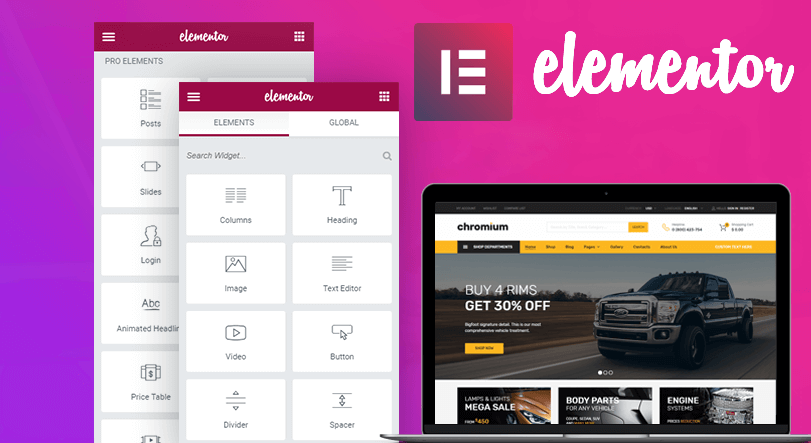
How to use the custom code feature in Elementor
Learn how to add HTML, JavaScript, and CSS custom code in Elementor to flexibly implement Google Analytics, Facebook Pixel, and other code tracking and custom styles to enhance the functionality and personalization of your WordPress website.

Why does the WordPress admin bar overlap with the navigation menu? A complete guide to fixing it
An in-depth look at the causes of WordPress admin bar and navigation menu overlap issues, as well as detailed solutions, including hiding the admin bar, tweaking CSS, and checking for plugin conflicts, to ensure that your site's navigation displays correctly and improves the user experience.

Easily Remove WordPress Sidebars: 8 Ways to Improve the Simplicity of Your Website
Learn how to remove WordPress sidebars in 8 easy ways to optimize your website layout and improve user experience. Whether through theme settings, plugins, or manual code editing, this article provides detailed steps.

 简体中文
简体中文  English
  日本語
日本語  Français
  Español



