



Elementor Page 12
arrange in order

Creating Great WooCommerce Store Pages in Elementor: A Detailed Guide
WooCommerce is one of the most popular e-commerce plugins for WordPress, and Elementor is a powerful page builder. Combining the two makes it easy to build a visually stunning and powerful e-commerce store page. This article will detail how to use...

How to fix Elementor won't load error
With Elementor, you can replace the block editor with a more intuitive page builder. If you are an Elementor user, you need to load the editor every time you create or edit a page. However, sometimes it may fail to load Elementor due to an error.There are several ways to...

How to solve "Post Content widget not found" error in Elementor
In the past two days, a reader left a comment in the community (Photon Community) that he encountered a "Post Content widget not found" error when using Elementor to design a WordPress single post template. This is a relatively common problem with Elementor, which usually occurs when creating or...

Best Free & Professional Elementor Templates Resources Recommended: Build Efficient Websites Fast!
Elementor is a powerful WordPress page builder that allows users to create website designs using simple drag and drop functionality. There are pre-made Elementor templates on the market that can help you build professional websites quickly. In this article, we'll cover 10 of the best free...

How to Easily Add and Use Custom Fonts in Elementor
What are custom fonts in Elementor? Custom fonts in Elementor allow you to add self-hosted and Adobe fonts to the page builder and use them for your website content. With custom fonts, it's easy to upload any font and modify its characteristics,...

Elementor Carousel Widgets: A Practical Guide to Improving Web Space Utilization and User Interaction
What are Carousel widgets? Carousel widgets (rotating widgets) are a very useful tool that allows for the display of multiple content, including images, text and other elements in a limited space. This dynamic presentation not only saves page space, but also attracts...
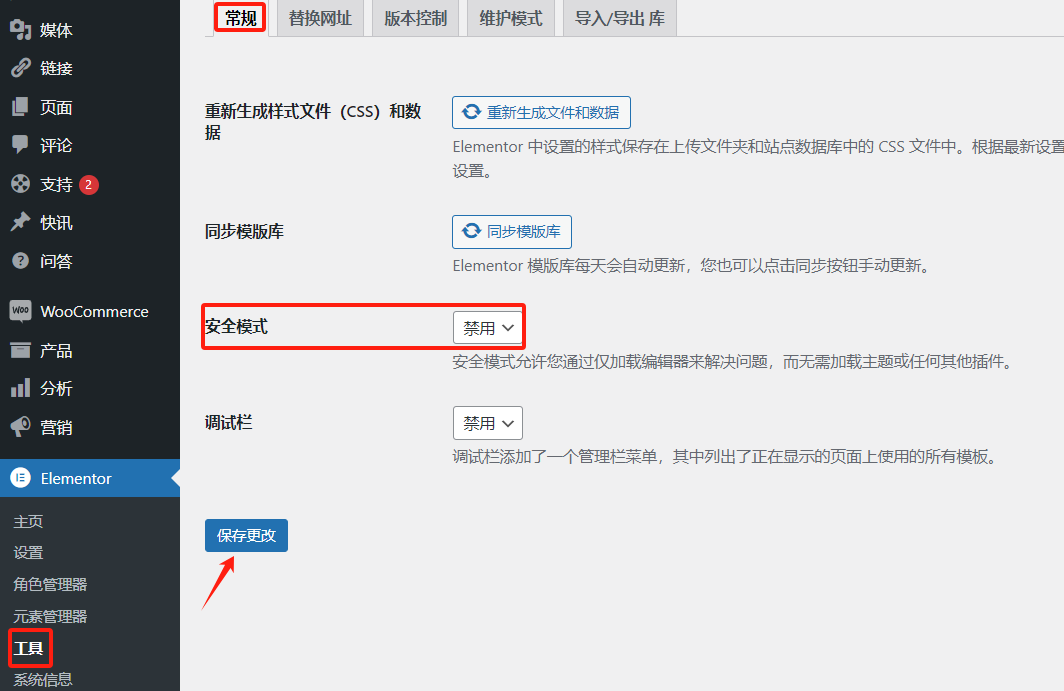
Advanced Debugging Tips for Elementor Display Errors
Elementor is a powerful WordPress page builder, but sometimes users may encounter display errors while using it. Solving these errors requires some advanced debugging skills. This article will introduce some effective debugging methods to help you quickly locate and resolve Elemento...
How to Customize Page Sorting in WordPress with Elementor Editor
By default, WordPress sorts the pages on the site alphabetically or by publish date. However, as the site grew in content, it became clear that this default sorting did not meet the expectations of the site's structure. Wanting pages to be sorted in a certain logical order, such as by content of...

Beginner's guide to WordPress and Elementor website building from scratch
Elementor is an amazing WordPress plugin that enables you to build beautiful custom pages without writing a single line of code. It provides a simple drag-and-drop interface and tons of design elements to help you quickly build professional-grade website pages.Elementor is divided into a free version...

Mastering Global Layout Settings in Elementor: A Detailed Guide
When building a WordPress site with Elementor, controlling global layout settings is critical to ensuring a consistent and visually appealing site. Global layout settings define the default appearance and layout of site pages, whether it's the width of content, the padding of containers, or the elements...

How to Use Elementor for Responsive Design and Optimization for WordPress Websites
Elementor builder can be for the tablet end and cell phone end separately for responsive debugging, can better meet the different devices user experience. Go to the page and use Elementor for visual editing Go to the Elementor frontend for visual editing: Click on the top black navigation...

Customizing WooCommerce Shopping Cart Pages with Elementor: The Ultimate Guide to Boosting Conversions
Customize WooCommerce shopping cart pages with Elementor to improve conversions and user experience with coupons, upsells, dynamic content, and more. Detailed tutorials, easy to follow, no code required.

Elementor Page Setup Features Explained
Elementor is a powerful page builder plugin that helps users easily create various pages, posts and templates. When using Elementor, click the gear icon in the bottom left corner to access the page setting functions. In this article, we will introduce these setting functions in detail to better li...

Adjusting Elementor's video aspect ratio: ensuring perfect display on every device
When building a website, video content can greatly enhance the user experience, especially through a visual editor like Elementor. However, aspect ratio settings are important when displaying videos on different devices. Whether you're embedding a YouTube video or uploading a local video, make sure the video is displayed on each...
How to Create Richly Structured and Beautifully Designed Mega Menus with Elementor
Super Menu is a tool that gives you the flexibility to create stylish, powerful menus that are perfect for adding more navigation options and visual elements to your website. If you're looking to add creativity and personality to your website's navigation system, Super Menu is an excellent choice. In this...
How to create a full-screen overlay menu in Elementor
Full-screen overlay menus are perfect for smaller sites with less page content, or can be used to hide and show more links to extend navigation. Using the PowerPack Advanced Menu Widget, you can easily create off-canvas and full-screen overlay menus in Elementor without...
A Complete Guide to Creating Sticky Videos with Elementor to Increase User Interaction and Video Views
On many news sites or content platforms, you may see a video that automatically appears in the bottom right corner of the screen. This video is called a "sticky video" because it automatically appears in the corner of the screen as the user scrolls down the page. By adding sticky video to your website, you can boost video...

Complete Guide to Customizing Individual Product Pages with Elementor WooCommerce Builder
The Elementor WooCommerce Builder offers great flexibility in WooCommerce website design, especially when it comes to customizing individual product pages and archive page templates. With this powerful builder, take full control over the layout and design of each page, ensuring that you...

How to Enhance Your Website Design with Custom CSS in Elementor: A Detailed Guide and Practical Approach
Custom CSS is one of the highlights of Elementor, allowing you to modify the appearance of your website beyond what is possible using the default Elementor settings. By adding custom CSS, you can change the fonts, colors, sizes, and layouts of different elements on your site. In this article, we will explore...

How to Create Custom Single Product Templates for WooCommerce Using Elementor
Elementor Pro allows you to create custom templates for various parts of your WordPress website, including individual product pages. Especially when using WooCommerce, personalized and unique product templates can be easily created with Elementor's visual editor without any coding...

How to Optimize and Customize Site Identity in Elementor: A Complete Guide from Title to Logo
In WordPress, a site identity typically includes a site title, tagline, logo, and site icon (Favicon). These basic elements form the core brand identity of a website. In Elementor, we can not only use WordPress Customizer to manage this...

What are the common problems and solutions for Elementor not loading etc?
Elementor is a visual page builder plugin designed for WordPress websites, which is like a super simple "building block" editor. It's like a super simple "building block" editor. It's easy to create beautiful web pages with drag and drop without writing complex code. The plugin offers ...

How to install and activate Elementor Pro
Elementor Pro is an extension for the free plugin Elementor Core. If you haven't downloaded Elementor Core yet, you can refer to the "Tutorial for Elementor Core (Core) Installation and Activation" for information on adding Elementor Pro to your WordPress site before the ph...
How to add a full-width slideshow in Elementor
Elementor makes it easy to add a full-width slideshow module, and this article will take you step-by-step through how to create a full-width slideshow in Elementor. Step 1: Install and activate the Elementor plugin If you don't have the Elementor plugin installed, you need to install and activate it first. Please...
How to Create Exit Intent Popups with Elementor Pro
Exit intent popups are an effective tool for guiding users to take action before leaving a website, such as subscribing to a newsletter, getting a discount offer or filling out a form. With Elementor Pro, it's easy to create such popups that display key information when users try to leave...
How to Add Age Verification Popup on WordPress Website with Elementor?
If the content of your website is not suitable for minors, then you can introduce an age verification popup. How to quickly add such a popup to your Elementor website is necessary to ensure that your visitors are properly taken care of. Follow the steps, it's easy to do! Why...

How to buy Elementor Pro cost-effectively and avoid the pitfalls smartly
With Elementor Pro, the process of building a website is as easy as playing with a jigsaw puzzle. So, how to save money on Elementor Pro and avoid stepping on the pitfalls at the same time? Here are some experiences summarized by our team using Elementor Pro to edit web pages; all are more practical and shared here...
5 Best Translation Plugins for Elementor Websites: A Detailed Guide
Elementor serves as a powerful WordPress page builder, however, the page builder alone is not enough to make a website available in multiple languages. A powerful translation plugin is required to achieve this goal. In this article, we'll dive into five of the best Elementor...
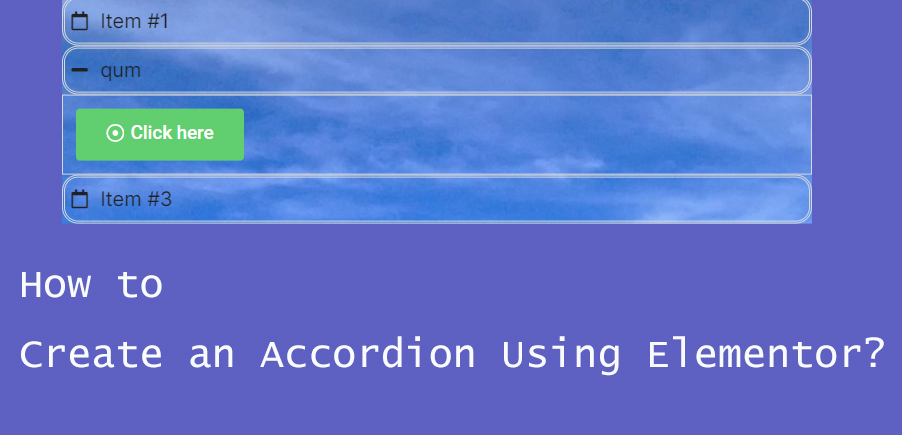
How to Create Accordion Widgets with Nested Elements in Elementor: The Ultimate Guide to Enhancing User Experience
To improve the user experience, web developers often use "Accordion widgets" (accordions) to organize content. Accordion widgets can be used to show and hide content in a hierarchical fashion, making the page look cleaner and improving the user interaction experience. With nested meta...
Elementor Font and Color Settings Explained: How to Optimize Your Website Design with Global Styles and Custom CSS
In this post, we explore how to set fonts and colors with Elementor to ensure that your website maintains a consistent style while retaining flexibility for the sections that need it. Default Settings for Elementor Fonts and Colors In Elementor, you can enable or disable...

 简体中文
简体中文  English
  日本語
日本語  Français
  Español



