



WordPress Page 76
arrange in order
How to Fix Featured Images Not Displaying in WordPress
Featured images give visitors a glimpse of what's in your blog posts and pages. If these images are not appearing on your site, it can affect click-through rates. This article will show you how to fix featured images that are not appearing in WordPress so that your content gets more clicks and engagement. ...

403 Error Codes Explained: Why Your Web Page is Denied Access
Web page suddenly shows 403 Forbidden? This article teaches you how to quickly find out the cause, fix permission issues and get your website accessible again.
How to Password Protect Parts of a WordPress Post
Today! Let's look at the most specific way to password protect a portion of a public WordPress post. To set this up, you can use the free Passster plugin available on WordPress.org. After installing and activating the plugin, go to Settings → Passster Generate for...
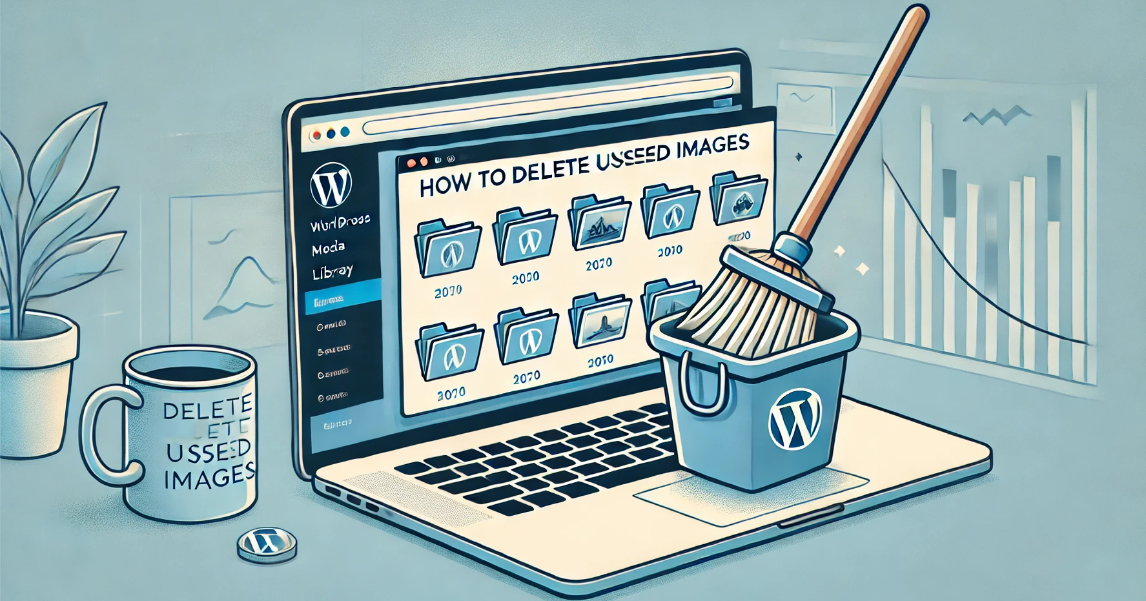
How to delete unused WordPress media: detailed tutorial
Deleting media files that are no longer in use is an effective solution during the operation of a WordPress website when the host's disk space starts to fill up but we don't intend to upgrade the hosting package for the time being. In this article, we will explain how to delete unused WordPress manually or through a plugin...

How to create a WordPress lightbox without a plugin: a detailed tutorial
WordPress has been able to create lightbox effects without relying on third-party plugins since version 6.5. This feature has been integrated into the WordPress core, especially for those who use the WordPress block editor (Gutenberg). Therefore, adding images and enabling lightbox effects for them is now...
How to Fix 413 Request Entity Too Large Error in WordPress
What causes the WordPress 413 Request Entity Too Large error? This error occurs when an attempt to upload a file exceeds the maximum file upload limit for a WordPress site. The web server will not be able to upload the file and will see the "413 Request Entity Too Large" error...
How to Create WordPress Subblock Themes Using Plugins
The case we used inside the previous post was a classic theme, this tutorial uses a block theme to create it. If using a block theme, then WordPress provides an easy way to create a child theme using the Create Block Theme plugin. First, you need to install and activate WordPre...

Gutenberg 17.8 Updated Grid Layout and Allows Exporting Multiple Templates at Once
Gutenberg version 17.8 focuses mainly on stability improvements and bug fixes, as many developers are busy preparing for the upcoming WordPress 6.5 release. However, this version also introduces some new features! Remember, WordPress 6.5 is still in beta right now and G...

What does rel="noopener" mean in WordPress?
rel='noopener' is an HTML attribute that is used when you add a link in WordPress and want it to open in a new browser tab. It is also usually used in conjunction with the rel='noreferrer' attribute.WordPress introduced these two features mainly...

How to add two-factor authentication in WordPress
Why Add Two Factor Authentication to WordPress? One of the easiest ways to protect your WordPress site from password theft is to add two-factor authentication (2FA). With this setup, a password and secondary code (from an app, email, or short...
How to Fix Syntax Errors in WordPress
I've seen a lot of WordPress tutorials online that require you to add code snippets to your website. However, a small mistake in adding a code snippet can cause the entire site to crash, especially for newbies. If you try a new action on a WordPress site and receive the following error "...

A Comprehensive Guide to Improving WordPress Website Security
A content management system (CMS) is a software application that helps users build, manage, and customize websites without having to write their own code.WordPress is one of the most popular content management systems in the world, making it a high-value target for cyberattackers. WordPress ...

How to move the WordPress admin bar to the footer: a detailed tutorial
WordPress by default displays the admin bar at the top of the screen, and this bar helps you quickly access WordPress backend functions. However, some users may find the location of the admin bar a bit obtrusive and want to move it, especially to change its appearance and location. In this tutorial, through WP...
How to Fix WordPress Admin Ajax 400 (Bad Request) Error
Learn how to fix Admin Ajax 400 (Bad Request) error in WordPress. This article will cover the common causes of this error, such as invalid URLs, browser caching, plugin conflicts, etc., and provide solutions that will help you get your site back to functionality quickly.

The Best Way to Customize Your WordPress Dashboard: 5 Practical Tips to Enhance Your Experience
Learn how to customize your WordPress dashboard with code and plugins. From removing unnecessary widgets to adding shortcut menus and personalizing your login page, this guide provides the 5 best ways to help you optimize your WordPress backend experience.

How to Use WebP Images on WordPress
What is the WebP image format? WebP is a raster image format developed by Google and made available to the public.The WebP format allows you to compress an image while maintaining image quality, and supports transparency and animation (similar to GIF). Google believes that WebP is more efficient than transmitting...

WordPress Multi-Domain and Sub-Domain Differences: Detailed Analysis
WordPress users often encounter the problem of choosing between multiple domains and subdomains. Understanding the difference between them and the applicable scenarios is important to effectively manage your website and optimize user experience. In this article, we will analyze the differences between WordPress multidomain and subdomain in detail to help you make a more...
How to Get Google Additional Links for WordPress Websites
Learn how optimizing your site structure, submitting a sitemap, using structured data, and internal linking strategies can help make your WordPress site more likely to get additional links from Google, boosting click-through rates and brand exposure.

Why Adding a Syntax Checker Tool to Your WordPress Website is a Smart Choice
Grammar and spelling mistakes are inevitable when writing blog posts or website content, and even the most experienced writers make mistakes. To help you ensure that your content is professional and readable, using an online grammar checker tool is a smart choice. In this article, we'll go over the details of the tools that apply to...

How to Create, Manage and Optimize Menus in WordPress: A Detailed How-to Guide
Creating menus is a WordPress feature. It is possible to use your theme to display menus. Let's go down the list together! Creating a menu In these order: 1. Log in to the WordPress dashboard. 2. Go to Appearance > Menus. Display the Menu page. 3.Enter a menu name...
How to Password Protect WordPress Post Categories
Entire categories can be password protected. The benefit of this method is that it makes it easier to add password protection to multiple pieces of content, and it's also simpler for site visitors because they only have to enter the password once to unlock all the content in that category. However, to set...

A Guide to Using Pseudo Tags to Improve WordPress Website Performance and SEO
Issues When using the Tabs element, you may encounter performance issues if you add a large number of elements (such as the Loop Grid or Loop Carousel elements) or many elements (such as creating almost the entire page's content in each tab). These issues include: Front-end sex...

WordPress comment cleanup method: two ways to delete spam and comments
Posting comments on your website is a great way to get visitors to engage, but unfortunately, it also provides hackers with a way to send spam and malicious content to your website. If you are building a website with WordPress and want to remove these unwanted comments, this article focuses on showing how...
WordPress Multisite vs. Multidomain: How to choose the best way to manage it?
In many business scenarios, one website may not be enough to fulfill all the needs of a client. For example, when there are multiple brands, selling customized products for different regions, running a chain of organizations, or managing a network of blogs, there may be a need for multiple related websites. At this point, how to effectively manage this...
How to Choose and Use the Best Plugins to Accelerate Your WordPress Website
WordPress is the world's most popular Content Management System (CMS), offering users unparalleled flexibility and ease of use. However, when it comes to website page loading speed, how to speed up your WordPress website by choosing and using the best plugins would be what you need to...

Create Mobile-Friendly WordPress Sites Without Plugins
With internet users around the world increasingly relying on mobile devices to access the web, it has become an essential task to ensure that your WordPress website runs smoothly on all screen sizes. While there are many plugins on the market that can help achieve this goal, these plugins usually increase web...

A Comprehensive Analysis of the WordPress Dashboard: A Guide to Management, Customization, and Optimization
This guide takes a step-by-step look at all aspects of the WordPress dashboard, offering tips and insights along the way. How to Access the WordPress Admin Dashboard Accessing the WordPress Admin Dashboard is the first step in managing your website. WordPress login page: open your web...

Beginner's Guide: Building Your Website for Free with WordPress
WordPress can provide you with all the tools you need to help you build and manage your website with ease. Whether you want to create a blog, showcase a portfolio, or open an online store, WordPress has your back, and most of its features are free. The first ...
How to Create and Optimize Recipe Cards in WordPress with the WP Tasty Recipes Plugin
What are recipe cards? Why should you use them? Recipe cards are an extremely useful tool in the culinary world. They provide the ingredients and instructions for cooking a specific dish, helping chefs to create a delicious meal. Recipe cards are usually in a structured format and contain the following sections: dish...
How to Fix Password Reset Key Error in WordPress
I don't know if you have ever encountered the "Unable to save password reset key to database" error in WordPress. We have found that this error usually occurs when trying to log in to a WordPress site and it can lock the administrator out of the site, making it impossible for the administrator to...

 简体中文
简体中文  English
  日本語
日本語  Français
  Español



