



WP Theme Decoration Page 3
arrange in order

WoodMart Theme Complete Getting Started Tutorial: A Guide from Installation to Initial Configuration
Comprehensive explanation of WoodMart theme installation, plugin configuration, demo import and basic settings, to help newbies quickly build a full-featured WooCommerce mall site.

WoodMart Product Filter Setup Tutorial: A Complete Guide to Price, Brand and Attribute Filtering
Comprehensive explanation on how to set up product filters in WoodMart theme, including price slider, brand list and attribute filters such as color, size, etc. to enhance the efficiency of mall browsing.

Complete Guide to Setting Up WoodMart Product Comparison and Collection Features
Using WoodMart to build an e-commerce site? This article teaches you to fully open the product comparison and collection features, no plugin to quickly complete the configuration.

Complete setup of WoodMart header layout and navigation menu
The tutorial explains the WoodMart theme header layout and navigation menu setup process, build a professional navigation structure suitable for e-commerce websites from scratch.

A complete tutorial on building branded display and filter pages with WoodMart
Detailed information on how to use WoodMart to build brand display pages, set up brand filtering functions, and bind brands to products to achieve a clear layout of brand categorization.

Complete method for inserting GA and Facebook Pixel in WoodMart
Introduces several ways to insert Google Analytics and Facebook Pixel in WoodMart, suitable for different levels of users, including plugin and theme configuration methods.
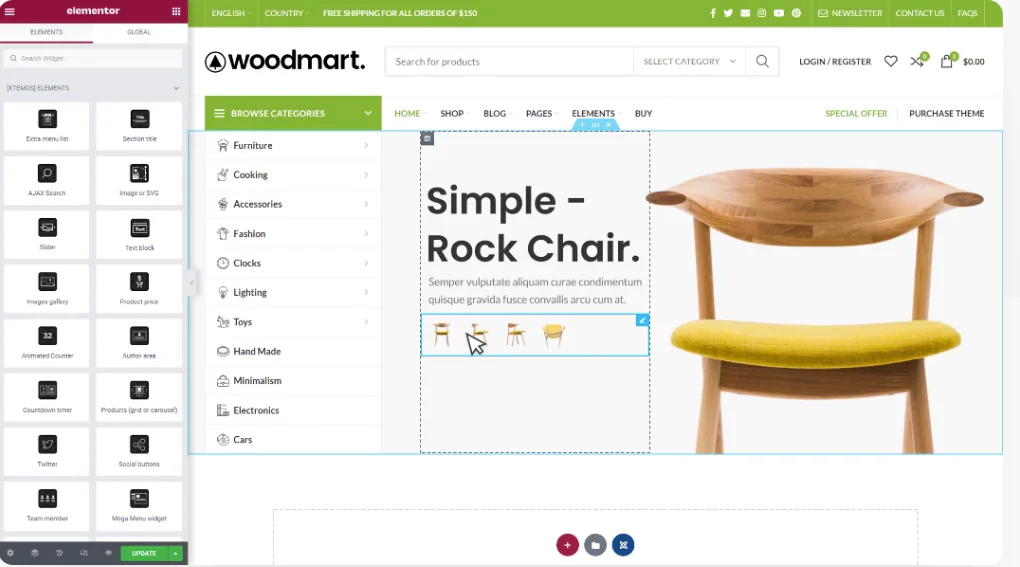
WoodMart and Elementor Tutorials for Building High Converting Landing Pages
The full tutorial teaches you how to use WoodMart with Elementor to build high converting landing pages, including structure building, component layout and publishing settings and other hands-on steps.

WoodMart Product Countdown Setting Tutorial
Use WoodMart to enable countdown promotions for specific products, quickly set up a limited time rush page, and improve the efficiency of product transactions.
WoodMart Configuration WPML Multilingual Complete Tutorial
Detailed explanation of the complete process and setup techniques to enable WPML plugin in WoodMart theme to realize multilingual e-commerce website.

Product Quick View pop-ups with WoodMart
Explains the complete steps to enable Quick View feature in WoodMart theme, including button settings, popup content adjustment and mobile optimization methods.

WoodMart Home Page Slideshow Setting and Loading Speed Optimization
Teach you to set up homepage slideshow rotating images in WoodMart, combined with image compression, lazy loading and other techniques to easily achieve a balance between visual and speed.

WoodMart brand display block settings and style optimization
Teaches you how to set up branded display blocks with WoodMart and CSS, supporting responsive layouts, logo hover effects, and adapting to Elementor page builds.

Complete Guide to Customizing Styles in WoodMart Child Themes
Learn to customize site styles with the WoodMart child theme, from style editing to feature extensions, create your own WordPress look with ease!

Automatically Optimize WoodMart Product Page SEO with Rank Math
This tutorial explains how to automate the SEO optimization of WoodMart product pages with the Rank Math plugin to improve the traffic and efficiency of your e-commerce website.
WoodMart Responsive Mobile Menu & Header Navigation Explained
A complete explanation of how to set up mobile menus and header navigation in WoodMart theme, covering menu creation, styling and responsive structure configuration.

Quickly Import WoodMart Demo Site Full Tutorial
Teach you how to quickly import WoodMart pre-built demo site in WordPress, a few steps to complete the theme installation, template import and initial configuration.

WoodMart Theme Setup AJAX Product Filter Tutorial
Teach you to set up AJAX product filtering in WoodMart theme, configure attributes, sidebar and mobile filtering, quickly improve the usefulness and professionalism of e-commerce pages.

WoodMart Tutorial: Creating a Lookbook with a Showcase Page
Create a lookbook page with WoodMart, combining hot images, product links and mobile optimization to achieve a high-end brand visual display and increase conversion rates.

Blocksy Pro Content Blocks Explained: A Key Tool to Improve WordPress Website Flexibility
Take a deep dive into Blocksy Pro's Content Blocks feature and learn how to quickly create bulletin boards, promotional banners, and custom content modules without code for precise placement, optimized experience, and increased site flexibility.

Increase Conversions by Adding Subscription Popups with WoodMart
Learn to add pop-up subscription forms with WoodMart's own features or plugins to easily entice visitors to leave their emails and grow user conversions.

WoodMart Multi-Attribute Product Setting and Color Image Switching Tutorial
The tutorial describes how to set up multi-attribute products in WoodMart theme and enable color and image switching to enhance the product display.

WoodMart product details page customization tutorial: layout and template full analysis
Comprehensive introduction to how to use WoodMart theme to customize product detail pages, including layout switching, custom templates with advanced component combination display methods.

WoodMart's Guide to Optimizing the Shopping Cart and Checkout Processes
Master WoodMart shopping cart and checkout page optimization techniques to streamline the process layout, enhance the mobile experience, and effectively improve the conversion rate of e-commerce websites.

WoodMart Theme Color and Font Styles Setting Guide
Learn how to set theme colors and font styles with WoodMart to easily create an e-commerce website design that matches your brand's tone.

Free Elementor Templates with Which Theme is the Most Stable?Astra, Hello, Kadence Comparison
Learn the pros and cons of free Elementor templates paired with Astra, Hello and Kadence themes to help you choose the most stable theme to improve your website performance and user experience.
Elementor Hello Theme Template Installation and Configuration Full Tutorial
Teach you how to install and configure Elementor's Hello Blog template, quickly build a clean and beautiful WordPress blog page, suitable for newbies.
How to Show Company History in WordPress with Avada Timeline?
Use the Avada visual editor to easily create beautiful and responsive company timeline pages in WordPress, showcasing your organization's history and core milestones.

How to set up social sharing buttons and links for WoodMart? Optimize User Experience and Interaction
Learn how to set up social sharing buttons and links in the WoodMart theme for WordPress to enhance user experience and increase site interaction and exposure.

Customizing WoodMart Login Registration Popup Styles Tutorial
Learn how to customize the WoodMart theme login registration popup style by adjusting the colors, buttons, input boxes and fonts to create a more unified visual effect.

How to build a two-column timeline layout with Avada
Use Avada Builder to build a two-column timeline to easily display the parallel progress of two projects or departments. Ideal for project management, course planning, corporate publishing, and other scenarios to improve page visualization and readability.

 简体中文
简体中文  English
  日本語
日本語  Français
  Español



