





The sidebar is a very important component in website design. Not only does it display additional information, but it can also help guide visitors to specific actions that enhance the e-commerce experience, such as adding features like filters.Blocksy thematic Makes managing the sidebar easier, and the Blocksy Pro Provides more functionality and supports the creation of multiple customa side-bar (in software)and assign them to different parts of the site. In this article, we'll explain how to create a new section in the Blocksy Theme Enable, manage, and optimize the sidebar in the middle, and show the Blocksy Pro of multiple sidebar extensions.
![Image [1] - How to Manage and Optimize Sidebars in Blocksy Theme](https://www.361sale.com/wp-content/uploads/2025/04/20250426142311172-image.png)
Enable Sidebar
exist Blocksy thematic It's very easy to enable the sidebar. First, go to the customizer hit the nail on the head Page SetupThe sidebar can be enabled for standard pages that have been created. You can choose to place the sidebar on the left or right side of the page.single article The page also has the same layout options, and users can choose to have the sidebar displayed on the left or right side.
![Image [2] - How to Manage and Optimize Sidebars in Blocksy Theme](https://www.361sale.com/wp-content/uploads/2025/04/20250426142618855-image.png)
with regards to Post Archive PageThe sidebar options are located in the Blog Posts The bottom of the settings. Unlike standard pages, post archive pages do not support regular or narrow layouts, but it is still possible to enable sidebars and choose where to display them.
with regards to WooCommerce web pageThe individual product pages have the same sidebar layout options as the standard pages.
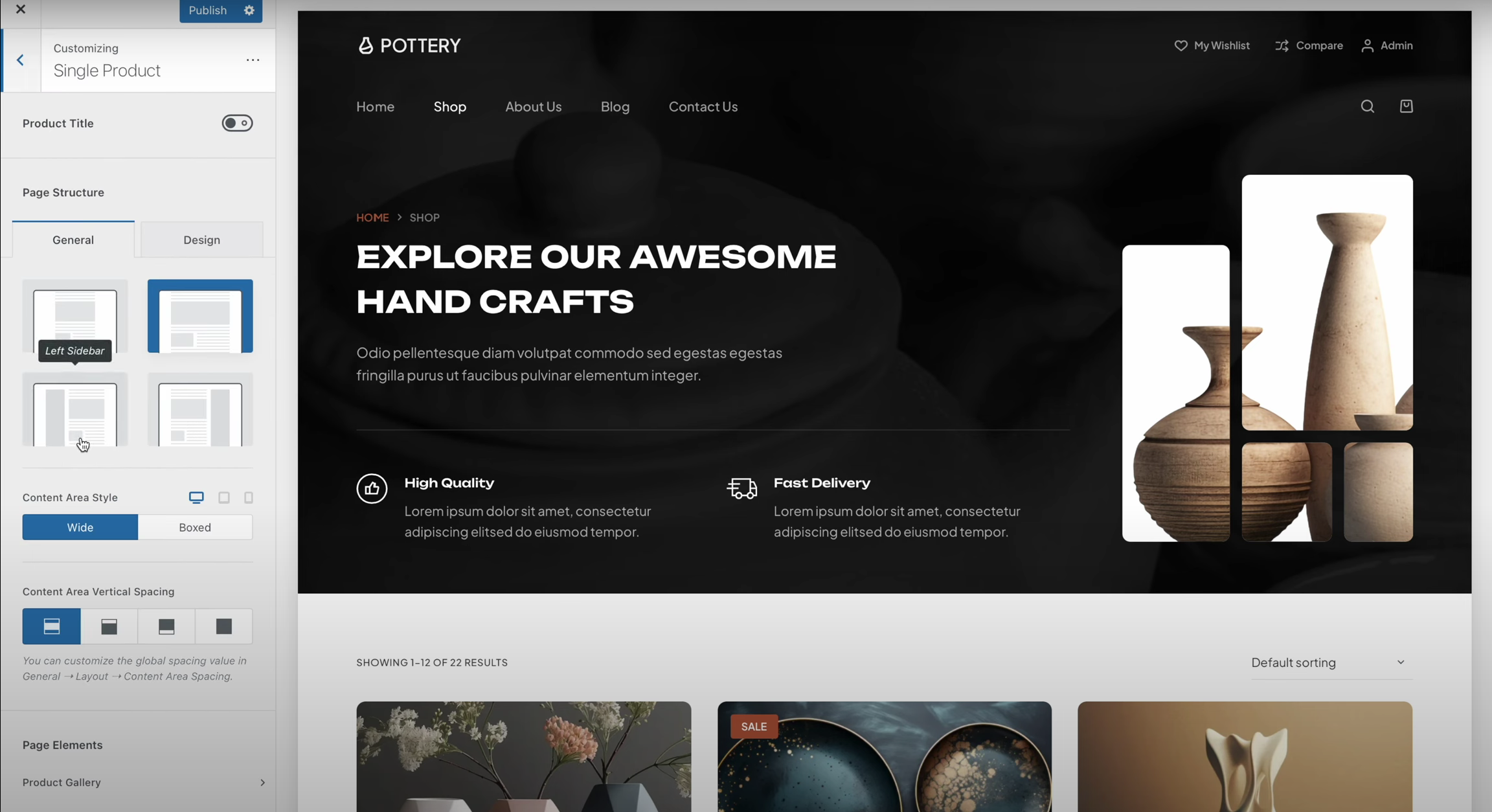
(indicates contrast) WooCommerce Product archive page then it shares the same sidebar display options as the post archive page.
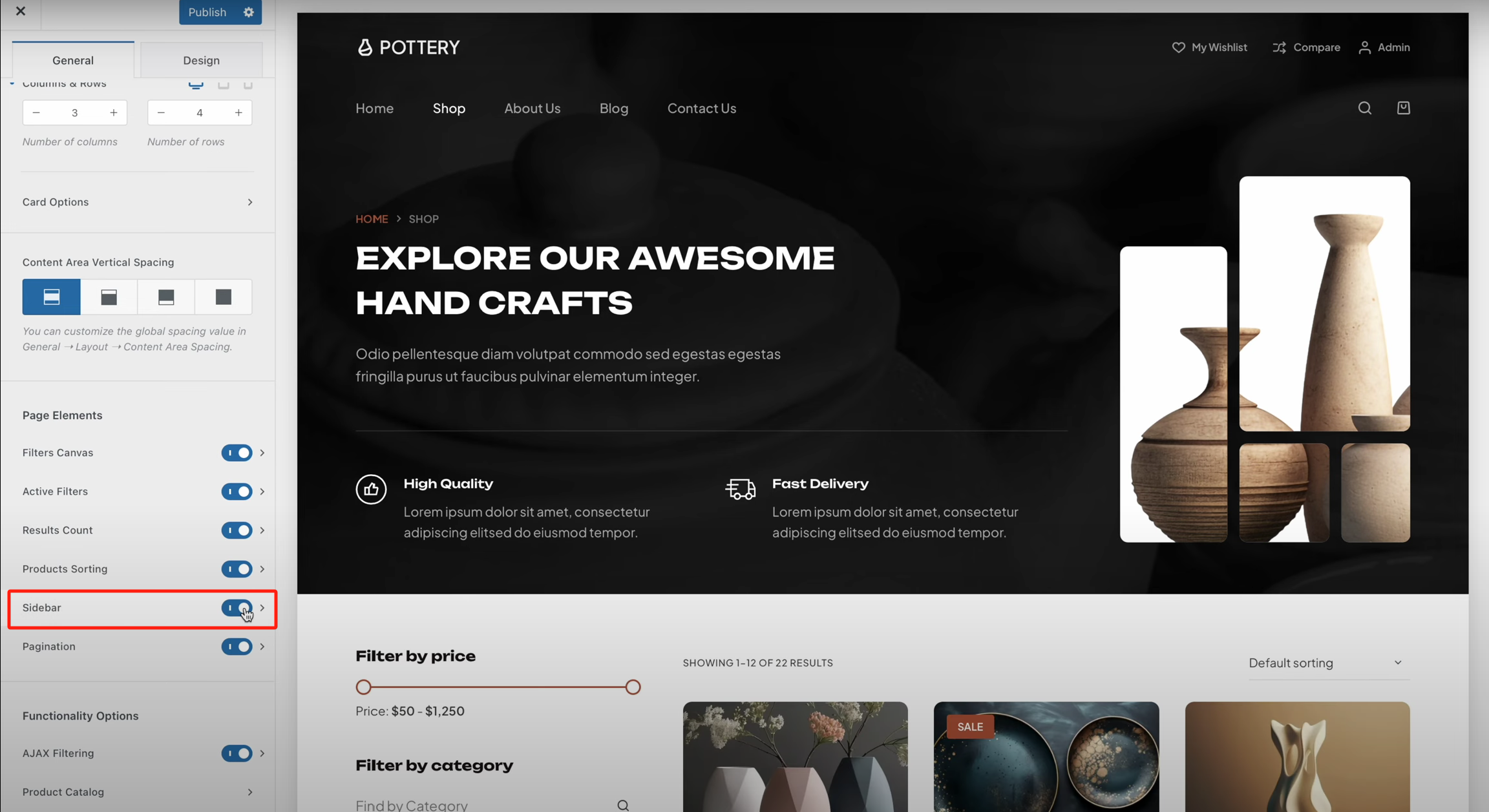
Customize the appearance of the sidebar
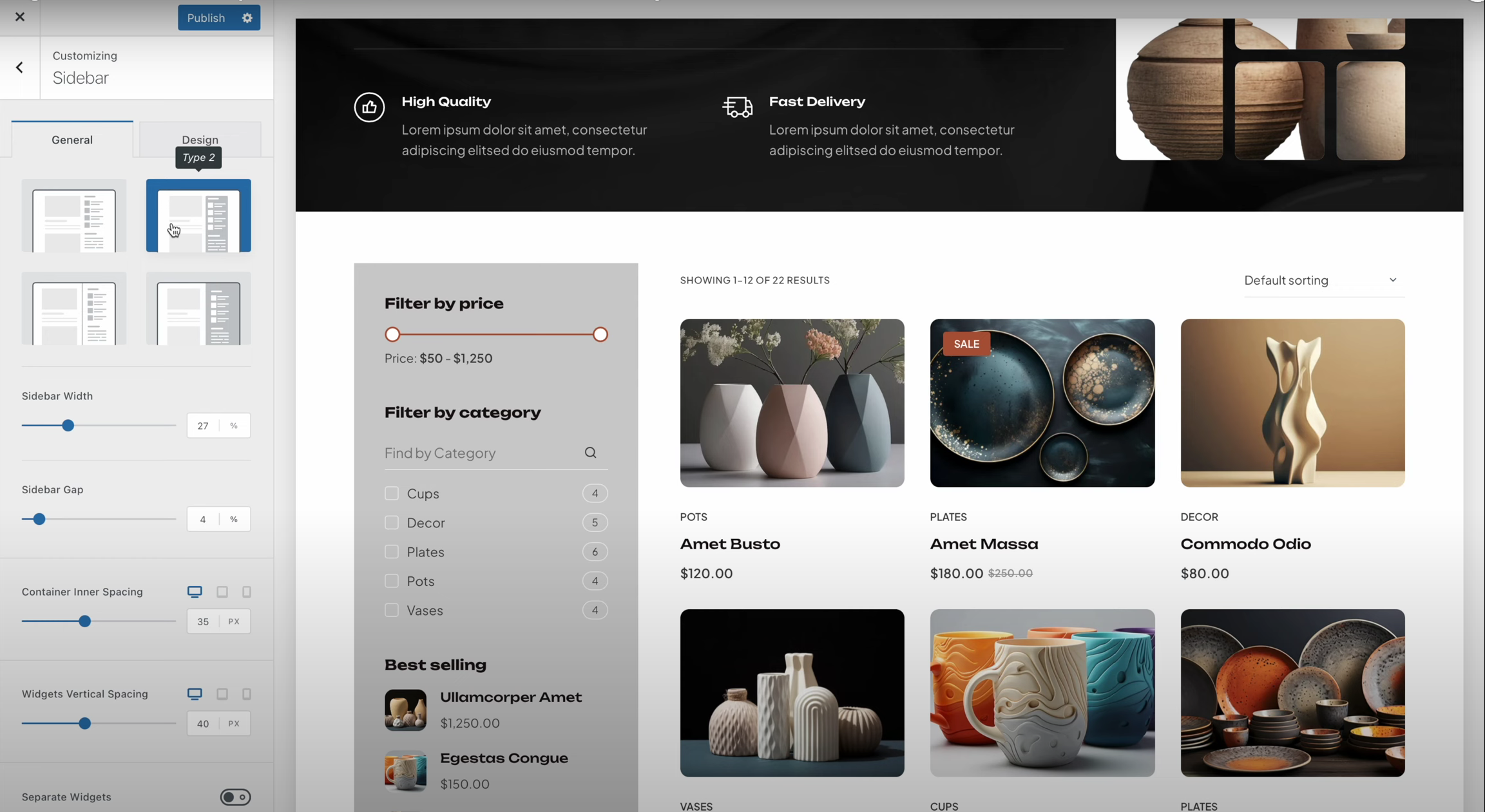
Blocksy thematic Four design styles are provided to optimize the sidebar appearance:
- classic design: Displays widgets by default for most sites.
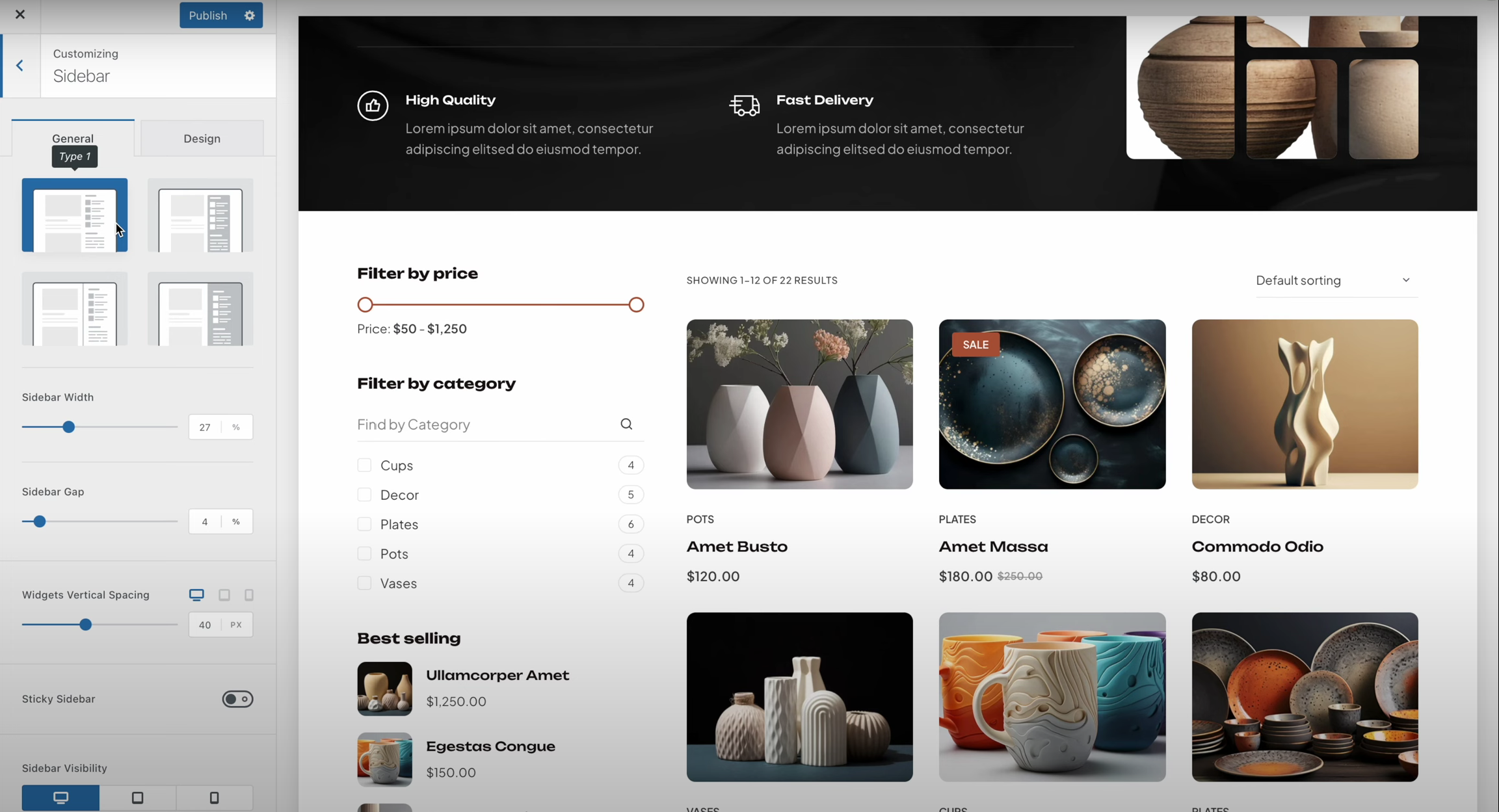
- Container design: Place the sidebar in a container with a background color to distinguish it from the page content.
- Divider design: by separating thea side-bar (in software)Distinguish it from the main content and make the page look neater.
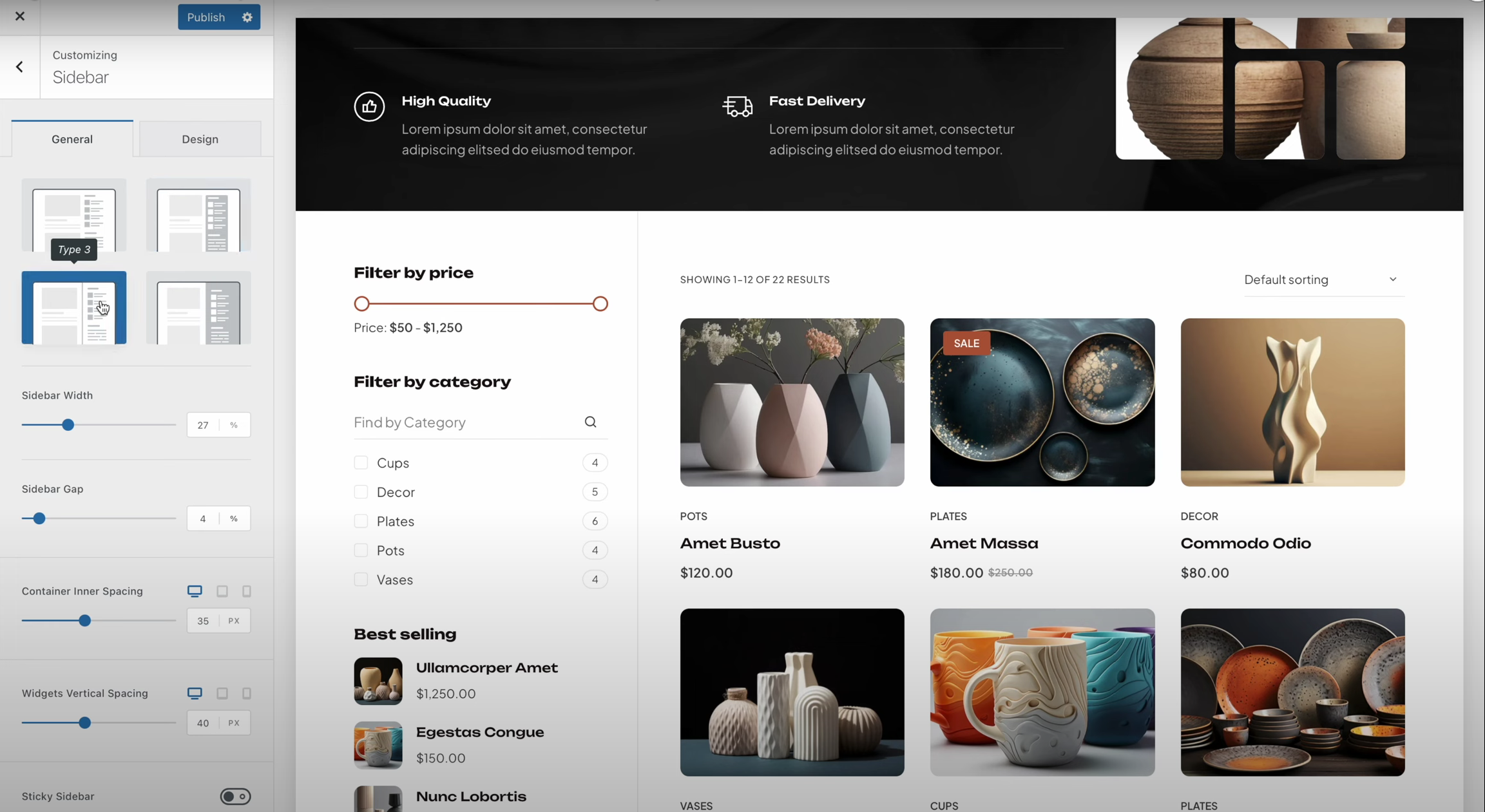
- Full background design: Apply a background color to the side of the page where the sidebar is located to create a unique visual effect.

Control sidebar layout and spacing
Blocksy Theme Allows the user to adjust the width of the sidebar, which can be expressed as a percentage, to control the width of the page occupied by the sidebar. In addition, the user can adjust the Sidebar Gap, i.e. the spacing between the content and the sidebar, ensures that the page looks neater and more organized.

Additionally, the vertical spacing between widgets can be adjusted to avoid overly compact elements and improve the readability of the page.
Fixed sidebar function
For users who wish to always display the contents of the sidebar, theBlocksy Pro offers Fixed sidebar function. With this feature, the sidebar can be fixed in the browser viewport, ensuring that it is always visible and suitable for displaying important information or navigation items.

Device visibility settings
Blocksy Theme A sidebar is also provided for the Device visibility settings, you can choose on which devices to display the sidebar.
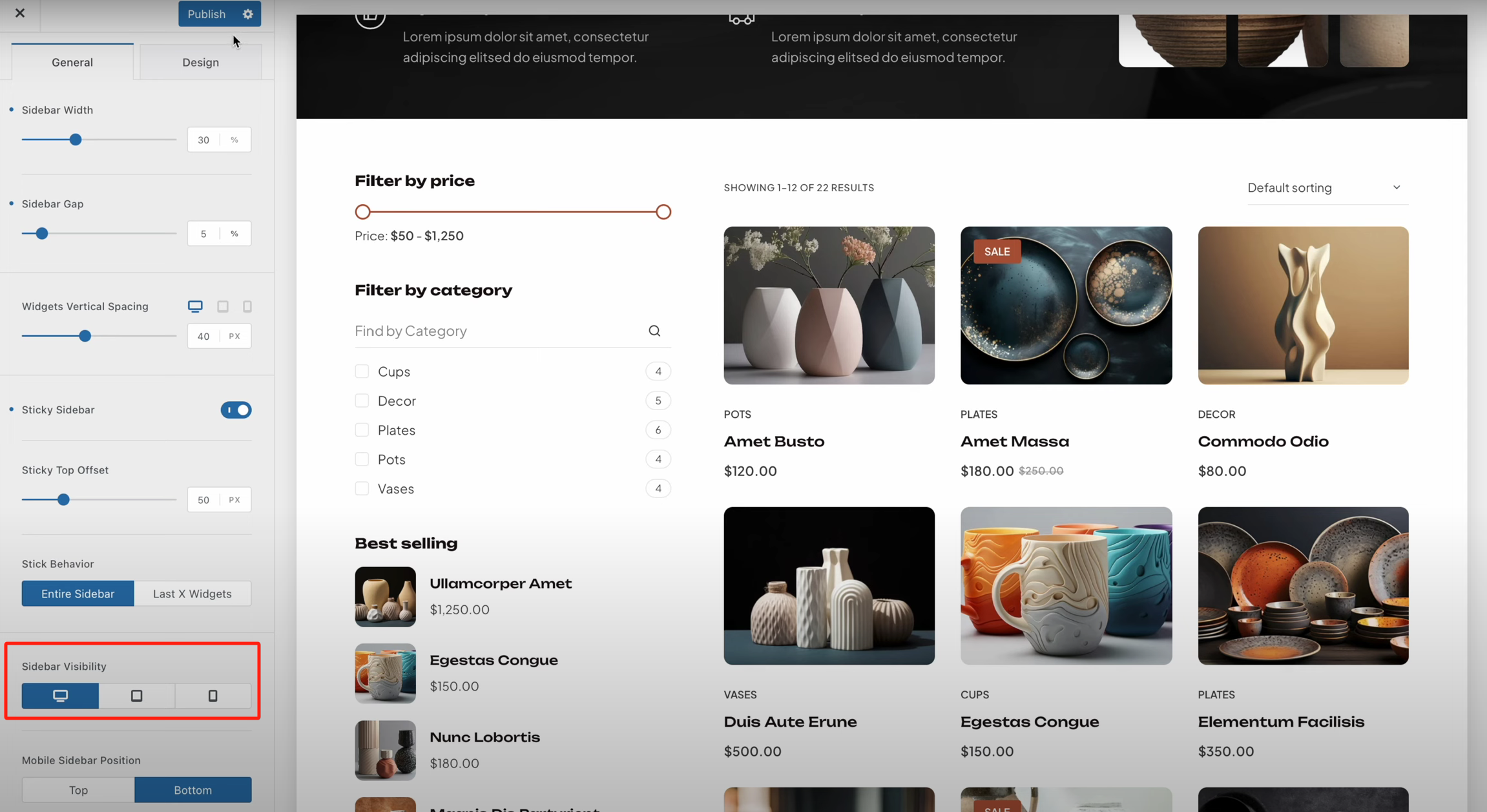
If you choose to display the sidebar on mobile devices, you can also set where the sidebar is displayed, such as whether it is before, after, or elsewhere in the page content.

Multiple Sidebar Extensions (Blocksy Pro)
exist Blocksy Pro The user can enable the Multiple Sidebar Extensions. This feature allows creating multiple custom sidebars for a website and assigning them to specific pages.
- Enabling Extended Functions: Enter Blocksy panel, select extensionsEnable Multiple sidebars Expansion.

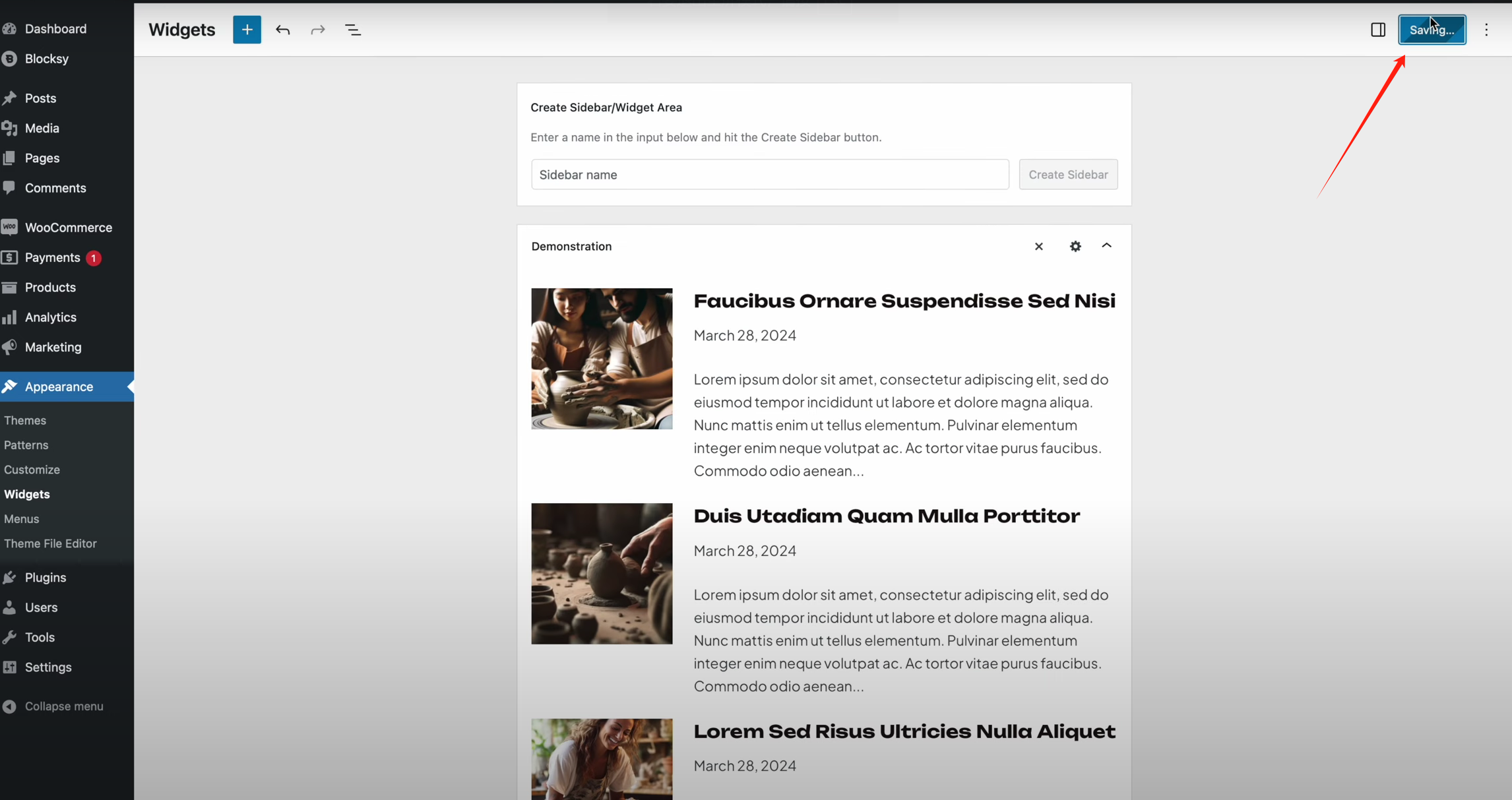
- Create custom widget area: in exterior condition > widgets page, click Create a new widget area and name it. Then, add the desired widgets.
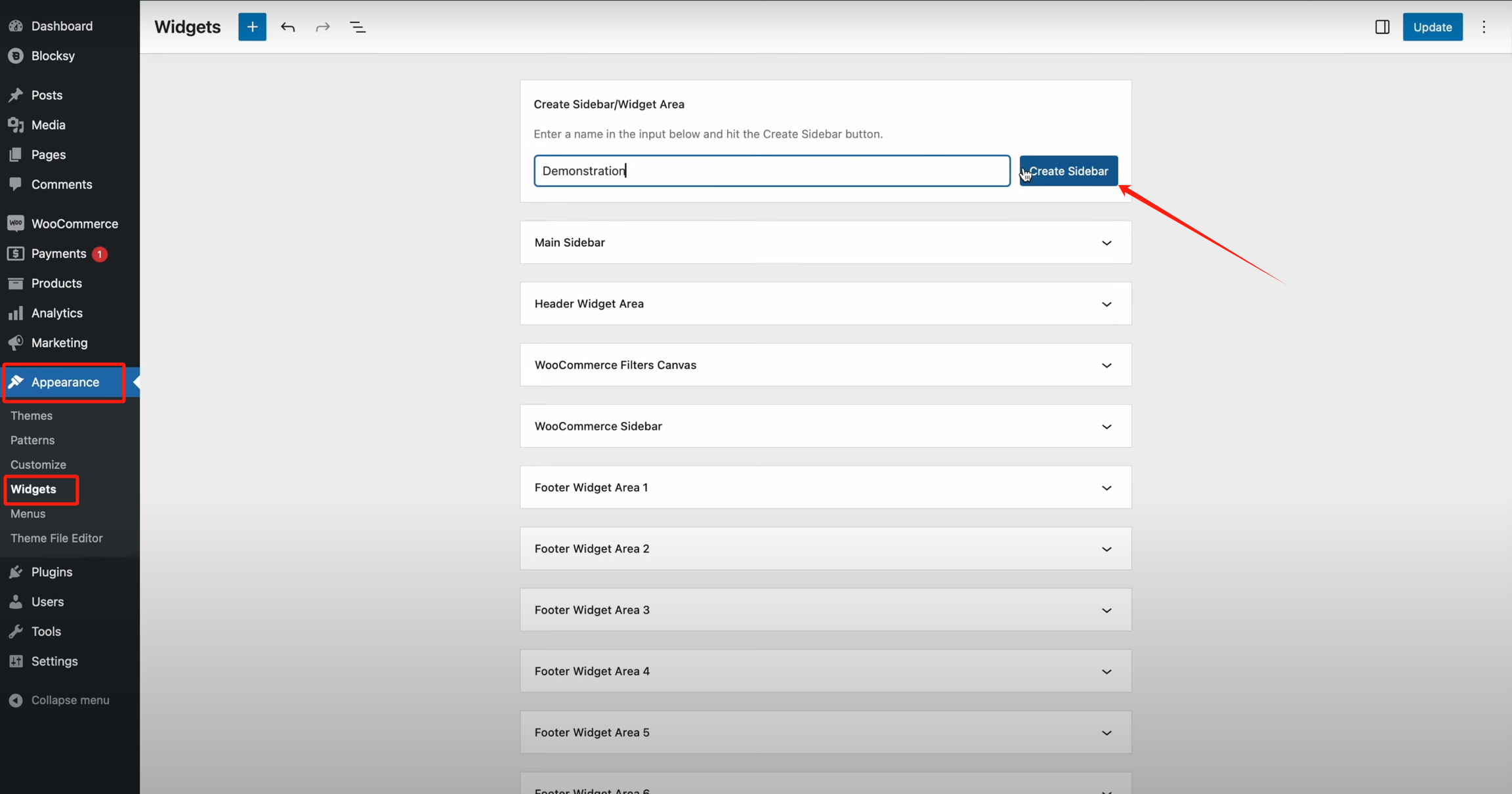
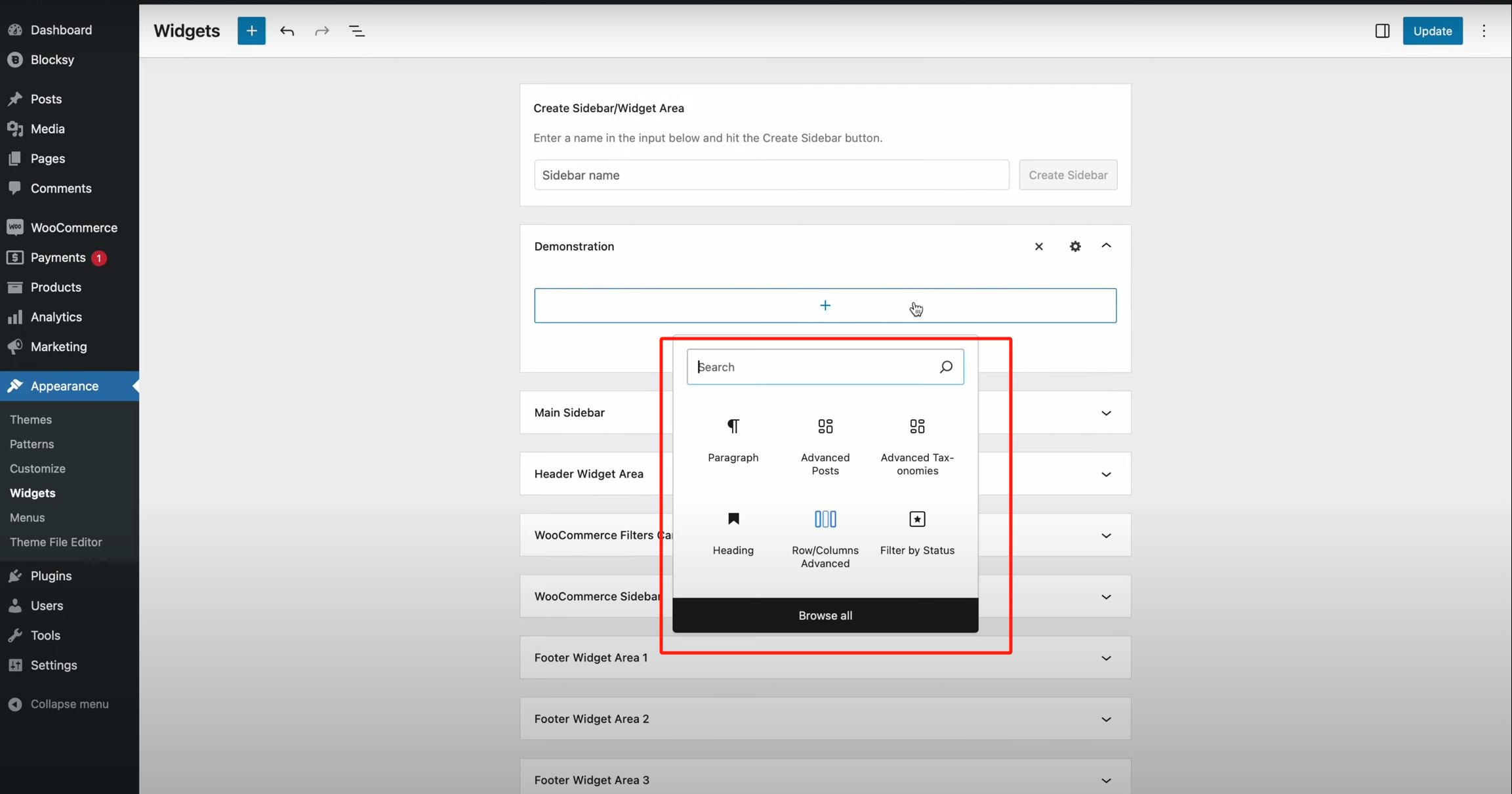
- Assigning Sidebars to Pages: After creating the sidebar, click on the gear icon to enter the Condition Manager, choose which pages the sidebar is applied to, and the user can select the entire site or specific pages.


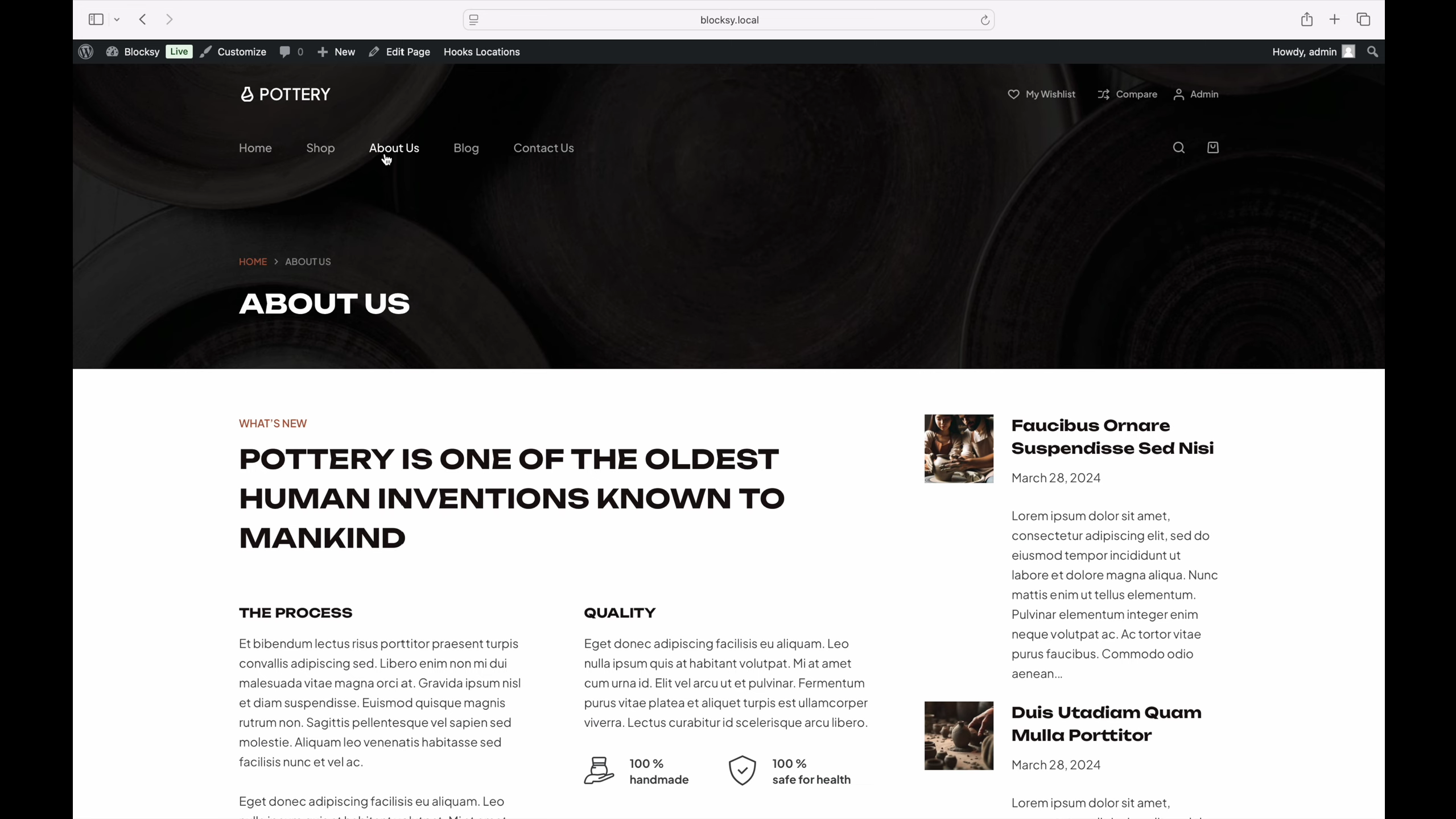
- View Results: After saving the settings, refresh the site to see that the newly created sidebar has been successfully applied to the selected page.
summarize
Blocksy thematic Powerful sidebar management features are provided, whether it's a simple sidebar layout, or through the Blocksy Pro Creating multiple customized sidebars, users can all adjust the page design as needed. With flexible layout settings, visual styles and device visibility controls, users can create the ideal web page layout to enhance the functionality and interactivity of their website.
Recent Updates

Link to this article:https://www.361sale.com/en/52271The article is copyrighted and must be reproduced with attribution.



















![Emoji[wozuimei]-Photonflux.com | Professional WordPress repair service, worldwide, rapid response](https://www.361sale.com/wp-content/themes/zibll/img/smilies/wozuimei.gif)

![Emoticon[baoquan] - Photon Wave Network | Professional WordPress Repair Services, Worldwide Coverage, Rapid Response](https://www.361sale.com/wp-content/themes/zibll/img/smilies/baoquan.gif)


 简体中文
简体中文  English
  日本語
日本語  Français
  Español


No comments