





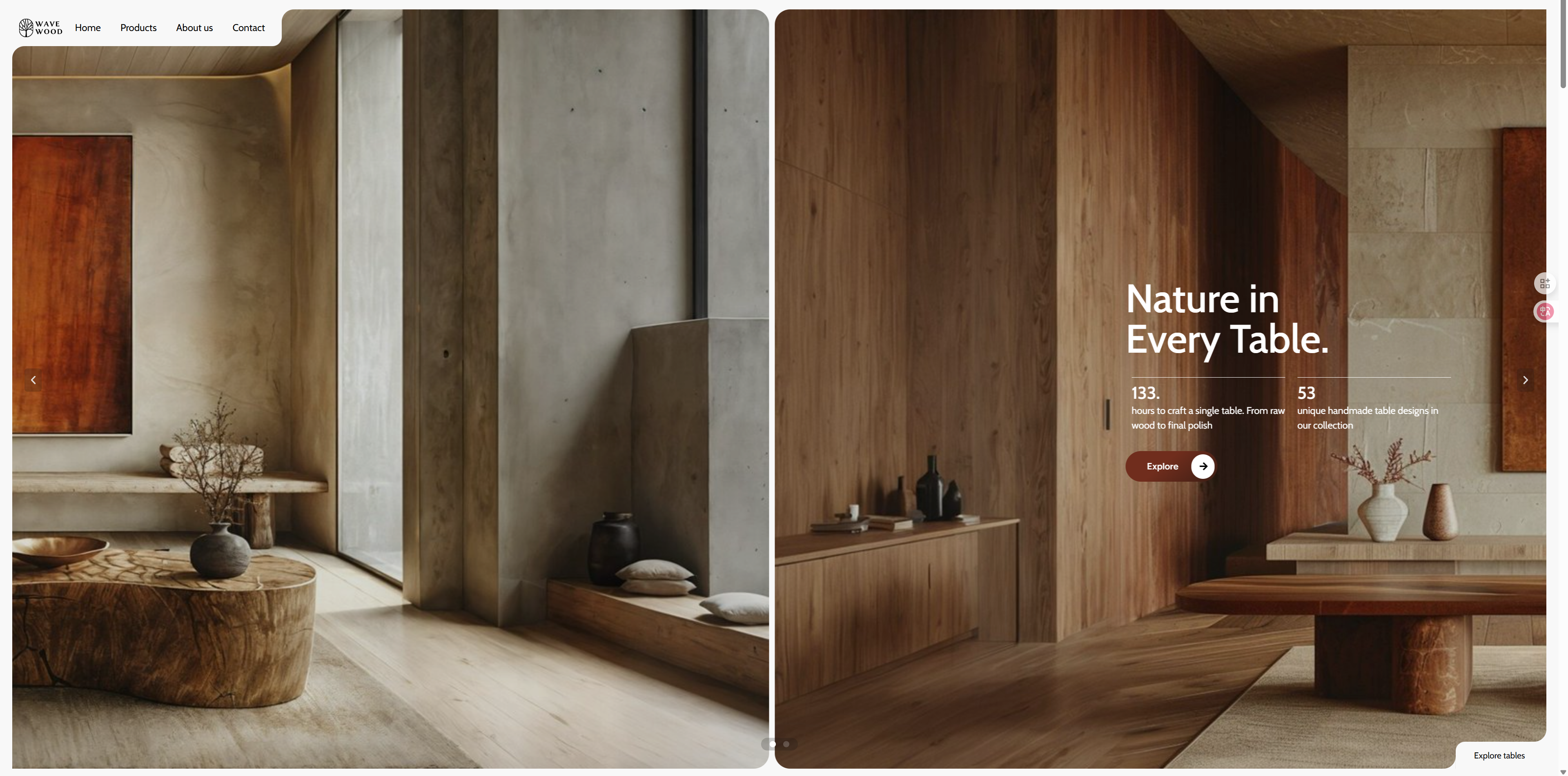
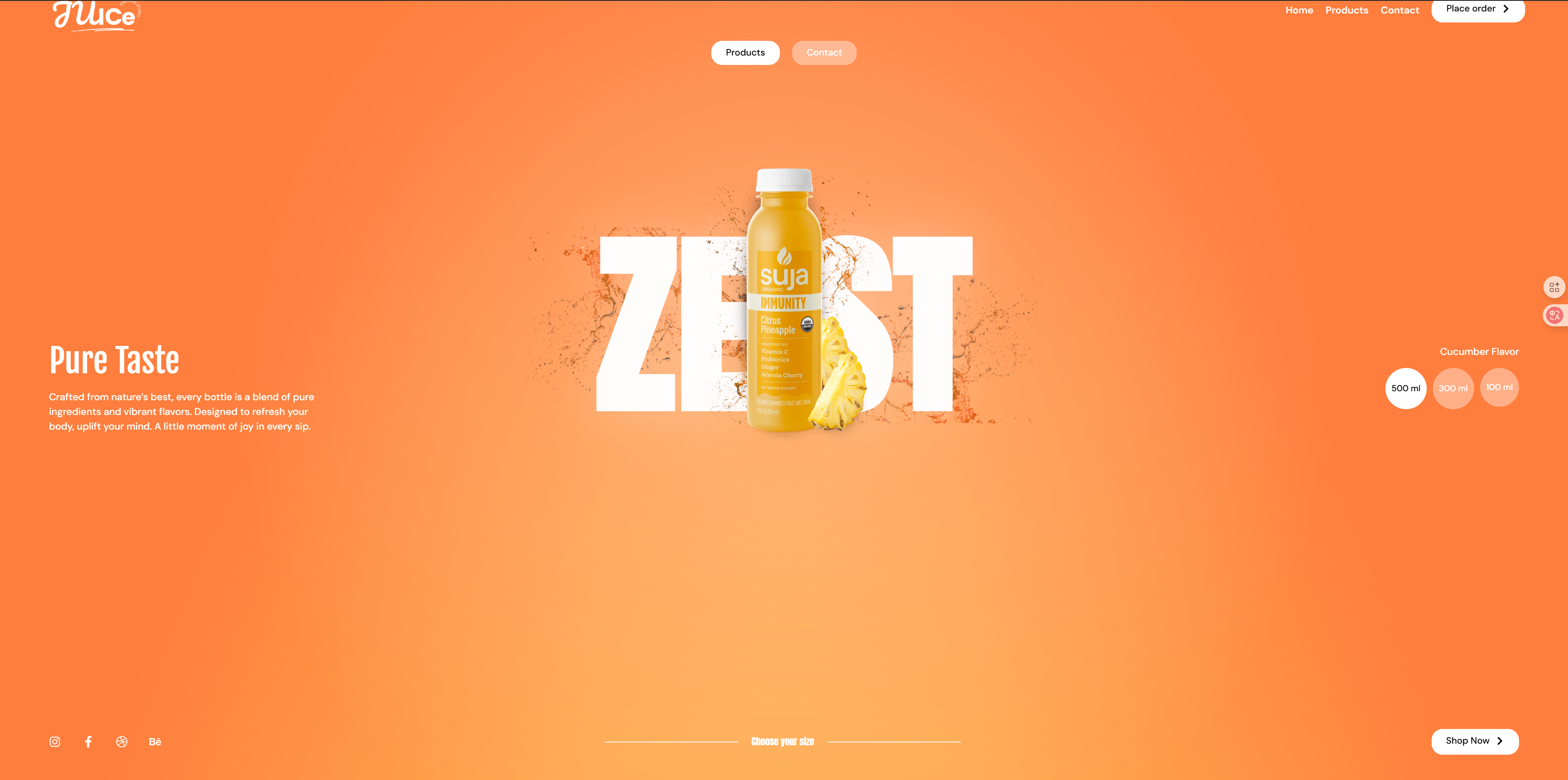
Combining GSAP animation and Elementor, this highly dynamic card sliding effect template is designed for websites that need visual impact and interactivity. It supports character, product content, team members and other types of content sliding switch, with dynamic effects to bring a strong sense of rhythm and visual hierarchy, suitable for use as the first screen display, interactive portal or immersive content browsing.
This template providesPurple Dazzle Styletogether withDark Texture StyleTwo color schemes to meet the needs of different brand temperament and aesthetic preferences.
🧭 Application Scenarios:
- Character Selection Screen: Suitable for games, virtual worlds, interactive comics or IP introductions, etc., presenting multiple characters/characters for the user to choose from.
- Creative Works Display: Suitable for illustrators, photographers, animators, etc. to showcase their personal style and work projects.
- Brand Story/People Page: The company or brand is used to tell the development history, show the team members, and enhance the three-dimensional sense of the brand.
- Product card sliding display: Suitable for technology, beauty, fashion and other industries to show the different selling points of the series products.
👥 Recommended Crowd:
- Visual design oriented web developer
- Game studios and virtual character programmers
- Creative workers (illustrators, photographers, animation designers)
- Brand owner and NFT program operator
- E-commerce product manager or independent site seller (differentiated product presentation required)
Demo Address:https://demo-show.361sale.com/elementor-effects-19(purple)
https://demo-show.361sale.com/elementor-effects-20(dark color)
![Image[1]-GSAP Visual Motion Card Slider Template|Elementor Creative Display Special - Photon Flux | Pro WordPress repair service, global reach and fast response time!](https://www.361sale.com/wp-content/uploads/2025/05/20250514143153164-zise.gif)
![Image[2]-GSAP Visual Motion Card Slider Template|Elementor Creative Display Special - Photon Flux | Pro WordPress repair service, global reach and fast response time!](https://www.361sale.com/wp-content/uploads/2025/05/20250514143434954-shnse.gif)
File download address↓
After clicking on Get Download File, you will get a file.
![Image[3]-GSAP Visual Motion Card Slider Template|Elementor Creative Display Special - Photon Flux | Pro WordPress repair service, global reach and fast response time!](https://www.361sale.com/wp-content/uploads/2025/05/20250513173842132-image.png)
Please ensure thatmountingIt's already installed.Elementor Free Edition and Elementor Pro Edition. OnlyElementor Pro versiononly thenTemplate ImportFunction.
![Image [2] - Elementor FX Template 2 - Photon Flux Network | Professional WordPress repair service, worldwide, fast response](https://www.361sale.com/wp-content/uploads/2024/12/20241204105446497-image.png)
![Image [3] - Elementor FX Template 1 - Photon Flux Network | Professional WordPress repair service, worldwide, fast response](https://www.361sale.com/wp-content/uploads/2024/12/20241203162515250-image.png)
The back end of the site findsweb pageClick to addnew page. As pictured above:
![Image [4] - Elementor FX Template 1 - Photon Flux | Professional WordPress repair service, worldwide, fast response](https://www.361sale.com/wp-content/uploads/2024/12/20241203162704190-image.png)
start usingElementor Editor. As pictured above:
![Image [5] - Elementor FX Template 1 - Photon Flux Network | Professional WordPress repair service, worldwide, fast response](https://www.361sale.com/wp-content/uploads/2024/12/20241203162820150-image.png)
Click to add the file next to theicon (computing)That is.stencil. As pictured above:
![Image [6] - Elementor FX Template 1 - Photon Flux Network | Professional WordPress repair service, worldwide, fast response](https://www.361sale.com/wp-content/uploads/2024/12/20241203163025214-image.png)
Click on the upper right corner of theuploadflag, and then click theSelect Fileand then select the local file you've justDownloaded files. As pictured above:
![Image[9]-GSAP Visual Motion Card Slider Template|Elementor Creative Display Special - Photon Flux | Pro WordPress repair service, global reach and fast response time!](https://www.361sale.com/wp-content/uploads/2025/05/20250513174052949-image.png)
Then go back to My Templates to see the template we just imported and click on thepreviewsView the effect before selecting thestick. As shown above.
View the results after the import is complete, it is possible that thefooterrespond in singingfootersThen it is necessary to choose the correspondingstencilUp.
![Image [8]-Elementor FX Template 1 - Photon Flux Network | Professional WordPress repair service, worldwide, fast response](https://www.361sale.com/wp-content/uploads/2024/12/20241203165642489-image.png)
Click on the template we just imported in theweb pageand then clickcompiler. As pictured above:
![Image [9] - Elementor FX Template 1 - Photon Flux Network | Professional WordPress repair service, worldwide, fast response](https://www.361sale.com/wp-content/uploads/2024/12/20241203170156167-image.png)
Select the template and chooseelementor canvasI chose this one becauseDo not show header and footerThe display will only show theTemplate content. As shown above.
![Image [10] - Elementor FX Template 2 - Photon Flux Network | Professional WordPress repair service, worldwide, fast response](https://www.361sale.com/wp-content/uploads/2024/12/20241204111245847-image.png)
at the same timeEditing pages with elmentorSelectionSite SettingsIn the selection ofopening (chess jargon). As pictured above:
![Image [11] - Elementor FX Template 2 - Photon Flux Network | Professional WordPress repair service, worldwide, fast response](https://www.361sale.com/wp-content/uploads/2024/12/20241204111351718-image.png)
Also make sure that the same isElementorCanvas template. This way there will be no(sth. or sb) elseContent. As above:
![Image [12]-Elementor FX Template 2 - Photon Flux Network | Professional WordPress repair service, worldwide, fast response](https://www.361sale.com/wp-content/uploads/2024/12/20241204111422999-image.png)
![Image [13] - Elementor FX Template 2 - Photon Flux Network | Professional WordPress repair service, worldwide, fast response](https://www.361sale.com/wp-content/uploads/2024/12/20241204111449899-image.png)
![Image [14]-Elementor FX Template 2 - Photon Flux Network | Professional WordPress repair service, worldwide, fast response](https://www.361sale.com/wp-content/uploads/2024/12/20241204111524836-image.png)
Please closeHeaders and footersInside, after clickingharbor (i.e. keep sth hidden)Inside, it's pictured above:
Lastly, check the front-end of the site to see if it's working properlyThe

Link to this article:https://www.361sale.com/en/53867The article is copyrighted and must be reproduced with attribution.
















![Emoji[wozuimei]-Photonflux.com | Professional WordPress repair service, worldwide, rapid response](https://www.361sale.com/wp-content/themes/zibll/img/smilies/wozuimei.gif)

![Emoticon[baoquan] - Photon Wave Network | Professional WordPress Repair Services, Worldwide Coverage, Rapid Response](https://www.361sale.com/wp-content/themes/zibll/img/smilies/baoquan.gif)


 简体中文
简体中文  English
  日本語
日本語  Français
  Español


No comments