




In Web site management and operation and maintenance.502respond in singing503errors are two of the most common server errors. These two errors look similar, but they have different root causes and solutions. Understanding their differences can help you quickly diagnose the problem and also enable you to respond effectively when you encounter such errors. This article focuses on analyzing the main differences between these two errors and helps you quickly pinpoint the source of the problem.
![Image [1]-Difference between 503 and 502 errors: how to pinpoint the source of the problem](https://www.361sale.com/wp-content/uploads/2025/05/20250514175429607-1747216453439.png)
What is it?502 Bad GatewayError?
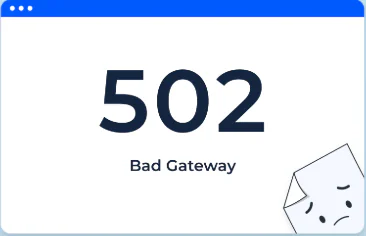
502 Bad GatewayThe error usually occurs from server to server. It refers to a proxy server or load balancer receiving an invalid response when trying to access an upstream server. The core problem with this error is that the upstream server fails to return the correct response, possibly because the upstream server crashes, is overloaded, or has some setup issue.
![Image [2]-Difference between 503 and 502 errors: how to pinpoint the source of the problem](https://www.361sale.com/wp-content/uploads/2025/05/20250514141504699-image.png)
Common causes of 502 errors:
- Upstream server unavailable: The proxy server was unable to establish a valid connection with the upstream server, resulting in an error.
- Server overload: If the upstream server is overloaded, it may not be able to process the request and appear to return the502Error.
- Firewall or security software issues: Sometimes, firewalls or security settings prevent normal communication between servers, resulting in502Error.
- DNS(math.) analysis problem: The DNS is not configured correctly, causing the server to be unable to find the target server.
What is 503 Service Unavailable error?
![Image [3]-Difference between 503 and 502 errors: how to pinpoint the source of the problem](https://www.361sale.com/wp-content/uploads/2025/05/20250514140118776-image.png)
503 Service UnavailableErrors are usually a sign that the server is overloaded or temporarily unavailable. It is a temporary error that means the server is temporarily unable to process the request. Unlike a 502 error, a 503 error focuses more on the unavailability of a service, usually due to server resource exhaustion or maintenance reasons.
Common causes of 503 errors:
- server (computer)overloading: A 503 error may be returned when the server handles more requests than its load capacity.
- Server Maintenance: Sometimes, a website is undergoing routine maintenance or upgrades and the server is not available, resulting in a 503 error.
![Image [4]-Difference between 503 and 502 errors: how to pinpoint the source of the problem](https://www.361sale.com/wp-content/uploads/2025/05/20250514165116204-image.png)
3.Database issues: A 503 error may also be raised when there are too many database connections or when the database service is temporarily unresponsive.
4.resource exhaustion: The server's memory, bandwidth, or other resources are exhausted and it can no longer process new requests.
Key differences between 502 and 503 errors
While both 502 and 503 errors are server related, they are significantly different in nature and root cause.
- 502 ErrorUsually it is because the upstream server is not responding to requests properly. This can be due to network problems, server misconfiguration, or firewall blocking.
- 503 errorThen it is due to a resource problem or maintenance reason on the server itself that causes it to be temporarily unable to process the request.503 errors are usually temporary and the service can be restored once the problem is resolved.
How to locate and resolve 502 errors?
1.Check upstream servers: First check that the upstream server connected to the load balancer or proxy server is functioning properly. If the upstream server is overloaded or crashed, you may need to restart the server or optimize its performance.
![Image [5]-Difference between 503 and 502 errors: how to pinpoint the source of the problem](https://www.361sale.com/wp-content/uploads/2025/05/20250514140635625-image.png)
2.Check firewall and security settings: Verify that the firewall settings are not blocking communication between servers. If it is caused by the firewall, the rules need to be adjusted.
3.Viewing Log Files: Web serverlog (computing)and error details are often recorded in application logs, which can help you locate the exact source of the problem.
4.Checking DNS Configuration: Ensure that DNS is configured correctly. If DNS resolution fails, the server may not be able to communicate with other servers.
![Image [6]-Difference between 503 and 502 errors: how to pinpoint the source of the problem](https://www.361sale.com/wp-content/uploads/2025/05/20250514164433456-image.png)
How to locate and resolve 503 errors?
- Checking server resources: If the server is unable to process requests due to insufficient resources (e.g., memory, bandwidth, etc.), consider upgrading the server configuration or performing performance optimization.
- View Server Load: Use a server monitoring tool to check the load and determine if the server is crashing due to too many concurrent requests. If it is a load issue, consider using a load balancer to share the pressure.
- Checking database connections: An excessive number of database connections may cause the503Error. Check the database configuration, increase the connection pool size, or optimize database queries to avoid wasting resources.
- Maintenance mode: If the site is being maintained, consider setting up a customized503page to communicate to visitors that it is being maintained and to avoid causing distress.
![Image [7]-Difference between 503 and 502 errors: how to pinpoint the source of the problem](https://www.361sale.com/wp-content/uploads/2025/05/20250514180823794-image.png)
When should I contact my hosting provider?
In some cases.502respond in singing503The error may be caused by hardware failure or network problems of the hosting provider. If the problem persists after trying all the usual solutions, it is recommended to contact the hosting provider to see if it is caused by a server failure, network latency, or other technical issues.
summarize
502respond in singing503Although both errors are server errors, they have different causes. 502 errors usually involve a failure of communication between servers, while 503 errors focus more on a lack of server resources or temporary unavailability. Understanding these differences can help you pinpoint the problem more quickly and take the appropriate steps to resolve it. Regular monitoring of server performance and maintenance of configurations can reduce the occurrence of such errors and improve the reliability and stability of your website.

Link to this article:https://www.361sale.com/en/54167The article is copyrighted and must be reproduced with attribution.

















![Emoji[wozuimei]-Photonflux.com | Professional WordPress repair service, worldwide, rapid response](https://www.361sale.com/wp-content/themes/zibll/img/smilies/wozuimei.gif)

![Emoticon[baoquan] - Photon Wave Network | Professional WordPress Repair Services, Worldwide Coverage, Rapid Response](https://www.361sale.com/wp-content/themes/zibll/img/smilies/baoquan.gif)


 简体中文
简体中文  English
  日本語
日本語  Français
  Español


No comments