




Optimizing images is complicated? If you're using the Rank Math PROThe installation can be done directly from the setup screen with a single click. Imagify . Without you having to manually download or tediously configure
Imagify is the easiest WordPress Image optimization plugin that instantly improves the performance of your images. Imagify compresses images into smaller image formats, enhances your website's SEO performance and performance, ensures visual clarity and speeds up loading.
In this guide, we'll walk you step-by-step through the automatic installation and configuration of the Imagify plugin through Rank Math PRO.
![Image [1]-Optimizing Image Performance with Rank Math PRO Automated Imagify Installation](https://www.361sale.com/wp-content/uploads/2025/07/20250718131713399-image.png)
1 Accessing Rank Math General Settings
First, log in to your WordPress backend and click the Rank Math → General SettingsEnter the "Pictures" tab. Once inside, switch to the "Pictures" tab.
![Image [2]-Optimizing Image Performance with Rank Math PRO Automated Imagify Installation](https://www.361sale.com/wp-content/uploads/2025/07/20250718131626139-image.png)
At the bottom of that page, you'll see a message suggesting that you install the Imagify plugin (shown when the plugin is not yet installed).
Attention: If the Imagify plugin is installed on your site, this notification will no longer display; it will reappear after uninstalling the plugin.
2 Install the Imagify plug-in
Click on the notification in the Installation link, Rank Math will automatically download, install and activate the Imagify plugin in the background.
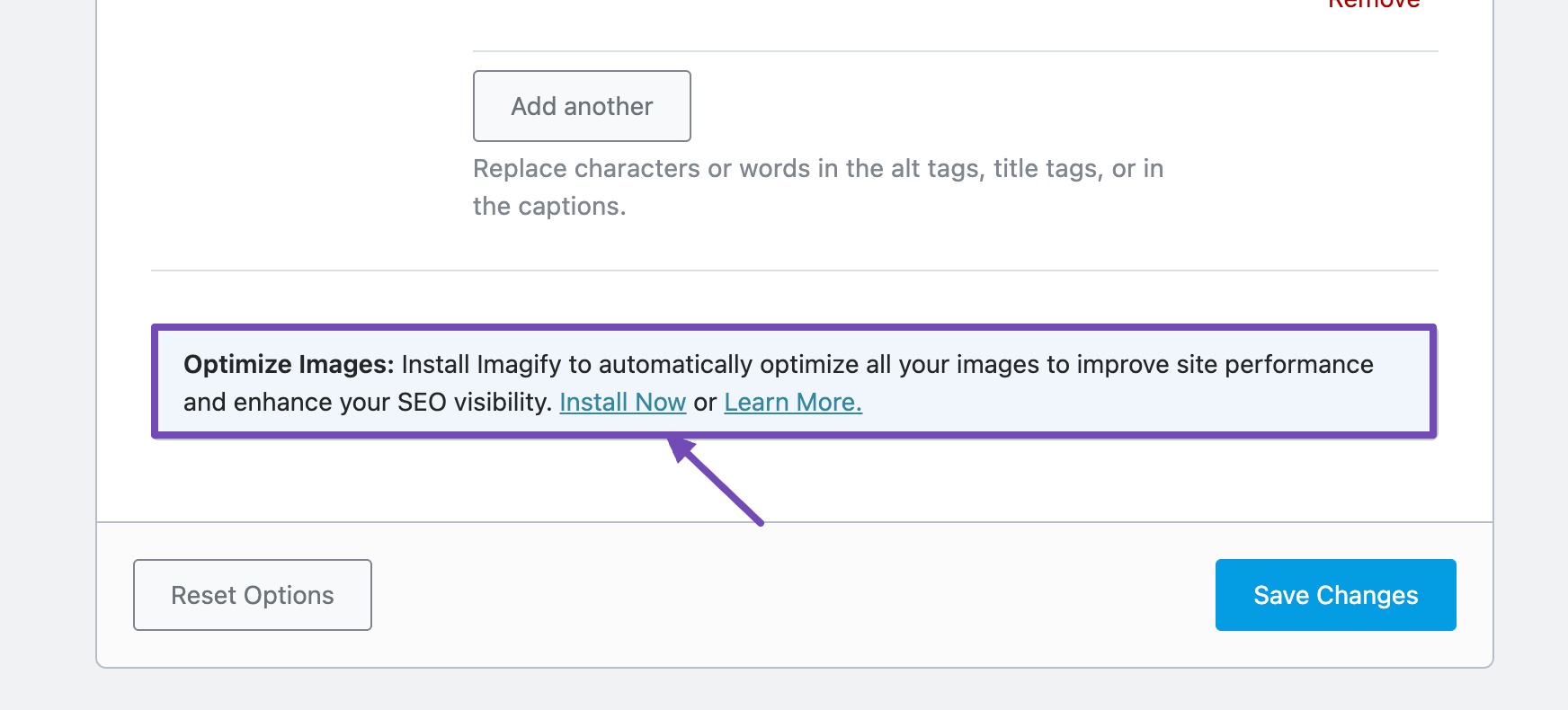
After completing the installation, the system will display a message that it has been successfully activated.
3 Configure Imagify after installation
After the plugin installation is complete, click the prompt in the Configure settings now link to the Imagify settings screen.
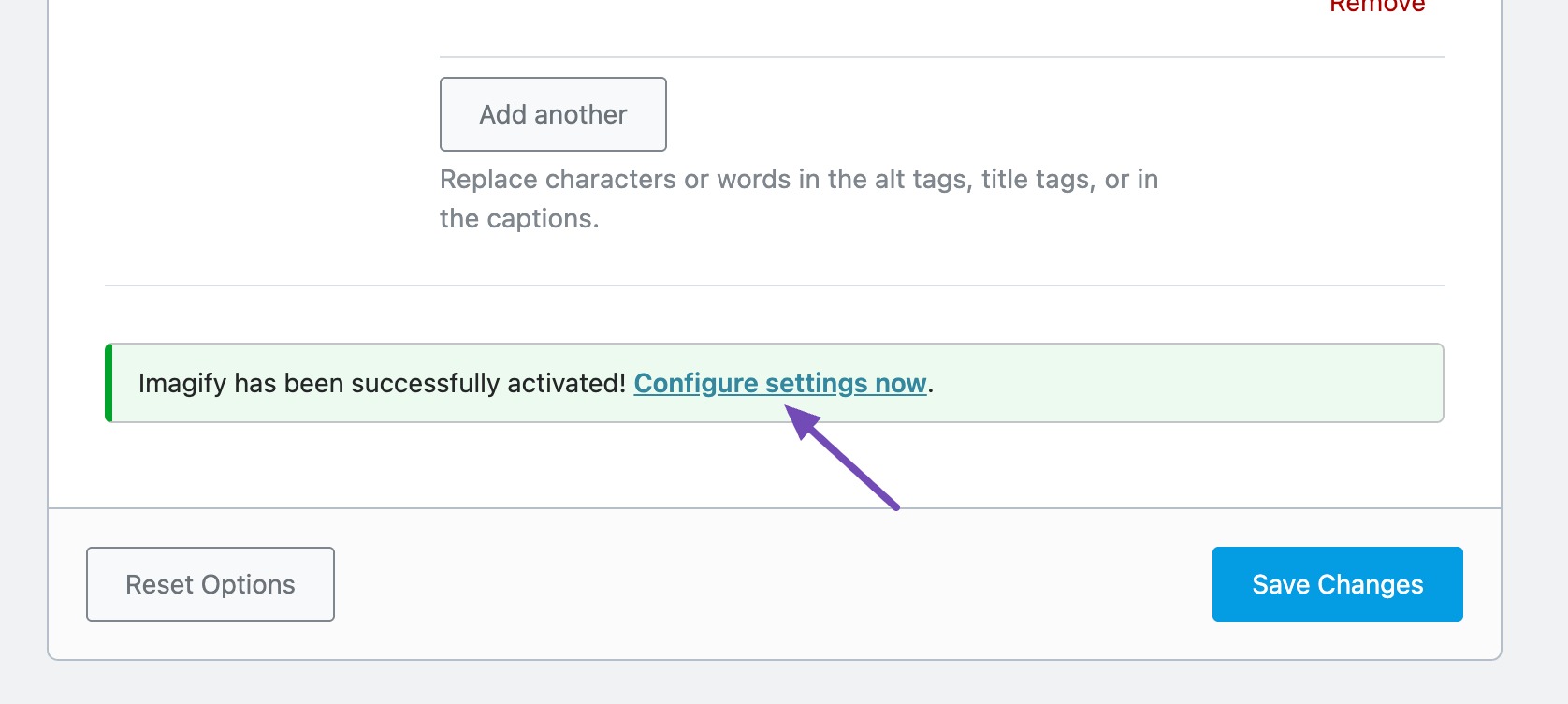
You can also navigate through the WordPress dashboard to the Settings → Imagify to access the settings page.
If you are using Imagify for the first time, you will be prompted for an API key. If you already have an account, simply enter the key in the specified field and click "Save Changes"button to unlock all of Imagify's features.
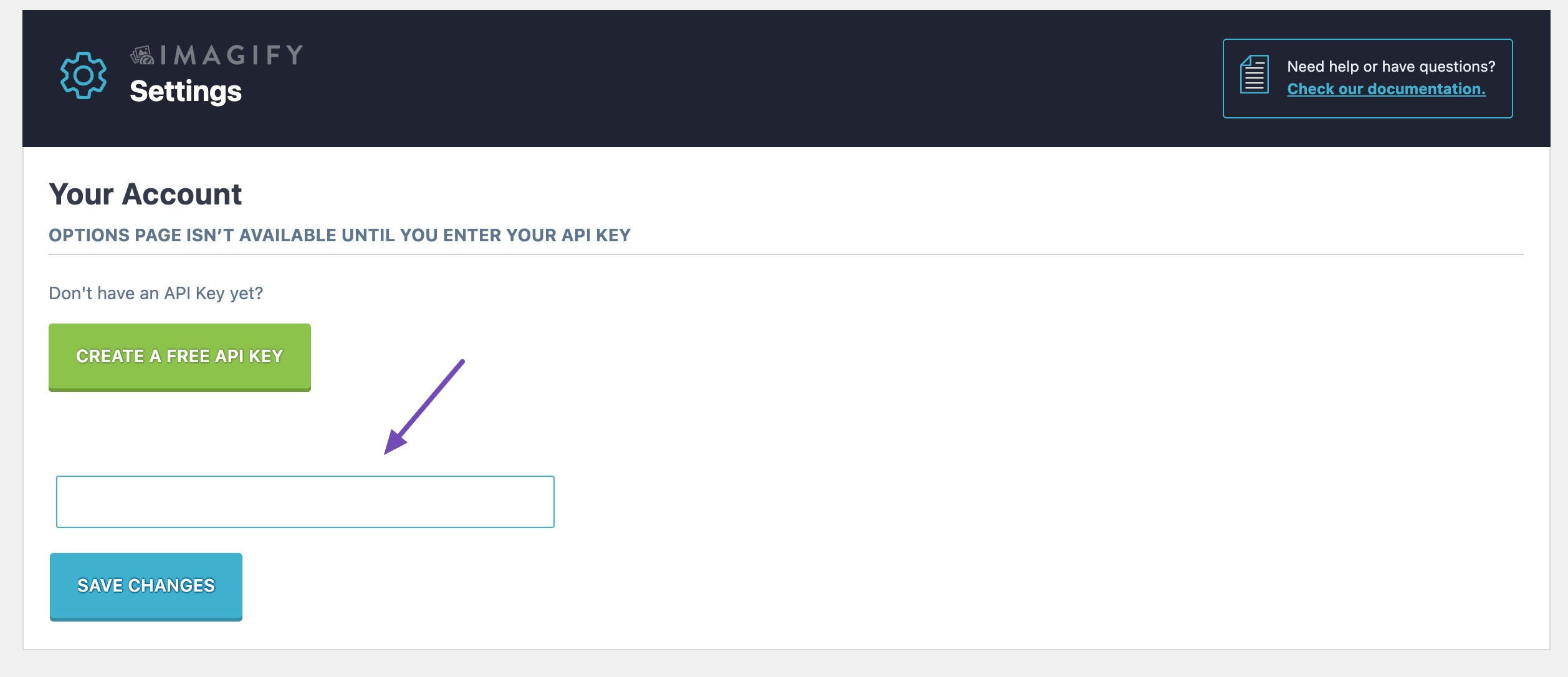
If you don't have an API key yet, click"Create free API key".button. Enter your email address and you will receive a confirmation link to set up your account and API key.
After successfully activating the API, you can further adjust the following optimization settings:
3.1 General settings
existGeneral Settingssection, the following options can be found:
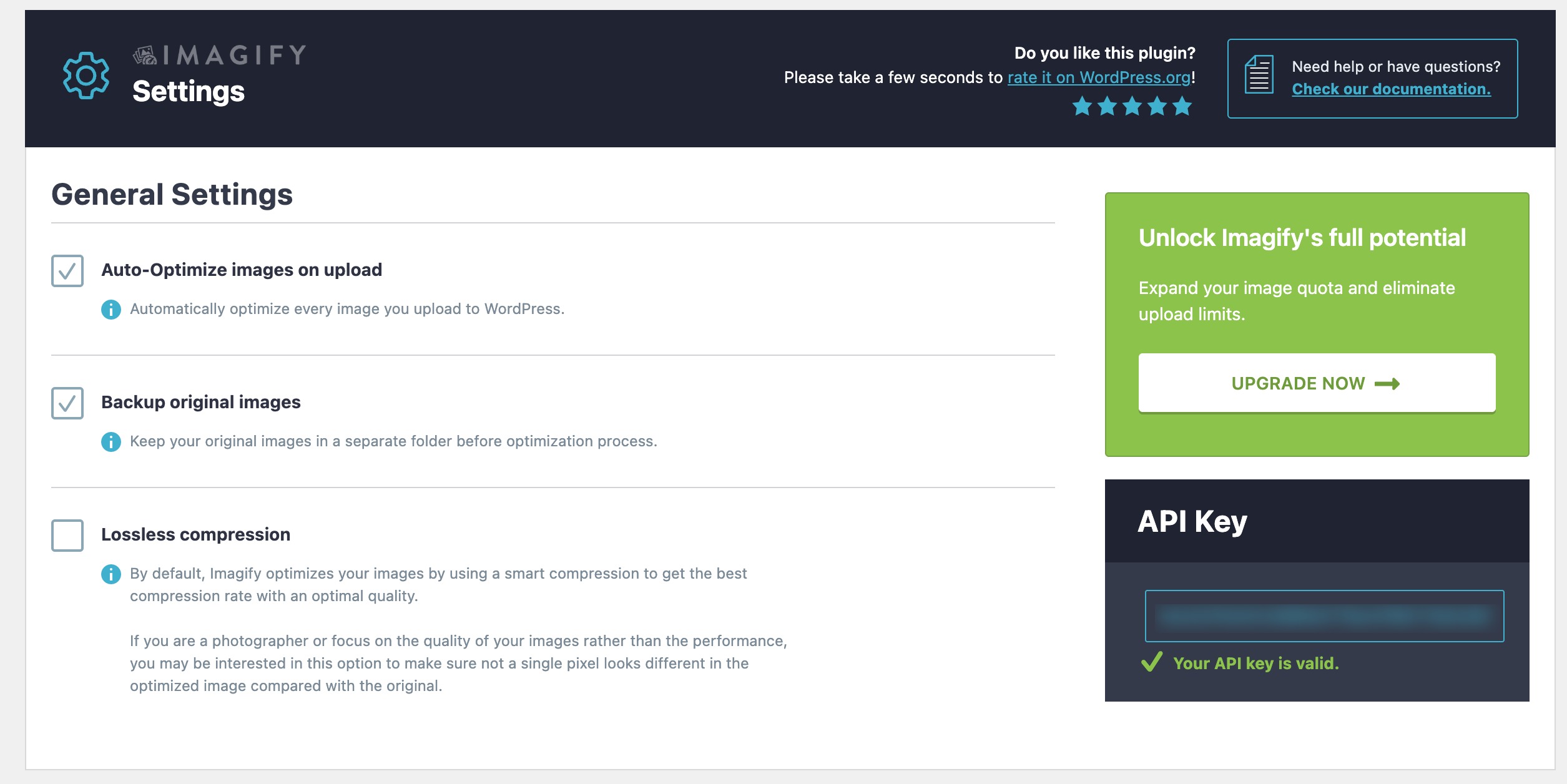
- Automatically optimize images when uploading: Enabled by default. It is recommended to keep it enabled to ensure that newly uploaded images are automatically optimized.
- Backup original images: When enabled, the uncompressed original image is preserved for easy recovery and generation of new formats (e.g. WebP maybe AVIF ).
- compression lossless: Maintains the pixel quality of the image, suitable for sites where quality is critical, but increases file size.
3.2 Optimization of settings
make superiorThe section includes several important options:
1. Next-generation image formats-Can choose from advanced image formats such as AVIF and WebP.
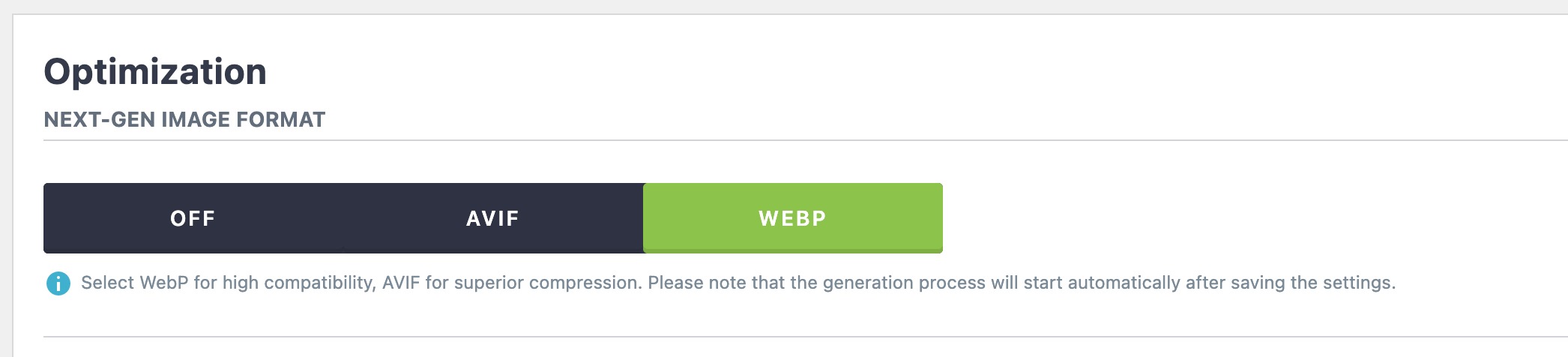
- WebPWider browser compatibility.
- AVIFSlightly better compression, but fewer browsers are supported.
- If you do not want to use the Next-Gen format, you can also choose theClose.
2. Displaying images in a next-generation format on your website--Imagify uses a fallback mechanism so that if the browser does not support WebP or AVIF, an optimized PNG/JPG version will be provided.
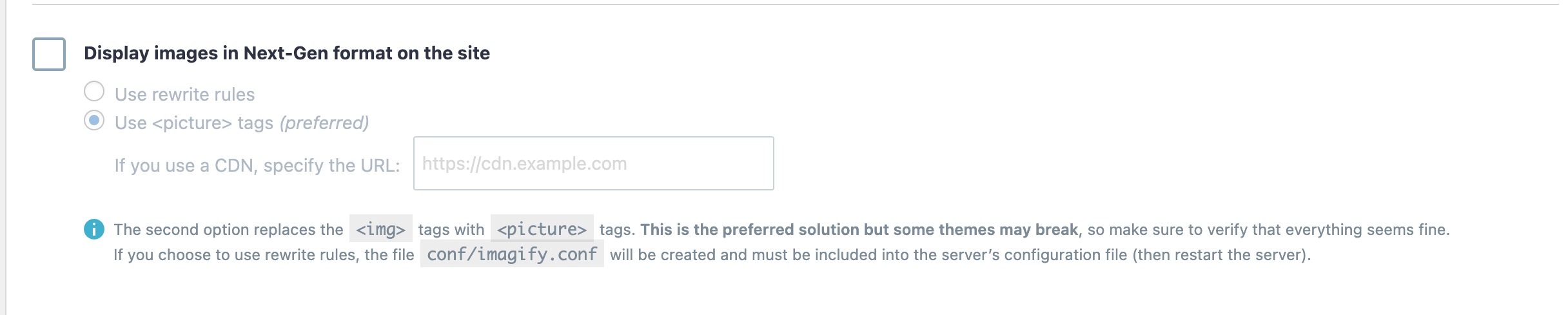
- Use rewrite rules (recommended):This method does not change the HTML of the site and works in most settings unless you use the Cloudflare or CDN.
- utilization
<picture>Tags:this method<img>Replace with label<picture>tags for better compatibility with next-generation formats.
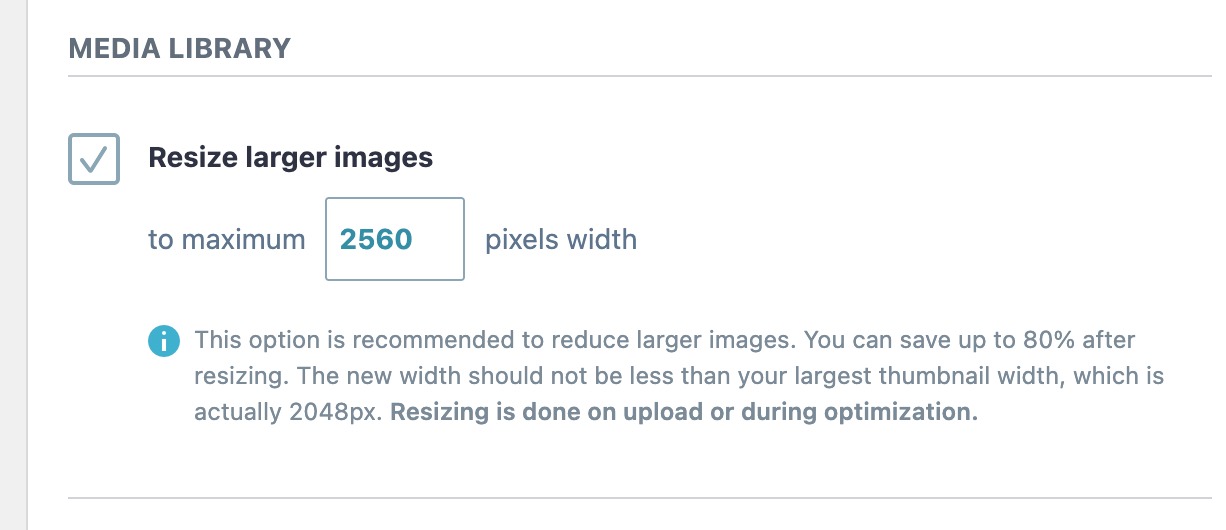
3. Resize large image--- The maximum width of the image can be set according to the needs of the site. This ensures that large images are properly resized before being displayed.
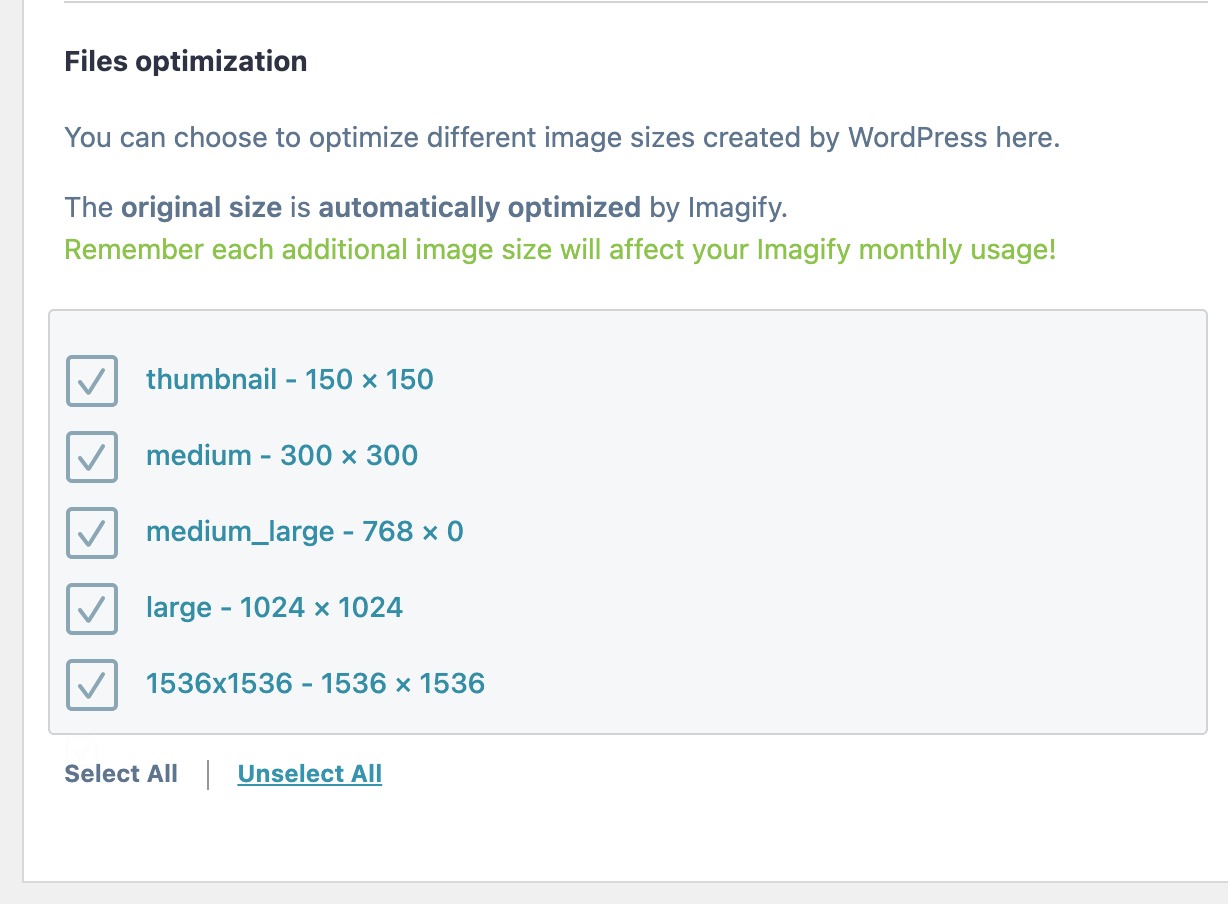
4. Documentation optimization- - - This section lists all thumbnail sizes registered in the site's media library Imagify optimizes and creates next-generation versions for the selected size. It is recommended to enable this feature for images that are commonly used on your website and disable it for unused images.
5. Customized folders--- Imagify can optimize images in specific folders outside of your media library. You can add custom folders for optimization as needed.
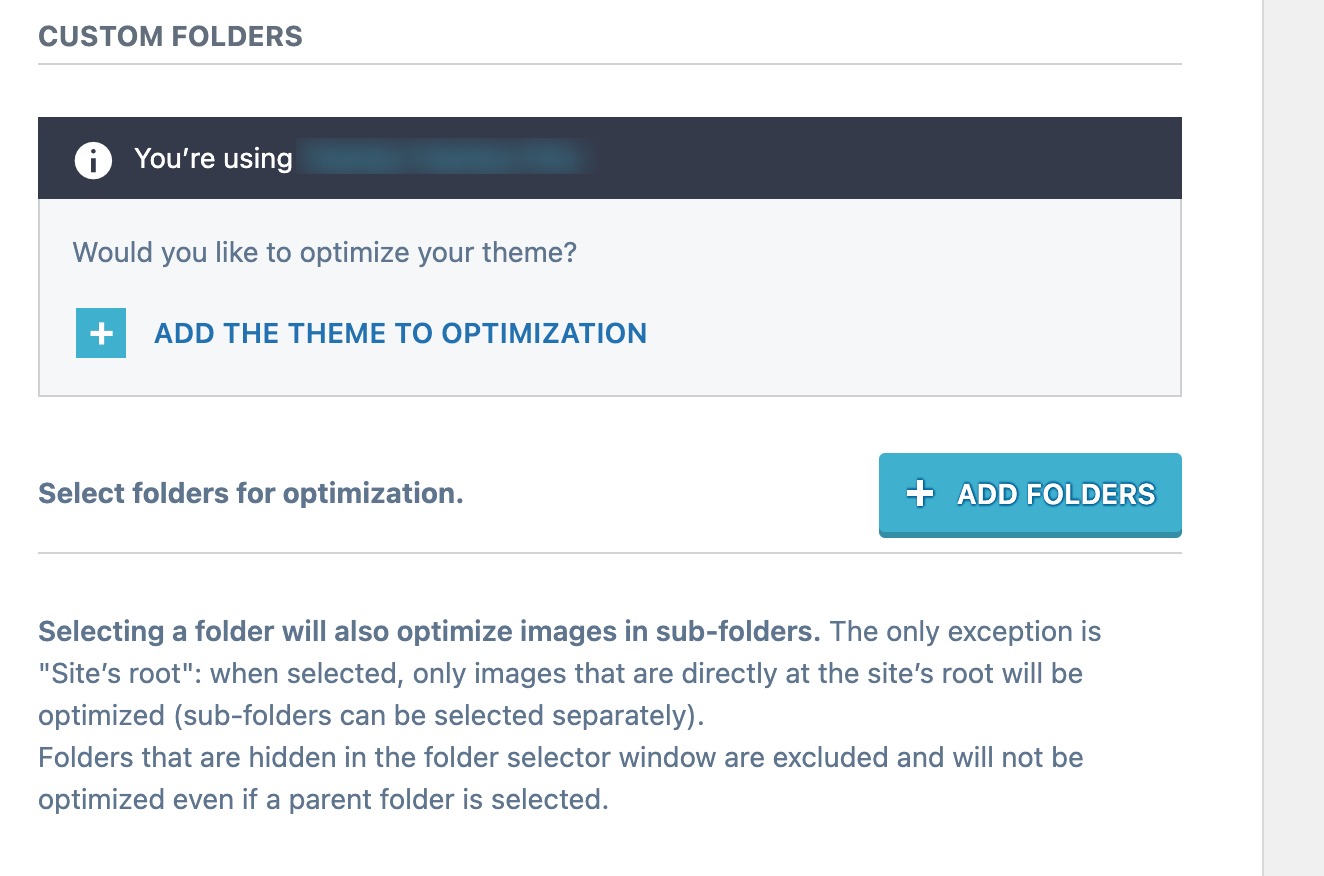
Once the settings are complete, Imagify will immediately perform compression and format conversion on eligible images.
summarize
With Rank Math PRO's one-click integration of the Imagify plug-in, image optimization becomes more efficient and convenient. Instead of installing it manually, the system automatically downloads and activates it, and provides an intuitive configuration interface that allows you to easily enable next-generation image formats such as WebP, AVIF, and other advanced features such as automatic compression, batch optimization, and custom directory support. Whether you focus on loading speed, image quality or SEO performance, Imagify can help you improve the performance of your entire website.
![Image [12]-Optimizing Image Performance with Rank Math PRO Automated Imagify Installation](https://www.361sale.com/wp-content/uploads/2025/07/20250718143135518-image.png)

Link to this article:https://www.361sale.com/en/68283The article is copyrighted and must be reproduced with attribution.











![Emoji[wozuimei]-Photonflux.com | Professional WordPress repair service, worldwide, rapid response](https://www.361sale.com/wp-content/themes/zibll/img/smilies/wozuimei.gif)

![Emoticon[baoquan] - Photon Wave Network | Professional WordPress Repair Services, Worldwide Coverage, Rapid Response](https://www.361sale.com/wp-content/themes/zibll/img/smilies/baoquan.gif)


 简体中文
简体中文  English
  日本語
日本語  Français
  Español


No comments