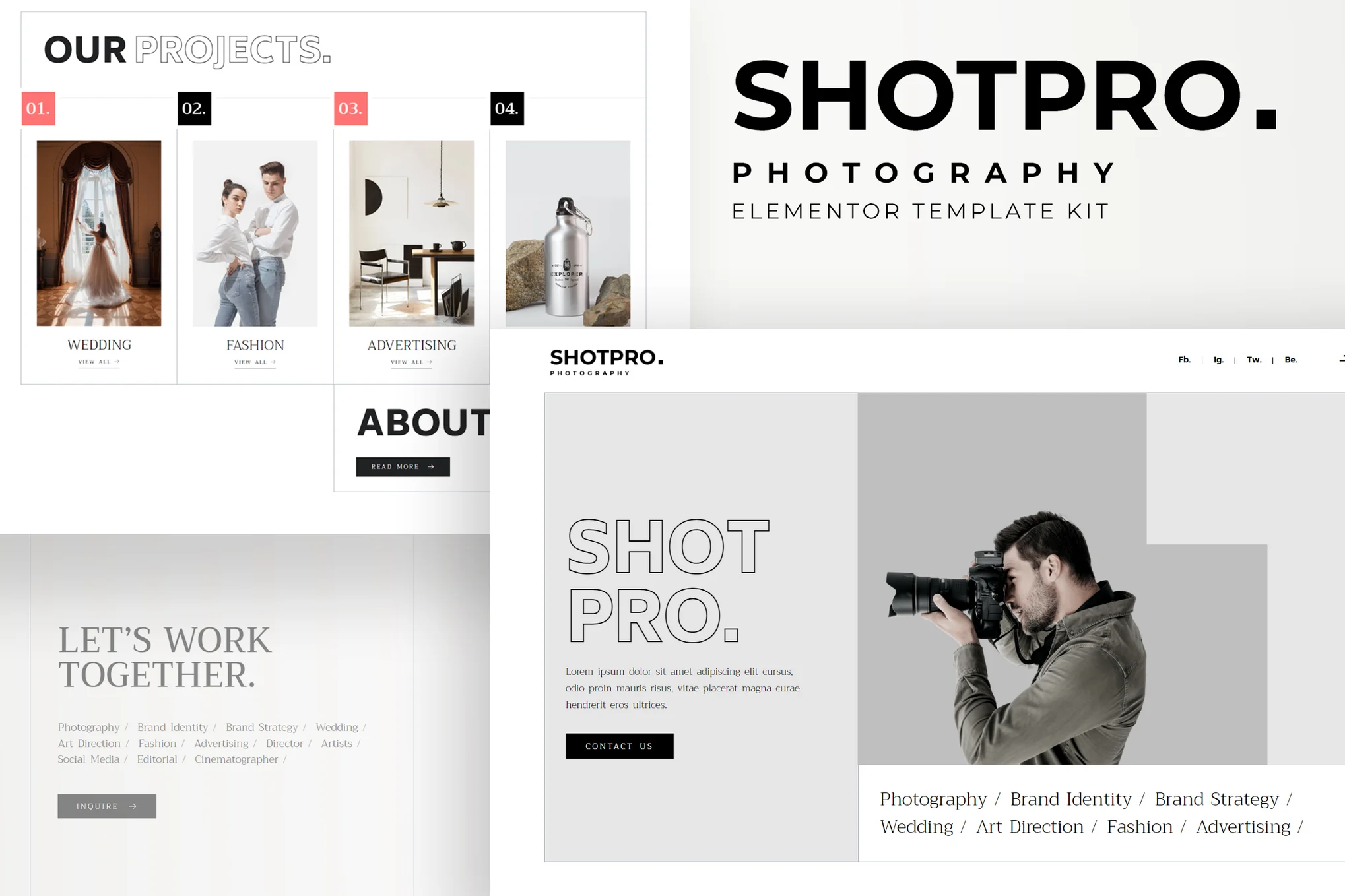





Shotpro is a powerful and responsive Elementor template suite built for photography and portfolio websites. With this template suite, you can easily build a beautiful and modern photography services website in minutes.
![Image[1]-Shotpro - Photography & Portfolio Elementor Template Suite - Photon Flux | Professional WordPress Repair Service, Global Reach, Fast Response](https://www.361sale.com/wp-content/uploads/2025/08/20250801110313378-Journal-Detail.webp)
![Image [2] - Shotpro - Photography & Portfolio Elementor Template Suite - Photon Flux | Professional WordPress Repair Service, Global Reach, Fast Response](https://www.361sale.com/wp-content/uploads/2025/08/20250801110314800-Pricing-4.webp)
Shotpro has a creative and unique design style, 100% responsive layout, HD display support and easy customization for showcasing photography, services and project results.
Template Features:
- Modern and clean design
- 10+ ready-to-use templates available
- Fully responsive and adaptable to all devices
- HD Retina Screen Adaptation
- All pages are customizable
- Compatible with major browsers: Chrome, Firefox, Safari, Opera
Includes page templates:
- fig. beginning
- Project Showcase
- Project Details
- collection
- About Us
- common problems
- price plan
- 404 Error Page
- Log List
- Log Details
- Contact Us
- footer
- footers
- Global Style Settings
Required plug-ins:
- Elementor Free Edition
- ElementsKit Lite
- Premium Addons for Elementor
- MetForm
- Elementor Header & Footer Builder
Installation Instructions:
- In the WordPress backend, go to Plugins > Add Plugins, install and enable the "Envato Elements" plugin.
- Download the template kit file (No need to unzip)
- Go to Elements > Installed Kits and click the "Upload Template Kit" button.
- Click the "Install Requirements" button at the top of the page to install the required plug-ins.
- To ensure the best results, it is recommended to import only one template at a time!
- Go to Page > New Page and click "Edit with Elementor".
- Click on the gear icon in the lower left corner to set the page to "Elementor Full Width" and hide the page title.
- Click on the gray folder icon on the page to go to the "My Templates" tab, import and edit the pages you need.

© Reprint statement
This article was written by Zhong
Link to this article:https://www.361sale.com/en/72190The article is copyrighted and must be reproduced with attribution.
THE END












![Emoji[wozuimei]-Photonflux.com | Professional WordPress repair service, worldwide, rapid response](https://www.361sale.com/wp-content/themes/zibll/img/smilies/wozuimei.gif)

![Emoticon[baoquan] - Photon Wave Network | Professional WordPress Repair Services, Worldwide Coverage, Rapid Response](https://www.361sale.com/wp-content/themes/zibll/img/smilies/baoquan.gif)


 简体中文
简体中文  English
  日本語
日本語  Français
  Español


No comments