






Payment gateway integration is key to enhancing the user experience and a necessary step to ensure smooth transactions. For those building with Woodmart themes WooCommerce E-commerce websites that can easily integrate multiple payment methods. In this article, we'll go into detail about integrating a payment gateway in a Woodmart theme and optimizing the flow of payments to ensure that customers can complete their transactions smoothly.
![Image [1] - Disrupting the e-commerce landscape! Make the payment experience on Woodmart themed websites extremely fast and sales skyrocket!](https://www.361sale.com/wp-content/uploads/2025/08/20250802150659287-image.png)
I. Choosing the right payment gateway
Woodmart Themes itself is fully compatible with WooCommerce, so you can choose any payment gateway supported by WooCommerce for integration. Here are some common payment gateways:
- PayPal: The world's most popular online payment method, supporting credit card and bank account payments.
![Image [2] - Disrupting the e-commerce landscape! Make the payment experience on Woodmart themed websites extremely fast and sales skyrocket!](https://www.361sale.com/wp-content/uploads/2025/08/20250802151102304-image.png)
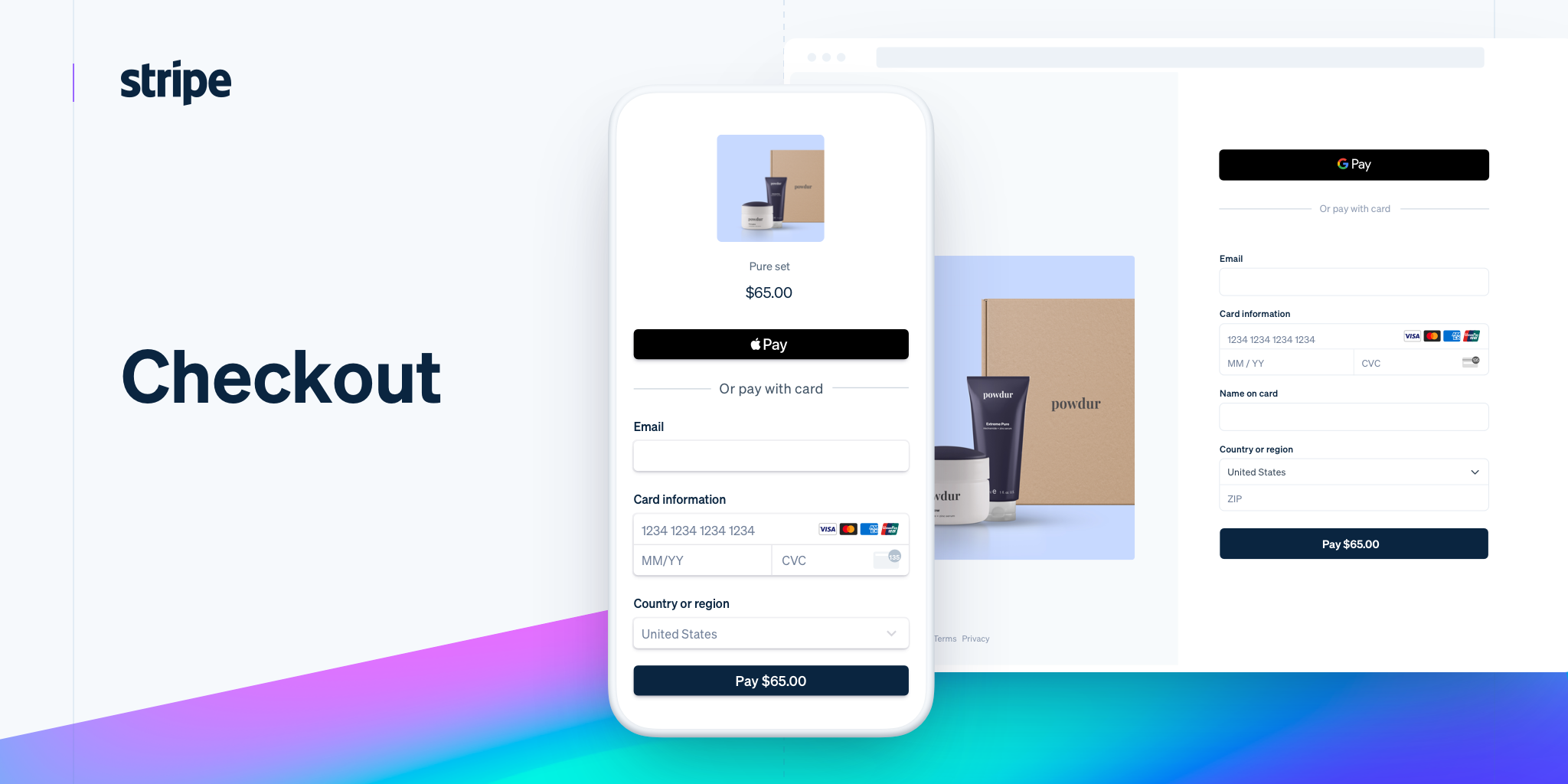
- Stripe: Supports payment methods such as credit cards, debit cards and Apple Pay for customers worldwide.
![Image [3] - Disrupting the e-commerce landscape! Make the payment experience on Woodmart themed websites extremely fast and sales skyrocket!](https://www.361sale.com/wp-content/uploads/2025/08/20250802151140693-image.png)
- Alipay and WeChat Pay: Especially for the Chinese market, support fast payment.
![Image [4] - Disrupting the e-commerce landscape! Make the payment experience on Woodmart themed websites extremely fast and sales skyrocket!](https://www.361sale.com/wp-content/uploads/2025/08/20250802151402271-image.png)
- bank transfer: Suitable for customers who need traditional payment methods.
- Other payment plug-ins: e.g. Razorpay, Klarna, etc.
Choose the right payment gateway based on your target market and make sure it supports the features and regions you need.
Second, install and configure the payment gateway plug-in
in order to PayPal As an example, here's how the Woodmart Themes The steps to configure the payment gateway in the
- Install the WooCommerce Payment Gateway plugin:
- exist WordPress Backstage, go to Plugins > Add New PluginThe
- look for sth. PayPal for WooCommerce plugin and install it.
![Image [5] - Disrupting the e-commerce landscape! Make the payment experience on Woodmart themed websites extremely fast and sales skyrocket!](https://www.361sale.com/wp-content/uploads/2025/08/20250802151555377-image.png)
- Configure the payment gateway:
- switch to WooCommerce > SettingsThe
- strike (on the keyboard) disbursement tab, you will see the installed payment gateways.
![Image [6] - Disrupting the e-commerce landscape! Make the payment experience on Woodmart themed websites extremely fast and sales skyrocket!](https://www.361sale.com/wp-content/uploads/2025/08/20250802151945374-image.png)
- locate PayPalClick set upThe
- Enter your PayPal merchant account information
![Image [7] - Disrupting the e-commerce landscape! Make the payment experience on Woodmart themed websites extremely fast and sales skyrocket!](https://www.361sale.com/wp-content/uploads/2025/08/20250802152246720-image.png)
- Enable other payment gateways:
- In the same way, you can add a new function to the Stripe or other payment methods to configure. Simply download the appropriate payment gateway plugin, install it and follow the instructions to set it up.
III. Optimizing the payment experience
- Streamline the checkout process:
- Woodmart Themes Multiple checkout page design options are provided to ensure a clean and intuitive checkout process. Reducing unnecessary fields ensures that customers are able to complete payments quickly.
- utilization WooCommerce (used form a nominal expression) Checkout field optimization Plugins to hide or customize unnecessary fields and simplify the payment process. Example:Checkout Field Editor for WooCommerce
![Image [8] - Disrupting the e-commerce landscape! Make the payment experience on Woodmart themed websites extremely fast and sales skyrocket!](https://www.361sale.com/wp-content/uploads/2025/08/20250802153144749-image.png)
- Optimize the mobile payment experience:
- Woodmart Themes Is fully responsive, ensuring that the payment experience is equally smooth on mobile devices. Confirm that the payment gateway performs well on mobile and test the compatibility of each payment method on different devices.
- Real-time payment feedback:
- Set up a real-time feedback page after successful payment to clearly inform customers whether the transaction is successful or not, and provide order details and expected delivery time to enhance customer trust.
IV. Ensuring payment gateway security
- Use an SSL certificate:
- Ensure that your e-commerce website is enabled SSL CertificateIn order to secure your customers' payment information, you need to have SSL enabled. Most payment gateways (e.g. PayPal, Stripe) require SSL to be enabled to secure transactions.
![Image [9] - Disrupting the e-commerce landscape! Make the payment experience on Woodmart themed websites extremely fast and sales skyrocket!](https://www.361sale.com/wp-content/uploads/2025/08/20250801162854495-image.png)
- Enable strong passwords and two-factor authentication:
- Strengthen your WooCommerce Merchant account security with strong passwords and two-factor authentication enabled to prevent unauthorized access.
- Regularly update the payment gateway plugin:
- Regularly check and update the payment gateway plugin to ensure that you are using the latest version of the plugin and reduce security vulnerabilities.
V. Conclusion
Integrating a payment gateway is an important step in enhancing the payment experience of your Woodmart themed e-commerce site. Choosing the right payment method, streamlining the checkout process, and securing payments can provide customers with a smooth payment experience, leading to increased satisfaction and higher conversion rates.

Link to this article:https://www.361sale.com/en/72758/The article is copyrighted and must be reproduced with attribution.











![Emoji[wozuimei]-Photonflux.com | Professional WordPress repair service, worldwide, rapid response](https://www.361sale.com/wp-content/themes/zibll/img/smilies/wozuimei.gif)

![Emoticon[baoquan] - Photon Wave Network | Professional WordPress Repair Services, Worldwide Coverage, Rapid Response](https://www.361sale.com/wp-content/themes/zibll/img/smilies/baoquan.gif)


 简体中文
简体中文  English
  日本語
日本語  Français
  Español


No comments