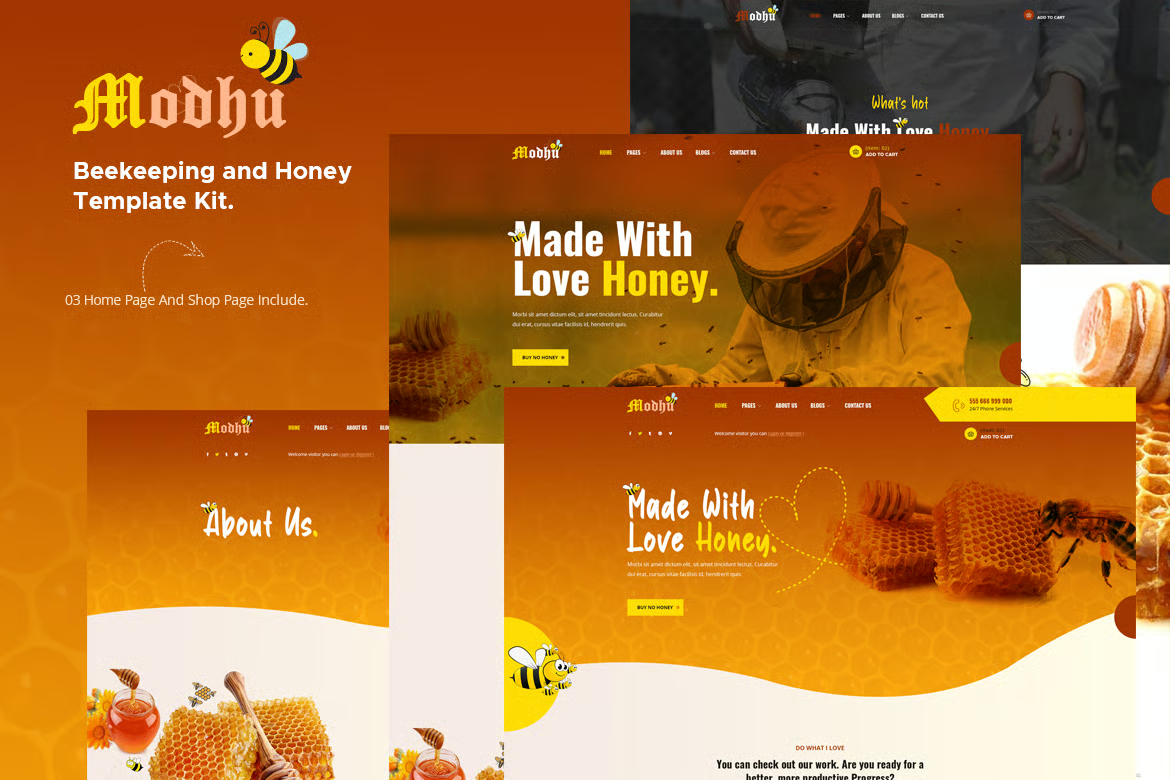





Modhu is an Elementor template suite designed for honey production, beekeeping technology and organic food websites. This suite is specially designed to showcase honey products and related stores. After importing the demo, you only need to change some information to build the website. It is well optimized for SEO and is ideal for building honey store websites.
![Image [1] - Modhu - Honey Production & Beekeeping Elementor Template Kit - Photon Flux Network | Professional WordPress repair service, worldwide, fast response!](https://www.361sale.com/wp-content/uploads/2025/08/20250804092913719-Modhu-preview2.avif)
![Image [2] - Modhu - Honey Production and Beekeeping Elementor Template Suite - Photon Flux Network | Professional WordPress repair service, worldwide, fast response](https://www.361sale.com/wp-content/uploads/2025/08/20250804092913465-Modhu-preview4.avif)
Key Features:
- Import demo content with one click
- 3 homepage versions, including store page
- Unique and modern design style
- Clear and concise layout
- Creative design
- Free PSD file included with purchase
- Free lifetime updates
- cross-browser compatibility
- Built-in header and footer templates
- Post Widget
- Rotating Crate Slideshow (can create slides with any content)
- Ultra-responsive design, adapted for HD displays
- Compatible with any WordPress Theme
- SEO Optimization
Required plug-ins:
- Elementor (free version)
- Themesflat Addons For Elementor
- MetForm
- Woo Products Widgets For Elementor
- WooCommerce
- WooLentor - WooCommerce Elementor Plugin
Installation method:
- Install and activate the Envato Elements plugin in the WordPress Backend Plugins.
- After activating your subscription, you can load paid templates directly from the Premium Kits library.
- Manual Import: Do not unzip the downloaded file, directly upload the template package zip file and click the "Import Template" button.
- Before importing the template, make sure to activate the necessary plugins by clicking on the "Install required plugins" button.
How to import Metform custom forms:
- Import Metform templates.
- To edit the template that displays the form in Elementor, click on the Metform widget and select Edit Form.
- Click on "Add" and select the "Blank" form, then click on the Edit Form button.
- Click on the Add Template gray folder button and select the My Templates tab.
- Select the imported Metform template and click "Insert".
- After loading the template, click the "Update" button.

© Reprint statement
This article was written by Toast
Link to this article:https://www.361sale.com/en/72853The article is copyrighted and must be reproduced with attribution.
THE END













![Emoji[wozuimei]-Photonflux.com | Professional WordPress repair service, worldwide, rapid response](https://www.361sale.com/wp-content/themes/zibll/img/smilies/wozuimei.gif)

![Emoticon[baoquan] - Photon Wave Network | Professional WordPress Repair Services, Worldwide Coverage, Rapid Response](https://www.361sale.com/wp-content/themes/zibll/img/smilies/baoquan.gif)


 简体中文
简体中文  English
  日本語
日本語  Français
  Español


No comments