






Website loading speed directly impacts user experience, conversion rates, and even search engine rankings. Research indicates thatA one-second increase in page load time may result in a 71% drop in conversion rates.For websites containing a large number of images, optimizing images has become a critical step in improving website performance.
EWWW Image OptimizerAs a powerful WordPress image optimization plugin, through itsWebP Image Delivery, CDN Acceleration, and Image Lazy LoadingFeatures such as these can comprehensively enhance website performance.
WebP Image Delivery: The Powerful Advantages of the Next-Generation Image Format
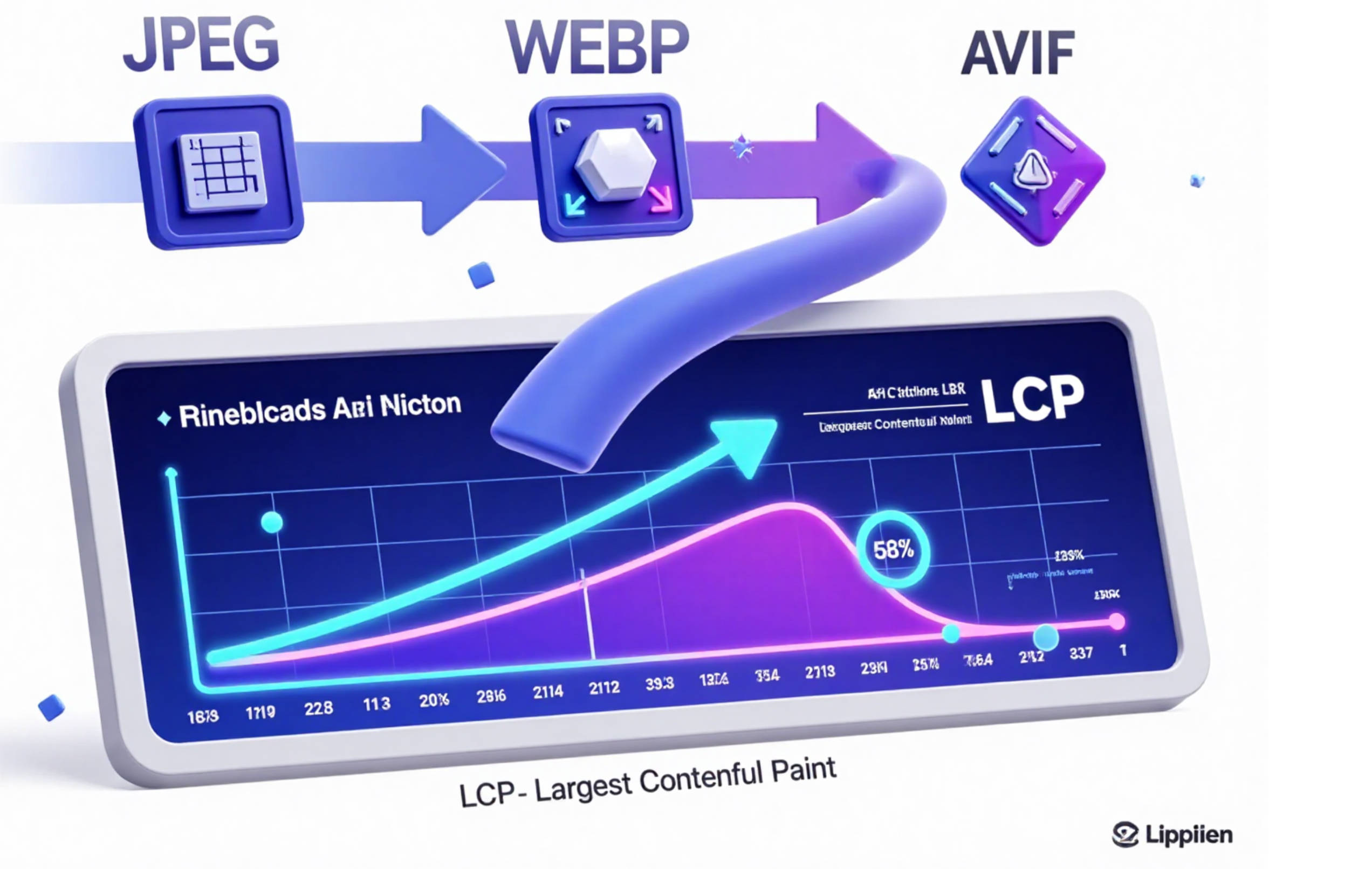
WebP is a modern image format developed by Google. Compared to traditional JPEG and PNG formats, it can reduce image file sizes by up to 30% at equivalent quality.25-35% This significant reduction in volume translates directly into faster loading speeds and lower data transfer volumes.
EWWW Image Optimizer's WebP Conversion Mechanism
EWWW Image Optimizer features built-in intelligent WebP conversion capabilities, automatically converting uploaded JPG, PNG, and GIF images to WebP format without significantly compromising image quality.It also employs the industry-standard cwebp tool for encoding, allowing users to flexibly select conversion parameters in the settings, including quality percentage and metadata processing options.
Seamless dual-format support and browser compatibility
The unique advantage of EWWW Image Optimizer lies in its ability toSimultaneously store both the original image and the WebP version.and automatically provide the appropriate format based on the user's browser capabilities.For older browsers that do not support WebP (such as Internet Explorer), the plugin automatically reverts to JPEG or PNG formats, ensuring all users can view images properly.The
Batch conversion of existing image libraries
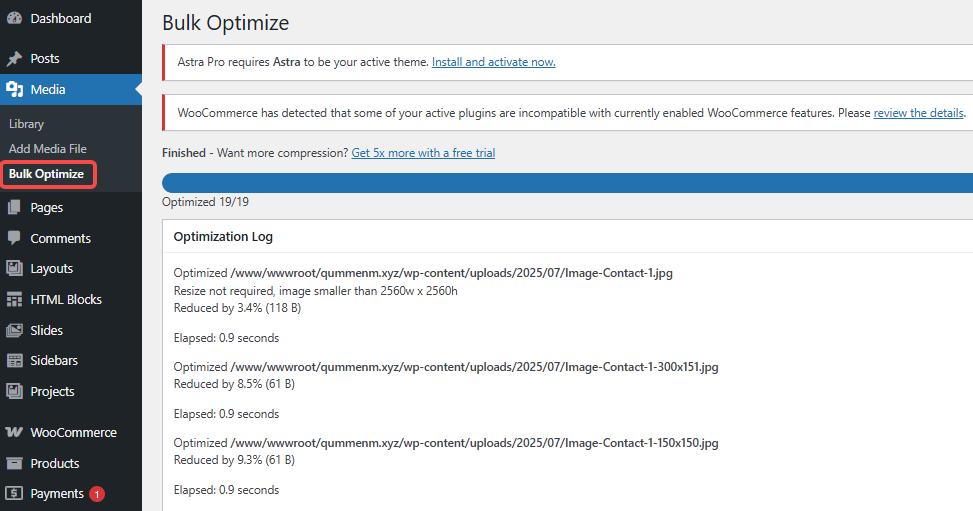
For websites with a large number of images,EWWW Image Optimizer provides powerfulBatch Conversion FeatureThis feature is particularly well-suited for websites requiring optimization of historical content. Site administrators can navigate to Media > Batch Optimize in the WordPress dashboard to scan unoptimized images and initiate batch processing, converting all existing images in the media library to WebP format.
CDN Acceleration: Global Distribution and Edge Optimization
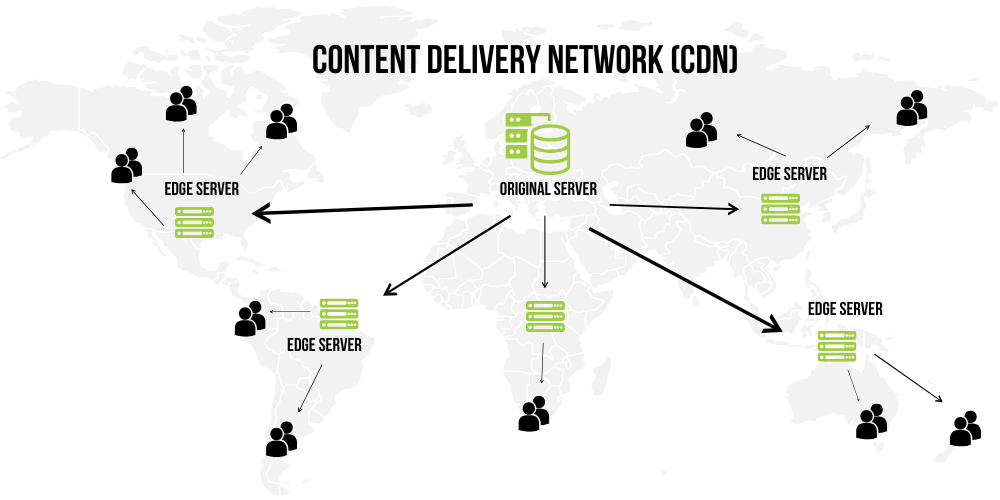
Content Delivery Networks (CDNs) are an indispensable component of modern website architecture, especially for sites with a global audience. EWWW Image Optimizer providesIntegrated CDN functionalityAccelerate image transmission through a globally distributed network of nodes.
CDNWorking Principle and Performance Advantages
EWWW's CDN is powered by119 global edge nodesCompositionWhen a user requests an image, the system retrieves it based on the user's geographic location.
EWWW's CDN willAutomatically cached optimized imagesincluding WebP versions. When subsequent requests are received, edge nodes directly serve the cached copies, eliminating the overhead of redundant processing.The
Smart Response and Device Adaptation
EWWW Image Optimizer's CDN not only provides format conversion but also supportsDynamic Size AdjustmentThe system can dynamically generate and deliver images of appropriate sizes based on the screen characteristics and display requirements of client devices, ensuring each user receives an optimal visual experience without wasting bandwidth.
Zero Local Processing and Cost-Effectiveness
Unlike certain solutions that require resource-intensive optimization on the server, EWWW's CDN approach willAll conversion tasks have been transferred to the edge.This eliminates processing load on the source server, freeing up valuable CPU and memory resources—particularly advantageous for shared hosting or resource-constrained environments.
Image Lazy Loading: On-Demand Loading and Perceived Performance Enhancement
Lazy loading is a deferred loading technique that only loads images within the user's viewport (visible area). As the user scrolls down the page, it progressively loads additional images. Enabling the lazy loading feature in EWWW Image Optimizer canSignificantly reduce initial page load timeand bandwidth usage.
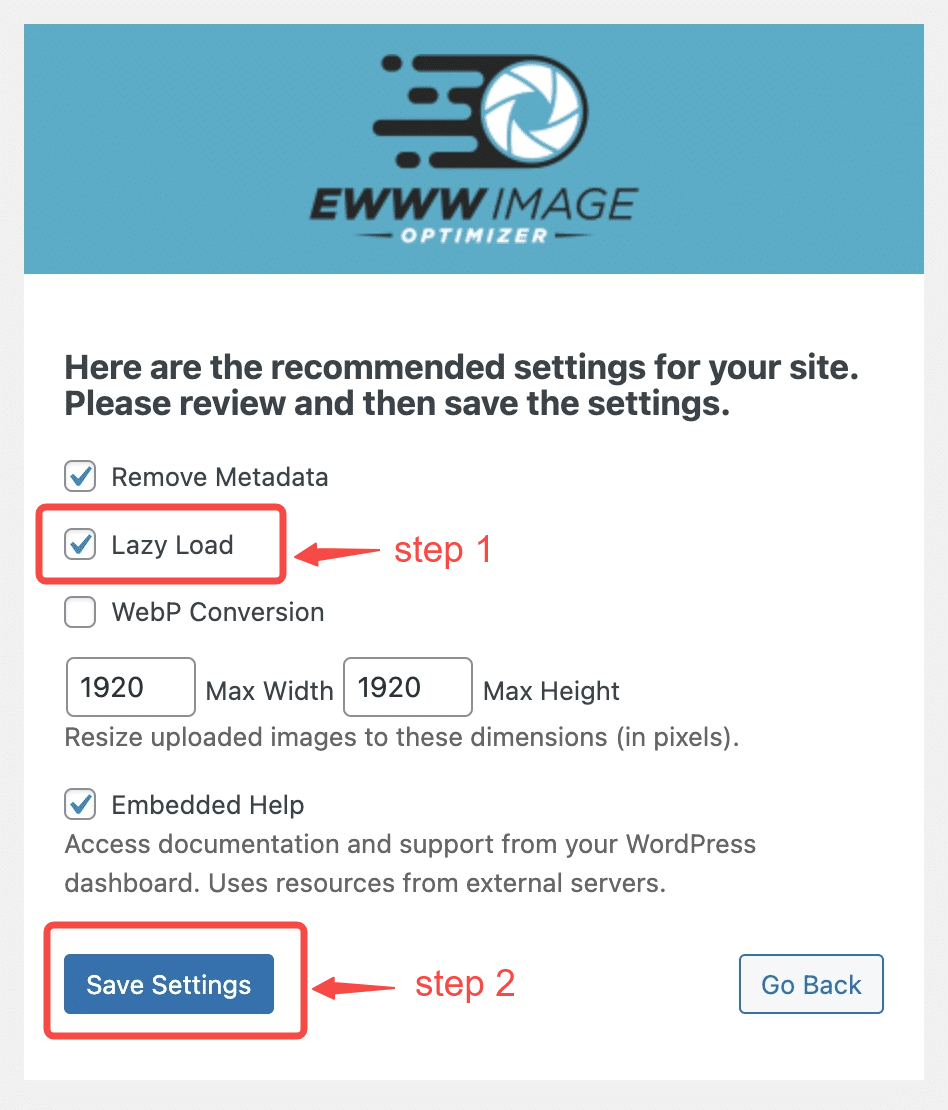
How Lazy Loading Works
EWWW Image Optimizer intelligently detects the viewport position,Automatically delay loading off-screen imagesuntil the user scrolls near themThis on-demand loading approach ensures rapid display of above-the-fold content, enabling users to interact with the page more quickly.
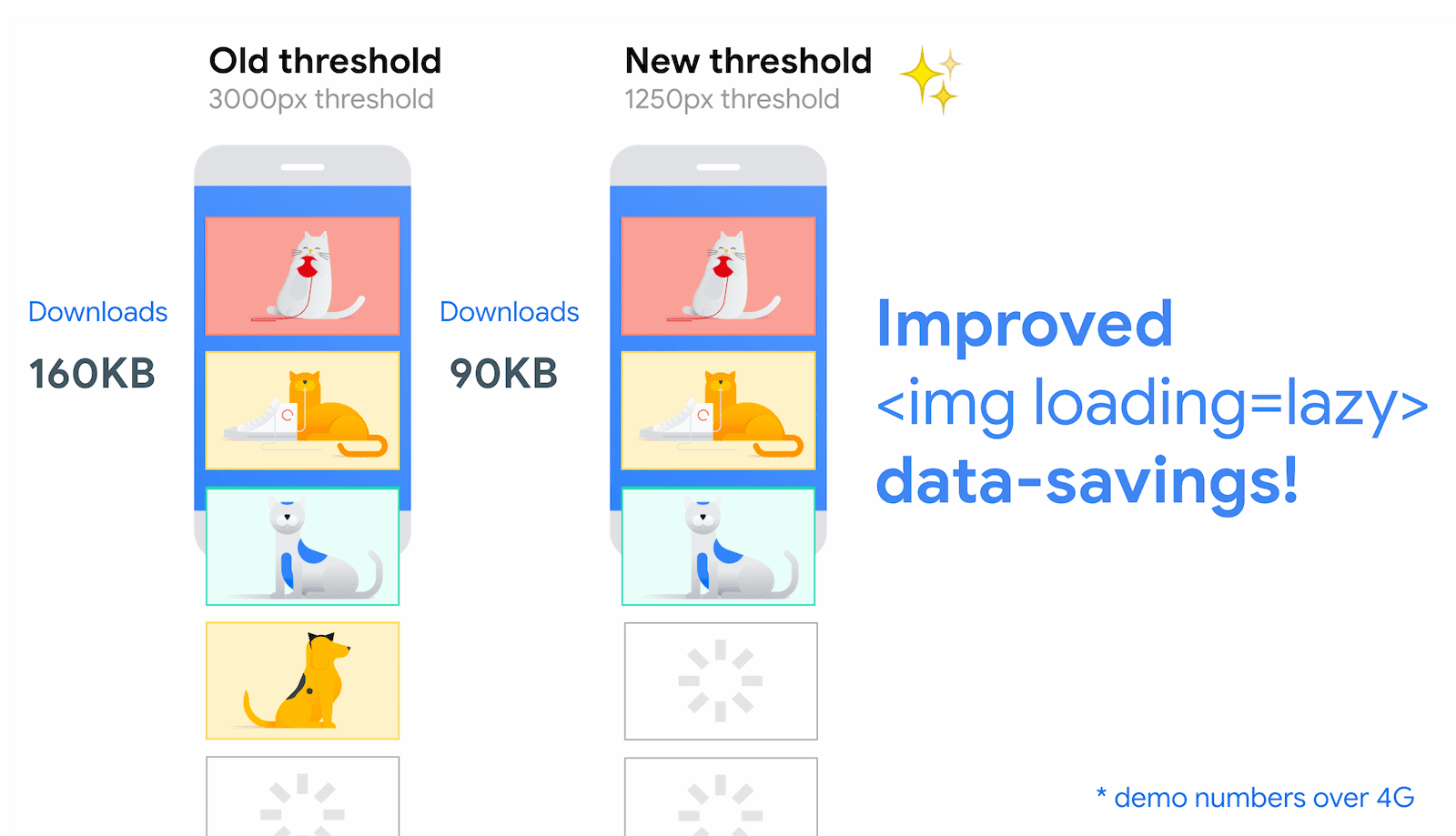
Balancing with Key Image Priority
A potential drawback of lazy loading is that it may delay the loading of critical images, such as hero images on the first screen. EWWW Image Optimizer addresses this by...Automatically detect Largest Contentful Paint (LCP) elementsto address this issueFor images identified as LCP candidates, the plugin prioritizes loading them to ensure they do not impactCore Web Vitals ScoreThe
Seamless Placeholders and Layout Stability
To prevent layout shifts during image loading (CLS issues), EWWW Image Optimizer will apply a placeholder image to all images.Leave adequate spaceThe plugin generates placeholders using the width and height attributes of images, ensuring stable page layout even when images have not fully loaded.
Practical Applications and Best Practices
To fully leverage the advanced features of EWWW Image Optimizer, it is recommended to follow these best practices:
Gradual Enablement Strategy
This incremental approach of enabling features one by one and monitoring their effects helps isolate potential issues and measure the impact of each feature.
First implement WebP conversion, then add CDN acceleration, and finally introduce lazy loading.
Performance Monitoring and Tuning
Use tools like Google PageSpeed Insights, WebPageTest, and GTmetrix to measure performance before and after enabling each feature.Measuring Website PerformancePay special attention to changes in Core Web Vitals metrics and adjust settings as needed.
Optimization Strategies for Specific Content Types
Different image types may require different optimization methods:
Product PicturesUse higher WebP quality settings (80-85%) to preserve details.
background imageCan accept stronger compression (60-70% compression)
Artistic ImagesConsider using lossless or near-lossless compression settings.
Caching Strategy Integration
Combine EWWW Image Optimizer with caching strategies. Ensure CDN and browser caching are properly configured, setting longer expiration times for static resources.At the same time, implement a cache clearing strategy to ensure that changes propagate correctly when images are updated.

Link to this article:https://www.361sale.com/en/80670/The article is copyrighted and must be reproduced with attribution.
















![Emoji[wozuimei]-Photonflux.com | Professional WordPress repair service, worldwide, rapid response](https://www.361sale.com/wp-content/themes/zibll/img/smilies/wozuimei.gif)

![Emoticon[baoquan] - Photon Wave Network | Professional WordPress Repair Services, Worldwide Coverage, Rapid Response](https://www.361sale.com/wp-content/themes/zibll/img/smilies/baoquan.gif)


 简体中文
简体中文  English
  日本語
日本語  Français
  Español


No comments