






When building multilingual WordPress sites, many platforms require not only translating page content but also translating "fields," including product attributes, custom fields, page builder elements, ACF fields, options panel settings, and more. WPML's "String Translation + Custom Fields Translation" feature,It is the core tool designed to address multilingual field management.

The following sections will help you understand the practical value and usage of field translation by covering four key aspects: concept, applicable scenarios, working principles, and best practices.
1. What is WPML Field Translation?
1.1 Meaning of Field Translation
Field translation refers to the process of translating text within articles, pages, or themes. Non-main content Perform multilingual processing. For example:
- Button text in the page builder
- ACF Custom Fields
- WooCommerce Product Specifications, SKUs, and Attributes
- Theme Settings (Header Copy, Footer Notes)
- Widget Content
- Plugin-generated text field
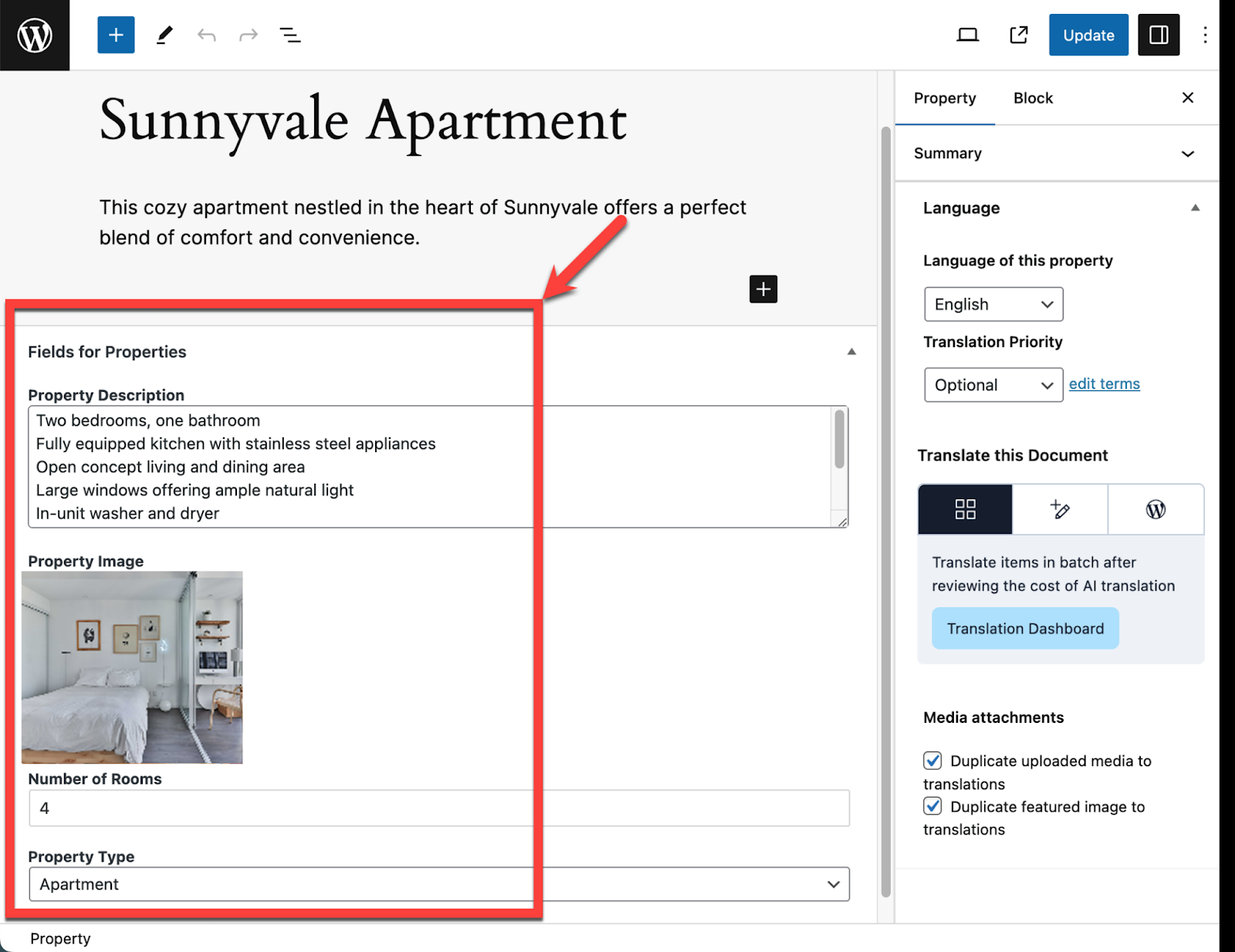
This content will not appear in WordPress's default editor, so it must be handled using WPML's field translation system.
1.2 Which components does WPML use to implement field translation?
WPML's field translation consists of two key modules:
- String TranslationTranslate strings such as buttons, prompts, and theme text.
- Custom Fields TranslationTranslate custom fields such as ACF, theme fields, and option fields.
Combined, they cover nearly all translation needs for a website's "hidden fields."
II. In which scenarios is field translation required?
2.1 Sites Using ACF (Advanced Custom Fields)
Many sites use ACF to create product showcase blocks, custom templates, and custom layouts.
These fields must be marked and translated using WPML's field translation rules.
Example:
- Product Material Field
- Display Title
- Image Description Field
2.2 WooCommerce Multilingual E-commerce Website
The following data all belong to "fields":
- Product Attributes (Color, Size)
- Variant Field
- Custom SKU Fields
- Product Additional Information
WPML can assign these fields to dedicated translation editors.
2.3 Using Page Builders like Elementor, Gutenberg, Divi, etc.
Modules within the builder, such as button text, counter digits, and carousel titles, are all considered fields.
WPML scans pages and extracts these fields for translation.
2.4 Theme Options Panel
Certain themes offer settings for headers, footers, CTAs, and ad banner copy.
This content will not appear in the article editor.Multilingual support requires translation via WPML fields.
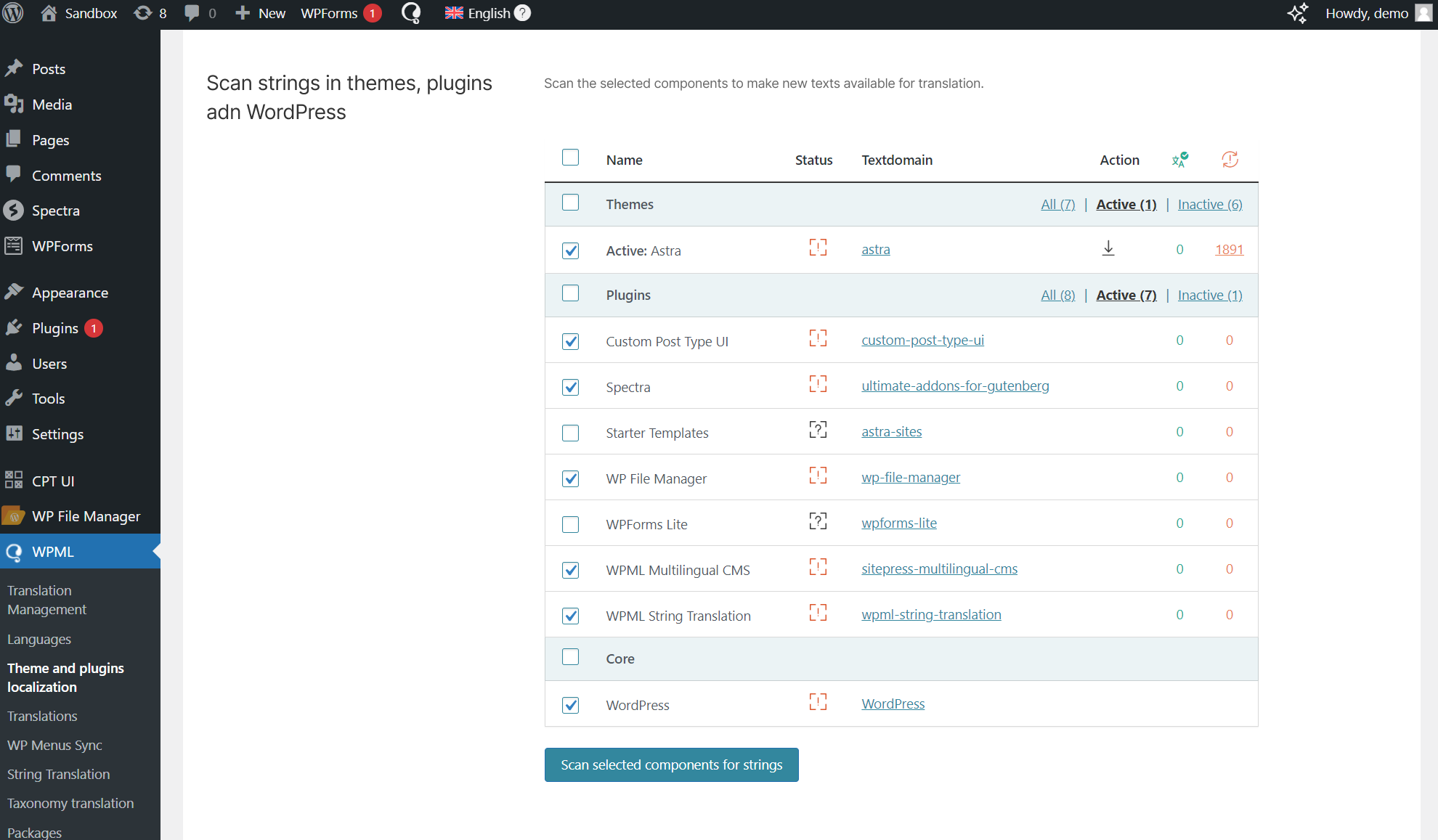
2.5 Plugin-generated forms, prompts, and notification content
Example:
- Form Plugins (Contact Form 7, WPForms)
- SEO Plugin Keyword Suggestions
- Login and Registration Prompts
These strings output by plugins can also be translated via WPML.
III. How WPML Field Translation Works
3.1 How WPML Identifies Fields
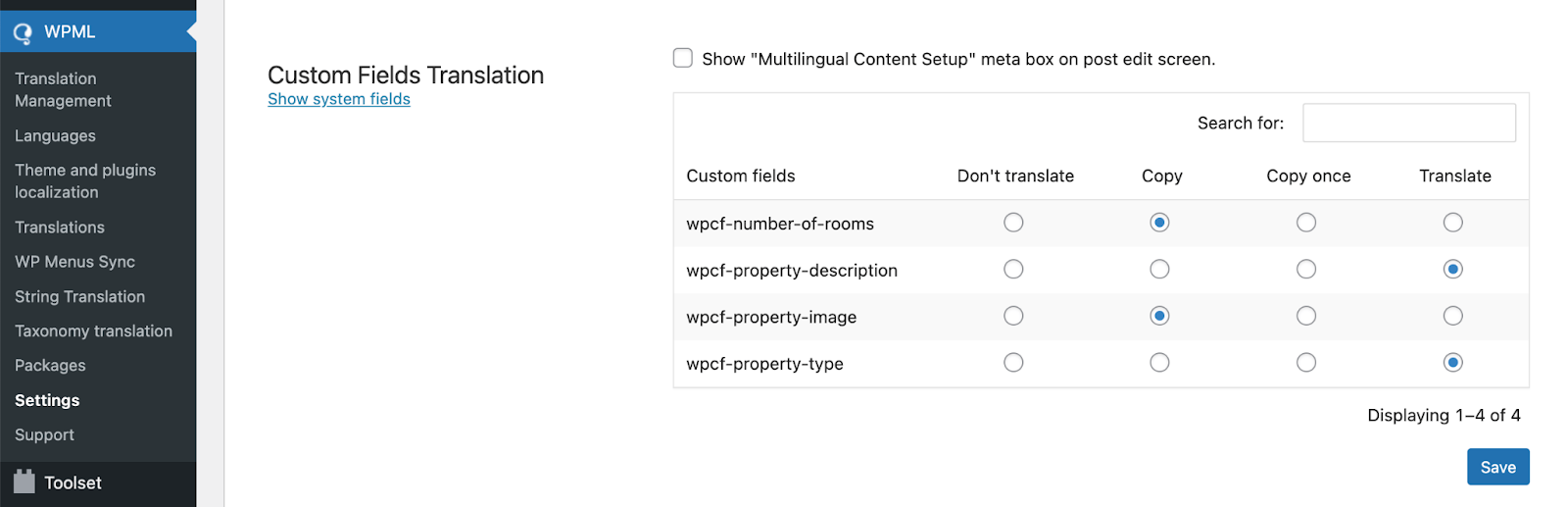
WPML identifies field attributes based on the "Translation Options" for each field. These attributes include:
- Do not translateField names remain consistent across all languages.
- make a copy ofFields automatically synchronize on the translation page (e.g., SKU)
- renderingFields can be translated individually (e.g., title/description).
These settings can be found in WPML → Settings → Custom Field Translations Defined in the middle.
3.2 Sources of Field Translation
WPML extracts fields from the following locations:
- ACF Field Group
- Page Builder Module Data
- Custom fields provided by the theme
- Plugin registration string
- WooCommerce Product Attributes
All sources are consolidated into WPML's translation editor or String Translation panel.
3.3 Execution Flow of the Translation Editor
The steps for executing the WPML Translation Editor include:
- Extract Field
- Distribute field content by language
- Translate each field individually
- Synchronize to the front-end page after saving
The entire process is highly intuitive for editors.
IV. Best Practices for Translating WPML Fields
4.1 Translation Rules for Planned Fields
Before beginning the translation, clear rules should be established for each field:
- Required fields for translation: Title, Text, Description
- Automatically copied fields: ID, SKU, Category ID
- Ignore fields for translation: Hidden fields, Logical fields
Clear planning prevents data chaos.
4.2 Prioritize the WPML Translation Editor
Compared to manually copying pages, WPML's translation editor is safer:
- Automatically maintain structural consistency
- Avoid omitting fields
- Ensure the correct synchronization of Builder content
Suitable for sites with numerous pages and complex fields.
4.3 Regularly check the String Translation panel
The String Translation panel will continuously add text output from plugins.
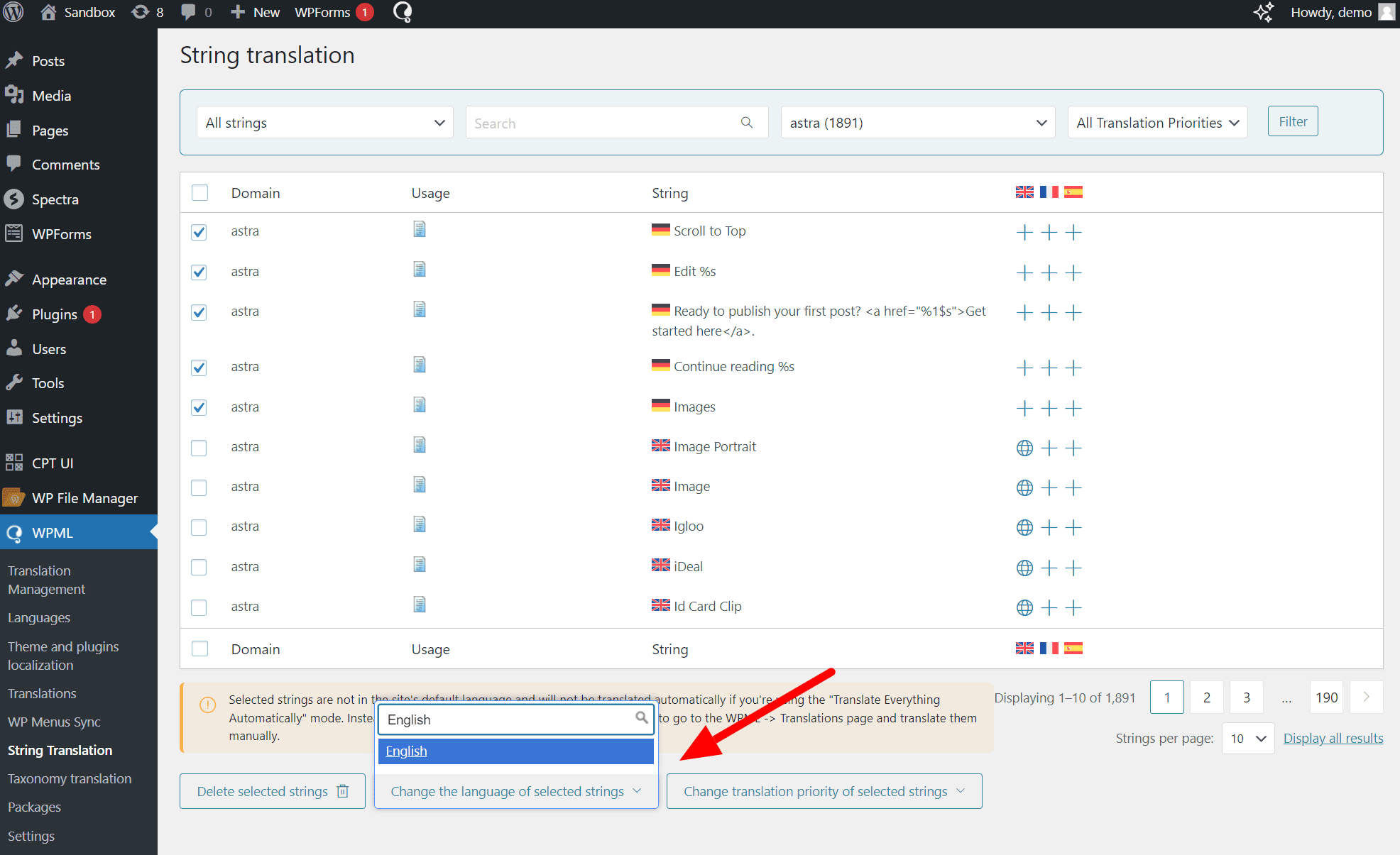
Recommend regular inspections:
- Are there any untranslated button labels?
- Are there any duplicate strings?
- Are there any new fields added after the theme update?
Keeping the interface clean enhances multilingual consistency.
4.4 Enable "ACFML Extension" when integrating with ACF
ACF + WPML requires the ACFML extension to be installed, otherwise:
- Field cannot be recognized
- Some translations are not applied.
- Field synchronization may fail.
This is a key component in the ACF multilingual environment.
4.5 Avoid copying content directly from the source page.
Directly copying pages may cause field structures to become out of sync.
WPML recommends using the "Translation Editor" to ensure consistent field management.

Link to this article:https://www.361sale.com/en/81264/The article is copyrighted and must be reproduced with attribution.

















![Emoji[wozuimei]-Photonflux.com | Professional WordPress repair service, worldwide, rapid response](https://www.361sale.com/wp-content/themes/zibll/img/smilies/wozuimei.gif)

![Emoticon[baoquan] - Photon Wave Network | Professional WordPress Repair Services, Worldwide Coverage, Rapid Response](https://www.361sale.com/wp-content/themes/zibll/img/smilies/baoquan.gif)


 简体中文
简体中文  English
  日本語
日本語  Français
  Español


No comments