






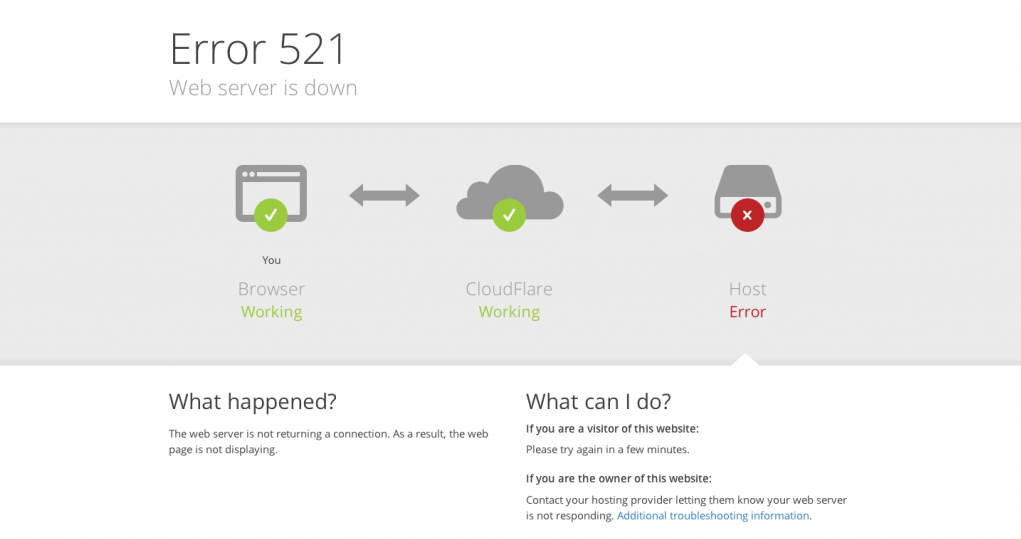
After connecting a website to Cloudflare, the first error many webmasters encounter is HTTP 521. When the browser displays "Web server is down," it indicates that the request has reached Cloudflare, but Cloudflare is unable to connect to the origin server.Official documentation classifies HTTP 521 as a Cloudflare-specific 5xx status code, meaning "The origin server refused a connection from Cloudflare." While this appears to be a Cloudflare error, the root cause almost always lies with the origin server or network environment.
Below, we summarize five common HTTP 521 scenarios and their corresponding solutions based on real-world operational scenarios. This approach facilitates quick problem identification rather than simply restarting the server and hoping for the best.
1. The essence of HTTP 521: Cloudflare can be reached, but the origin server is unresponsive.
From a protocol perspective, HTTP 521 is not a standard HTTP status code, but rather a "private error code" extended by CDNs like Cloudflare. Cloudflare's documentation explains: When Cloudflare successfully receives a user request but encounters a "connection refused" error or fails to establish a TCP connection while attempting to connect to the origin server, it returns the 521 Web server is down status code.
It can be simply understood as:
- The DNS and CDN segment is operational.
- The origin server is not properly accepting requests from Cloudflare, either because it is offline or because the requests are being blocked at the firewall layer.
Therefore, when encountering HTTP 521, troubleshooting should focus on the origin server: verify whether the web service is running, whether the port is listening, whether the firewall is mistakenly blocking traffic, and whether the reverse proxy is misconfigured.
II. Scenario 1: The web service itself is down or the port is not listening.
The most common and simplest scenario is that the origin server's web service isn't running at all, or it's running on the wrong port. Cloudflare's official support documentation states that one of the primary causes of error 521 is "The origin server's web application is offline or unresponsive.".
Typical manifestations:
- Through Pagoda or the control panel, it was discovered that Nginx/Apache has stopped.
- Server CPU or memory usage spikes, causing the web process to be terminated by the system.
- This machine
curl http://127.0.0.1:80Access failed
Processing recommendations:
- Log in to the server, check whether Nginx/Apache/PHP-FPM is running, and restart the processes if necessary.
- Verify that the actual port your site is listening on matches the Cloudflare backend configuration, typically 80 or 443.
- View the error log (e.g.,
error.log), check for application-level crashes or configuration syntax errors. - If server resources are tight, consider increasing memory, raising concurrency limits, or enabling caching to reduce the risk of processes being terminated.
As long as local confirmation is provided curl If the source server's IP address can be accessed directly via a browser, the HTTP 521 error will typically disappear.
III. Scenario Two:firewallsOr security software mistakenly blocked Cloudflare IPs.
The second most common high-frequency scenario is: the origin server's security policy is too "strict," mistaking Cloudflare for an attacker. Cloudflare documentation specifically notes that one of the common causes of 521 errors is "the origin server's firewall blocking Cloudflare's IP range."
FAQs include:
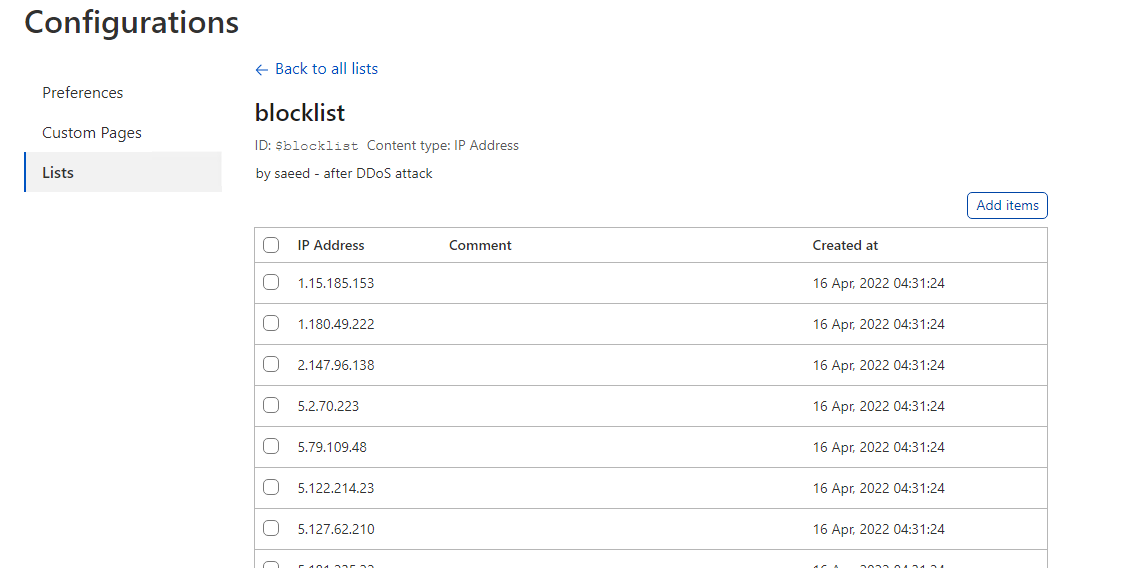
- The server firewall has blacklisted Cloudflare's exit IP addresses.
- Security software (such as fail2ban) may mistakenly flag Cloudflare as a brute-force attack based on IP request frequency.
- WAF rules incorrectly blocked most proxy access.
Processing recommendations:
- Obtain the latest list of IP ranges from Cloudflare's official documentation and add them all to the server firewall's whitelist.
- Check the block logs of security components such as fail2ban, CSF, and Pagoda Firewall, and unblock Cloudflare IPs.
- Set more reasonable rate-limiting thresholds for requests originating from Cloudflare within the WAF to prevent false positives.
- If port restrictions are enabled for the site, ensure that ports 80 and 443 are open to Cloudflare IP ranges.
As long as you ensure the origin server "trusts" Cloudflare at the network level, the likelihood of HTTP 521 errors will be significantly reduced.
4. Scenario 3: Incorrect Panel or Reverse Proxy Configuration (Particularly in Baota Environments)
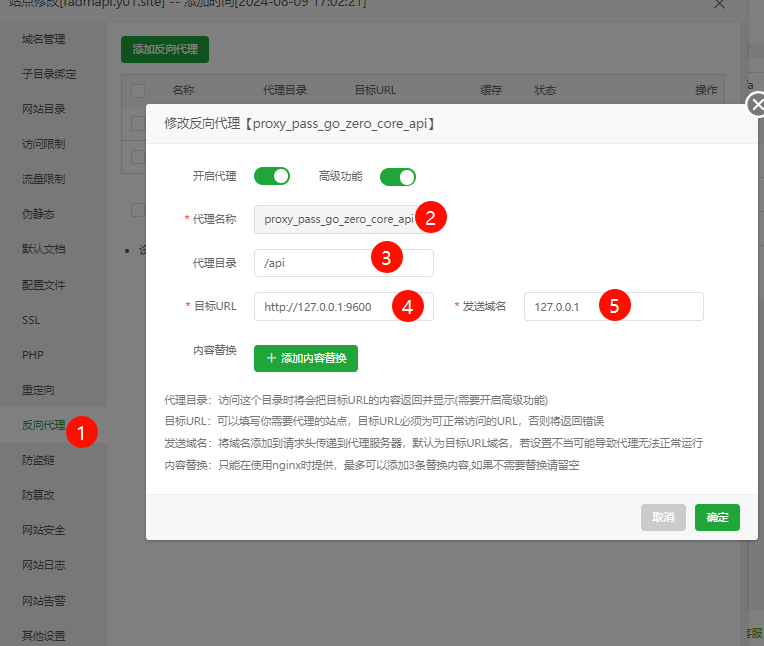
In control panel environments like Baota, DirectAdmin, and cPanel, HTTP 521 errors are often related to reverse proxy configurations. For example, when Nginx acts as a reverse proxy for Apache, Cloudflare requests first reach Nginx, which then forwards them to Apache. If the backend port, Host header, or local IP is misconfigured, the origin server will reject the connection, ultimately resulting in a 521 error.
Common error types:
- The Nginx reverse proxy target was configured with an incorrect local IP or port (e.g., forwarding to a non-existent port 8080).
- After modifying the panel template, the changes were not synchronized to all site configurations.
- Using Pagoda's one-click HTTPS deployment, but port mapping or certificate path configuration is incomplete.
Processing recommendations:
- Verify the "Domain Management" and "Reverse Proxy" settings for each site within the Pagoda, ensuring the backend IP and port actually exist.
- Check the Nginx/Apache site configuration file to confirm.
proxy_pass,VirtualHostrespond in singinglistenThe command is correct. - If you've recently adjusted HTTP/HTTPS, 301 redirects, HSTS, or similar rules, roll back the changes or test by commenting out each rule individually.
- Access the origin domain or IP directly without enabling Cloudflare to confirm that there are no 500, 404, or similar errors.
Such issues often arise suddenly after configuration changes. Reviewing recent operations is the fastest troubleshooting approach.
5. Scenario 4: HTTPS, Certificate, or Cipher Suite Configuration Anomalies
Some sites may indirectly trigger HTTP 521 errors when enabling Full/Full(Strict) mode HTTPS if the origin server's certificate configuration is incomplete. Third-party tutorials indicate that improper encryption configuration is a common cause of 521 errors, such as TLS version incompatibility or certificate chain anomalies.
Typical issues include:
- The origin server certificate has expired or been revoked.
- The origin server only supports outdated TLS versions or cipher suites.
- Certificate does not match the domain name (the hostname being accessed is not listed in the certificate).
Processing recommendations:
- utilization
curl -v https://源站IP或域名Check the TLS handshake process for certificate or protocol errors. - Ensure that the certificate installed on the origin server is valid, the certificate chain is complete, and it covers the actual domain names being accessed.
- Select in the Cloudflare consoleSSL mode matching the origin server configuration(For example, adjust from Full(Strict) to Full for testing purposes).
- Upgrade the server's OpenSSL and web server versions, enable modern cipher suites to avoid compatibility issues.
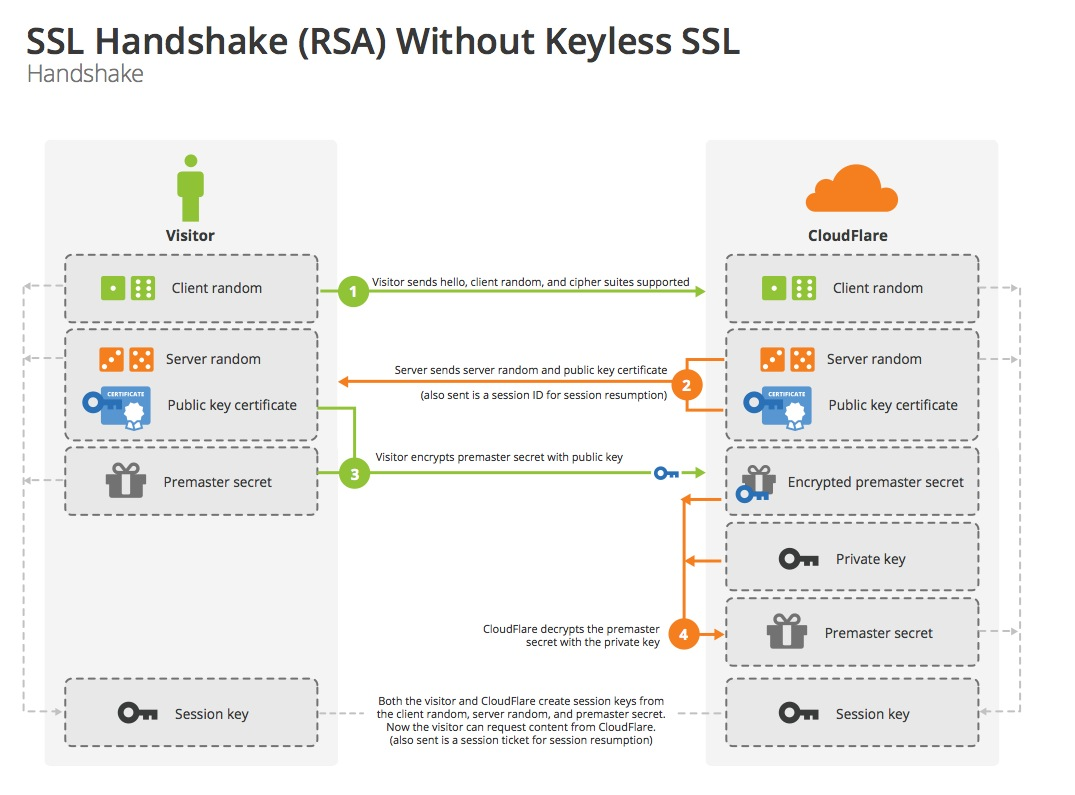
When HTTP 521 occurs only when HTTPS is enabled, especially in Full (Strict) mode, prioritize troubleshooting by examining the certificate and TLS configuration.
VI. Scene Five:Insufficient server resourcesor unstable network quality
Another type of HTTP 521 error is "intermittent": access is normal most of the time, but 521 errors occasionally occur, particularly during peak traffic periods. Some hosting providers and tech blogs attribute this to server resource exhaustion or unstable network links, such as connections being reset prematurely or excessive latency.
Common signals include:
- When 521 occurs, server load spikes, with CPU, memory, or connection counts approaching their limits.
- SSH login experiences severe lag and even disconnects.
- utilization
ping (computing)maybemtrDuring the inspection, the packet loss rate was significantly higher than normal.
Processing recommendations:
- Monitor server load, connection counts, and bandwidth usage during peak periods, and scale up configurations or perform horizontal scaling as needed.
- Enable caching or use object storage for static resources to reduce load on the origin server.
- Optimize application-layer code and database queries to prevent widespread blocking.
- Communicate with the data center or cloud provider to investigate line quality issues. If necessary, switch to a different data center or supplier.
The root cause of HTTP 521 errors is that the server occasionally becomes overwhelmed, requiring solutions at the performance and capacity planning levels.
VII. General Troubleshooting Checklist for HTTP 521 Errors
When troubleshooting, you can perform a diagnostic check in the following order. This approach can pinpoint the cause for most HTTP 521 errors:
- Directly access the origin server's IP address or a temporary domain not connected to Cloudflare in your local browser to verify if the site itself is functioning properly.
- utilization
curlAccess your site on the server itself to verify that the web service is running and the port is listening. - Review the logs of web servers such as Nginx or Apache, focusing on 5xx errors and connection failures.
- Check server firewalls, security software, and WAF rules, and set up a whitelist for Cloudflare IP ranges.
- Verify the panel and reverse proxy configuration to ensure there are no errors in the IP, port, or Host header.
- If using HTTPS, verify that the certificate is valid and that the TLS configuration matches the Cloudflare mode.
- Monitor performance metrics during peak hours to rule out resource shortages or network jitter.
If you need to communicate with operations or service providers, having these diagnostic results prepared in advance will significantly speed up issue resolution. Long-term, formalizing these troubleshooting steps into an operations manual—combined with log monitoring and regular inspections—can transform HTTP 521 errors into an early warning system that uncovers hidden issues. This allows sites to complete optimizations before peak traffic periods.

Link to this article:https://www.361sale.com/en/81962/The article is copyrighted and must be reproduced with attribution.

















![Emoji[wozuimei]-Photonflux.com | Professional WordPress repair service, worldwide, rapid response](https://www.361sale.com/wp-content/themes/zibll/img/smilies/wozuimei.gif)

![Emoticon[baoquan] - Photon Wave Network | Professional WordPress Repair Services, Worldwide Coverage, Rapid Response](https://www.361sale.com/wp-content/themes/zibll/img/smilies/baoquan.gif)


 简体中文
简体中文  English
  日本語
日本語  Français
  Español


No comments