






Making the Complicated Simple





Explore the Elementor editor to see what it has to offer!
Elementor is a popular WordPress page builder plugin that provides an intuitive and powerful drag-and-drop interface that allows users to easily create and edit website layouts without writing any code. So what about before we use the Elementor editor, we need to familiarize ourselves with...

Mastering the Elementor Editor: A Comprehensive Guide to Using it from Toolbar to Canvas
For your convenience, the top toolbar of Elementor editor provides many functions. You can easily access these features by simply clicking on the top toolbar, making your editing work more convenient and efficient. Editor Controls The following table lists each editor on the toolbar...

How Elementor Quickly Accesses Widget and Configuration Page Settings
Effective management of your website's widgets not only improves the functionality of your website, but also optimizes the user experience. When using the Elementor editor, you can easily create and manage a "Favorites" section to quickly access the most frequently used widgets in the widget panel. This article focuses on how to utilize Ele...

How to fix custom fonts not displaying in Elementor
When using Elementor to edit WordPress pages, I encountered the problem of custom fonts not displaying; what causes it and how to solve it? Possible causes and solutions Caching problems It is possible that this problem is caused by caching. The solution is also relatively simple: ...

Elementor Text Color Cannot Be Adjusted: Solution Guide
When editing text with Elementor, sometimes you may find that the text color does not change as expected. This may be because some settings are not applied correctly or there are other technical problems. If this happens, we need to find the source of the problem before solving it. Possible...
Elementor Gadget Panel not loading causes and solutions
When we are editing wordPress pages using Elementor editor, sometimes we encounter Elementor widget panel not loading and it has a continuously rotating "loading" icon. As shown below: Possible Reasons The widget panel fails to load may be due to the following...

Tutorial for Elementor Core installation and activation
Elementor Core is a free version of Elementor that provides basic page building functionality, allowing users to create and edit pages on WordPress sites through a drag and drop interface. This version includes many useful widgets and features for most basic website...

What is the Elementor website kit
Elementor Website Kit (Elementor Website Kit) is a new feature offered by Elementor that contains a complete set of templates and styles designed for specific types of websites. It provides users with a fast, all-in-one solution for importing entire websites directly...

How to buy Elementor Pro cost-effectively and avoid the pitfalls smartly
With Elementor Pro, the process of building a website is as easy as playing with a jigsaw puzzle. So, how to save money on Elementor Pro and avoid stepping on the pitfalls at the same time? Here are some experiences summarized by our team using Elementor Pro to edit web pages; all are more practical and shared here...

How to select and import presentation data for Basel themes: detailed steps and considerations (01)
After installing the Basel theme package, you will notice that the front-end shows the default base page. This means the theme has been successfully installed and the next step is to select and import the appropriate demo data. In this article, we will explain in detail how to import Basel theme demo data and...

How to set the navigation bar menu (Basel theme, other themes may vary individually) (02)
In this tutorial, we will detail how to create and manage menus on your WordPress website. By following the steps below, you can easily set up and customize your website's navigation bar to improve the user experience and usability of your website. If you have any questions during the process, please feel free to...

How to set up and how to use Basel theme website poster (banner)? (03)
How to display the perfect poster? Next let's learn 1.Steps to enter wordpress → Log in to the backend → Slider Revolution Then we are going to go to choose our homepage banner Note: There will be a lot of templates, but there is only one template that is correct, which can be based on...

WordPress Multi-Domain and Sub-Domain Differences: Detailed Analysis
WordPress users often encounter the problem of choosing between multiple domains and subdomains. Understanding the difference between them and the applicable scenarios is important to effectively manage your website and optimize user experience. In this article, we will analyze the differences between WordPress multidomain and subdomain in detail to help you make a more...

Security Vulnerabilities in the Elementor Add-on Plugin and How to Protect Your WordPress Site
Elementor researchers have issued security advisories for 11 separate Elementor add-ons containing 15 vulnerabilities. These vulnerabilities could enable hackers to upload malicious files, and one is rated as a high-threat vulnerability because it could allow hackers to bypass access control...
Mastering WPBakery Page Builder: a basic guide to easily renovating Basel themes (06)
This article will take you step by step through the WPBakery Page Builder editor for decorating Basel themes. From the Revolution Slider (Revolution Slider) to the use of rows (ROW), every step and setting is explained in detail. Next we will officially start WPBakery Page B...

Elementor pro crack 500 error how to fix it
Many friends in the use of elementor to build WordPress site, because of the free version of the functional limitations of the reason, can not achieve the desired results. Can only choose to upgrade to pro version, but elementor pro version price is relatively high; at this time, elementor pr...

Fluent Forms: The Ultimate Convenient WordPress Forms Plugin Fully Explained
Fluent Forms is an extremely handy WordPress forms plugin that lets you easily create all kinds of forms with a simple drag and drop operation. Whether you want a simple contact form or a more complex payment, quiz or calculator form, Fluent Forms makes light...

Detailed tutorial: how to safely replace the domain name in WordPress step-by-step analysis
WordPress is an open source content management system (CMS) for creating and managing websites. It began as a blog publishing system, but has evolved over time into a powerful platform that can be used to build various types of websites, including personal blogs,...

How to Set Up Multiple Domains in WordPress
Using multiple domains to access and manage the same WordPress site can increase flexibility and scalability. This article will detail the steps and practicalities of setting up multiple domain names in WordPress. 1. Why use multiple domain names? There are several benefits of using multiple domain names: Branding:...

Convenient and practical WordPress multi-domain plugin recommendations
Using multiple domains to manage and operate different content has become a common need. Whether it's for branding, geographically and linguistically diverse needs, or SEO optimization, WordPress users can easily achieve this goal with a multi-domain plugin. This article will detail...

How to Reset WordPress Password When Email Access is Unavailable
Forgetting a password is a common problem when using a WordPress website. However, this can cause even more trouble when there is no access to the registered email to reset the password. The good news is that WordPress offers several ways to help you reset your password without accessing the email...

Website optimization after the decline in traffic analysis of the reasons and coping strategies
The Challenges of Website Optimization Website optimization is an important tool for improving website performance and user experience, but sometimes changes can bring unexpected side effects, such as a drop in traffic. The purpose of this article is to analyze the reasons for traffic drop after website optimization and provide targeted coping strategies. First, search...

Pros and Cons of WordPress Theme Hacking Analysis
Using a cracked WordPress theme has its pros and cons. Although you can get premium features for free or at a low price, the inability to make updates may lead to website security risks. Later on, system updates may cause incompatibility and other issues to negatively affect your website, so you need to be careful to consider...
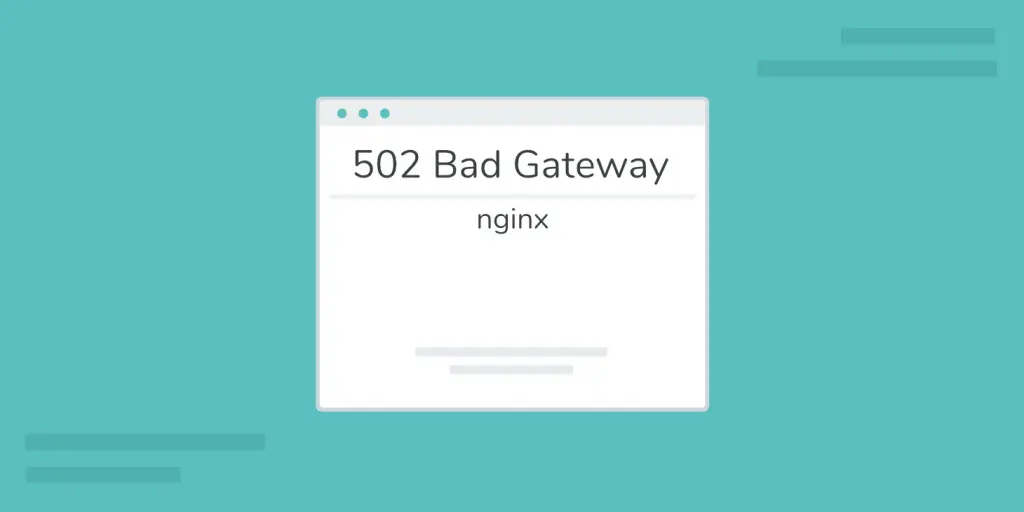
502 Bad Gateway Error Details and Solutions
1. What is a 502 Bad Gateway Error 502 Bad Gateway is an HTTP status code that indicates that a server, acting as a gateway or proxy, attempted to access the next server, but that server returned an illegal response. Simply put, 502 is an error type code that...
Easy way to reset WordPress administrator password using FTP
There are various ways to reset WordPress administrator password. Today we are going to focus on how to reset admin password manually using FTP (File Transfer Protocol). It will detail how to reset WordPress administrator password via FTP in an easy way. Preliminary Preparation FTP client soft...

Beginner's Guide to Using Elementor in WordPress
What is Elementor? Elementor is a drag and drop page builder for WordPress. The plugin helps you create beautiful pages using a visual editor. It is designed to create dynamic websites quickly. This WordPress plugin is an all-in-one tool that makes website...

How to add a currency converter to your WordPress website with Elementor?
Integrating a currency converter is critical to providing a seamless shopping experience for global customers. Not only does it cater to an international audience, but customers can view prices in their local currency, helping to build trust and transparency. On your WordPress website you can use the Elementor editor to add...

WordPress source code - jquery (jquery-1.10.2.js)
1 /*! 2 * jQuery JavaScript Library v1.10.2 3 * http://jquery.com/ 4 * 5 * Includes Sizzle.js 6 * http://sizzlejs.com/ 7 * 8 * Copyright 2005, 2013 jQuery Foundation, Inc. and othe....

How to Efficiently Build and Manage Website Content with WordPress Posts & Pages
WordPress is a feature-rich platform that makes it easy to build a variety of websites, such as personal blogs, online portfolios to showcase one's work, and even e-commerce stores to trade goods. When building a WordPress website, content is usually organized into two main shapes...

How to Bulk Update Products in WooCommerce
Updating your product catalog is crucial to running a WooCommerce store. What would you do if you needed to add new sizes to all the t-shirts in your store, or raise the price of all the mugs? Manually changing them one by one is not only a hassle but also very time-consuming. Good thing WooCommerc...

 简体中文
简体中文  English
  日本語
日本語  Français
  Español



